Sage Intacct 2025 Release 3—Top enhancements

Sage Intacct 2025 Release 3 introduces major improvements to workflows, automation, and reporting. Key changes focus on enhancing efficiency, user experience, and security. Below is a detailed breakdown of the release’s most significant features and why they matter to your business.
Authentication simplified with email enhancements
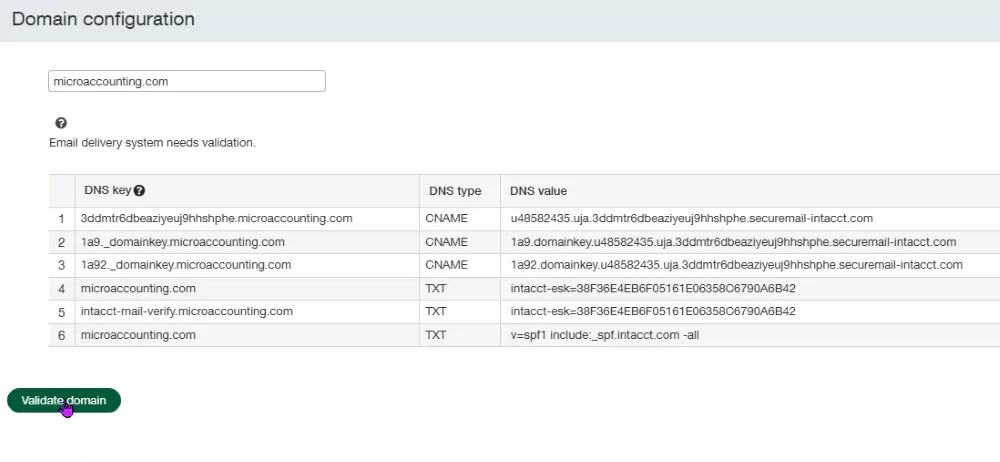
Email authentication now strengthens communication security and reliability. The process validates email domains for better delivery and reduced spam risks. Admins can manage this process in the new Company Setup section. If you email documents out of Sage Intacct, you need to authenticate and validate your domain to avoid potential email delivery issues. Partner with your IT team to complete authentication today. Key benefits:
- Ensuring emails (e.g., invoices, payment notifications) avoid spam folders
- Reducing vulnerabilities to phishing attacks
- Seamless steps to authenticate your domain using DNS keys
Dynamic list views for greater visibility
Enhanced list views are now a default feature across modules. Users can easily customize, filter, and view data with greater flexibility. These intuitive views improve navigation, reduce errors, and save time. Users are encouraged to explore and adapt to this modernized interface. Key benefits:
- Filter vendors or transactions without using wildcards
- Toggle between classic and split views for better multitasking
- Add or freeze columns to meet specific preferences

Ready to unlock the latest enhancements?
Ready to unlock the potential of the latest Sage Intacct enhancements? Let Rand Group guide you through the new features in Sage Intacct 2025 Release 3 and show you how they can help you achieve your business goals.
Smarter, faster payment features
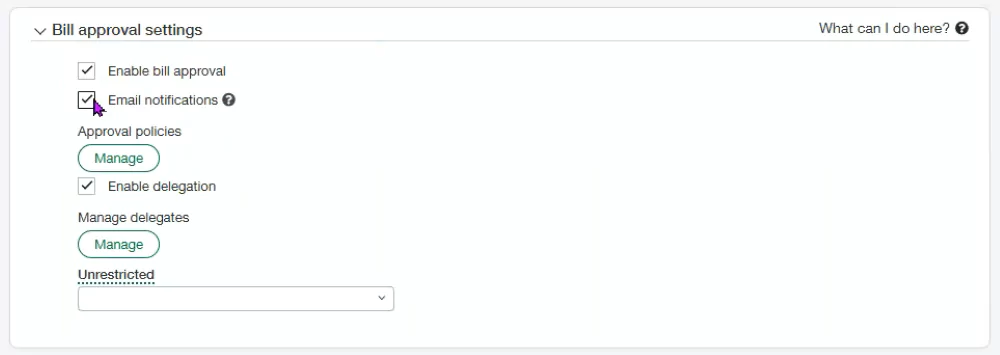
Sage Intacct’s 2025 Release 3 brings significant payment enhancements, streamlining workflows for AP and AR. Highlights include reducing navigation time with quick in-list action, and maintaining audit trails for full transparency.
What’s new in AP payments
- Select and pay vendor bills directly from the vendor list
- Streamline bill-paying processes with significantly fewer clicks
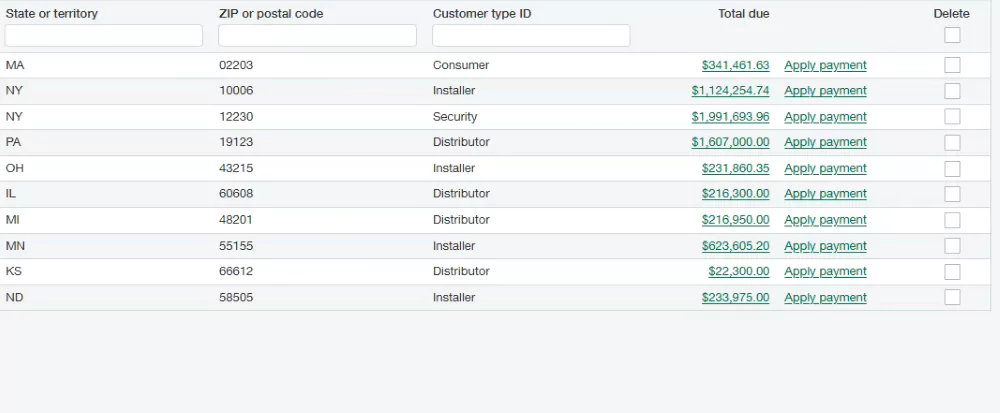
What’s new in AR payments
- Apply customer payments easily from the customer list page
- Improve transparency and speed in payment processing

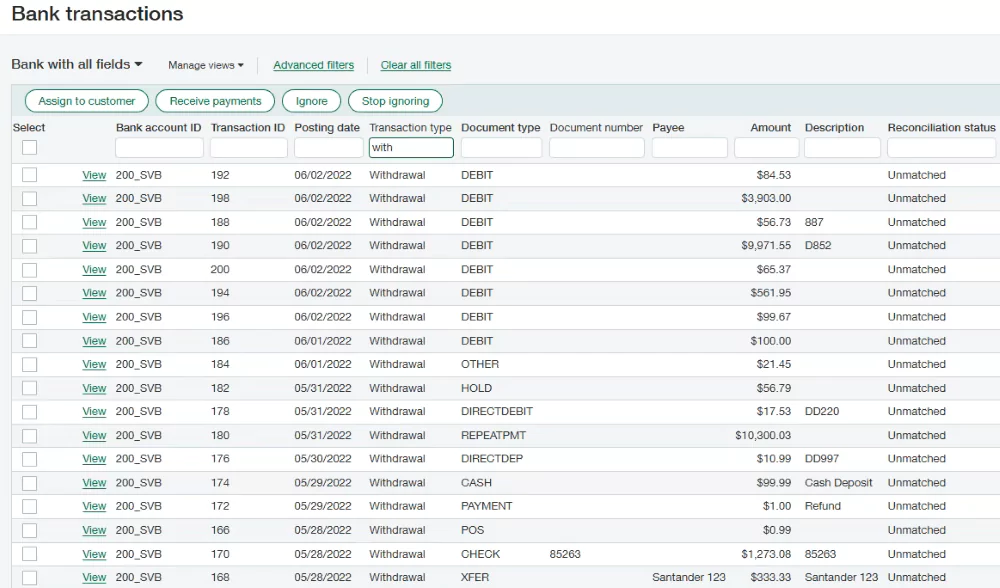
Enhanced bank feeds and reconciliation
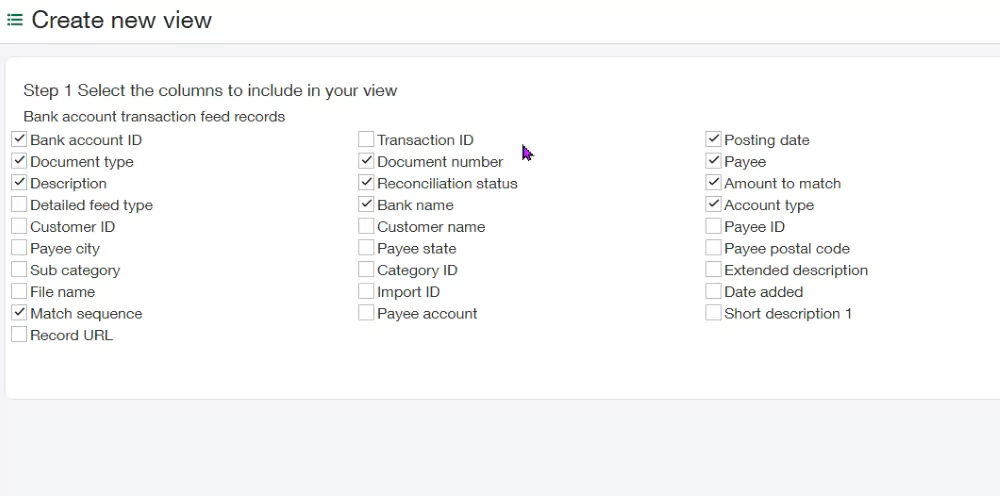
Bank feeds receive significant upgrades, simplifying bank reconciliations and workflows. These updates make reconciliation faster, more precise, and highly efficient.
- Match transactions with better accuracy using improved bank references
- Filter data by categories, subcategories, and payee details
- Customize views to display all new fields for a more granular approach
Fixed Assets made flexible
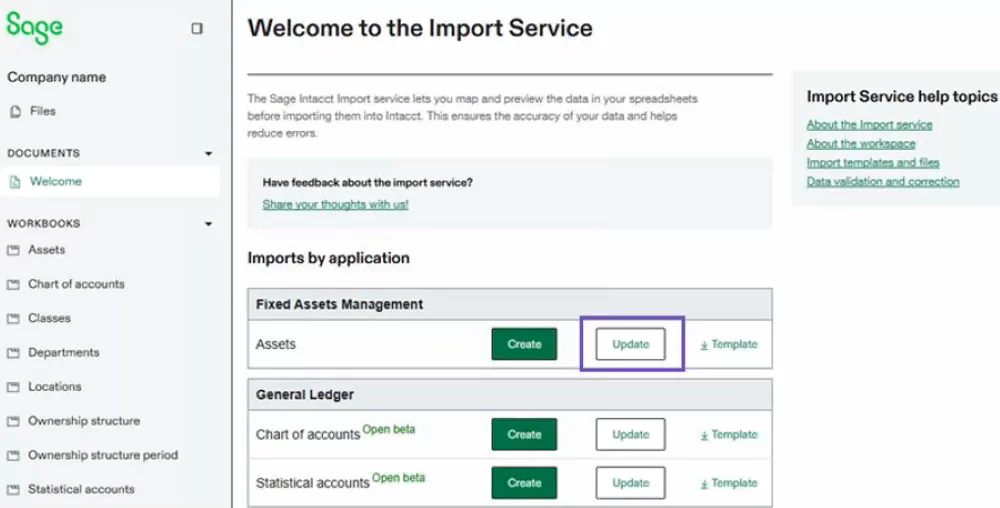
Sage Intacct’s fixed assets module streamlines handling historical and new assets alike. These changes simplify asset management, saving hours in financial reporting.
- Import historical depreciation without manual reconciliations
- Edit assets in bulk through the improved Import Service tool
- Revert depreciation effortlessly via a one-click feature
Faster timesheets and expense management
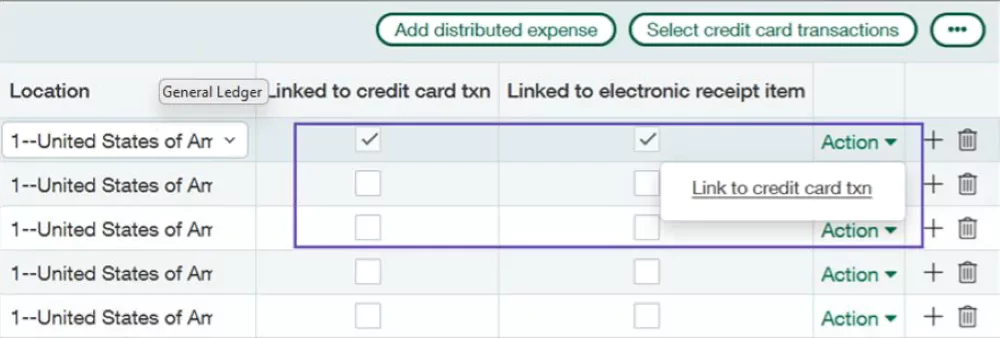
Employee expenses and time tracking see optimizations for ease and accuracy. These improvements streamline both approvals and reimbursements while boosting accuracy across employee records.
- Link expense report receipts to individual line items
- Split transactions (e.g., hotel and airfare) within a single expense report
- Automate overtime calculations directly in timesheets
Next steps
Sage Intacct 2025 Release 3 demonstrates a commitment to innovation and usability. Whether it’s reducing clicks, expanding automation, or providing advanced reporting, every feature focuses on improving your business’s financial operations.
- Authenticate email domains for better communication
- Explore and adjust to the enhanced list views
- Test new features like the Import Service and AP/AR payment options
Check out the release notes for a complete list of enhancements. Need help getting started? Contact us to learn how to unlock the full potential of Sage Intacct.
Subscribe to our Insights
Related Blogs

Best ERP software for family offices
Managing a family office involves far more complexity than traditional financial operations. From multi-entity accounting and consolidated reporting to investment tracking and multi-generational wealth oversight, family offices must manage diverse assets, entities,...

Sage 100 year-end processing best practices for distribution modules
Closing the fiscal year in Sage 100 doesn’t have to be complicated. With the right approach, your team can complete year-end processing efficiently while keeping your distribution modules fully aligned with the General Ledger (GL). Sage 100 is designed to streamline...

Sage 100 year‑end processing payroll guide
Year‑end processing in the Sage 100 payroll module is a strategic step that ensures your payroll system is accurate, compliant, and ready for the year ahead. Beyond simply closing Q4, it aligns balances, resets key accruals, updates deductions, and sets the foundation...