How to manage tariffs in Sage 100

Managing tariffs can be a hassle, especially for businesses importing products. From ensuring accurate calculations to integrating tariffs into sales processes and sharing clear details with customers, the workload can quickly pile up. We’ve been hearing from a lot of clients lately asking how to manage tariffs in Sage 100—and our Sage 100 development experts can help.
With the flexibility of the Sage 100 Custom Office and scripting tools our team can customize Sage 100, making managing tariffs easier and more accurate. Whether you need automated calculations, custom reporting, or flexibility tailored to your business needs, we’ve got you covered.
Why managing tariffs in Sage 100 matters
Tariffs can vary by product, customer, and even country, making them complex to manage manually. Errors in calculation or compliance could result in serious issues, but our Sage 100 development services embed tailored tariff solutions into Sage 100 workflows. With our tariff automation tools, you gain the ability to:
- Turn tariffs on/off for individual customers
- Easily update tariff rates to keep up with changing regulations
- Automatically calculate tariffs and add to sales order and invoices
- Choose how tariffs are displayed on customer-facing documents
Our custom Sage 100 tariff solutions provide accuracy, visibility, and automation to significantly reduce manual workloads. Let’s look at the features Rand Group can develop for your Sage 100 system to manage tariffs better.

Ready to customize Sage 100 for tariff management?
Whether you’re struggling to manage tariffs or are facing other challenges, our development experts can help you design and implement the right enhancements. Let’s talk about how Sage 100 customization and development services can support your goals.
Turn tariffs on / off for specific customers
Some customers might be exempt from tariffs, while others require them. With our custom scripts, you can easily turn tariffs on or off for specific customers in the Customer Maintenance module. This flexibility ensures compliance with tariff rules while preventing overcharging your exempt customers.

Easily update tariff rates
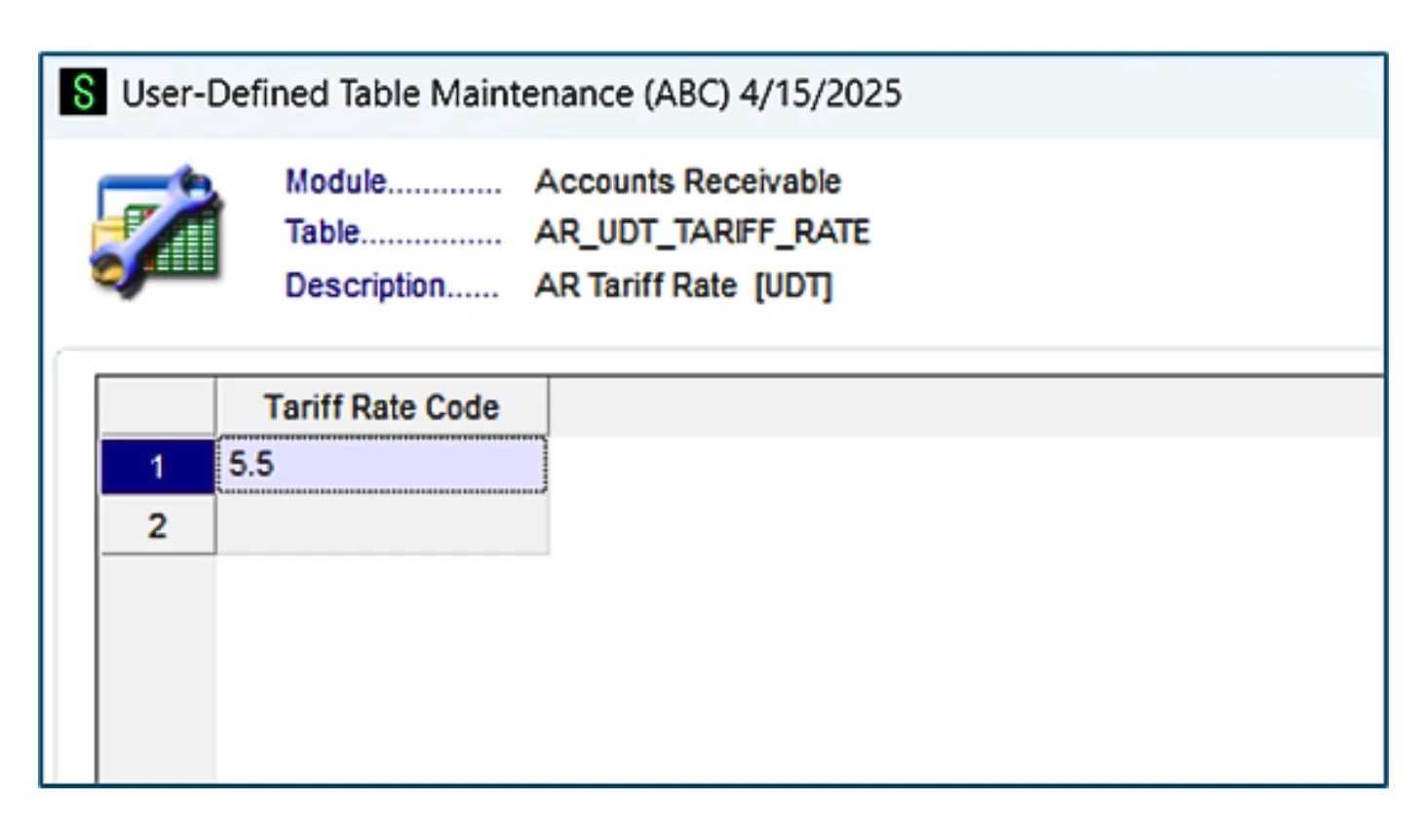
Regulatory changes or market fluctuations can make tariff rates dynamic, but manual adjustments can lead to errors. With our custom development, updating tariff rates in Sage 100 is as simple as editing a table. Once the new rate is entered, all future transactions will use the new tariff percentage.
Assign tariff percentages by individual inventory items or product line
Applying the same tariff rate to all products? Not realistic. Different items or product lines often require unique tariff rates, and we account for that. By adding user-defined fields (UDFs) to your Sage 100 Inventory module, you can:
- Assign specific tariff percentages to products or lines
- Ensure tariffs are applied accurately when creating sales or purchase orders
This detailed control not only simplifies compliance but also improves operational accuracy.
Custom tariff displays for customer documentation
Customers need to see tariff costs clearly on their invoices and sales orders. We provide flexibility in how tariffs are displayed on sales orders, invoices, and other customer-facing documents. Choose the display that best matches customer expectations and strengthens transparency:
- As part of each line item
- As a single, distinct line item
- Summarized into one grand total at the bottom of the document

A step-by-step look at custom tariff workflows
Here’s an example of how an automated Sage 100 workflow can handle tariffs seamlessly, eliminating risk while boosting efficiency:
- Mark the inventory item as “Subject to Tariff”, e.g., 10%
- Create a sales order for a customer subject to tariffs
- The system calculates and applies the tariff based on your custom settings
- Invoice displays the tariff according to your chosen format (e.g., per line item or as a grand total)
Why choose Rand Group?
Managing tariffs requires a solution tailored to your business. With over 35 years of experience in Sage 100 customizations, Rand Group is well-equipped to deliver solutions that improve accuracy and efficiency; ensure compliance with regulations; and provide actionable insights into tariff impacts.
Take control of tariffs in Sage 100 today
Don’t let the challenges of managing tariffs hold your business back. With Rand Group’s Sage 100 customization solutions, you’ll simplify the process, enhance compliance, and take a proactive approach toward a more efficient workflow. Contact our team today to learn about how we can help you master tariff management in Sage 100 and turn a major hurdle into a streamlined process.