Sage 100 upgrade vs. migration: How to decide what’s right for your business

Sage 100 continues to be a reliable and valuable ERP platform for many small and mid-sized organizations. Regular upgrades, system optimization, and infrastructure improvements can help businesses extend that value while maintaining security, compatibility, performance, and product support.
As an organization grows or its requirements change, however, it may eventually need to decide whether another Sage 100 upgrade will address its needs or whether it should begin planning for a different ERP platform. That decision does not always require an immediate migration. Some businesses benefit most from upgrading and optimizing Sage 100, while others move to Sage Intacct, Sage X3, Oracle NetSuite, or Microsoft Dynamics 365.
This guide explains the difference between upgrading and migrating, why staying current on Sage 100 matters, and how to determine which modernization path best supports your organization’s current needs and long-term plans.
Four ways to modernize a Sage 100 environment
Organizations using Sage 100 generally have four modernization paths to consider:
- Upgrade and optimize Sage 100 to stay current and maximize your existing investment.
- Move Sage 100 to a hosted cloud environment to modernize infrastructure while keeping your ERP.
- Transition to a more modern Sage ERP, such as Sage Intacct or Sage X3, if your business has outgrown Sage 100.
- Evaluate another cloud ERP platform, such as Oracle NetSuite or Microsoft Dynamics 365, if another solution better aligns with your technology strategy.
The right choice depends on whether your challenges relate to software version, infrastructure, business processes, or the capabilities of the ERP platform itself.
At a glance
Organizations can modernize Sage 100 by upgrading, moving to hosted cloud infrastructure, adopting another Sage ERP, or migrating to another cloud ERP. The right choice depends on whether the challenge is your software, infrastructure, business processes, or long-term growth strategy.
- Understanding your Sage 100 modernization options
- Path 1: Upgrade and optimize Sage 100
- Path 2: Move Sage 100 to a hosted cloud environment
- Paths 3 and 4: Moving beyond Sage 100
- Modernizing within the Sage ecosystem
- Evaluating cloud ERP platforms from other vendors
- Which modernization path is right for your business?
- When a Sage 100 upgrade is the right choice
- When it’s time to move beyond Sage 100
- Can you upgrade Sage 100 now and migrate later?
- Does adopting AI require moving beyond Sage 100?
- Comparing the long-term investment
- Questions to ask before deciding
- Why partnering with an experienced Sage consultant matters
- Why partner with Rand Group
- Real-world success across every modernization path
- FAQs
Understanding your Sage 100 modernization options
Organizations often use the terms upgrade and migration interchangeably, but they can refer to very different initiatives. Some projects simply modernize your existing Sage 100 environment, while others involve moving to an entirely new ERP platform.
Understanding these differences will help you determine which modernization path best fits your organization’s needs.
Path 1: Upgrade and optimize Sage 100
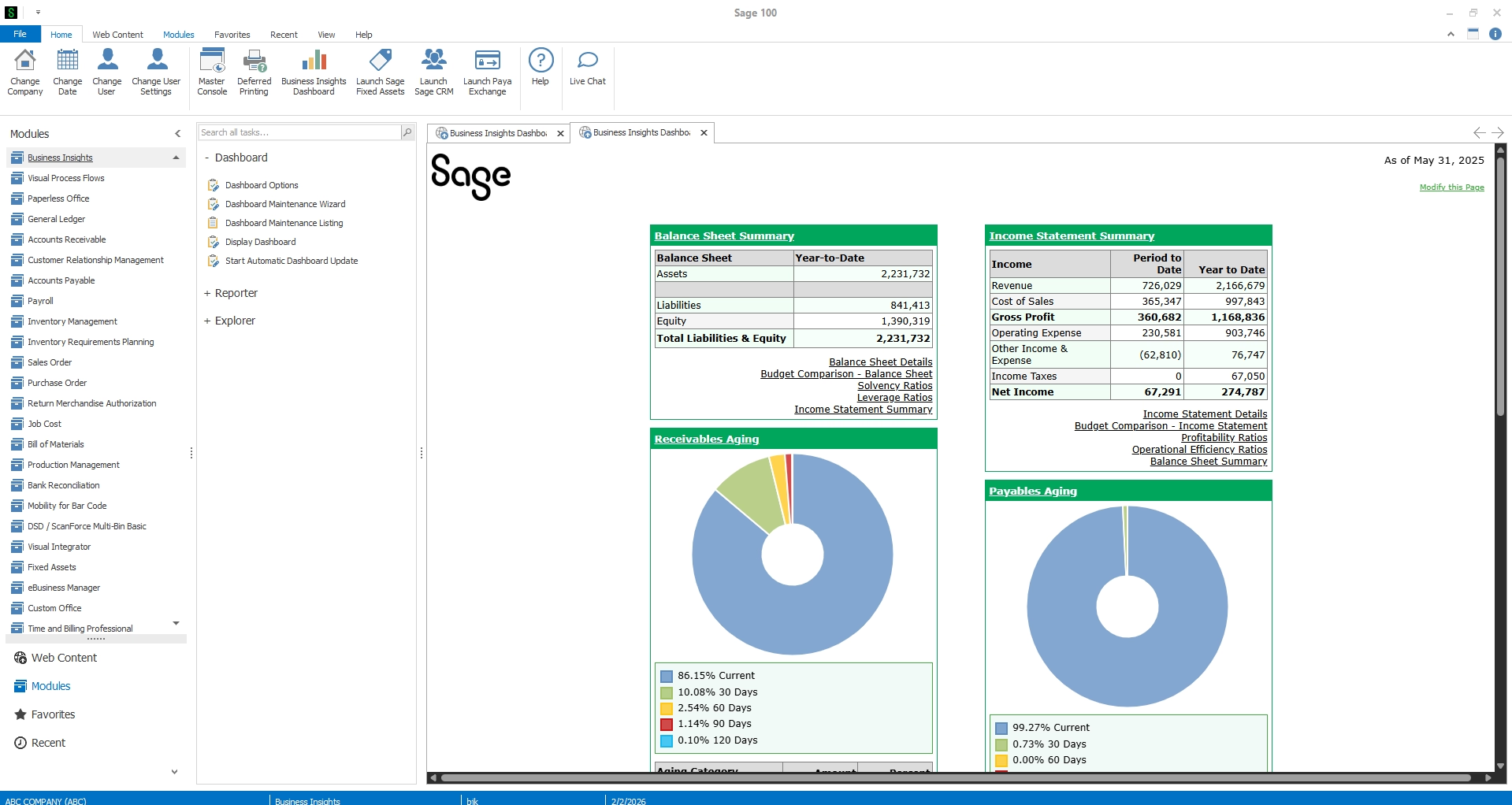
A Sage 100 upgrade moves your existing system to the latest supported software release while keeping you on the Sage 100 platform.
A typical upgrade includes:
- Installing the latest Sage 100 version
- Converting company data using Sage’s upgrade tools
- Preserving existing master records and historical data
- Testing customizations and third-party integrations for compatibility
- Providing users with training and access to new features, security updates, and performance improvements
An upgrade is an opportunity to optimize Sage 100 by reviewing workflows, reporting, integrations, user permissions, and underutilized functionality. This can often address operational pain points without requiring a new ERP.
We’ve found many organizations use an upgrade project to review older customizations, retire functionality that is no longer needed, clean up reports, validate integrations, and identify process improvements before considering a future migration.
If Sage 100 continues to support your financial and operational requirements, upgrading and optimizing your existing environment is often the simplest and most cost-effective modernization path. However, if maintaining infrastructure has become more challenging, moving the system to a hosted cloud environment may provide the next level of modernization without replacing your ERP.
Path 2: Move Sage 100 to a hosted cloud environment
Organizations that want cloud accessibility and reduced infrastructure management don’t necessarily need to replace Sage 100.
Moving Sage 100 to a hosted cloud environment allows you to continue using your existing ERP while a hosting provider manages the underlying infrastructure.
Benefits of cloud hosting include:
- Remote access for users
- Reduced hardware investment
- Managed backups and disaster recovery
- Improved security and system availability
- Less dependence on internal IT resources
Because you’re still using Sage 100, your users retain familiar workflows, integrations, and historical data. Hosting modernizes your infrastructure. It does not replace your ERP or fundamentally change how your business operates.
Sage 100 cloud hosting: Secure your Sage 100 environment in the cloud

Decision point: If your biggest challenge is maintaining infrastructure, hosting Sage 100 may provide all the modernization you need. If your organization has outgrown Sage 100’s functionality, however, the next step is evaluating whether a different ERP platform is a better long-term fit.
Paths 3 and 4: Moving beyond Sage 100
When upgrading, optimizing, or hosting Sage 100 no longer addresses your business requirements, it may be time to evaluate a different ERP platform.
Organizations typically have two options:
- Modernize within the Sage ecosystem by moving to Sage Intacct or Sage X3.
- Evaluate another ERP platform, such as Oracle NetSuite or Microsoft Dynamics 365, based on your industry, operational requirements, and long-term technology strategy.
The following sections explore when it makes sense to consider these options and how to determine whether your organization has outgrown Sage 100.
Modernizing within the Sage ecosystem
For organizations whose needs extend beyond Sage 100 but who prefer to remain within the Sage ecosystem, Sage offers solutions designed for different stages of business growth and operational complexity.
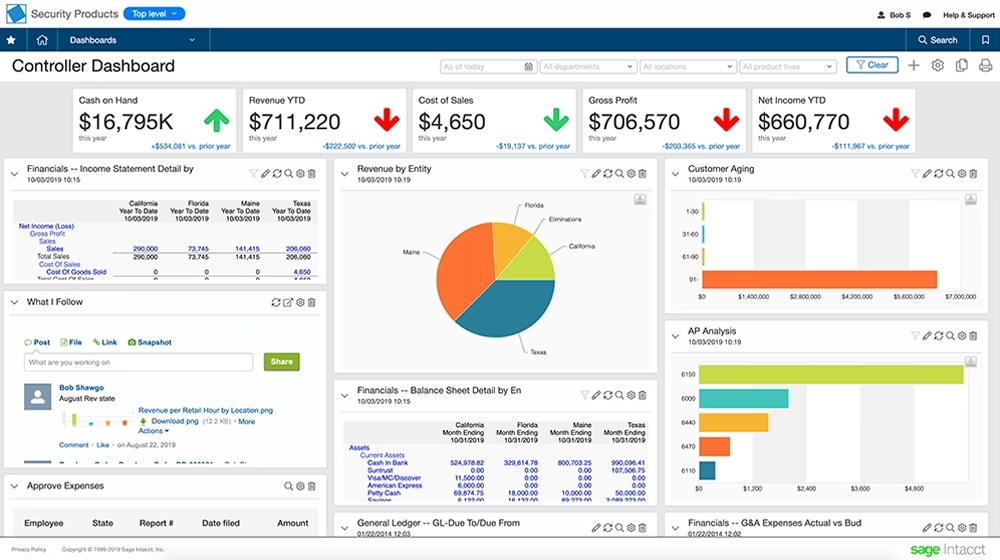
Sage Intacct
Best suited for organizations that primarily want to modernize financial management through a cloud-native accounting platform.
Organizations often choose Sage Intacct for:
- Multi-entity accounting
- Dimensional reporting
- Automated consolidations
- Subscription-based cloud deployment
- Reduced IT infrastructure

Sage 100 vs Sage Intacct
Dive deeper into the comparison between Sage 100 vs Sage Intacct. Download our complete guide today and gain valuable insights into each system’s capabilities and explore the benefits of moving to the cloud.
Sage X3
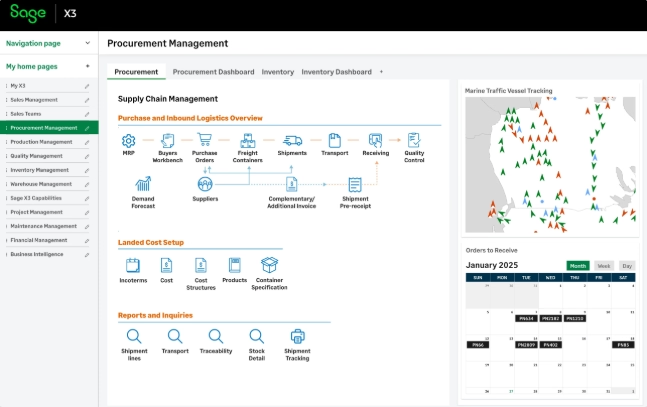
Businesses with more complex manufacturing, distribution, inventory, supply chain, or global operational requirements may evaluate Sage X3.
Unlike Sage Intacct, which is primarily focused on advanced financial management, Sage X3 is designed for organizations with more complex operational requirements, including advanced manufacturing, distribution, inventory management, and global supply chain processes. It offers broader operational capabilities than Sage 100 and can be deployed in on-premises or hosted environments depending on organizational needs.
Through Rand Group’s partnership with an experienced Sage X3 consulting firm, we help organizations determine whether Sage X3 is the right fit when advanced operational capabilities are required.
Evaluating cloud ERP platforms from other vendors
While many Sage 100 customers first evaluate other Sage solutions, some organizations decide to broaden their ERP search based on existing technology investments, industry requirements, global operations, or long-term digital transformation strategies.
At Rand Group, we help organizations evaluate several leading cloud ERP solutions, including:
The right ERP depends on your business, not just your current software. An experienced ERP partner can help evaluate your requirements, compare platforms, and recommend a solution that supports your industry, operational needs, technology strategy, and long-term growth plans.
Which modernization path is right for your business?
Choosing the right modernization path depends on your business priorities. The following considerations can help you determine whether upgrading Sage 100 is enough, when cloud hosting makes sense, and when it’s time to evaluate a more modern ERP platform.
When a Sage 100 upgrade is the right choice
For many organizations, upgrading Sage 100 is the most practical and cost-effective way to maximize their existing investment. If Sage 100 continues to support your financial and operational requirements, staying current with the latest release can improve performance, maintain compatibility, and provide access to new capabilities without the disruption of replacing your ERP.
A Sage 100 upgrade is often the right choice if you:
- Sage 100 continues to support your business requirements.
- Plan to remain on Sage 100 for the foreseeable future.
- Need the latest security updates and product enhancements.
- Want to maintain compatibility with supported operating systems, databases, and third-party applications.
- Have business processes that continue to align with the software.
- Prefer a shorter project with minimal disruption to daily operations.
Regular upgrades also reduce technical debt, making future upgrades simpler while lowering the risk of compatibility and support issues. If you already plan to continue using Sage 100, delaying upgrades often increases project complexity and cost over time.
Benefits of staying current
Beyond maintaining software support, staying current delivers measurable business benefits:
- Improve system performance and reliability.
- Access new functionality and usability enhancements.
- Maintain compatibility with supported technologies and integrations.
- Strengthen security by remaining on a supported release.
- Simplify future upgrades and infrastructure modernization.
- Reduce technical debt by avoiding multi-version upgrade projects.
Because Sage periodically retires support for older releases, staying current helps organizations remain eligible for vendor support and security updates.
Organizations running several releases behind often discover that the cumulative improvements are far more significant than the changes introduced in any single version.
Recent Sage 100 enhancements
Sage continues to invest in Sage 100 with updates that improve usability, reporting, productivity, and day-to-day operations. Recent releases have introduced enhancements such as:
- Global Search to quickly locate customers, vendors, items, and transactions.
- Expanded lot and serial number capabilities.
- Paperless Office enhancements.
- Additional reconciliation and reporting improvements.
- AI-powered product assistance to help users find answers more quickly.
If your organization is several releases behind, upgrading may unlock capabilities you already own, eliminating pain points without requiring a full ERP replacement. Before deciding you’ve outgrown Sage 100, it’s worth evaluating whether recent enhancements, combined with system optimization and user training, can address your current business needs.
When it’s time to move beyond Sage 100
Sage 100 continues to provide strong value for many organizations, but evolving business needs may signal that it is time to evaluate a cloud ERP.
Common signs include:
- Multi-entity growth
- Heavy spreadsheet reliance
- Increasing customization
- Growing IT costs
- Need for automation
- Executive demand for real-time reporting
These warning signs don’t necessarily mean Sage 100 is no longer the right fit. They do, however, indicate it’s time to evaluate whether upgrading, hosting, or migrating to a new ERP will best support your organization’s long-term goals.
Can you upgrade Sage 100 now and migrate later?
Absolutely. Many organizations take a phased approach to modernization.
Upgrading Sage 100 now allows you to remain on a supported version, improve compatibility, and reduce technical risk while giving your organization time to evaluate cloud ERP solutions and plan for a future migration.
This approach can be a smart option for organizations that aren’t ready for a full ERP transformation today but want to keep their technology current and avoid falling further behind. An experienced Sage partner can help you determine whether upgrading now and migrating later is the right long-term strategy for your business.
Does adopting AI require moving beyond Sage 100?
Not necessarily. Organizations can begin incorporating AI into their finance and operational processes while continuing to use Sage 100. Recent Sage 100 releases include AI-powered product assistance, and many businesses also leverage connected reporting, document management, workflow automation, and third-party solutions to improve productivity.
The more important question is what you expect AI to accomplish. If your goal is to help users find information faster, automate selected workflows, or improve reporting, upgrading and optimizing Sage 100 may be enough.
If you’re looking for AI embedded throughout financial and operational processes, including predictive insights, intelligent automation, natural language interactions, and broader business analytics, it may be time to evaluate a modern cloud ERP platform.
AI should be one factor in your ERP strategy, not the only reason to replace software that continues to meet your business needs.
Comparing the long-term investment
After evaluating your modernization options, the next step is understanding how a Sage 100 upgrade compares to an ERP migration from a project and investment perspective.
While both approaches can deliver long-term value, they differ significantly in scope, timeline, and business impact.
A Sage 100 upgrade is typically the right investment when your current ERP continues to support your financial and operational requirements and your goal is to remain current, improve reliability, and maximize your existing investment.
An ERP migration often provides greater long-term value when your organization needs broader automation, cloud capabilities, multi-entity financial management, advanced reporting, or operational scalability that extends beyond the capabilities of your current environment.
Rather than asking, “Which project costs less?” organizations should ask, “Which modernization path best supports our business over the next five to ten years?”
Questions to ask before deciding
Every organization is different, but these questions can help guide your evaluation.
- Are we happy with Sage 100 today?
- What business challenges are we trying to solve?
- Will upgrading address those challenges?
- Are manual processes slowing our finance team?
- Are we planning significant growth or acquisitions?
- How much time is spent creating reports in Excel?
- Are our customizations becoming difficult to maintain?
- Do we want to reduce IT infrastructure costs?
- Are we looking for greater automation and cloud capabilities?
Why partnering with an experienced Sage consultant matters
Whether you’re upgrading Sage 100 or migrating to a new ERP, the success of the project depends just as much on your implementation partner as it does on the software itself.
An experienced consultant can help you:
- Evaluate whether an upgrade or migration best aligns with your business goals
- Assess existing customizations and integrations
- Identify compatibility issues before they become problems
- Develop a phased project plan
- Preserve historical data
- Minimize business disruption
- Train users and support adoption
- Reduce project risk
Choosing the right path isn’t simply a software decision. Whichever path you choose is a strategic business decision.

Upgrade or migrate? Let's find the right path together.
Not sure whether a Sage 100 upgrade is enough or if it’s time to consider a cloud ERP? Our Sage experts can evaluate your current environment, discuss your business goals, and help you determine the best path forward, whether that’s upgrading Sage 100 or planning a migration to a modern ERP.
Why partner with Rand Group for Sage 100 upgrades and migrations?
For more than 35 years, Rand Group has helped organizations maximize the value of their Sage investments through software upgrades, ERP implementations, process optimization, integrations, reporting, and ongoing support.
Because Rand Group supports Sage 100, Sage Intacct, Microsoft Dynamics 365, Oracle NetSuite, and Sage X3 through our strategic partnership, we don’t begin every engagement with a predetermined recommendation.
Instead, we evaluate your current environment, business processes, growth plans, and long-term objectives to determine whether continuing with Sage 100, modernizing within the Sage ecosystem, or migrating to another ERP platform is the best fit for your organization.
Our consultants support organizations through every stage of the journey, including:
- Sage 100 version upgrades
- Sage 100 optimization
- Infrastructure and cloud migrations
- Sage 100 to Sage Intacct migrations
- Data migration and integrations
- User training and ongoing support
Real-world success across every modernization path
Choosing the right technology is only part of a successful modernization strategy. Working with an experienced implementation partner helps reduce project risk and ensures your ERP continues to support your business as it grows.
Sage 100 upgrade success: Texas Technologies
For organizations that continue to rely on Sage 100, keeping the system current can extend its value while minimizing disruption. Following a recent Sage 100 upgrade, Texas Technologies shared:
“Thank you for all your help and your very much appreciated patience with us. We appreciate you and all your years of assisting us. You are such a pleasure to work with! The upgrade was so smooth, and we appreciate your support team and everyone who has helped us through the years.”
Sage 100 to Sage Intacct migration success: Club Greenwood
When Club Greenwood determined that a cloud ERP would better support its long-term goals, Rand Group guided the organization’s migration from Sage 100 to Sage Intacct. The project reduced month-end close by 20–30%, improved financial visibility, streamlined reporting, and provided a scalable cloud platform to support continued growth.
Whether you’re planning your next Sage 100 upgrade or considering a future ERP migration, Rand Group has the experience to help you choose the right path and execute your project with confidence.
Frequently asked questions
What is the difference between a Sage 100 upgrade and a migration?
A Sage 100 upgrade installs a newer version of Sage 100 while keeping your existing ERP platform. A migration may involve moving Sage 100 to a new server or a hosted cloud environment, or transitioning from Sage 100 to a cloud ERP such as Sage Intacct.
Should I upgrade Sage 100 or migrate to Sage Intacct?
If Sage 100 continues to meet your operational needs, a version upgrade may be the most cost-effective choice. If your organization requires greater scalability, automation, cloud accessibility, or advanced financial reporting, migrating to Sage Intacct may provide greater long-term value.
How often should Sage 100 be upgraded?
Organizations should evaluate each new Sage 100 release and remain on a supported version whenever possible. Regular upgrades help maintain security, compatibility, and access to the latest product enhancements.
Can Sage 100 be modernized without replacing it?
Yes. Many organizations modernize Sage 100 by upgrading to the latest version, moving to a hosted cloud environment, improving reporting, automating selected business processes, integrating with other applications, and optimizing how the system is configured and used. Replacing your ERP is only one modernization strategy and may not be necessary if Sage 100 continues to meet your operational requirements.
Can I move Sage 100 to the cloud without changing ERP systems?
Yes. Many organizations choose to migrate Sage 100 to a hosted cloud environment while continuing to use the Sage 100 application. This allows users to benefit from cloud hosting without replacing their ERP.
How do I know if I've outgrown Sage 100?
Common indicators include increasing manual reporting, growing reliance on spreadsheets, expanding multi-entity operations, higher IT costs, complex customizations, and a need for greater automation or real-time financial visibility.
Will I lose my historical data during a Sage 100 migration?
Not necessarily. During a migration project, organizations work with their implementation partner to determine what historical data should be migrated, archived, or retained for reporting and compliance purposes.
How long does a Sage 100 upgrade take?
Project timelines vary based on your environment, customizations, and third-party integrations. Many upgrades can be completed much faster than a full ERP migration because they retain your existing platform and business processes.
Can Sage 100 customizations and third-party integrations be retained during an upgrade?
In many cases, yes. Existing customizations and integrations can often be retained, though they should be reviewed and tested for compatibility with the new Sage 100 version before the upgrade is completed.
Can Rand Group help with both Sage 100 upgrades and ERP migrations?
Yes. Rand Group has more than 35 years of Sage consulting experience and supports organizations through Sage 100 upgrades, infrastructure migrations, Sage Intacct implementations, integrations, optimization projects, user training, and ongoing support. We help clients determine which path best aligns with their business goals rather than recommending a one-size-fits-all solution.
Final thoughts
There is no one-size-fits-all approach to modernizing Sage 100. For some organizations, upgrading and optimizing Sage 100 provides years of continued value. Others may benefit from cloud hosting to modernize their infrastructure, while growing businesses may be ready to transition to a more modern ERP platform.
The key is choosing the modernization path that best supports your organization’s current needs and long-term goals. Whether you’re planning a Sage 100 upgrade, exploring cloud hosting, or evaluating a new ERP, Rand Group can help you assess your options and build a roadmap for what’s next. Contact our team today to schedule a consultation and determine the best modernization path for your business.