Sage 100 upgrade: A step-by-step overview of the upgrade process

Keeping your ERP system current helps improve performance, strengthen security, and provide access to the latest Sage 100 capabilities. However, a successful Sage 100 upgrade involves more than installing new software. It requires careful planning, testing, and validation to minimize disruption.
Whether you’re upgrading to the latest release or moving from an older version, this guide explains the typical Sage 100 upgrade process, what to do before go-live, and how partnering with an experienced Sage implementation partner can help ensure a smooth transition.
At a glance
A successful Sage 100 upgrade requires more than installing a new version of the software. Careful planning, thorough testing, and a structured production migration help reduce risk, minimize downtime, and ensure your customizations, integrations, and business-critical processes continue to function as expected. This guide walks through each phase of the Sage 100 upgrade process while sharing practical recommendations from Rand Group’s decades of Sage experience.
Why planning is critical for a successful Sage 100 upgrade
Every Sage 100 environment is unique. Over time, many organizations add custom Crystal Reports, third-party applications, payment processing solutions, EDI integrations, and other enhancements that become essential to daily operations.
Because of this, a Sage 100 upgrade affects far more than the ERP application itself. Your project may also involve:
- Third-party integrations
- Visual Integrator imports and exports
- SQL Server and Windows compatibility
- Payroll requirements
- Multiple company databases
- Custom scripts or modifications
From our experience, organizations that invest time in planning before an upgrade experience fewer issues during production migration and can begin using the new version much more quickly. Identifying compatibility issues early is almost always easier and less disruptive than resolving them after go-live.
As a Sage Diamond Partner, Rand Group has helped organizations across diverse industries successfully upgrade and support their Sage 100 environments. Over the past three decades, our consultants have guided hundreds of Sage customers through the upgrade process, migrations, and ongoing optimization projects. While every project is different, careful preparation consistently leads to smoother upgrades and better long-term results.
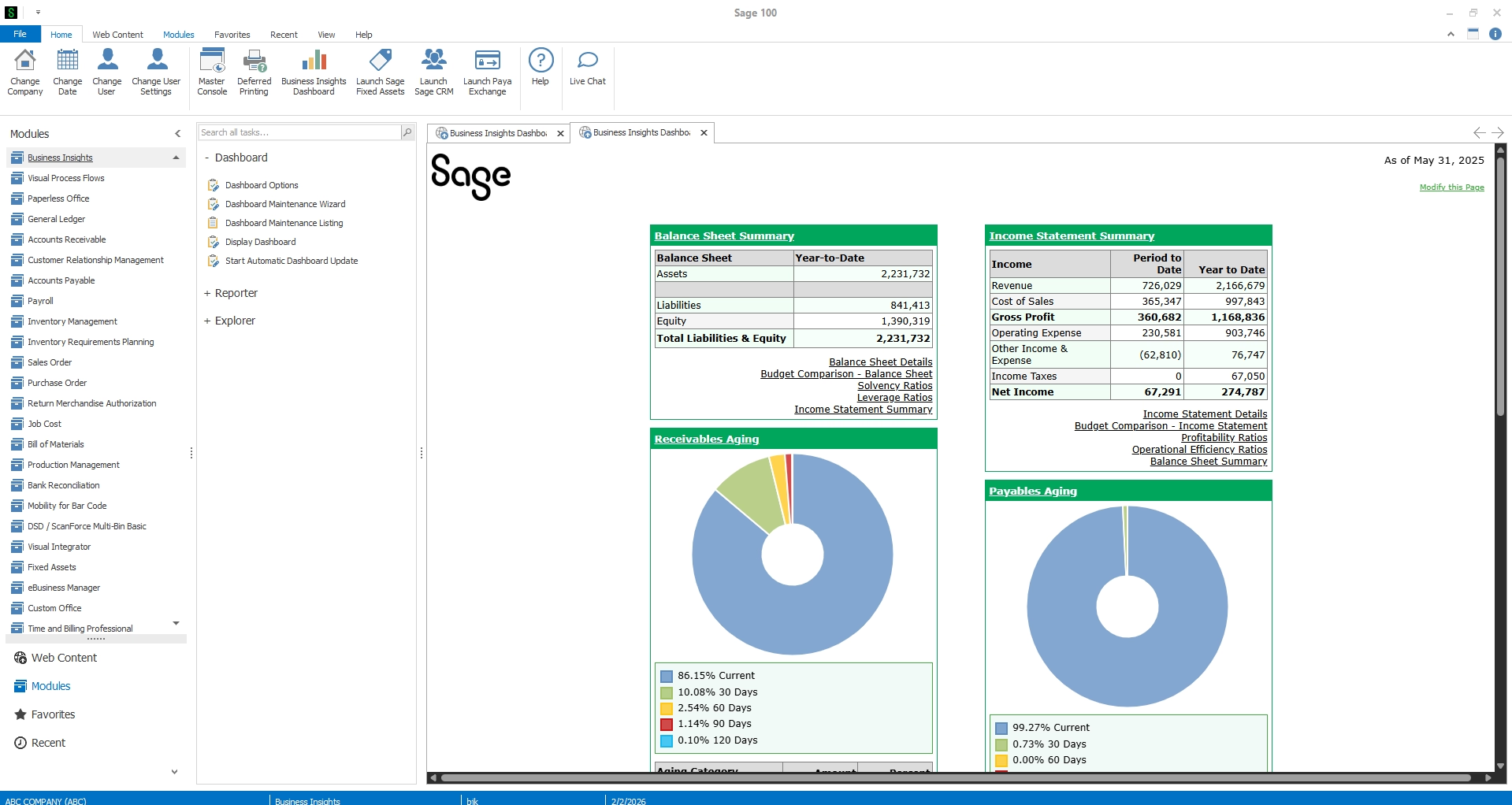
Signs it’s time for a Sage 100 upgrade
Not sure whether it’s the right time to upgrade? While every organization has different requirements, these are some of the most common indicators that it’s time to begin planning your next Sage 100 upgrade:
- You’re several versions behind the current release.
- Your Windows Server or SQL Server version is nearing end of support.
- Third-party applications require a newer version of Sage 100.
- You’re replacing or upgrading your server infrastructure.
- You want access to the latest Sage 100 features and performance improvements.
- Your current environment is becoming more difficult or expensive to support.
Even if your existing system continues to function, delaying upgrades for several years often results in larger, more complex projects when it finally becomes necessary to modernize.

Is it time to upgrade Sage 100?
If you’re experiencing compatibility issues, running an older version, or planning a server or SQL upgrade, now is the time to evaluate your Sage 100 environment. Schedule a Sage 100 upgrade assessment with Rand Group to identify risks, build a migration plan, and upgrade with confidence.
Sage 100 upgrade overview
While every implementation is different, most Sage 100 upgrade projects follow the same three phases:
- Planning and preparation
- Testing in a non-production environment
- Production migration and go-live
Approaching the project in phases helps identify potential issues before they affect your production environment and gives users confidence before the final migration.

Phase 1: Planning and preparation
A successful Sage 100 upgrade begins long before the new software is installed. Proper planning helps identify potential issues early, improve data quality, and reduce the risk of unexpected delays during the migration.
Audit your environment
Start by documenting your current Sage 100 environment, including:
- Sage 100 version
- Microsoft SQL Server version
- Windows operating system
- Third-party applications
- Payment processing solutions
- Custom Crystal Reports
- Customized forms
- Visual Integrator jobs
This assessment helps identify compatibility issues before the project begins. If you’re upgrading from a much older version of Sage 100, your implementation team can also determine whether a multi-step upgrade path is required.
Prepare your data
Before migrating, complete routine system maintenance by:
- Posting all outstanding journals and registers
- Processing the Payroll Check Register (if applicable)
- Posting any remaining transactions
- Running the Sage 100 Pre-Migration Utility
- Rebuilding key data and sort files
- Creating a verified backup of your Sage 100 environment, including company data, configuration files, custom reports, forms, and other business-critical files
These steps help improve data integrity, reduce the likelihood of conversion errors, and provide a reliable recovery point if needed.
Review customizations and integrations
Many Sage 100 environments include years of custom reports, forms, and integrated applications. Before upgrading, verify that key customizations are compatible with the new release, including:
- Crystal Reports
- Payment processing solutions
- Shipping software
- Warehouse management applications
- EDI integrations
- Automated import and export processes
Reviewing these components early gives your implementation team time to coordinate with third-party vendors and resolve compatibility issues before production.
From our experience, organizations that invest time in planning and preparation typically experience smoother upgrades, fewer post-migration issues, and a faster path to user adoption.
Phase 2: Test before you go live
One of the biggest mistakes organizations make is upgrading their production environment without first validating the new system. Instead, perform a test upgrade using a copy of your existing Sage 100 data in a non-production environment. This allows your team to confirm the upgrade is successful and test critical business processes without disrupting daily operations.
Validate key business processes
Focus testing on the workflows your team uses every day, including:
- Accounts Payable
- Accounts Receivable
- Sales Order
- Purchase Order
- Inventory Management
- Payroll
- Month-end processing
Verify customizations and integrations
Confirm that all customizations and connected applications continue to function as expected, including:
- Crystal Reports
- Custom forms
- Visual Integrator jobs
- Payment processing solutions
- Shipping software
- Barcode applications
- Other third-party integrations
Prepare users for go-live
Testing is also the ideal time for user training. Giving employees hands-on experience with the latest Sage 100 features before production helps:
- Improve user adoption
- Reduce post-go-live support requests
- Build confidence before the final migration
From our experience, the testing phase delivers the greatest return on a Sage 100 upgrade project. Identifying and resolving issues in a sandbox environment is far easier, and far less disruptive, than troubleshooting problems after your production system has been upgraded. In fact, one recent client described their Sage 100 upgrade as exceptionally smooth after completing a structured planning and testing process with our consultants. By validating reports, integrations, and business-critical workflows before go-live, they were able to minimize disruption and transition to the new version with confidence.
Phase 3: Production migration and go-live
Once testing is complete and users have validated critical business processes, you’re ready to upgrade your production Sage 100 environment.
Prepare for the production upgrade
To minimize business disruption, production upgrades are typically scheduled after business hours or over a weekend. Before the migration begins:
- Ensure all users have exited Sage 100.
- Verify through the Master Console that no active user sessions remain.
- Run baseline reports, including:
- Trial Balance
- Accounts Receivable Aging
- Accounts Payable Aging
These reports provide benchmark totals that can be compared after the upgrade to confirm a successful data conversion.
Complete the migration
The production upgrade typically uses the Sage 100 Parallel Migration Utility to convert company data while preserving historical information and system configuration.
After the migration:
- Compare financial reports against your pre-upgrade totals.
- Verify that integrations and third-party applications are functioning correctly.
- Have key users complete a final validation of critical business processes.
Go live with confidence
While every Sage 100 environment is different, completing these final validation steps helps ensure a smooth transition, confirms data integrity, and gives users confidence that the upgraded system is ready for day-to-day operations.
Partner with Rand Group for your Sage 100 upgrade
This guide outlines the proven approach to a successful Sage 100 upgrade: careful planning, comprehensive testing, and a structured production migration. Executing each phase, however, requires technical expertise and careful coordination. That’s where Rand Group can help.
As a trusted Sage partner with more than 35 years of ERP consulting experience, we manage the entire upgrade process so your team can stay focused on running the business.
Comprehensive project management – From initial planning through post-go-live support, our consultants oversee every phase of your Sage 100 upgrade. We coordinate the project, manage timelines, and proactively address issues to help ensure a smooth transition.
Expert validation and testing – Our team reviews your environment, validates customizations and third-party integrations, performs comprehensive testing in a non-production environment, and confirms your system is ready before production migration begins.
Minimized business disruption – We schedule and execute your production upgrade using proven methodologies designed to reduce downtime, protect your data, and ensure business-critical processes continue operating as expected.
Partner with Rand Group and let our experts handle every phase of your Sage 100 upgrade, so you can confidently take advantage of the latest Sage 100 capabilities.
Frequently asked questions about Sage 100 upgrades
What is involved in a Sage 100 upgrade?
A Sage 100 upgrade typically includes reviewing your environment, validating third-party software, preparing and backing up your data, performing a test migration, upgrading your production system, and reconciling reports after the conversion. User testing and training are also important parts of a successful upgrade.
How long does a Sage 100 upgrade take?
The timeline depends on your environment, including the number of companies, data volume, third-party integrations, and customizations. Many production upgrades can be completed within one to two days, while more complex environments may require additional planning and testing.
Why should I perform a test upgrade before going live?
A sandbox upgrade allows your team to identify compatibility issues, validate business processes, confirm reports and integrations are functioning correctly, and train users before your production environment is upgraded. This significantly reduces project risk.
What is the Sage 100 Pre-Migration Utility?
The Pre-Migration Utility scans your existing company data for issues that should be corrected before upgrading. Running this utility before the migration helps improve data integrity and reduce the likelihood of conversion errors.
Will my custom Crystal Reports continue working after a Sage 100 upgrade?
Many custom Crystal Reports continue to work after an upgrade, but some may require updates if database tables or report dependencies have changed. Testing reports during the sandbox upgrade helps identify any required modifications before production.
Why should I work with a Sage partner for a Sage 100 upgrade?
An experienced Sage partner can help evaluate your environment, coordinate third-party software updates, validate customizations, perform comprehensive testing, and guide your organization through a structured upgrade process. Working with an experienced implementation partner helps reduce downtime, minimize risk, and improve the overall success of your Sage 100 upgrade.
Start planning your Sage 100 upgrade
A successful Sage 100 upgrade is more than installing the latest software, it’s an opportunity to improve performance, strengthen security, and prepare your ERP environment for future growth. With careful planning, comprehensive testing, and a structured migration strategy, your organization can minimize risk, reduce downtime, and transition to the latest version with confidence.
Whether you’re upgrading to the latest release, planning a 64-bit migration, or modernizing a highly customized Sage 100 environment, our Sage experts are here to help. Contact us today to schedule your Sage 100 upgrade consultation and build a roadmap for a smooth, successful upgrade.