Sage 50 vs Sage 100: Accounting vs full ERP

When businesses evaluate accounting and ERP solutions, the comparison of Sage 50 vs Sage 100 often comes down to one critical question: Are we managing basic accounting, or are we managing an entire business? While both solutions are built on Sage’s long-standing reputation for reliability, they are designed for very different operational realities.
Sage 50 delivers strong core accounting for small businesses with relatively simple processes. Sage 100, on the other hand, is a feature-rich ERP system built to support growing organizations that need deeper operational control, advanced reporting, and scalable infrastructure. Understanding these distinctions is essential for selecting a solution that not only meets today’s requirements but also supports long-term growth.
What is Sage 50?
Sage 50 is best described as advanced bookkeeping software. It provides small businesses with the essential financial tools required to manage day-to-day accounting tasks efficiently and accurately. For organizations with limited transaction volume, straightforward workflows, and smaller teams, Sage 50 can be a practical and cost-effective solution.
Businesses using Sage 50 typically rely on it for general ledger management, accounts payable and receivable, invoicing, expense tracking, and standard financial reporting. The system is relatively easy to learn and implement, making it well-suited for companies with a small accounting department or a single primary user responsible for financial management.
However, as operational complexity increases, such as adding inventory locations, manufacturing processes, or multiple users, Sage 50’s limitations become more apparent. At that stage, businesses often begin to experience reporting constraints, manual workarounds, and a growing reliance on spreadsheets outside the system.

What is Sage 100?
Sage 100 is a comprehensive ERP solution designed specifically for small to mid-sized businesses that have outgrown basic accounting software. Rather than focusing solely on financial transactions, Sage 100 integrates accounting with operational areas like inventory management, sales order processing, manufacturing, and business intelligence.
One of Sage 100’s defining strengths is its modular design. Organizations can deploy the functionality they need today while retaining the flexibility to add new modules as the business evolves. This allows Sage 100 to scale alongside growth, supporting additional users, higher transaction volumes, and increasingly complex workflows without requiring a complete system replacement.
For businesses that require stronger internal controls, deeper visibility into operations, and the ability to tailor software to their processes, Sage 100 serves as a long-term platform rather than a short-term solution.

Top 10 ERP software selection checklist
Considering upgrading from Sage 50 but don’t know which ERP is right for you? Use this checklist to navigate the ten most important steps in ERP selection and confidently choose a solution built to support your business.
Sage 50 vs Sage 100: At a glance
This side-by-side comparison highlights how Sage 100 extends fundamental accounting into a complete business management platform, especially for operations that demand more control, flexibility, and long-term growth potential.
Sage 50 vs Sage 100: Comparison context
While Sage 50 and Sage 100 share a common Sage foundation, their capabilities diverge significantly once you look beyond basic accounting. Sage 50 is primarily designed to support accounting efficiency for smaller organizations, while Sage 100 is built to manage entire business operations across finance, inventory, sales, and production.
This distinction becomes especially important as organizations grow. Increased user counts, multi-location operations, inventory complexity, and regulatory requirements all place additional demands on financial systems. Sage 100 addresses these demands by offering enhanced scalability, deeper customization, stronger internal controls, and more robust reporting, making it a more strategic platform for organizations planning sustained growth.
For many businesses, Sage 100 represents a natural next step after Sage 50. Staying within the Sage ecosystem allows organizations to build on familiar accounting principles and workflows while gaining the expanded functionality of a true ERP. This continuity can reduce disruption during the transition, preserve historical data, and provide a smoother path forward compared to moving to an entirely new software platform.
Comparing Sage 50 and Sage 100: Where Sage 100 adds more value
While both solutions support core accounting, Sage 100 extends far beyond the capabilities of Sage 50 to address the needs of growing, more complex organizations. The following areas highlight how Sage 100 builds on Sage 50’s foundation by adding scalability, control, flexibility, and operational depth to support broader business requirements.
Greater scalability and user management
- Supports concurrent users, allowing multiple team members to work in the system at the same time as the business grows
- Moves beyond Sage 50’s named-user limitations, reducing friction as user counts increase
- Provides role-based security at the module, task, and user level
- Ensures employees only access the functions and data relevant to their roles, improving accountability and reducing risk
Stronger security, controls, and data retention
- Includes batch processing requirements that support structured workflows and approval controls
- Offers detailed security settings that strengthen auditability as organizations mature
- Supports up to 99 years of historical data for most files
- Provides virtually unlimited data file sizes across modules
- Eliminates the need for frequent data archiving or purging
- Enables long-term financial and operational reporting, compliance, and trend analysis
Customization that adapts to your business
- Allows users to add custom fields and tables throughout the system
- Supports multiple field types, including text, date, numeric, dropdowns, and checkboxes
- Enables custom data to flow into historical tables for deeper reporting and analysis
- Allows screens and workflows to be customized by user
- Improves usability and productivity by tailoring the system to unique business processes
Advanced reporting and business Intelligence
- Goes beyond standard financial reports with a full reporting ecosystem
- Uses Crystal Reports for structured, professional reporting
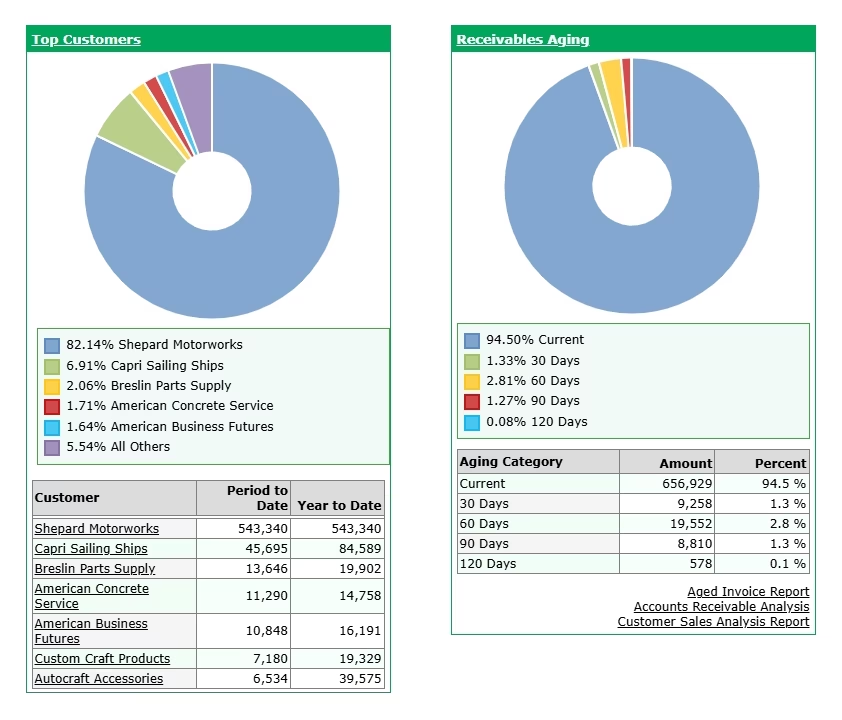
- Includes Business Insights Dashboards for daily KPI visibility
- Offers Business Insights Explorer for ad-hoc data mining
- Provides Sage Intelligence for advanced financial reporting
- Is ODBC compliant, enabling easy database queries
- Supports seamless data export to Excel and external analytics tools
Deeper inventory, sales, and manufacturing capabilities
- Manages multiple warehouses with warehouse-level posting
- Supports lot and expiration date tracking with accurate costing
- Enables vendor-specific and customer-specific pricing
- Offers flexible item reorder options and alias items
- Automates sales and purchasing with built-in controls for purchase order generation, margin management, duplicate PO prevention, and commission tracking
- Supports manufacturing with full bills of materials, cost rollups, routings, and work order tracking
- Includes comprehensive return material authorization (RMA) functionality tied directly to sales history
When should businesses move from Sage 50 to Sage 100?
Many businesses begin with Sage 50 because it efficiently handles core accounting needs. As organizations grow, however, new operational demands often emerge, needs that Sage 50 wasn’t built to address. Rather than waiting until these challenges become disruptive, transitioning to Sage 100 provides a scalable ERP foundation that supports growth, improves efficiency, and reduces reliance on manual workarounds.
Common indicators that it may be time to move to Sage 100 include:
- Increasing user counts or multi-location operations
- Expanding inventory complexity or warehouse management needs
- Manufacturing, assembly, or production tracking requirements
- Growing reporting and analytics demands
- Reliance on spreadsheets or manual processes to fill system gaps

Plan your path from accounting software to ERP
Considering a move from accounting software to a full ERP? We offer unbiased, product-agnostic software selection services to help you evaluate your options and make a confident, informed decision.
How Rand Group helps you succeed with Sage 100
Choosing the right Sage solution for your business, whether Sage 50 or Sage 100, requires a clear understanding of your operational needs today and your growth plans for tomorrow. Our Sage consultants are here to help you evaluate both systems, understand the key differences, and determine which platform is the best fit for your business.
For organizations already using Sage 50, we also provide a smooth path to Sage 100 when more advanced functionality, scalability, and operational control are required. Our goal is to ensure that any transition, or initial implementation, is seamless, strategic, and tailored to your unique processes.
Our full-service approach includes:
- System evaluation and needs analysis: We review your current processes, transaction volumes, reporting needs, and long-term growth plans to identify which Sage solution aligns best with your business objectives.
- Customized Sage 100 configuration: From dashboards and reporting to workflows and role-based security, we tailor the system to support your operational and financial processes.
- Smart integrations: We ensure Sage 100 connects seamlessly with your other critical business systems, providing accurate, consistent data across your technology stack.
- Data migration and historical preservation: For businesses moving from Sage 50, we manage the secure, accurate transfer of historical data with minimal disruption to daily operations.
- Implementation, support, and optimization: Our work doesn’t stop at go-live. We provide ongoing training, troubleshooting, and system optimization so your Sage 100 deployment continues to deliver value as your business evolves.
Sage 50 vs Sage 100: Frequently asked questions
What is the main difference between Sage 50 and Sage 100?
The primary difference in the Sage 50 vs Sage 100 comparison is scope. Sage 50 is designed for core accounting needs, while Sage 100 is a full ERP solution that supports financials, inventory, sales, manufacturing, reporting, and operational controls across the business.
Is Sage 100 a replacement for Sage 50?
Sage 100 is not a replacement, but it is often the next step for growing organizations using Sage 50. Many businesses move to Sage 100 when they need greater scalability, advanced reporting, stronger controls, and deeper operational functionality while remaining within the Sage ecosystem.
When should a business consider moving from Sage 50 to Sage 100?
Businesses typically consider Sage 100 when they experience growth-related challenges such as increased user counts, multi-locations, inventory, manufacturing or assembly requirements, complex pricing, or limitations in reporting and controls. When manual workarounds become common, Sage 100 provides a more scalable foundation.
How do reporting capabilities compare between Sage 50 and Sage 100?
Sage 50 offers standard financial reports, while Sage 100 delivers a comprehensive reporting ecosystem. Sage 100 supports Crystal Reports, Business Insights dashboards, ad-hoc data exploration, Excel integration, and external analytics tools, providing deeper operational and executive visibility.
Does Sage 100 handle inventory and manufacturing better than Sage 50?
Yes. Sage 100 includes advanced inventory, sales, and manufacturing functionality not available in Sage 50. This includes multi-warehouse management, lot and expiration tracking, customer and vendor pricing, bills of materials, work orders, and return material authorizations tied to sales history.
Why Sage 100 is the better long-term choice
When comparing Sage 50 vs Sage 100, the distinction is clear. Sage 50 serves small businesses with straightforward accounting needs, while Sage 100 provides the scalability, control, and operational depth required by growing organizations. For businesses planning for the future, Sage 100 stands out as the preferred solution, offering a robust ERP platform that evolves with your organization, supports complex operations, and delivers the insights needed to make confident, data-driven decisions. Contact our Sage team today to learn more about Sage 100 and determine if it is the best strategic step to transform your business.