Sage 100 Fixed Assets explained: Capabilities, integrations, and best practices

Fixed asset management rarely breaks all at once, it quietly erodes accuracy, compliance, and efficiency over time. It starts with a spreadsheet. Then a few manual adjustments. Before long, your team is reconciling asset lists across systems, second-guessing depreciation schedules, and scrambling to prepare for audits.
We see this pattern regularly with our growing Sage 100 customers. What begins as a manageable process quickly becomes a source of risk and inefficiency as asset volumes increase and reporting requirements become more complex.
That’s where Sage 100’s fixed assets capabilities come into play. Sage 100 provides a strong ERP foundation for financial and operational management, including basic fixed asset tracking. But based on our experience implementing and optimizing Sage solutions, most organizations reach a point where basic functionality isn’t enough. True fixed asset management requires automation, deeper visibility, and seamless integration.
In this blog, we’ll walk through the built-in fixed assets functionality in Sage 100, where limitations begin, and next step options with Sage Fixed Assets.
What is Sage 100 Fixed Assets?
“Sage 100 Fixed Assets” is often used as a catch-all term, but it refers to three distinct layers of functionality:
- Core Sage 100 capabilities – Basic asset tracking through financials
- Sage 100 Fixed Assets module – An add-on that improves automation
- Sage Fixed Assets (SFA) – A standalone, fully featured asset lifecycle solution
Sage 100 is built on a modular ERP framework, allowing businesses to add capabilities as they grow. That flexibility is powerful, but it also means fixed asset management is not fully comprehensive out of the box.
What Sage 100 includes for fixed asset management
At its core, Sage 100 enables:
- General Ledger-based asset tracking
- Asset-related account structures
- Manual depreciation entries
- Basic reporting tied to asset accounts
These capabilities allow organizations to record asset purchases, assign them to the appropriate accounts, and reflect their financial impact in the General Ledger. For example, businesses can track capital expenditures, monitor accumulated depreciation balances, and generate standard financial reports that include asset-related activity.
In addition to these core capabilities, Sage 100 also offers a Fixed Assets module as an add-on. This module introduces additional structure and some automation, helping to streamline asset tracking and reduce reliance on manual processes. While it enhances the base functionality, it is typically best suited for organizations with moderate ERP fixed asset tracking needs rather than those requiring full lifecycle management and advanced compliance features.
For companies with a relatively small number of assets or simple reporting requirements, this combined level of functionality can be enough initially. It provides a centralized, structured way to manage asset data within the broader ERP, eliminating the need for more complex integrations in the early stages of growth.
What we often see, however, is that fixed asset management complexity grows faster than organizations expect. A process that works well with 50 assets can become significantly harder to manage at 500 or 5,000 assets, especially when assets are spread across multiple locations, projects, or entities. At that point, finance teams typically need more automation, stronger controls, and better visibility than manual tracking methods can realistically provide.
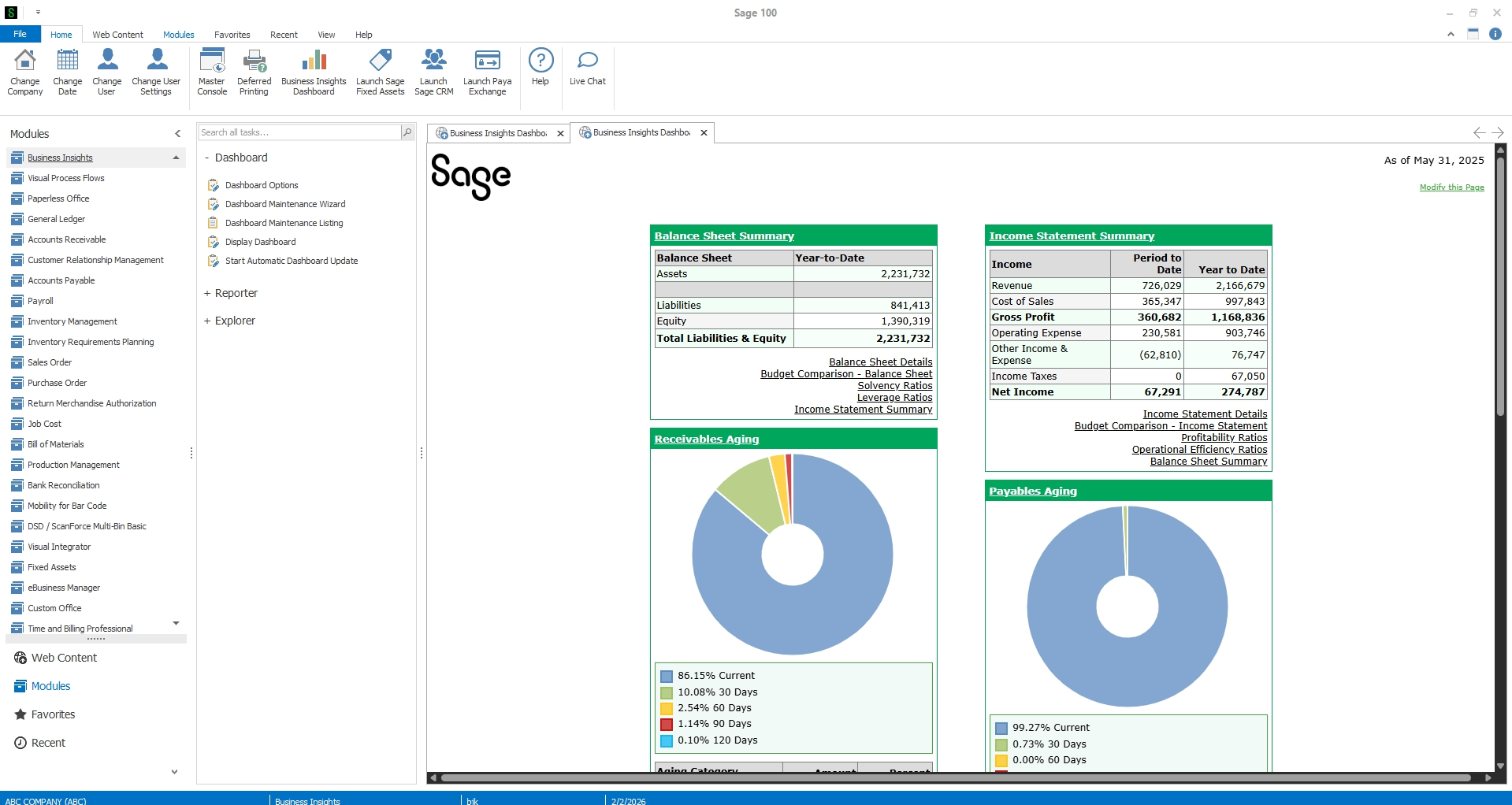

Learn more about Sage 100's core functionality
Discover how to maximize Sage 100’s built-in capabilities and extend them to support your growing business.
Expanding beyond Sage 100’s core capabilities
However, as discussed in our webinar, Fixed asset management for Sage 100, manual processes quickly become a bottleneck as organizations grow and asset management requirements become more complex.
Many organizations initially manage fixed assets through spreadsheets and manual journal entries alongside Sage 100. This often works in the early stages, especially when asset counts are relatively low. But over time, finance teams frequently encounter inconsistent depreciation schedules, assets that were disposed of but never removed from reports, and growing difficulty reconciling asset records across departments or locations.
In many cases, these issues do not become fully visible until month-end close or audit preparation, when correcting them becomes far more time-consuming and risky. What begins as a manageable process can gradually create reporting inaccuracies, compliance concerns, and operational inefficiencies as asset volumes increase.
Native Sage 100 functionality lacks:
- Automated depreciation calculations
- Multi-book accounting (tax, GAAP, internal)
- Built-in IRS compliance checks
- Robust audit tools
- Asset lifecycle visibility
This creates real business risks:
- Inaccurate depreciation
- Overpayment of taxes or insurance
- Audit exposure
- Poor visibility into asset usage and location
In practice, these problems rarely appear all at once. More commonly, organizations begin noticing small inconsistencies over time — depreciation values that do not reconcile cleanly, incomplete asset histories during audits, or uncertainty around which assets are still active and in service. As reporting requirements grow more complex, manual processes make it increasingly difficult to maintain confidence in the accuracy of financial and tax reporting.
As one Sage expert noted, the goal is to “make staying compliant and accurate a breeze,” something that requires automation beyond core ERP functionality.
To better understand where Sage 100 ends and Sage Fixed Assets begins, here’s a side-by-side comparison of their capabilities:
Fixed asset management for Sage 100
Discover how Sage Fixed Assets reduces manual effort, aligns asset data with financials, and simplifies reporting from acquisition to disposal.
Sage Fixed Assets: The complete asset lifecycle solution
For organizations that need full control, Sage Fixed Assets (SFA) is the standard.
As demonstrated in our webinar, Sage Fixed Assets software is designed to manage the complete lifecycle of assets, from acquisition through disposal, while ensuring compliance and accuracy at every step.
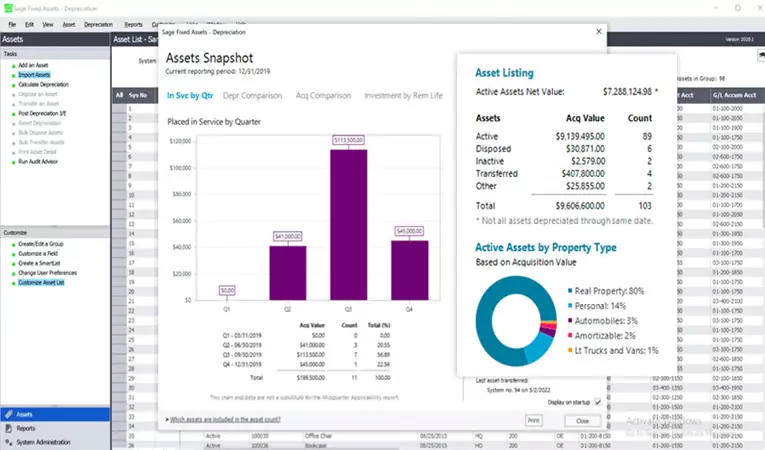
Sage Fixed Assets core capabilities
Depreciation & Compliance
• Supports 50+ depreciation methods
• Includes 300,000+ IRS rules and regulations built in
• Automates tax and financial reporting
• Built-in Audit Advisor flags compliance risks before they become issues
This is a major differentiator, rather than reacting to audit findings, organizations can proactively resolve them.
Asset tracking & inventory management
• Real-time visibility into asset location and status
• Barcode scanning and wireless inventory sync
• Ability to track assets across multiple locations
This eliminates “ghost assets” and improves accountability across departments.
Construction in progress (CIP) & planning
• Track assets before they are placed in service
• Manage budgets and spending across projects
• Convert project costs into capitalized assets
This capability is especially valuable for construction, manufacturing, and organizations managing large capital projects.
Maintenance & lifecycle management
• Track maintenance schedules
• Monitor overdue maintenance
• Support repair vs. replace decisions
This extends asset management beyond accounting into operational strategy.
Reporting & customization
• 28+ standard reports (most customizable)
• Custom fields (50+ available) for detailed asset tracking
• Export-ready tax and compliance reports

Eliminate risk from manual depreciation
Discover how Sage Fixed Assets automates depreciation to protect your business from compliance issues and financial inaccuracies.
How Sage Fixed Assets integrates with Sage 100
One of the most powerful aspects of Sage Fixed Assets is its tight, two-way integration with Sage 100.
- Asset creation from AP & purchasing – assets can be automatically created during AP invoice entry and from Purchase Order receipts. Asset templates standardize setup, with no duplicate data entry required.
- Automated depreciation posting – After running depreciation in Sage Fixed Assets, Sage 100 automatically pulls depreciation reports, creates GL entries, and updates financials.
- Seamless data flow – The integration enables enhanced financial visibility, consistent data across systems, and reduced reconciliation effort.
Key benefits of using Sage Fixed Assets with Sage 100
With the Sage Fixed Assets integration, organizations gain far more than just improved tracking. They establish a streamlined, automated, and audit-ready approach to managing the entire asset lifecycle. By connecting operational processes with financial data, businesses can reduce risk, improve accuracy, and make more informed decisions about their assets.
Compliance
- Built-in IRS and GAAP alignment
- Audit-ready reporting
- Proactive issue detection via Audit Advisor
Accuracy
- Rules-based depreciation calculations
- Reduced manual entry
- Lower risk of tax overpayment
Control & visibility
- Track asset location, status, and usage
- Full audit trail
- User-level security
Efficiency
- Automates depreciation and reporting
- Accelerates month-end close
- Reduces administrative workload
For many accounting teams, one of the biggest operational improvements comes during month-end close. Automated depreciation calculations and synchronized reporting reduce the need for manual reconciliations, helping finance teams close faster while improving confidence in the accuracy of asset-related reporting.
What we commonly see as organizations outgrow manual fixed asset processes
Across Sage 100 environments, we often see organizations reach a tipping point where spreadsheets and manual tracking methods become increasingly difficult to maintain. In the early stages, finance teams can usually manage depreciation schedules and asset reporting manually. But as asset counts grow, acquisitions increase, or reporting requirements become more complex, the process becomes far more vulnerable to errors and inconsistencies.
Some of the most common challenges include:
- Assets remaining on reports after disposal
- Inconsistent depreciation assumptions across departments
- Difficulty tracking asset transfers between locations
- Limited visibility into construction-in-progress projects
- Time-consuming audit preparation and reconciliation
- Manual journal entries that increase close-cycle complexity
In our experience, this is usually the point where organizations begin looking for more automation, stronger controls, and centralized lifecycle management through Sage Fixed Assets.
Sage 100 Fixed Assets: Practical takeaway
For most organizations, the right approach to fixed asset lifecycle management depends on the complexity of their operations and the volume of assets they manage.
Sage 100 on its own provides a solid foundation, allowing businesses to track assets at a basic level through the General Ledger. For companies with a small number of assets or minimal reporting requirements, this may be sufficient in the early stages. However, as asset counts grow and compliance requirements become more demanding, the limitations around automation and reporting become more apparent.
The Sage 100 Fixed Assets advanced module offers a step forward by introducing additional structure and some automation. It can help streamline certain processes and improve visibility compared to manual tracking methods. That said, it is typically best suited for organizations that need moderate improvements but do not yet require full lifecycle management or advanced compliance capabilities.
For businesses with more complex needs, Sage Fixed Assets is the recommended solution. It delivers comprehensive asset lifecycle management, built-in compliance with IRS and GAAP requirements, and advanced automation for depreciation, reporting, and audits. Just as importantly, it scales alongside your business, supporting increasing asset volumes and more sophisticated financial processes over time.
In our experience, most organizations with significant fixed assets find that the most effective approach is to use Sage Fixed Assets integrated with Sage 100. By integrating, users combine the operational strength of Sage 100 with the depth and specialization of a dedicated fixed asset management software.
Sage 100 Fixed Assets: Frequently asked questions (FAQ)
Does Sage 100 have fixed assets?
Yes, Sage 100 includes basic fixed asset tracking within its core financial modules and also offers a Fixed Assets module as an add-on. However, these capabilities are relatively limited compared to dedicated fixed asset management solutions.
Can Sage 100 calculate depreciation?
Yes, Sage 100 can handle depreciation at a basic level through manual processes. For automated, accurate, and compliant depreciation, most organizations use Sage Fixed Assets, which supports multiple depreciation methods and tax reporting requirements.
What is the difference between Sage 100 Fixed Assets and Sage Fixed Assets?
The key difference is depth and functionality:
- Sage 100 Fixed Assets module → Basic to moderate asset tracking and automation
- Sage Fixed Assets (standalone integration) → Full lifecycle management, including depreciation, compliance, reporting, and audit tools
Sage Fixed Assets is designed specifically for organizations with more complex asset management needs.
Can Sage 100 automatically create fixed assets?
Yes. When integrated with Sage Fixed Assets, assets can be automatically created during Accounts Payable (AP) invoice entry or Purchase Order (PO) processing, reducing manual data entry and improving accuracy.
Why do companies use Sage Fixed Assets with Sage 100?
Companies use Sage Fixed Assets with Sage 100 to:
- Automate depreciation and reporting
- Ensure IRS and GAAP compliance
- Improve accuracy and reduce manual processes
- Gain full visibility into the asset lifecycle
Is Sage Fixed Assets scalable?
Yes. Sage Fixed Assets is highly scalable and can support:
- Tens of thousands of assets in on-premise environments
- Hundreds of thousands of assets in cloud or enterprise deployments
This makes it suitable for growing organizations with increasing asset complexity.
Trust Rand Group’s expertise for fixed asset management in Sage 100
To fully optimize fixed asset management, especially when integrating with Sage Fixed Assets, partnering with an experienced team is essential. We are a leading Sage 100 partner, helping organizations implement, integrate, and optimize solutions to align with their workflows, compliance requirements, and growth goals.
Our services include:
- Implementation and customization: End-to-end implementation of Sage 100 and Sage Fixed Assets, including system setup, asset configuration, templates, and workflow design tailored to your business.
- Integration services: Seamless integration between Sage 100, Sage Fixed Assets, and other systems such as AP, purchasing, and third-party applications to eliminate duplicate entry and improve data accuracy.
- Process optimization and automation: Replace manual asset tracking with automated depreciation, reporting, and lifecycle management to improve efficiency and support compliance.
- Reporting and visibility: Build customized dashboards and reports to give you real-time insight into asset values, depreciation, and performance.
- Ongoing support: Ensure long-term success with training, system optimization, troubleshooting, and continuous support as your business evolves.
Final thoughts
Sage 100 provides a strong ERP foundation, but when it comes to fixed assets, it’s just the starting point. While Sage 100 Fixed Assets functionality supports basic tracking, most organizations need more robust tools to manage depreciation, compliance, and reporting at scale.
Our expert recommendation is to integrate Sage 100 with Sage Fixed Assets for a complete, scalable fixed asset management solution. If you’re ready to improve accuracy, reduce risk, and gain full visibility into your assets, now is the time to take the next step. Contact our team to schedule a consultation or watch the webinar to learn how we can help you transform your fixed asset management strategy.