Sage 100 vs QuickBooks: Understanding the differences before you invest

Outgrowing your accounting system doesn’t just slow you down, it creates bottlenecks across your entire operation. If you’re weighing Sage 100 vs QuickBooks, you’re likely at a critical turning point between simplicity and scalability.
While both platforms help businesses manage finances, reporting, and operations, they serve very different needs. Sage 100 is a robust, on-premise ERP built for companies that require deep operational control, particularly in manufacturing and distribution. QuickBooks, on the other hand, is known for its accessibility, ease of use, and flexibility, making it a popular choice for small to mid-sized businesses and service-based organizations.
In this blog, we’ll break down the differences between Sage 100 and QuickBooks, explore their strengths, and help you determine which solution aligns best with your business goals.
What is Sage 100?
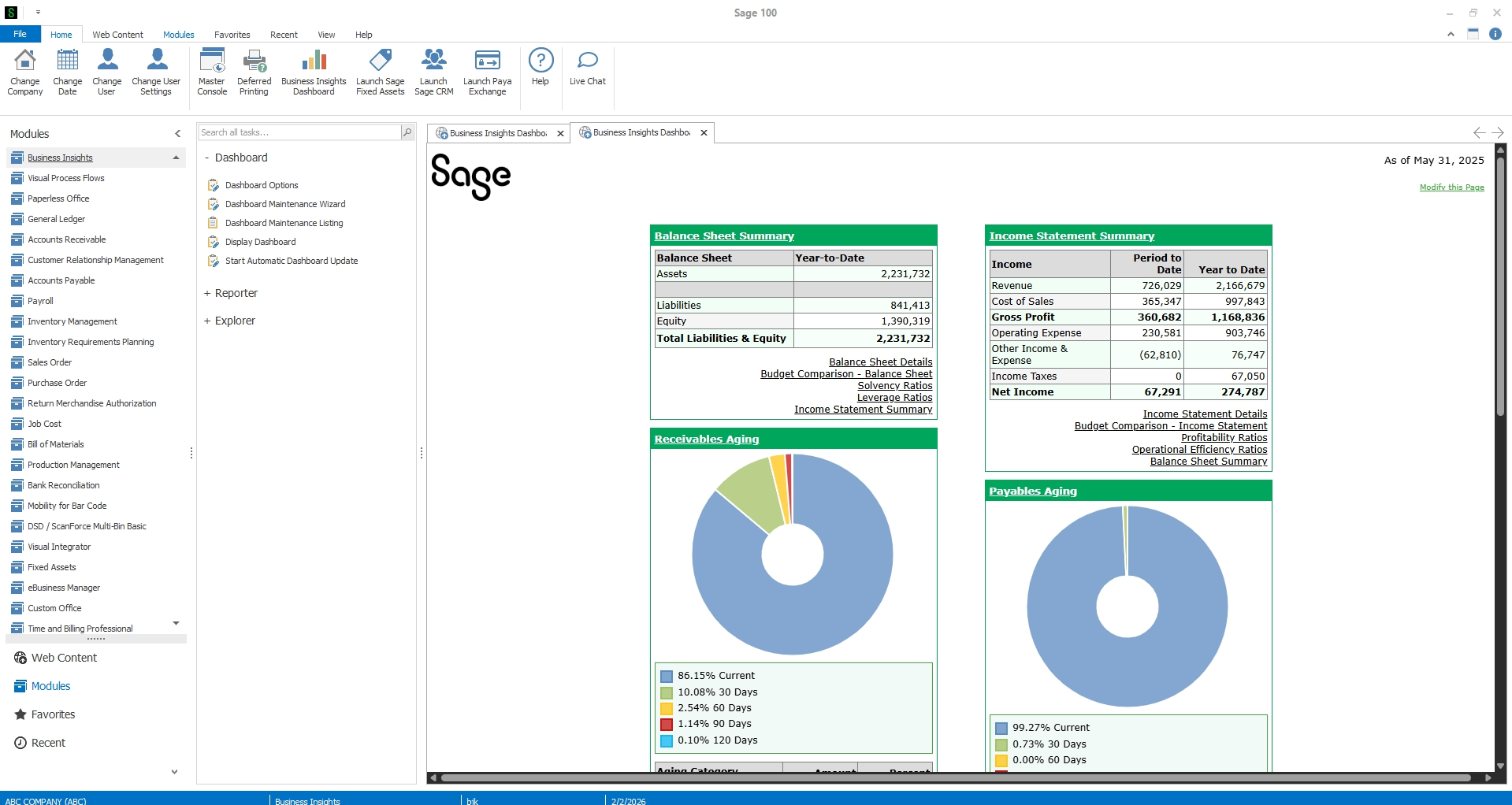
Sage 100 is a comprehensive ERP system designed for mid-sized businesses that need more than basic accounting functionality. Unlike accounting-first solutions, Sage 100 is built with an operations-first approach, making it particularly well-suited for organizations with complex processes, such as manufacturers and distributors.
At its core, Sage 100 extends beyond financial management to serve as a centralized system for managing inventory, production, and day-to-day operations. It provides the tools businesses need to gain visibility, control workflows, and operate with greater precision across their entire organization.
Sage 100 key capabilities
- Advanced inventory management: Multi-location tracking, bin tracking, lot and serial tracking
- Manufacturing and distribution features: Bill of materials (BOM), production management, demand planning
- Robust reporting and analytics: Customizable reports and enhanced business insights
- Operational control: Integration across finance, inventory, and supply chain processes
Who uses Sage 100?
Sage 100 is typically used by:
- Mid-sized manufacturers
- Distribution companies
- Inventory-heavy businesses
For organizations experiencing growth or operational complexity, Sage 100 provides a scalable foundation that supports long-term expansion. It’s designed for businesses that need visibility and control across their entire operation, not just their financials.
What is QuickBooks?
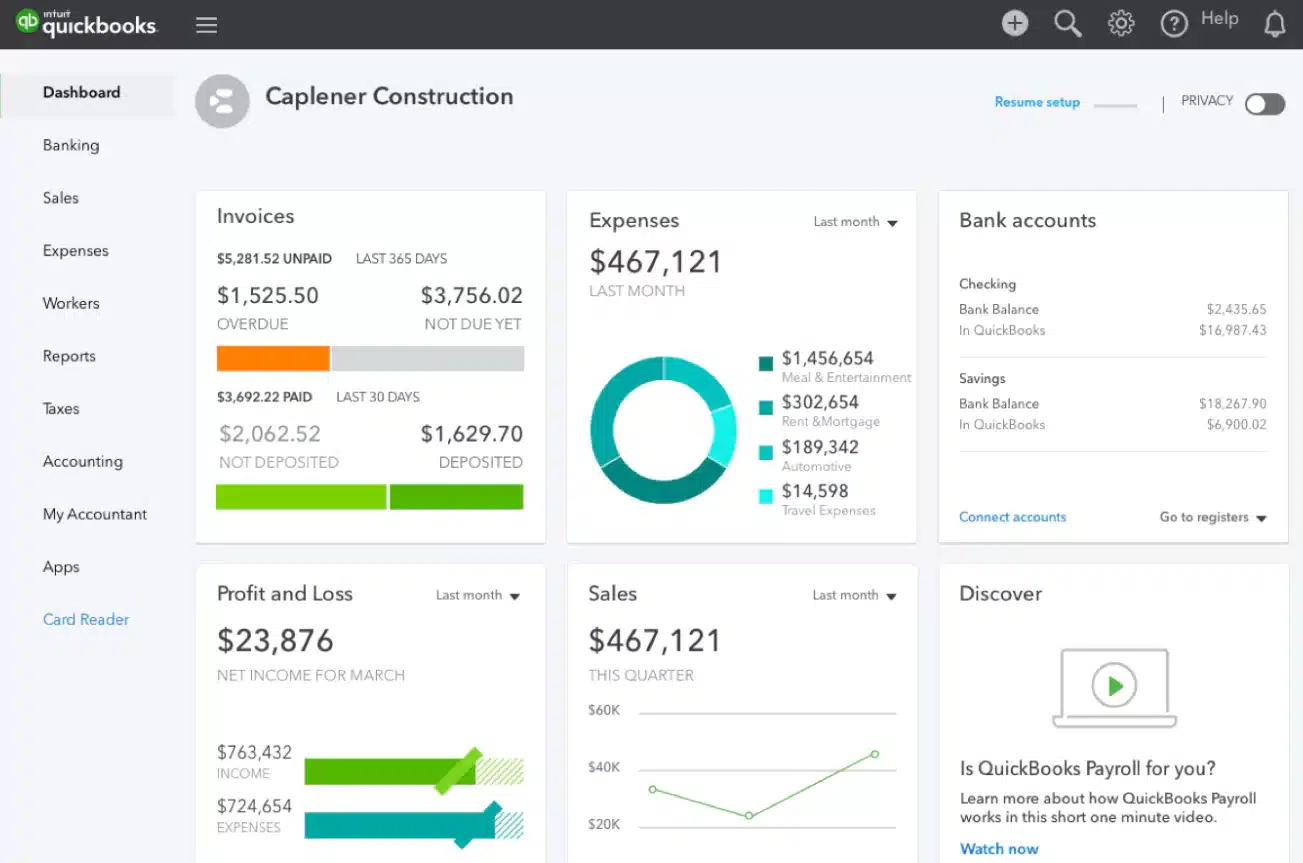
QuickBooks is one of the most widely used accounting solutions for small and mid-sized businesses. As an accounting-first platform, it is designed to simplify core accounting tasks rather than manage complex operations. With offerings like QuickBooks Online and QuickBooks Enterprise, it provides flexible options for companies at different stages.
QuickBooks is best known for its simplicity and accessibility, enabling users to efficiently handle financial processes such as bookkeeping, invoicing, and payroll without extensive training or IT support.
QuickBooks key capabilities
- Core accounting functionality: General ledger, accounts payable/receivable, payroll
- Cloud accessibility: Access from anywhere with QuickBooks Online
- Ease of use: Intuitive interface and fast implementation
- Basic reporting: Standard financial reports with some customization
Who uses QuickBooks?
QuickBooks is ideal for:
- Small to mid-sized businesses
- Startups
- Service-based companies
- Retail businesses with simple inventory needs
QuickBooks offers a cost-effective and flexible solution for businesses that prioritize ease of use and quick deployment over deep operational functionality.

Not sure which ERP is right for you?
Choosing between Sage 100 and QuickBooks is just the start. We help you evaluate your options and select the best-fit solution with confidence. Schedule an ERP software selection consultation to get started.
Sage 100 vs QuickBooks: At a glance
When comparing Sage 100 vs QuickBooks, the biggest difference comes down to complexity and capability.
- Sage 100 is a full ERP system built for operational depth and scalability
- QuickBooks is an accounting-focused solution designed for simplicity and accessibility
If your business requires advanced inventory, manufacturing capabilities, or multi-entity management, Sage 100 is likely the better fit. If you need a basic accounting solution that’s easy to implement and use, QuickBooks may be the right choice. To better understand how these systems compare, let’s look at a side-by-side breakdown.
Sage 100 vs QuickBooks comparison chart
Key differences: Sage 100 vs QuickBooks
While both Sage 100 and QuickBooks support core financial management, they are built for fundamentally different business needs. Understanding how they align with your industry, operations, and growth trajectory is critical to selecting the right solution.
Industry fit
One of the most important factors in choosing between Sage 100 vs QuickBooks is your industry.
- Sage 100 is tailored for manufacturing, distribution, and inventory-intensive businesses
- QuickBooks is ideal for service-based companies, startups, and general business accounting
If your operations involve managing physical goods, multiple warehouses, or production workflows, Sage 100 provides the necessary tools. For simpler financial management, QuickBooks is often sufficient.
Deployment & accessibility
Deployment is another key differentiator when comparing Sage 100 vs QuickBooks, especially for businesses evaluating IT resources, security, and accessibility.
- Sage 100 is traditionally deployed on-premise, giving organizations greater control over their system, data, and infrastructure. It can also be hosted in the cloud through third-party providers, offering a hybrid approach that balances control with remote access.
- QuickBooks is primarily cloud-based (particularly QuickBooks Online), allowing users to access financial data anytime, anywhere with minimal setup or IT involvement.
Businesses that prioritize remote work, ease of access, and minimal IT overhead often lean toward QuickBooks. In contrast, organizations that require more control over their environment, custom configurations, or tighter security protocols may prefer Sage 100, especially when supported by a trusted hosting or implementation partner.
Inventory & operational capabilities
Inventory and operational functionality is where the gap between Sage 100 vs QuickBooks becomes most apparent, and often the deciding factor for growing businesses.
- Sage 100 offers advanced inventory management features, including multi-location and multi-warehouse tracking, bin and lot/serial tracking, and integrated production management. It also supports bill of materials (BOM), work order processing, and demand planning, giving businesses end-to-end visibility across their supply chain.
- QuickBooks provides basic inventory tracking, such as quantity on hand and simple item management, which is typically sufficient for small businesses with limited inventory complexity.
For organizations managing complex supply chains, multiple warehouses, or production workflows, Sage 100 delivers significantly greater functionality, accuracy, and visibility. QuickBooks, while effective for simpler operations, often requires workarounds or third-party apps as inventory needs grow.
Scalability & performance
As businesses grow, system limitations can quickly shift from minor inconveniences to major operational roadblocks. Choosing a solution that can scale with your organization is critical to avoiding disruptions down the line.
- Sage 100 is designed to handle large datasets, high transaction volumes, and complex operational workflows. Its architecture supports growing user counts, multiple entities, and increasing data demands without sacrificing performance. This makes it a strong long-term solution for businesses planning for expansion.
- QuickBooks can scale to a certain extent. QuickBooks Enterprise supports more users and larger file sizes. However, as data volumes grow and processes become more complex, businesses may experience slowdowns, reporting limitations, or the need for manual workarounds. QuickBooks Enterprise’s scalability comes at a higher subscription cost, and businesses may still encounter limitations as operational complexity increases.
For companies experiencing rapid growth, increasing transaction volume, or more sophisticated operational requirements, these limitations can become a bottleneck. As a result, many organizations transition from QuickBooks to Sage 100 to gain a more scalable foundation that supports long-term performance and efficiency.
Cost considerations
Cost is always a key factor when evaluating ERP, but it’s important to look beyond upfront pricing and consider the total cost of ownership (TCO) over time.
- Sage 100 typically involves higher upfront costs, including software licensing, implementation, customization, and training. Ongoing expenses may include support, maintenance, and potential hosting if deployed in the cloud. However, these investments often align with the system’s broader capabilities, allowing businesses to consolidate processes and reduce reliance on third-party tools or manual workarounds.
- QuickBooks offers lower, predictable subscription pricing with minimal setup costs, making it an attractive option for small businesses or those needing a quick deployment. However, as businesses grow, additional costs can emerge, such as upgrading to QuickBooks Enterprise, adding users, integrating third-party apps, or compensating for functional gaps with manual processes.
While QuickBooks is typically more budget-friendly in the short term, its total cost can increase as complexity grows. In contrast, Sage 100 may require a larger initial investment, but it often delivers greater long-term value by supporting more efficient operations, reducing system limitations, and minimizing the need for multiple disconnected solutions.
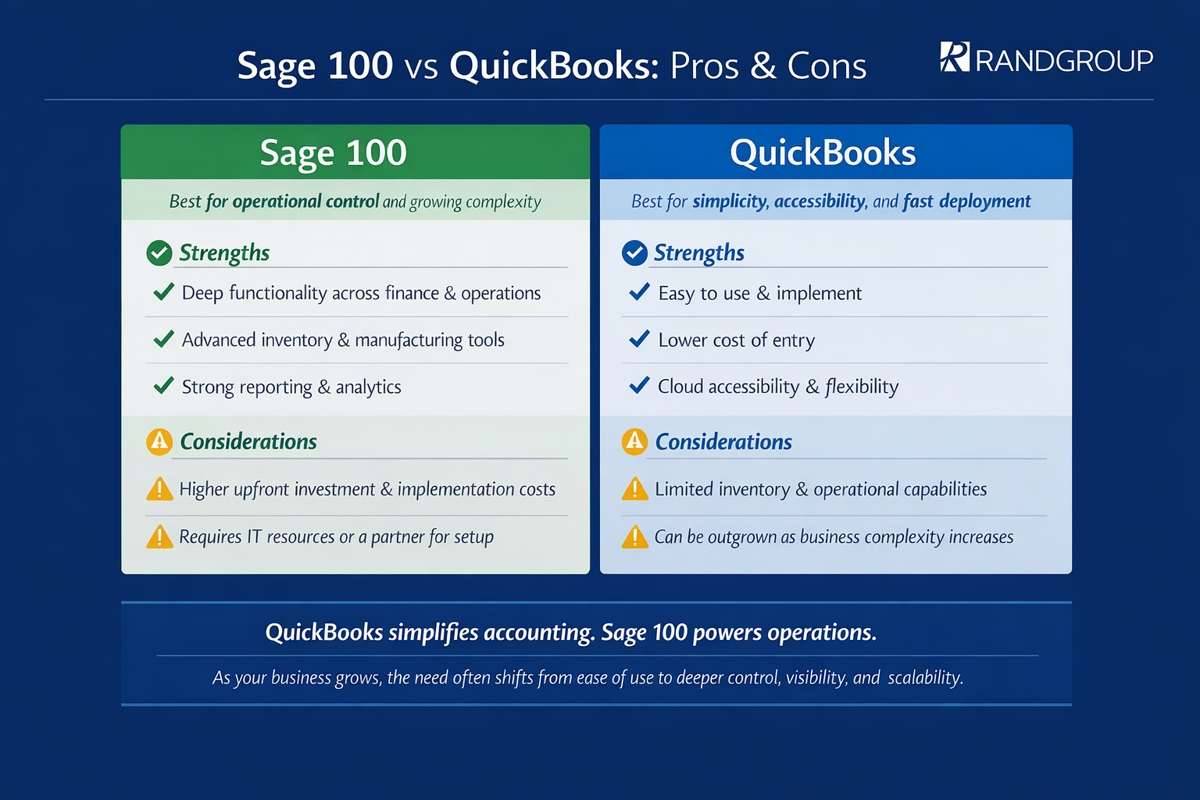
Pros and Cons of Sage 100 vs QuickBooks
How to choose Sage 100 vs QuickBooks
Sage 100 is the right choice if your business requires operational depth and scalability.
Choose Sage 100 if you:
- Manage complex inventory or multiple warehouses
- Operate in manufacturing or distribution
- Need detailed reporting and operational visibility
- Have internal IT resources or a trusted implementation partner
QuickBooks is ideal for businesses that prioritize simplicity and speed.
Choose QuickBooks if you:
- Need a fast, easy implementation
- Prefer cloud access and remote capabilities
- Are budget-conscious
- Have straightforward accounting needs
When to upgrade from QuickBooks to Sage 100
Many businesses start with QuickBooks and eventually outgrow it. Recognizing the signs early can help you transition before inefficiencies impact your operations.
Common signs it’s time to upgrade:
- Increasing inventory complexity
- Reliance on manual processes or spreadsheets
- Performance or file size limitations
- Need for more advanced reporting and insights
At this stage, moving to Sage 100 can streamline operations, improve visibility, and support continued growth. Working with an experienced Sage partner like Rand Group ensures a smooth transition, helping you avoid common implementation challenges and maximize your investment.

Choosing the right ERP partner matters
The success of your ERP implementation depends just as much on your partner as it does on the software itself. The right partner can accelerate results, reduce risk, and set your business up for long-term success. Download our guide: Top 7 ERP Implementation Partner Selection Criteria to learn how to evaluate and choose the right partner for your business.
Why partner with Rand Group for Sage 100
Implementing or upgrading to an ERP system is a significant step, and having the right partner makes all the difference. Our Sage team has decades of experience helping businesses successfully implement, optimize, and support Sage 100.
We offer:
- Proven implementation methodology
- Industry-specific expertise in manufacturing and distribution
- Ongoing support and system optimization
- Strategic guidance to align technology with business goals
Whether you’re transitioning from QuickBooks or upgrading your current ERP, we help ensure your system works for your business, not against it.
Sage 100 vs QuickBooks FAQs
What is the main difference between Sage 100 and QuickBooks?
The primary difference is that Sage 100 is a full ERP system designed for operational control, while QuickBooks is an accounting-focused solution built for simplicity and ease of use.
Is Sage 100 better than QuickBooks for inventory management?
Yes. Sage 100 offers advanced inventory capabilities such as multi-location tracking, bin management, and production features, while QuickBooks provides only basic inventory functionality.
Can QuickBooks handle manufacturing businesses?
QuickBooks can support very small or simple manufacturing operations, but it lacks the advanced tools needed for complex production environments. Sage 100 is better suited for these needs.
When should a company move from QuickBooks to Sage 100?
A company should consider upgrading when it experiences growth in inventory complexity, reporting needs, or operational demands that QuickBooks can no longer efficiently support.
Is Sage 100 cloud-based or on-premise?
Sage 100 is traditionally on-premise but can be hosted in the cloud for greater accessibility.
Which is more cost-effective: Sage 100 or QuickBooks?
QuickBooks is generally more cost-effective upfront, but Sage 100 may provide greater long-term value for businesses that require advanced features and scalability.
Next steps: Sage 100 vs QuickBooks
When evaluating Sage 100 vs QuickBooks, the right choice ultimately depends on your business size, operational complexity, and growth goals. QuickBooks is a strong fit for companies seeking a simple, cost-effective accounting solution, while Sage 100 is better suited for organizations that need deeper operational control and long-term scalability.
As your business grows, your financial system should grow with you. Choosing the right platform now can set the foundation for greater efficiency and future success. Our Sage experts can help you assess your current systems, identify gaps, and recommend the best path forward. Contact us today to schedule a consultation and take the next step toward a smarter, more scalable financial system.