Sage 100 Job Costing: Features, benefits, and how to maximize project profitability

Why do so many seemingly profitable projects end up losing money? The answer often comes down to one issue: a lack of visibility into costs. For project-based businesses, understanding exactly where your money is going is critical. Whether you’re managing construction projects, manufacturing custom products, or delivering complex services, tracking costs accurately can mean the difference between healthy margins and unexpected losses.
Many organizations struggle with limited visibility into labor, materials, and overhead costs across jobs. Manual processes, disconnected systems, and delayed reporting often lead to inaccurate estimates, cost overruns, and missed opportunities to improve efficiency.
This is where Sage 100 Job Costing, a specialized add-on module within Sage 100, provides a powerful solution. By delivering insight into project performance and integrating financial and operational data, Sage 100 helps businesses gain control over costs and improve profitability.
What is Sage 100?
Sage 100 is a comprehensive enterprise resource planning (ERP) solution designed for small to mid-sized businesses across industries such as manufacturing, distribution, construction, and services.
At its core, Sage 100 provides a centralized platform to manage key business processes, including:
- Financial management and accounting
- Inventory and supply chain operations
- Purchasing and order processing
- Reporting and analytics
One of Sage 100’s strengths is its modular design. Businesses can start with core financials and expand into additional functionality, such as inventory management, manufacturing, and job costing, as their needs evolve.
This flexibility makes Sage 100 particularly well-suited for organizations that need to scale operations while maintaining visibility and control over costs.
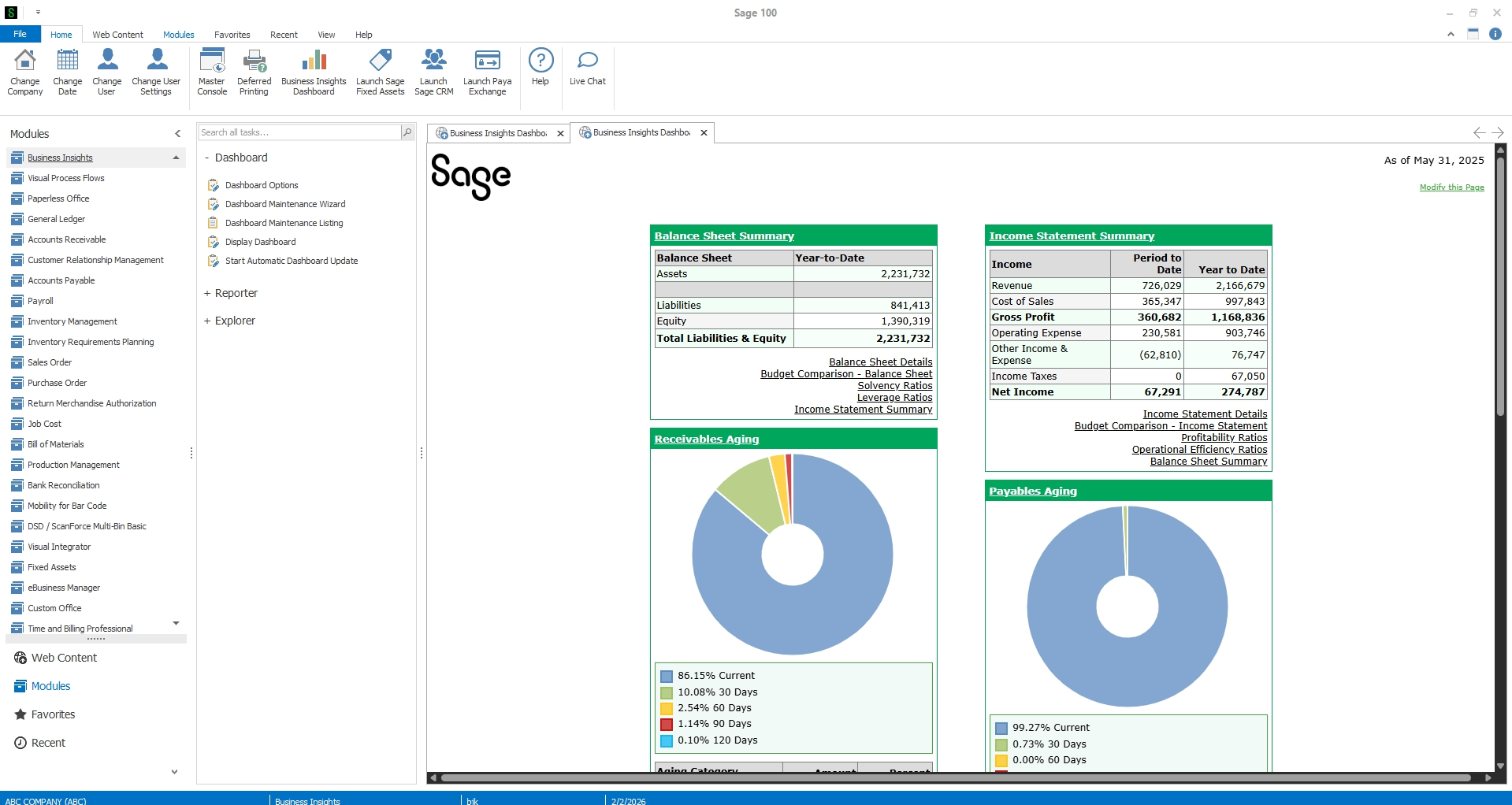
What is Sage 100 Job Costing?
Sage 100 Job Costing is an add-on module within Sage 100 designed to help businesses track, manage, and analyze costs associated with individual jobs or projects. It enables organizations to monitor profitability in real time by capturing detailed cost data across every stage of a project.
With Sage 100 job cost tracking, businesses can manage:
- Labor costs
- Material expenses
- Subcontractor payments
- Equipment usage
- Overhead allocations
The module integrates seamlessly with other Sage 100 components, including Payroll, Accounts Payable, Accounts Receivable, Purchase Order, and General Ledger, ensuring that all cost data flows into a single system.
This integration eliminates manual data entry and provides accurate insights into project performance. Additionally, Sage 100 supports work-in-process (WIP) accounting, allowing businesses to track ongoing project costs and revenue before completion.
Ultimately, Sage 100 Job Costing gives organizations the tools they need to answer critical questions:
- Are we staying within budget?
- Which jobs are most profitable?
- Where are cost overruns occurring?


Get more value from Sage 100
Looking to better understand Sage 100 Job Costing or explore how additional modules can support your business? Our Sage experts can help you evaluate your current setup, identify opportunities for improvement, and ensure you’re getting the most out of your ERP investment. Reach out to our Sage team today to learn more.
Key features and capabilities of Sage 100 Job Costing
Sage 100 offers a robust set of features designed to provide deep visibility into project costs and performance. Below are some of the most impactful capabilities.
Detailed cost tracking
Sage 100 enables businesses to track costs at a highly granular level by job, phase, and cost code, providing a structured way to organize and analyze project expenses. This level of detail allows organizations to break down costs into meaningful categories. These categories make it easier to understand exactly where money is being spent and how each component contributes to overall profitability.
Users can monitor:
- Labor hours and associated costs
- Material usage and pricing
- Subcontractor expenses
- Equipment and overhead costs
Because all cost components are captured and categorized consistently, businesses can quickly identify trends, uncover inefficiencies, and pinpoint areas where costs may be exceeding expectations. Over time, this visibility supports more accurate forecasting, better cost control, and improved operational efficiency.
Seamless module integration
One of the biggest advantages of Sage 100 is its ability to connect data across departments, eliminating silos and ensuring financial and operational information stays aligned. The job costing module integrates directly with key areas of the system, including:
- General Ledger for financial reporting
- Payroll for labor cost tracking
- Accounts Payable and Receivable for billing and expenses
- Inventory Management for material tracking
- Purchase Order for procurement
This integration allows transactions entered in one module, such as payroll entries or vendor invoices, to automatically flow into job cost records without duplication. As a result, businesses benefit from greater data accuracy, reduced administrative effort, and a more complete view of project performance.
Job budgeting and estimating
Sage 100 allows businesses to create detailed job budgets based on initial estimates, proposals, or historical project data. These budgets serve as a financial blueprint for each job, outlining expected costs across labor, materials, subcontractors, and overhead.
As projects progress, actual costs are captured and compared against the original budget, giving stakeholders clear visibility into performance at every stage of the lifecycle.
By continuously evaluating estimated versus actual costs, organizations can:
- Improve forecasting accuracy
- Identify cost overruns early
- Refine future bids and estimates
Job billing and invoicing
Sage 100 supports a range of billing methods to accommodate different project types and contract structures. This flexibility ensures that businesses can align their billing processes with customer requirements and industry standards.
Supported billing options include:
- Progress billing based on project milestones or completion percentages
- Time-and-material billing for service-based work
- Retention tracking to manage withheld amounts until project completion
Automated invoicing capabilities streamline the billing process by pulling data directly from job cost records, reducing the need for manual calculations and data entry. This not only improves accuracy but also accelerates billing cycles, helping businesses maintain steady cash flow.
Work-in-process (WIP) management
WIP tracking is essential for understanding the financial health of ongoing projects, particularly for businesses managing long-term or complex jobs. Sage 100 provides structured visibility into job performance through timely batch updates and reporting, allowing organizations to monitor key financial metrics such as:
- Costs incurred to date
- Revenue recognized
- Remaining budget
Although Sage 100 processes transactions in batches rather than continuously in real time, it still delivers reliable and up-to-date insights through regular posting cycles. This ensures that project data is consistently refreshed and available for review at defined intervals.
With this visibility, businesses can evaluate project progress, identify potential variances, and make informed adjustments before issues significantly impact profitability. WIP reporting also supports more accurate financial statements by aligning revenue recognition with project completion status.
Subcontractor management
For businesses that rely on subcontractors, maintaining visibility and control over third-party costs is critical. Sage 100 provides tools to manage subcontractor relationships and track associated financial and compliance details, including:
- Payments and invoices
- Lien waivers and compliance requirements
- Contract terms and obligations
By centralizing subcontractor information within the job costing system, businesses can ensure that all related costs are properly captured and accounted for. This improves cost accuracy while also reducing administrative burden.
Additionally, better visibility into subcontractor activity helps organizations manage risk, maintain compliance, and avoid delays or disputes that could impact project timelines and profitability.
Overhead allocation
Accurately accounting for indirect costs is essential for understanding true project profitability. Sage 100 simplifies this process by allowing businesses to automatically calculate and apply overhead, or burden, rates to labor and other cost categories.
These allocations may include expenses such as:
- Payroll taxes and benefits
- Equipment usage
- Insurance and administrative costs
By incorporating overhead into job costs, businesses gain a more complete picture of total project expenses. This ensures that pricing, budgeting, and profitability analysis reflect the full cost of delivering a job, not just direct expenses.
Key reports in Sage 100 Job Costing
Robust reporting is essential for effective job cost management. Sage 100 provides several key reports that help organizations analyze performance and make data-driven decisions.
- Job Analysis Report: Compares budgeted costs to actual costs, highlighting variances
- Job Billing Recap Report: Summarizes billing activity across projects
- Daily Transaction Register: Tracks daily cost postings and updates
These reports provide valuable insights into financial performance and help businesses stay on track.
Benefits of Sage 100 Job Costing
Implementing job costing capabilities within Sage 100 delivers measurable benefits across the organization.
- Improved cost visibility – With real-time data and detailed tracking, businesses gain a clear view of where costs are occurring. This transparency allows for better oversight and accountability.
- Better profitability control – By monitoring project performance throughout the lifecycle, organizations can identify issues early and take corrective action before margins are impacted.
- More accurate estimating – Historical data captured within Sage 100 can be used to improve future estimates and bids, reducing the risk of underpricing projects.
- Streamlined financial processes – Automation and system integration eliminate redundant data entry, reduce errors, and improve overall efficiency.
- Enhanced project planning and scheduling – With better visibility into resources and timelines, businesses can optimize scheduling and allocate resources more effectively.
- Scalability for growth – As businesses grow and take on more complex projects, Sage 100 provides the flexibility to manage increased demands without sacrificing control or visibility.
Who should use Sage 100 Job Costing?
Sage 100 Job Costing is ideal for organizations that need to track costs and profitability at the project level.
Industries that benefit most include:
- Construction and contracting firms managing multiple projects and subcontractors
- Manufacturers producing custom or job-based products
- Field service organizations tracking labor and materials across service jobs
- Project-based businesses with complex cost structures

White Paper
How to choose the right Sage 100 partner
The right partner can help you optimize Sage 100, improve processes, and get more value from your technology investment, while the wrong one can lead to inefficiencies and missed opportunities. Learn the key criteria for selecting an ERP partner and get a practical list of questions to guide your evaluation and ensure you choose a partner that supports your long-term success.
Why partner with Rand Group for Sage 100 Optimization
While Sage 100 offers powerful job costing capabilities, maximizing its value requires the right strategy, configuration, and expertise. Our team brings deep experience in helping organizations implement and optimize Sage 100 to align with their unique business processes.
Our team supports clients with:
- Sage 100 implementation and configuration tailored to industry needs
- Process optimization to improve efficiency and reduce costs
- Custom reporting and dashboards for better visibility
- System integrations to connect Sage 100 with other business applications
- Ongoing support and training to ensure long-term success
By partnering with our Sage experts, businesses can go beyond basic functionality and unlock the full potential of their ERP system, driving greater efficiency, accuracy, and profitability.
Sage 100 Job Costing FAQs
What is Sage 100 Job Costing?
Sage 100 Job Costing is a module within Sage 100 ERP that allows businesses to track project costs, revenue, and profitability.
What does the Sage 100 Job Costing module do?
It captures and organizes costs related to labor, materials, subcontractors, and overhead, while providing reporting tools to analyze job performance.
How does job costing work in Sage 100?
Users create jobs, assign cost codes, track expenses as they occur, and compare actual costs against budgets using built-in reports.
What industries use Sage 100 Job Costing?
Industries such as construction, manufacturing, field services, and other project-based businesses commonly use job costing to manage costs and profitability.
What are the benefits of Sage 100 Job Costing?
Key benefits include improved cost visibility, better profitability control, more accurate estimating, and streamlined financial processes.
Is Sage 100 Job Costing better than QuickBooks for project tracking?
Sage 100 Job Costing provides more advanced project tracking than QuickBooks, including detailed cost codes, WIP tracking, and integrated financial reporting for complex projects.
How much does Sage 100 Job Costing cost?
Sage 100 Job Costing is included as a module within Sage 100 ERP, with total costs depending on licensing, users, and implementation requirements.
Can Sage 100 Job Costing track work-in-progress (WIP)?
Yes. Sage 100 includes built-in WIP tracking, allowing businesses to monitor costs, revenue, and project progress before completion.
Is Sage 100 Job Costing real-time?
No. Sage 100 processes transactions in batches, providing regularly updated financial data rather than continuous real-time updates.
Final thoughts
Profitability in project-based businesses depends on more than strong revenue, it requires precise control over costs. Without accurate job costing, organizations risk hidden overruns, delayed insights, and steadily eroding margins.
Sage 100’s job costing module provides the visibility and control needed to manage project costs with confidence. With the right strategy and Sage partner support, you can reduce risk, improve decision-making, and ensure your system is driving long-term profitability. Contact our team today to get started.