NetSuite
Ultimate NetSuite optimization and performance guide

NetSuite is one of the most powerful cloud ERP platforms available, offering organizations a unified system for managing financials, operations, sales, and analytics. Yet despite its strengths, many companies struggle to unlock NetSuite’s full value. Performance lags, slow dashboards, bloated data, and inefficient workflows often emerge over time, undermining productivity and frustrating users.
These challenges are not inevitable; they are usually symptoms of a system that hasn’t been optimized. As businesses grow, add customizations, or expand their use of NetSuite, proactive performance tuning becomes essential. This guide explores the technical and operational practices that keep NetSuite healthy, scalable, and aligned with your organization’s evolving needs.
What is NetSuite?
NetSuite is a cloud-based ERP, CRM, and business platform designed to give organizations a single source of truth across operations. Its capabilities span financial management, procurement, inventory, order-to-cash, planning, analytics, and more. Companies choose NetSuite because it is scalable, flexible, and built on a native cloud architecture that supports real-time data and extensibility.
That flexibility brings tremendous advantages, but also complexity. As organizations customize NetSuite, integrate it with other systems, and accumulate historical data, performance and usability can degrade if not managed with discipline. Optimization ensures you continue to reap NetSuite’s benefits without being weighed down by inefficiencies.

Why optimization is critical for NetSuite success
NetSuite performance affects far more than a system administrator’s workload, it directly influences the user experience across finance, sales, operations, and management. Lagging dashboards, slow load times, and delayed reports disrupt daily work and erode confidence in the platform. These symptoms often accompany deeper inefficiencies, such as reliance on spreadsheets, manual workarounds, or drawn-out financial closes, that signal the system is no longer operating at peak performance.
Ignoring these issues creates compounding technical debt. Old scripts, unused fields, unnecessary data, and poorly configured dashboards accumulate quietly until they significantly hinder reliability. Optimization protects your NetSuite investment by ensuring the system can keep up with your organization’s growth and become a long-term operational engine, not a bottleneck.
As NetSuite’s capabilities evolve, optimization becomes even more critical. Organizations are increasingly leaning on real-time analytics, process automation, and AI-driven insights. To support these innovations, NetSuite environments must remain scalable, clean, and well-governed. Companies that consistently optimize their systems will be best positioned to adopt new modules, roll out advanced capabilities, and expand into new markets without facing system limitations.

Get the most out of your NetSuite investment with our optimization services
If your NetSuite system isn’t running at peak performance, contact our team today to schedule a system health check. We will assess your current system and provide a roadmap to get you back on track.
The main causes of NetSuite performance issues
Most NetSuite performance challenges originate from a set of predictable, recurring issues. Understanding these root causes makes it easier to identify where slowdowns begin and how to resolve them effectively.
Key contributors to performance problems include:
- Over-customization
- Too many scripts, workflows, or custom fields running on common records.
- Redundant or outdated logic that executes unnecessarily.
- Excessive client-side scripts adding load time to every page
- Inefficient Saved Searches and Dashboards
- Searches returning large, unfiltered datasets.
- Dashboards overloaded with heavy portlets or real-time data.
- Lack of consolidation or cleanup over time.
- Data bloat and storage overload
- Years of accumulated transactions creating latency.
- Dropdown lists with hundreds or thousands of unused entries.
- File Cabinet cluttered with outdated documents and attachments.
- Integration and API strain
- High-volume real-time API calls instead of batched or scheduled processes.
- Third-party integrations that aren’t throttled or optimized.
- Repeated data lookups that could be cached.
- Poorly maintained customizations and roles
- Legacy SuiteScript versions and unused workflows slowing system events.
- Custom fields and record types that no longer serve a purpose.
- Overly broad role permissions causing unnecessary load and complicating UI.

NetSuite optimization & performance best practices
Optimizing NetSuite requires both technical adjustments and disciplined operational processes. Technical improvements will enhance speed, stability, and scalability. Meanwhile, clear governance, structured release management, data hygiene, and ongoing user training ensure that performance gains are maintained over time. By implementing these optimization and performance best practices, organizations can keep NetSuite efficient, resilient, and ready to support both current operations and future growth.
Optimize Saved Searches & reporting
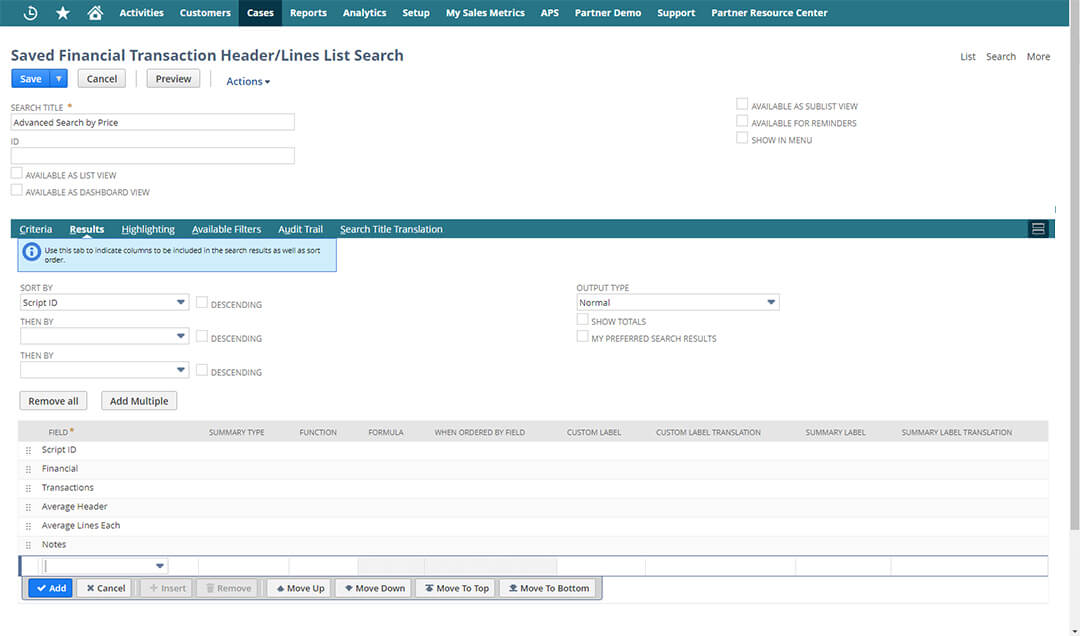
Saved Searches are one of the most versatile tools in NetSuite, but they often become the heaviest contributors to performance issues. Regularly auditing searches to remove duplicates or outdated logic is essential. Searches should be filtered narrowly to avoid returning thousands of results, and wherever possible, summary or aggregated searches should replace raw data pulls. Many dashboards become slow simply because they rely on too many complex searches, so trimming or replacing dashboard elements can significantly improve load times.
Streamline scripts and workflows
Automation is powerful, but only when it’s efficient. Scripts and workflows should be reviewed on a scheduled basis to ensure they still serve a purpose and operate correctly. Inefficient or redundant logic can be consolidated or retired. NetSuite’s governance APIs provide insight into script performance, making it easier to identify and refactor code that consumes disproportionate resources. Non-critical logic should be shifted to scheduled or Map/Reduce scripts, reducing the processing burden during real-time user actions. Server-side scripts also tend to outperform client scripts, so using the right scripting model is key.
Refactor customizations with an eye for longevity
Long-term success with NetSuite requires customizations that are well-structured and well-documented. Using SuiteScript ensures compatibility with modern features and future releases. Modular code promotes reusability and reduces duplication across scripts. Eliminating unused custom fields, forms, and records prevents clutter and reduces processing overhead. Before each NetSuite release cycle, organizations should perform a detailed review of new release notes and evaluate how updates might affect existing customizations, to avoid errors moving forward.
Use SuiteAnalytics & NetSuite performance tools
NetSuite offers sophisticated internal tools for analyzing performance. SuiteAnalytics Workbooks provide powerful reporting without the load of traditional dashboards, making them a more efficient choice for complex analysis. The Application Performance Management (APM) suite highlights slow scripts, heavy pages, and system bottlenecks, allowing administrators to pinpoint issues before they impact users. Establishing performance thresholds and alerts ensures that you know when the system begins to drift from baseline expectations.

Role-based configuration & system preferences
A streamlined user interface improves both usability and performance. Roles should be reviewed regularly to ensure users only access the records, dashboards, and menus they need. Dropdown lists become particularly problematic when they contain hundreds of outdated or irrelevant items, so cleaning them up can dramatically improve form responsiveness. Even basic adjustments to form layouts, reducing unnecessary fields or collapsing non-essential sections, can result in noticeably faster screen loads.
Data management & archiving
Effective data governance is essential for maintaining system speed. Organizations should conduct periodic data audits to identify duplicates, inactive records, or outdated transactional data. Archiving or purging old information, where appropriate, prevents NetSuite from having to process large volumes of unnecessary data. File Cabinet cleanup and dropdown list maintenance contribute further to a leaner, more responsive system.
Data governance doesn’t end with periodic audits; it requires policies and routines. Defining retention rules, establishing regular cleanup intervals, and implementing archiving strategies prevent the system from accumulating unnecessary information. This disciplined approach keeps the environment clean and predictable.
Integration & API optimization
Integrations can greatly expand NetSuite’s capabilities, but poorly designed or unmanaged connections can create performance bottlenecks. Optimizing integrations involves thoughtful planning, careful execution, and ongoing monitoring to ensure smooth operation. Key strategies include:
- Batch API calls – Where possible, use batched or scheduled processes instead of real-time calls to reduce strain on concurrency limits.
- Implement caching – Store frequently accessed static data to avoid repeated lookups and reduce system load.
- Use scheduled or Map/Reduce processes – High-volume data synchronization should be handled asynchronously to prevent overloading NetSuite.
- Monitor integrations continuously – Track performance and usage patterns to identify “hot spots” or bottlenecks before they affect users.
- Optimize third-party connections – Ensure integrations follow best-practice patterns, including throttling, error handling, and efficient data retrieval.
Governance & continuous optimization
Establishing a dedicated NetSuite governance committee, comprised of administrators and business stakeholders, creates a structure for ongoing optimization. Quarterly system reviews help teams identify issues early, track performance metrics, and prioritize enhancements. This governance model turns optimization from an occasional project into a predictable process.
Change management & release planning
Because NetSuite updates twice per year, organizations must manage change proactively. Testing new customizations in a sandbox environment minimizes risk. A structured rollout plan ensures updates align with organizational goals and do not disrupt operations. Proper documentation gives administrators and developers the context they need to support and extend the system effectively.
User training & adoption
A well-optimized system delivers value only if users know how to use it effectively. Training should be role-specific, practical, and focused on helping users navigate NetSuite efficiently. Simple practices, such as managing dashboards wisely, understanding common troubleshooting steps, and keeping browser sessions clean, can noticeably improve performance. Encouraging user feedback creates a loop of continuous improvement.
Long-term support & optimization strategy
Performance optimization is an ongoing journey. Many organizations benefit from partnering with a NetSuite managed services provider, like Rand Group, who can deliver continuous tuning, monitoring, and system enhancements. Creating a long-term roadmap ensures that NetSuite evolves alongside business needs. Regularly reassessing system architecture, typically every 12 to 18 months, helps maintain alignment and scalability.

How to choose the right support partner
Choosing the right support partner is essential for maximizing your NetSuite investment and keeping your system running efficiently, while the wrong partner can create unnecessary risk. Discover the top 7 criteria for selecting a partner and get a curated list of key questions to ask when evaluating your options.
How Rand Group can help you keep your NetSuite system optimized
Rand Group provides end-to-end NetSuite optimization services designed to keep your system operating at peak performance, today and as your business evolves. Our consultants combine deep technical expertise with hands-on business process experience to diagnose issues, modernize customizations, and ensure your NetSuite environment continues to scale smoothly with your organization. Whether you’re experiencing slow performance, planning for growth, or simply want more value out of your investment, our NetSuite experts deliver a structured, data-driven approach to ongoing optimization.
Our NetSuite support and optimization services include:
- Comprehensive system health checks – Full assessments of scripts, workflows, data structures, roles, integrations, and performance metrics to identify root causes of slowdowns.
- Performance tuning & remediation – Streamlining Saved Searches, refactoring customizations, cleaning up data, and improving configuration settings to boost responsiveness.
- Customization & integration optimization – Modernizing Suite Script, retiring unused logic, optimizing APIs, and ensuring integrations follow best-practice patterns.
- Release management & upgrade support – Preparing your system for NetSuite’s biannual releases, testing customizations, and ensuring compatibility and stability.
- Strategic roadmapping & advisory – Building a forward-looking plan aligned with your business goals, including scalability planning, module expansion, and architectural enhancements.
- User training & adoption – Role-based training, tailored enablement sessions, and best-practice guidance to ensure your teams use NetSuite efficiently and effectively.
Next steps
A high-performing NetSuite system doesn’t happen by accident, it requires thoughtful design, disciplined maintenance, and a commitment to continuous improvement. Optimization enhances productivity, accelerates decision-making, and ensures the system can grow with your organization. By starting with a comprehensive audit and establishing ongoing governance, you can build a NetSuite environment that is fast, scalable, and ready for the future.
If you’re ready to take the next step, we can help. Contact our NetSuite experts today to schedule a NetSuite health check or performance optimization assessment and begin unlocking the full potential of your ERP investment.