NetSuite
 post-go-live support: How to fix problems and optimize your system

Going live with NetSuite is a major milestone, but it doesn’t mean your ERP implementation is complete. Once employees begin processing live transactions, organizations may uncover unexpected challenges, including data discrepancies, integration failures, inefficient workflows, and performance issues.
The first 90 days after go-live are critical for identifying and resolving these problems before they disrupt operations or limit the value of your investment. With the right post-go-live support and optimization strategy, businesses can stabilize their NetSuite environment, improve performance, and streamline processes without starting over. This guide explores common challenges, practical solutions, and opportunities for long-term optimization.
At a glance: What to do after NetSuite go-live
NetSuite post-go-live support is essential for stabilizing operations, resolving implementation issues, and maximizing the value of your ERP investment. During the first 90 days, businesses should prioritize critical problems, validate financial and operational data, monitor system performance, and support user adoption. Once the environment is stable, ongoing NetSuite optimization can improve automation, reporting, integrations, and workflows. Organizations experiencing persistent challenges may benefit from a comprehensive implementation assessment to determine whether targeted improvements or a broader recovery effort is needed.
What happens after NetSuite go-live?
The transition to a live NetSuite environment marks the beginning of an important phase of the ERP implementation lifecycle. While testing helps identify potential problems before launch, daily operations introduce actual transaction volumes, user behaviors, and business scenarios that can expose additional challenges.
Effective post-go-live support typically involves two complementary activities: stabilization, which focuses on resolving problems and maintaining reliable operations, and optimization, which focuses on improving efficiency and expanding the value of the system.
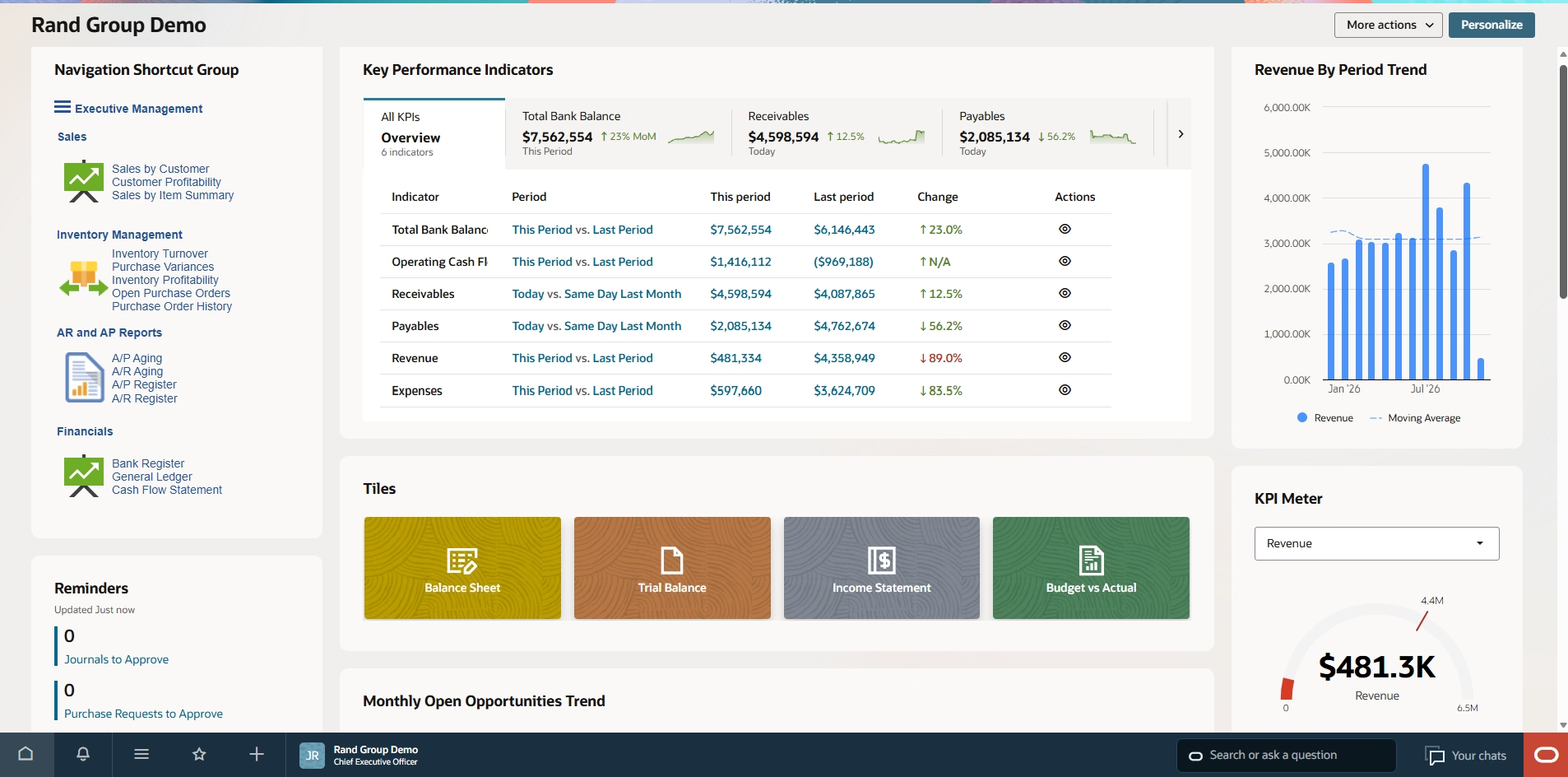
The first 90 days: Stabilization and support
The first three months after NetSuite go-live provide an important opportunity to evaluate how well the system supports everyday business operations.
A structured approach can help organizations identify issues early and transition into a sustainable support model.
Days 1–30: Hypercare and immediate support
During the initial weeks, the priority should be maintaining business continuity and helping employees adjust to the new system. Key activities include:
- Monitoring critical accounting, sales, purchasing, and inventory transactions.
- Prioritizing issues that affect financial accuracy or interrupt essential operations.
- Providing responsive technical support and additional user training.
- Tracking reported problems in a centralized issue log.
- Addressing quick improvements that can reduce frustration and build user confidence.
Days 31–90: Stabilization and transition
As critical issues are resolved, organizations can shift their attention toward improving reliability and identifying optimization opportunities. Priorities include:
- Resolving recurring errors and validating system performance.
- Measuring results against predefined implementation objectives.
- Refining reporting, workflows, and system configurations.
- Reviewing user adoption and identifying persistent workarounds.
- Establishing an ongoing NetSuite support and optimization plan.
These timeframes provide a useful planning framework, although the actual stabilization period depends on the complexity of the implementation and the organization’s operational requirements.

Get expert NetSuite support after go-live
Go-live is just the beginning of your NetSuite journey. Rand Group’s NetSuite experts can help you resolve post-implementation challenges, stabilize operations, and identify opportunities to improve system performance. Whether you need immediate troubleshooting or ongoing optimization, we’re here to help you get more value from your investment.
Why NetSuite post-go-live optimization matters
Even after a system stabilizes, opportunities for improvement often remain. Businesses may discover that certain processes require too many manual steps, reports do not provide the necessary visibility, or existing NetSuite capabilities are underutilized.
Ongoing optimization helps organizations address these limitations and adapt NetSuite as their needs evolve. Rather than treating go-live as the finish line, businesses should view it as the foundation for continuous improvement.
Common NetSuite problems after go-live and how to fix them
Post-go-live challenges can affect nearly every area of an organization, from financial management and reporting to inventory, integrations, and employee productivity.
Understanding the underlying causes of these issues is essential for identifying effective solutions. Below are six common NetSuite implementation problems and practical steps organizations can take to address them.
1. Data migration and reconciliation issues
Data discrepancies may not become apparent until employees begin processing transactions or preparing their first financial reports in NetSuite.
Common problems include inaccurate opening balances, duplicate customer or vendor records, missing transactions, and inconsistent inventory information.
How to fix them:
- Reconcile opening balances and outstanding transactions against the legacy system.
- Review migrated customer, vendor, inventory, and general ledger records for accuracy.
- Validate data mappings and external IDs used for imports and integrations.
- Correct discrepancies through controlled, documented processes.
- Investigate recurring errors to determine whether broader migration issues exist.
If significant portions of the migrated data cannot be reconciled, organizations may need to revisit their original extraction, cleansing, and mapping strategy rather than continuing to make isolated corrections.
2. Slow NetSuite performance
Slow record loading, delayed transaction processing, and unresponsive workflows can reduce employee productivity and create frustration.
These issues may result from inefficient customizations, complex Saved Searches, excessive processing demands, or poorly configured integrations.
How to fix them:
- Review SuiteScript customizations and SuiteFlow workflows for redundant or inefficient processing.
- Evaluate Saved Searches for unnecessary complexity, broad data retrieval, or missing filters.
- Review the scheduling of large imports, integrations, and batch processes.
- Identify customizations that duplicate functionality already available within NetSuite.
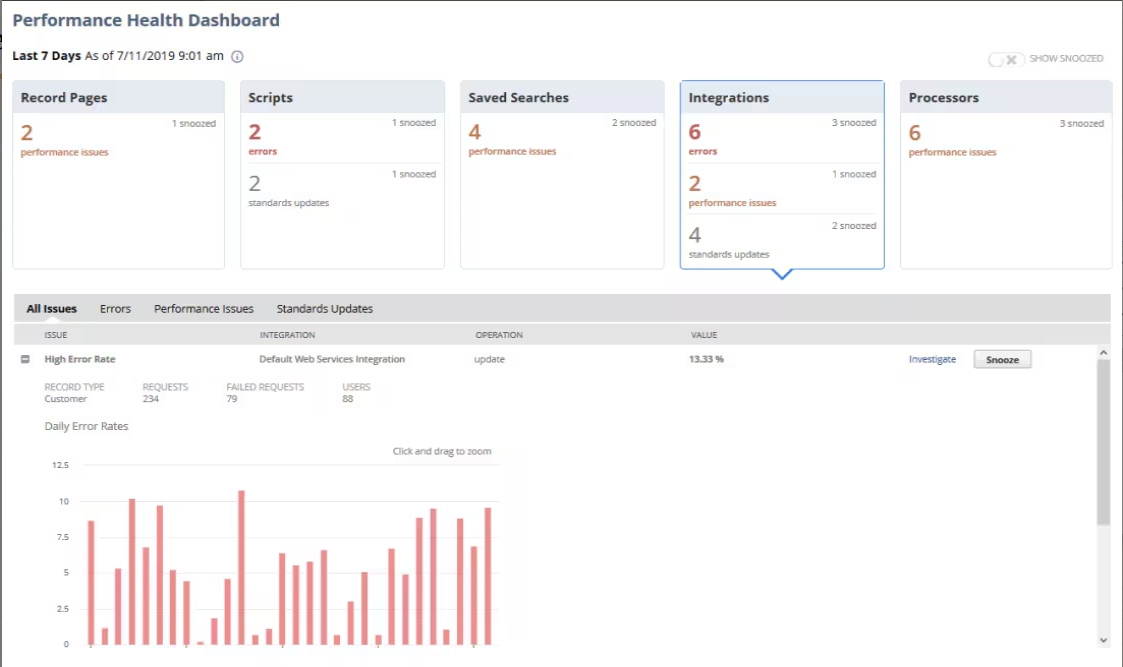
- Use NetSuite’s Application Performance Management tools to investigate processing bottlenecks.
For example, the SuiteCloud Performance Monitor and related performance analysis tools can help administrators investigate script execution, page loading, and search performance.
The goal should be to identify the actual cause of performance problems rather than assuming additional customizations or system resources are necessary.
3. Broken integrations and disconnected data
NetSuite frequently integrates with CRM platforms, ecommerce systems, payroll applications, warehouse management software, and other business tools.
When integrations do not function as expected, organizations may encounter duplicate records, missing transactions, delayed updates, or inconsistent information across systems.
How to fix them:
- Review integration logs and error messages to identify recurring failures.
- Validate field mappings, external IDs, and authentication settings.
- Reconcile transactions between NetSuite and connected applications.
- Evaluate whether integrations are transferring unnecessary or duplicate data.
- Establish monitoring and error-handling procedures to identify future problems.
Resolving integration issues can improve data consistency, reduce manual reconciliation, and support more reliable operations.
4. Inefficient workflows and unnecessary manual processes
An implementation may technically function while still requiring employees to complete excessive manual steps.
For example, approval workflows may not reflect actual business requirements, transaction forms may contain unnecessary fields, or custom scripts may duplicate native NetSuite functionality.
How to fix them:
- Review existing workflows against current business processes.
- Identify repetitive tasks that could be automated.
- Simplify approval processes, transaction forms, and unnecessary customizations.
- Evaluate whether native NetSuite functionality can replace complex workarounds.
- Investigate why employees continue relying on spreadsheets or disconnected tools.
Organizations should avoid recreating every process from their previous system. Instead, NetSuite should be configured to support efficient workflows that align with business requirements.
5. Inaccurate reporting and limited financial visibility
Reliable reporting is one of the primary reasons businesses implement NetSuite. However, poorly configured financial reports, inconsistent account structures, or inaccurate underlying data can prevent organizations from accessing the information they need.
How to fix them:
- Validate financial balances and the underlying transaction data.
- Review the chart of accounts, subsidiaries, and reporting classifications.
- Refine Saved Searches, SuiteAnalytics Workbooks, and financial reports.
- Configure dashboards and KPIs around specific business requirements.
- Standardize reporting processes to improve consistency across departments and entities.
Improving reporting can help finance teams reduce manual analysis, streamline month-end activities, and provide leadership with more useful financial and operational insights.

6. User adoption and training challenges
Even a well-configured NetSuite environment can struggle to deliver value when employees are unfamiliar with its functionality.
Users may rely on spreadsheets, bypass established workflows, or develop inefficient workarounds because they do not understand how to complete tasks within the system.
How to fix them:
- Gather feedback from employees about recurring challenges.
- Provide role-specific refresher training.
- Simplify navigation, forms, and frequently used workflows.
- Document standardized procedures for common tasks.
- Establish accessible support resources for ongoing questions.
User adoption should be evaluated throughout the post-go-live period. When employees consistently avoid using NetSuite for essential processes, it may indicate a configuration or workflow problem rather than simply a training gap.
How to fix a struggling NetSuite implementation
When problems persist after go-live, isolated fixes may not address the underlying issues. A structured NetSuite implementation assessment can help organizations identify root causes, prioritize critical problems, and develop a plan for recovery and optimization.
Follow these five steps to improve a struggling NetSuite implementation:
- Assess your current NetSuite environment: Review configurations, data quality, integrations, customizations, and workflows. Document outstanding issues and compare system performance against implementation goals.
- Prioritize issues by business impact: Address problems affecting financial accuracy, compliance, and essential operations before tackling lower-priority enhancements.
- Identify root causes and implement corrections: Determine whether issues stem from configuration, data, integrations, or customizations. Test significant changes in a sandbox before deploying them.
- Improve workflows and user adoption: Simplify processes, eliminate unnecessary manual steps, refine permissions, and provide targeted employee training.
- Establish a continuous optimization plan: Assign system ownership, prioritize future improvements, and regularly review performance and evolving business requirements.
For organizations facing significant challenges, working with an experienced NetSuite implementation partner can help determine whether targeted improvements or a more comprehensive recovery effort is needed. To learn more, explore our guides on common NetSuite implementation mistakes and 10 warning signs your NetSuite implementation is in trouble.

Is your NetSuite implementation falling short?
Persistent errors, inefficient workflows, and reporting challenges do not necessarily mean you need to start over. Rand Group’s NetSuite experts can assess your existing environment, identify underlying problems, and develop a structured recovery plan.
How to optimize NetSuite after implementation
Once critical problems are resolved, organizations can shift their focus toward maximizing the value of their NetSuite investment.
NetSuite optimization involves refining existing functionality, reducing manual work, and identifying opportunities to improve efficiency and visibility. Rather than immediately investing in additional software or custom development, businesses should first evaluate whether they are fully utilizing the capabilities already available within their environment.
Key areas for optimization include:
Automate manual financial and operational processes
Review repetitive tasks across accounts payable, accounts receivable, reconciliations, and transaction processing.
NetSuite’s native automation capabilities can help streamline approvals, reduce duplicate data entry, and improve consistency across financial and operational workflows.
Improve reporting and analytics
Refine Saved Searches, SuiteAnalytics Workbooks, and dashboards to provide employees and leadership with more relevant information.
Standardized KPIs and automated reporting can help reduce spreadsheet dependence and improve decision-making.
Simplify customizations and integrations
Review existing SuiteScript customizations, SuiteFlow workflows, and third-party integrations to determine whether they remain necessary and effective.
Removing redundant functionality and improving integration design can reduce system complexity and simplify ongoing maintenance.
Improve the user experience
Customize forms, navigation, and permissions around employee responsibilities.
Making frequently used information easier to access and eliminating unnecessary steps can improve productivity and encourage greater system adoption.
Establish long-term NetSuite governance
Assign clear responsibility for system administration, configuration changes, release testing, and ongoing improvements.
Establishing governance procedures helps organizations maintain system reliability while continuing to introduce new capabilities and respond to changing business requirements.
When should you optimize NetSuite versus rebuild your implementation?
Not every struggling NetSuite implementation requires a complete reimplementation. In many cases, targeted configuration changes, improved workflows, or corrected integrations can resolve existing problems while preserving the organization’s original investment.
However, when foundational system structures do not support business requirements, a more extensive recovery or redesign effort may be necessary.
The following considerations can help organizations determine which approach may be appropriate.
Before committing to a complete rebuild, organizations should conduct a thorough assessment of their current environment.
An experienced NetSuite partner can help evaluate the costs, risks, and potential benefits of each approach and determine whether targeted optimization, partial redesign, or a broader implementation rescue is the most appropriate solution.
Real-world success: How Unified Women’s Healthcare optimized its NetSuite implementation
Unified Women’s Healthcare was struggling with an improperly configured and underutilized NetSuite system. Complex scripts, insufficient documentation, and inefficient processes limited the value of its ERP investment.
Rather than starting over, the organization partnered with Rand Group to optimize its existing environment. Rand Group’s NetSuite experts restructured subsidiaries, improved the chart of accounts, simplified customizations, and automated manual financial processes.
The result: More than 1,500 hours saved annually through automation and process improvements, along with more efficient accounting operations and improved data accuracy.
Read the Unified Women’s Healthcare success story.
Why partner with Rand Group for NetSuite post-go-live support and optimization?
Resolving NetSuite implementation problems requires more than technical troubleshooting. Organizations need a partner that understands how system configurations, accounting processes, integrations, and user workflows work together to support business operations.
As an experienced Oracle NetSuite Alliance Partner, Rand Group helps organizations implement, rescue, optimize, and support NetSuite environments. Whether Rand Group completed your original implementation or you are transitioning from another provider, our team can help identify problems and develop practical solutions.
Rand Group offers:
- NetSuite implementation assessments: Evaluate system configuration, data quality, customizations, integrations, and workflows to identify gaps and improvement opportunities.
- Rescue and recovery services: Stabilize struggling implementations, correct underlying problems, and develop structured recovery plans.
- Performance and process optimization: Improve automation, reporting, integrations, and workflows to maximize the value of NetSuite.
- Technical and functional expertise: Combine NetSuite development and configuration knowledge with accounting and business process experience.
- Ongoing support and training: Provide assistance, enhancements, and guidance as business requirements evolve.
With more than 20 years of ERP consulting experience, over 3,000 successful engagements, and a 90% client retention rate, Rand Group brings established expertise and a commitment to long-term customer success.
Key takeaways: Getting more value from NetSuite after go-live
- Go-live is not the finish line. Successful NetSuite implementations require stabilization, ongoing support, and continuous improvement.
- The first 90 days are critical. Monitoring transactions, resolving issues, and supporting users can help establish a reliable foundation.
- Common problems are often fixable. Data discrepancies, performance issues, integration failures, and inefficient workflows can frequently be resolved through targeted corrective actions.
- Root causes matter. A structured implementation assessment helps organizations avoid temporary workarounds and prioritize meaningful improvements.
- Optimization improves long-term value. Automation, reporting enhancements, simplified customizations, and user training can improve productivity and system utilization.
- A complete rebuild is not always necessary. Experienced NetSuite partners can help determine whether optimization, partial redesign, or implementation rescue is the most appropriate approach.
Frequently asked questions about NetSuite after go-live
What happens after NetSuite go-live?
After NetSuite go-live, organizations typically enter a stabilization period focused on monitoring transactions, resolving implementation issues, validating data, and supporting users. This phase may include intensive support, configuration adjustments, and additional training. Once critical issues are resolved, businesses can transition toward ongoing NetSuite support and optimization to improve efficiency and system performance.
How long does NetSuite post-go-live support last?
NetSuite post-go-live support often involves an intensive stabilization period during the first 30–90 days, although the timeline varies based on implementation complexity and business requirements. Organizations with extensive integrations, customizations, or multiple subsidiaries may require additional support. Beyond stabilization, ongoing optimization and maintenance help ensure NetSuite continues to meet business needs.
What are the most common problems after a NetSuite implementation?
Common NetSuite post-go-live problems include inaccurate migrated data, financial reconciliation discrepancies, slow performance, failed integrations, inefficient workflows, reporting limitations, and user adoption challenges. These issues may result from configuration gaps, incomplete testing, complex customizations, or insufficient training. Identifying root causes is essential for implementing effective, long-term solutions.
How do you fix a poorly implemented NetSuite system?
Fixing a poorly implemented NetSuite system begins with a comprehensive assessment of its configuration, data, integrations, customizations, and workflows. Organizations should prioritize business-critical issues, identify underlying causes, and implement tested corrective actions. An experienced NetSuite rescue partner can help develop a structured recovery plan and determine whether targeted improvements or broader redesign efforts are necessary.
Can you optimize NetSuite without reimplementing it?
Yes. Many NetSuite environments can be optimized without a complete reimplementation. Businesses can often improve performance, reporting, automation, and workflows through configuration adjustments, simplified customizations, and better use of native functionality. However, significant structural problems or unreliable data may require more extensive remediation. A NetSuite implementation assessment can help determine the most appropriate approach.
Can a new NetSuite partner fix an implementation completed by another provider?
Yes. An experienced NetSuite partner can assess and improve an implementation completed by another provider. Services may include correcting configuration issues, resolving integration problems, simplifying customizations, improving reporting, and providing ongoing support. Rand Group regularly helps organizations recover and optimize existing NetSuite environments, including implementations that did not initially deliver the expected results.
Get more value from your NetSuite investment
NetSuite go-live is an important milestone, but achieving long-term ERP success requires continued attention to system performance, business processes, and user adoption. Whether your organization is experiencing persistent implementation problems or simply wants to improve an existing environment, a structured approach to troubleshooting and optimization can help you maximize the value of your investment.
Rand Group helps businesses identify and resolve NetSuite challenges, improve workflows, and implement ongoing enhancements that support evolving requirements. If your NetSuite system is not delivering the results you expected, contact Rand Group to speak with our NetSuite experts about how we can help stabilize, optimize, and improve your implementation.