
Enhancing productivity with AI in Microsoft 365

Microsoft 365 is no longer just a suite of productivity tools. It now includes advanced AI capabilities that help users create content, automate tasks, and boost productivity across apps, including Word, Excel, PowerPoint, Outlook, and Microsoft Teams. At the heart of this transformation is Microsoft 365 Copilot, an AI assistant that is fully integrated with your favorite apps and workflows.
Whether you work in finance, operations, sales, marketing, or another department, AI in Microsoft 365 can help you streamline tasks. It can also summarize meeting notes, analyze data, and use image generation to enhance presentations. Moreover, by combining Copilot with Microsoft Power Platform, teams can save time, reduce repetitive work, and support digital transformation. This blog explains how AI in Microsoft 365 works, highlights key features, shares real-world use cases, and provides best practices for getting started so you can make the most of Microsoft 365 Copilot and related AI tools.
What is Microsoft 365 Copilot?
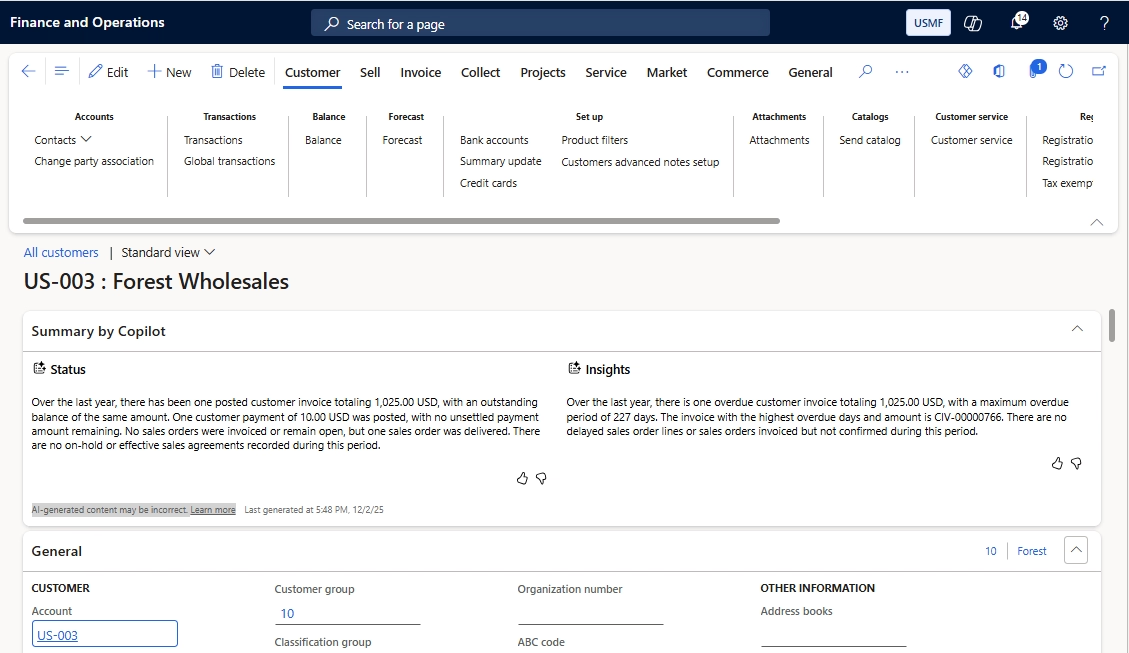
Microsoft 365 Copilot is an AI assistant embedded in Microsoft 365 apps. Using natural language it helps finance, sales, marketing, and other professionals create content, analyze data, and save time. Users can interact with Copilot through Copilot Chat, available in a sidebar within Microsoft 365 apps. With Copilot Chat, users can ask the AI to summarize meeting notes, generate reports, or draft documents across Word, Excel, PowerPoint, and Outlook. It can also summarize Teams chats. For example, a finance team can automatically generate monthly reports in Excel with charts and insights. Marketing teams can quickly draft PowerPoint presentations or email campaigns, while HR departments can summarize meeting notes and create onboarding documents efficiently.
Copilot features are available to Microsoft 365 Basic, Standard, and Premium subscribers, though capabilities and AI credit limits vary. Enterprise plans provide broader organizational context and advanced functionality. Some features, like summarizing Teams video calls, require Teams Premium and transcription settings. These features are not automatically available to all subscribers.

Ready to step into the future of business management?
Transform how your teams work. From finance to marketing to supply chain, Rand Group helps you use AI in Microsoft 365 to automate tasks, uncover insights, and save time.
Key features of Microsoft 365 Copilot
Microsoft 365 Copilot brings AI directly into your everyday workflow, helping you create content, automate tasks, and analyze data across your favorite apps. Using natural language, Copilot acts as an AI assistant that understands context and supports productivity across roles and departments.
- Word: Draft documents, suggest edits, and format text consistently to reduce repetitive writing tasks.
- Excel: Analyze large datasets, identify trends, and generate actionable insights for teams like finance and supply chain.
- PowerPoint: Turn bullet points into visually appealing slides using image generation, saving time for marketing and sales teams.
- Outlook and Microsoft Teams: Summarize messages, extract key action items, and suggest replies to streamline communication.
- Generative AI: Create presentations, emails, reports, and training materials from scratch.
- Copilot Notebooks: Organize files, notes, and tasks in a centralized workspace to keep projects structured and accessible.
- Integration with Microsoft Power Platform: Automate workflows, build custom apps, and provide automated support for employees and customers.
By combining these features, Microsoft 365 Copilot helps organizations streamline tasks, reduce manual work, and gain insights from data, boosting productivity across finance, marketing, HR, sales, operations, and supply chain teams.
Integration with Microsoft Power Platform
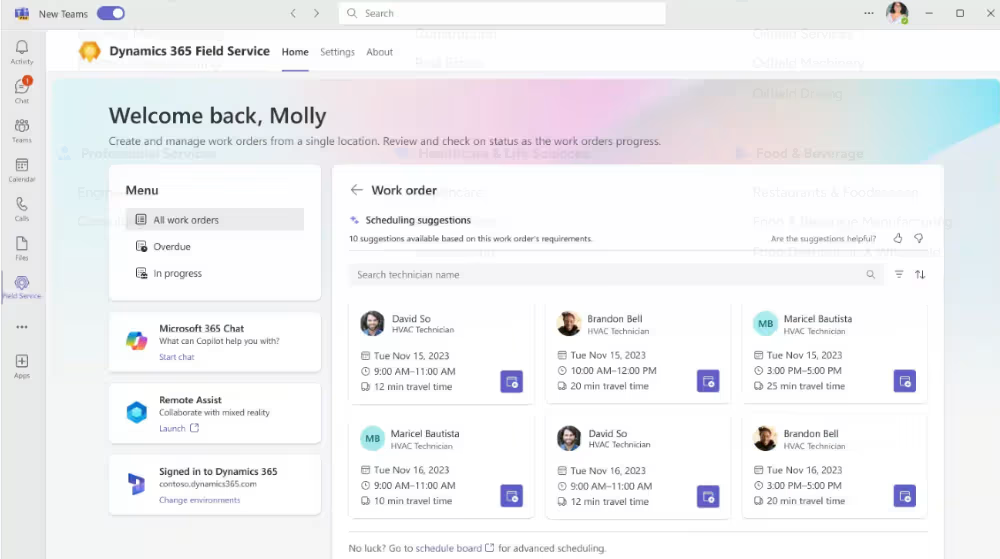
Microsoft Power Platform extends Copilot’s capabilities by enabling workflow automation and custom app creation:
- Power Automate: Automates repetitive workflows, such as generating weekly reports or updating dashboards.
- Power Apps: Allows teams to build custom apps for HR, education, or operations. Copilot can assist by drafting forms and instructions.
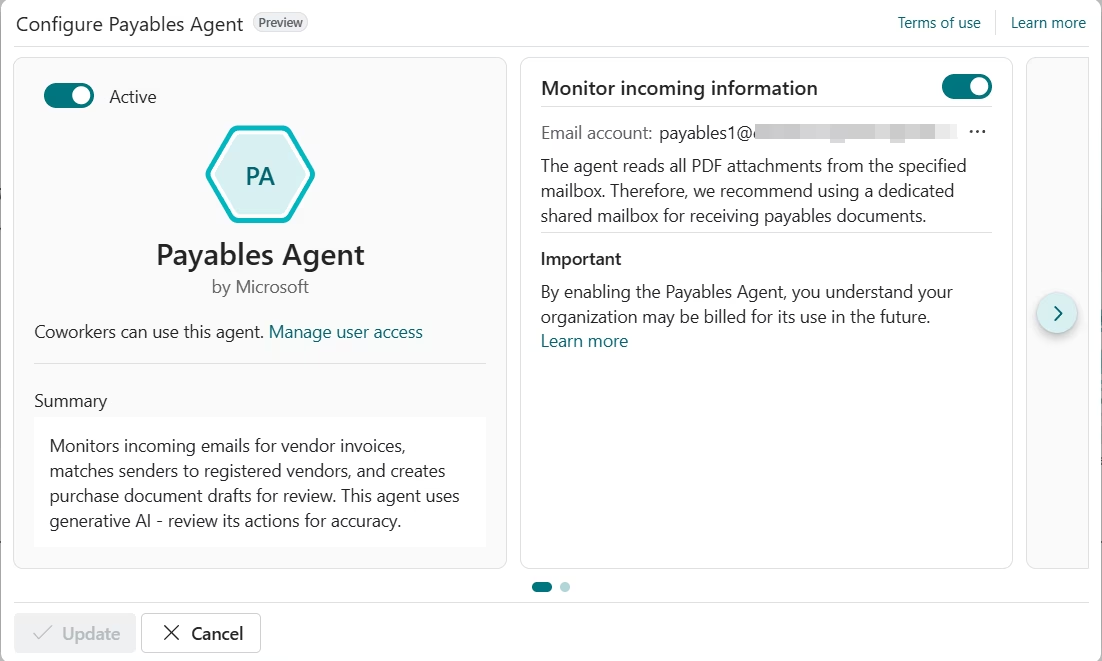
- Power Virtual Agents / AI Agents: Handle routine queries from employees or customers, freeing staff for higher-value work.
This integration helps organizations save time, reduce manual effort, and make data-driven decisions efficiently.

White Paper:
Grow your business with AI innovation
Explore how organizations are using artificial intelligence to deliver measurable results. In this white paper, you’ll learn practical strategies for planning, implementing, and scaling AI initiatives. Plus see real-world examples showing how AI can improve team performance and enhance business outcomes.
How teams use AI in Microsoft 365
Getting started and best practices
- Set up Copilot Chat and Notebooks: Organize your workflows, notes, and files in a central workspace to keep projects accessible and structured.
- Explore generative AI and image generation: Experiment with content creation in Word, Excel, PowerPoint, and Teams to identify which tasks can be automated or enhanced.
- Integrate across favorite apps and services apps: Ensure Copilot is active in the tools your teams use most, from Outlook to Microsoft Teams, to streamline everyday tasks.
- Review AI outputs for accuracy: Verify summaries, reports, or content before sharing to maintain quality and reliability.
- Define role-based workflows: Map specific AI use cases to teams such as finance, marketing, HR, sales, supply chain, operations, and customer service to maximize efficiency.
- Monitor and iterate: Track which Copilot features are most effective and refine adoption strategies over time, adjusting templates, workflows, and governance as needed.
- Leverage partner guidance: Work with experts like Rand Group to ensure alignment between AI capabilities and organizational goals, from strategy to execution.
Following these steps helps finance, operations, sales, and other users save time and boost productivity.
Future developments
Microsoft 365 Copilot continues to evolve, helping organizations apply AI more effectively across workflows and departments. Key areas of development include:
- Smarter Copilot Chat: Enhanced context awareness across files, projects, and prior conversations to improve speed and decision-making.
- Expanded generative AI: Advanced content creation and data analysis across Word, Excel, PowerPoint, Outlook, and Teams to support faster insights and outputs.
- Deeper Power Platform integration: Tighter connections with Power Automate, Power Apps, and AI agents to enable end-to-end process automation. Departments include finance, operations, marketing, customer service, and supply chain.
- Governance and access refinements: Improved security, licensing clarity, and role-based controls to support responsible scaling of AI.
Conclusion
Microsoft 365 Copilot is a practical AI assistant for finance, sales, operations, supply chain, and other departments. By combining Copilot with Microsoft Power Platform and leveraging favorite apps, users can create content, automate tasks, and save time. This enables more efficient workflows, better collaboration, and higher-value work.
To take the next step, register for a Rand Group AI workshop. These hands-on sessions help teams identify high-impact Copilot use cases, assess readiness, and build a practical roadmap for maximizing AI in Microsoft 365.
Whether you need help with Copilot setup, workflow automation, or user training, Rand Group’s experts can help you implement solutions that save time, reduce manual effort, and boost productivity across your business. Contact Rand Group today to unlock the full potential of AI in Microsoft 365 and transform your organization’s productivity.



Subscribe to our Insights
