Dynamics 365
 Power Platform
 Dynamics
 Cloud & Productivity
Top 12 Copilot features in Dynamics 365 Business Central

Artificial Intelligence (AI) is no longer a futuristic concept—it is already transforming how organizations operate every day. In Microsoft Dynamics 365 Business Central, Copilot is leading this change by automating repetitive tasks, delivering instant insights, and improving accuracy. With Copilot, businesses can save time, minimize errors, and work smarter.
Microsoft continually adds powerful AI capabilities to Business Central with each Wave 1 and Wave 2 release. These updates go beyond incremental improvements—they introduce tools that can revolutionize the way you work. Whether you are creating orders, reconciling bank accounts, or analyzing sales trends, Copilot provides a faster and more insightful way to accomplish your tasks.
In this post, we explore 12 of the top Copilot features from the 2025 release wave 1 and 2025 release wave 2 releases, highlighting how they work and why they can make such a difference for your organization.
1. Analysis assist – ask questions and get instant answers
Analysis assist makes data analysis in Business Central easy and accessible. Instead of managing filters, pivot tables, or complex queries, you can type questions in plain language like “Show me vendors by location sorted by purchase amount” and receive immediate, relevant answers.
- No technical skills required
- Quickly spot trends
- Works with custom fields and related tables
- Makes data accessible across your organization
2. Enhanced sales order agent – AI that manages the sales process
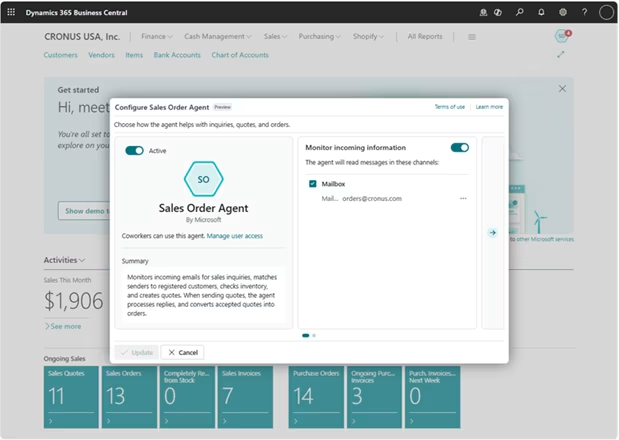
The sales order agent functions as an AI-powered sales assistant. It can read customer emails, generate accurate sales quotes, and process attachments like PDFs and images. Recent updates include support for multiple shipping addresses and capable-to-promise responses.
- Automates email-to-order process
- Handles attachments and multiple addresses
- Reduces manual entry errors
- Accelerates the order-to-cash cycle
3. Payables agent – smarter invoice matching
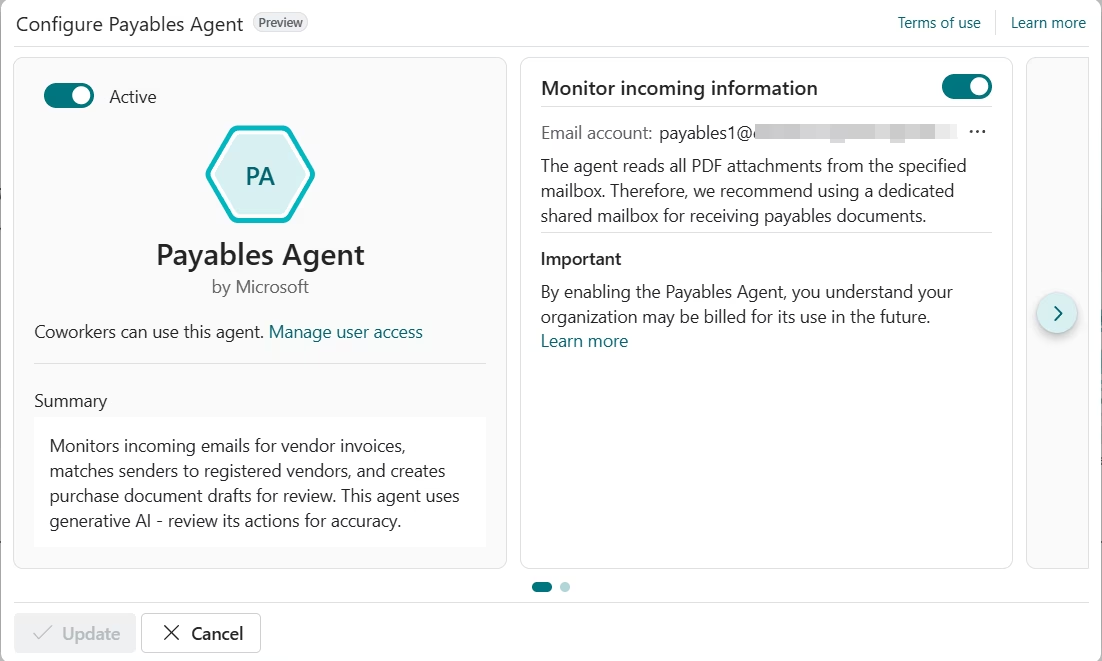
Matching invoices to purchase orders is often tedious and error-prone. The payables agent leverages AI to automate this process, using historical patterns for improved accuracy.
- Contextual invoice matching
- Historical pattern recognition
- Confidence-based prioritization
- Fewer manual corrections needed
4. Chat with Copilot – talk to your data
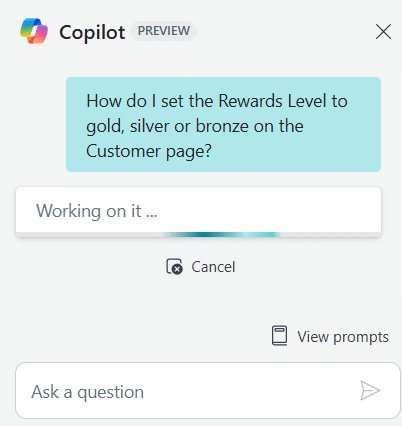
Chat with Copilot allows you to interact with your Business Central data conversationally, supporting over 20 languages. Ask complex, multi-part questions and Copilot will understand and respond appropriately.
- Enhanced language understanding
- Faster responses
- Support for custom tables
5. Bank reconciliation with AI – faster and more accurate
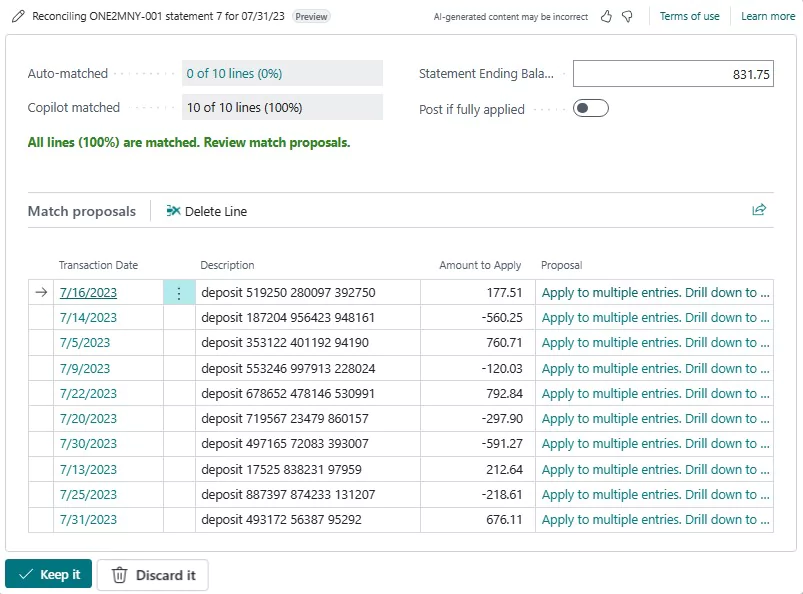
Copilot-enabled bank reconciliation automates the matching of bank statement lines to ledger entries, saving hours of manual work, reducing errors, and ensuring accurate financial records.
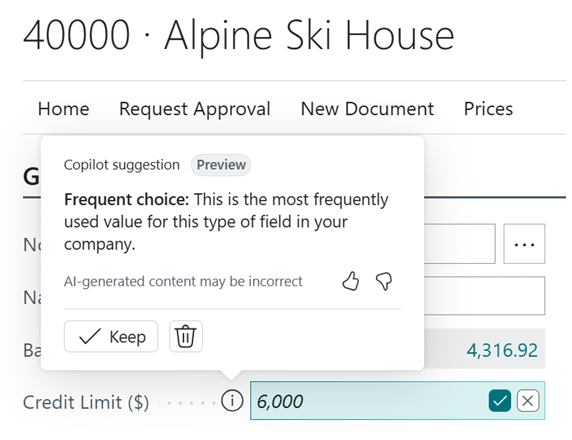
6. Autofill with Copilot – reduce data entry time
Copilot learns your data entry patterns and offers smart suggestions, reducing typing time by up to 80% and improving accuracy with contextually correct values.
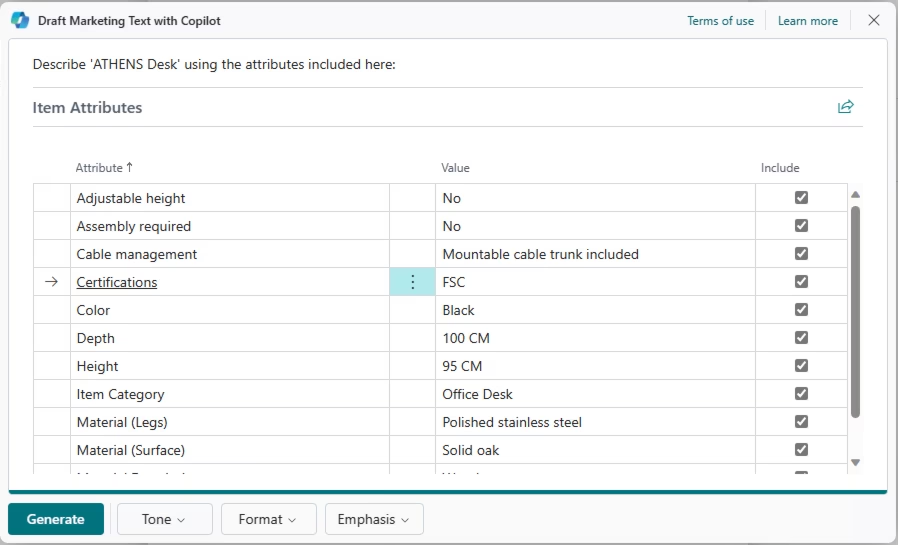
7. Create marketing text – content creation made simple
If you maintain a product catalog, Copilot can instantly generate consistent, high-quality marketing text and product descriptions in seconds, keeping your messaging on-brand across listings.
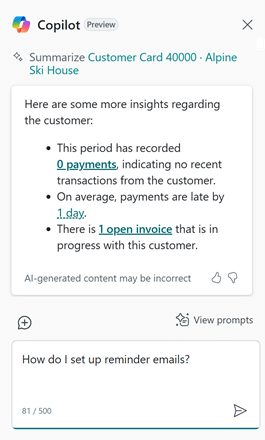
8. Summarize with Copilot – quick record overviews
Copilot can summarize customer records, sales orders, and other key documents at a glance. The latest updates include summaries of recent modifications and AI agent activities for deeper insights.
- Deeper customer insights
- Change tracking
- Activity highlights from AI agents
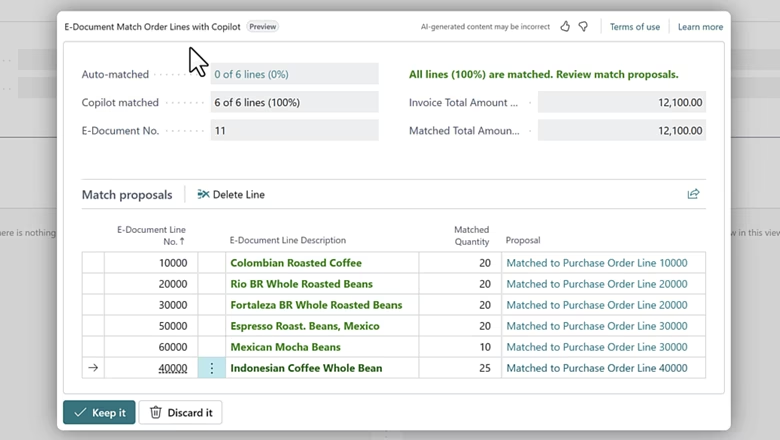
9. E-document mapping – automate document matching
For organizations managing high volumes of electronic documents, e-document mapping automatically links them to the correct purchase orders, reducing errors and speeding up processing.
10. Sales line suggestions – build orders faster
Copilot suggests sales lines based on customer purchase history, seasonal trends, and available inventory, helping you create accurate orders quickly and avoid stockouts.
11. Item substitutions – avoid lost sales
When an item is out of stock, Copilot recommends alternatives, helping you keep customers satisfied and close sales without unnecessary delays.
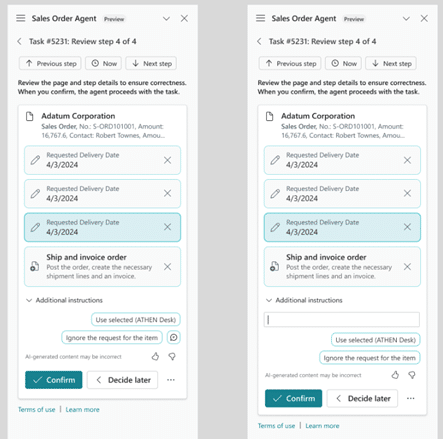
12. Enhanced agent task management – stay in control of AI actions
Gain visibility into what your AI agents are working on, provide additional instructions, and approve or modify their actions—all to ensure AI aligns with your business rules and processes.
Why these features matter for your business
The latest Wave 1 and Wave 2 updates to Microsoft Dynamics 365 Business Central make AI practical and impactful for daily business operations. These Copilot features can:
- Save hours of manual work
- Enable better decision-making with real-time insights
- Reduce errors across finance, sales, and operations
- Support sustainability and operational efficiency goals
- Simplify complex processes for all users
Microsoft continues to expand Copilot’s capabilities with every release, aiming to create AI agents that can manage end-to-end processes—so your team can focus on strategy and growth.
Right now, Copilot is already changing the way organizations work. With natural language queries, intelligent suggestions, and process automation, the productivity gains are significant.
Next steps
Ready to harness the power of Copilot in Dynamics 365 Business Central for your organization? Rand Group’s certified experts can help you implement, configure, and optimize these advanced features to fit your unique business needs. From strategic planning to hands-on deployment and support, our team ensures you get the most out of your Business Central investment.
- Learn more about Dynamics 365 Business Central capabilities
- Explore our insights on AI in Business Central
- Connect with Rand Group to schedule a consultation and discover how these Copilot features can drive productivity and efficiency in your operations
Let Rand Group help you unlock the full potential of AI-powered automation in Dynamics 365 Business Central. Contact us today to get started.