Dynamics 365
 Power Platform
 Dynamics
 Cloud & Productivity
Key features and updates in the 2025 release wave 1 of Business Central

The 2025 release wave 1 for Dynamics 365 Business Central (D365 BC) brings many exciting updates to user experience, automation, and AI-driven insights. With improvements in UI and operational efficiency, this release helps you streamline your workflows and get more insights. Whether you are new to Business Central or a seasoned user, understanding these updates is key to optimizing your operations. In this blog, we’ll break down the most important features and updates.
Copilot and AI innovations
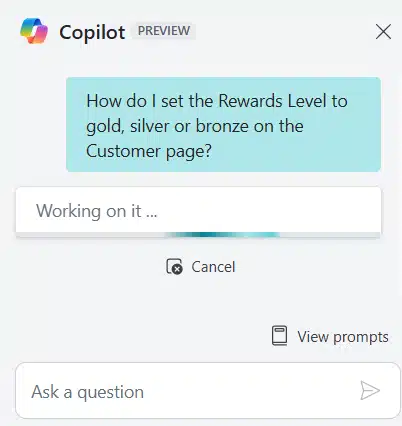
The 2025 release wave 1 brings more AI capabilities to Business Central to make workflows more efficient and data more accessible. In this release, Dynamics 365 Copilot goes beyond being a simple assistant to an intelligent guide that helps you to navigate add-on apps, summarize records, and automate tedious tasks like invoice matching and sustainability tracking. Here’s what’s new in AI for Business Central:
- Chat with Copilot to learn add-on apps: Copilot now provides explanations and guidance for ISV add-ons, helping users understand new fields, pages, and business processes.
- Summarize with Copilot: A new summary FactBox delivers quick insights for records like Sales Orders, Items, and custom pages, highlighting the top three most impactful details.
- Enhance purchase order line matching: Copilot improves invoice-to-purchase order matching by incorporating item references and G/L mappings, reducing manual data entry, and improving accuracy.
- Suggest gas emissions in sustainability journals: Copilot estimates greenhouse gas emissions based on descriptions and input parameters, improving accuracy in sustainability tracking.

Unlock the full potential of the 2025 release wave 1
Ready to maximize the 2025 release wave 1? Let Rand Group’s experts guide you through the latest features in Dynamics 365 Business Central, aligning them with your business goals.
AI-powered sales order automation with Sales Order Agent
The new Sales Order Agent in Dynamics 365 Business Central automates sales order processing by using AI to capture and manage orders from customer emails. This autonomous agent minimizes manual work by identifying customers, drafting quotes, checking item availability, and converting quotes into sales orders—all with minimal user intervention. You remain in control, with full visibility into the agent’s work and the ability to review, adjust, or approve steps as needed.
Key capabilities of Sales Order Agent:
- Automated sales order processing: Extracts order details from customer emails and drafts sales quotes.
- Customer identification: Matches incoming requests with registered customers in Business Central.
- Item availability verification: Checks stock levels before finalizing quotes.
- Seamless approval workflow: Sends sales quotes for customer approval and converts them into orders upon confirmation.
- User transparency & control: Displays agent actions in the Copilot pane, allowing users to review, adjust, or override decisions.
- Customizable automation: Users can configure steps, define communication channels, and determine approval requirements.

Enhancements to the Dynamics 365 Field Service and Business Central integration
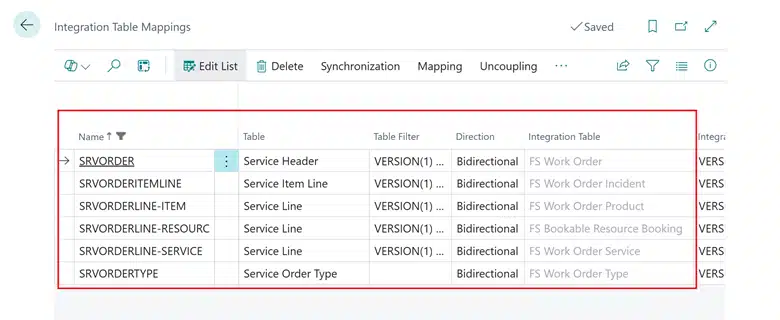
The 2025 release wave 1 of D365 Business Central brings enhancements to the integration with Dynamics 365 Field Service. These updates provide a seamless solution for managing service operations from work orders to invoicing. Companies providing maintenance and repair services can now streamline their processes and track service consumption, financial transactions, and inventory availability. These updates will make life easier for service technicians, managers, and finance teams by providing more visibility and automation across both systems.
Key enhancements:
- Seamless work order sync: Service orders in Business Central automatically update when technicians mark work order items as used in D365 Field Service.
- Automated consumption & invoicing: Consumed and invoiced quantities sync between Dynamics 365 Field Service and Business Central, ensuring accurate financial records.
- Inventory availability by location: View allocated product quantities from D365 Field Service work orders as part of Business Central’s inventory planning.
- Real-time item availability: Technicians and dispatchers can check inventory at specific warehouses or technician trucks directly from Dynamics 365 Field Service.
- Improved data synchronization: A new integration table mapping aligns D365 Field Service warehouses with D365 Business Central locations for better inventory management.
Advanced reporting and analytics
The 2025 release wave 1 of Dynamics 365 Business Central brings more advanced reporting and analytics, so you can gain better insights, financial visibility, and streamline your reporting processes. With improved financial reporting and expanded Word layout capabilities, you can make more data-driven decisions and reduce manual work.
Key enhancements in reporting and analytics:
- Enhanced financial reporting features: Now you can create, schedule, and customize reports without developer help. Hiding empty rows for cleaner reports, adding an introduction and closing text, using saved Excel templates for automation, and new accounting formats. Administrators can also see report usage with telemetry tracking and permission documentation.
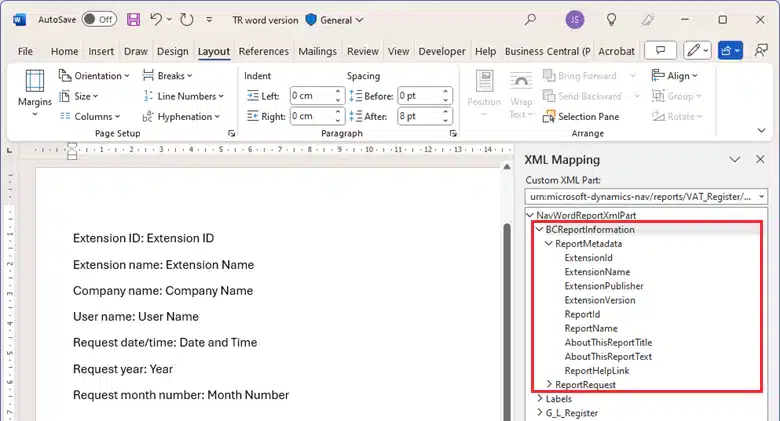
- Expanded Word layout functionality for reports: Similar to Excel layouts, Word layouts now can access reports and request metadata, so you can customize reports without modifying the data set. This simplifies report creation by providing structured metadata such as report name, object ID, company name, and request details within Word, so you don’t have to enter data manually.
New Power BI app for subscription billing data
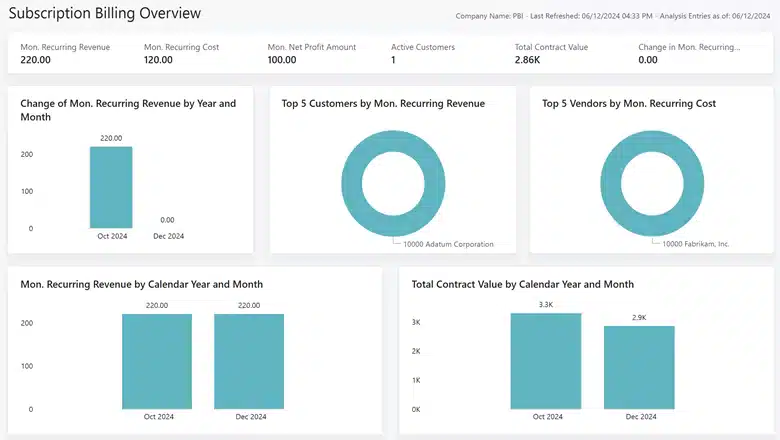
The 2025 release wave 1 of D365 BC introduces a new Power BI app to help you dive deeper into your subscription billing data. This app has reports and KPIs to help you track essential metrics such as Monthly Recurring Revenue (MRR), Net Monthly Recurring Profit, and customer deferrals. With these insights, you can optimize sales, marketing, and cash flow management and grow your subscription business.
Example reports:
- Subscription Overview
- Revenue Year-Over-Year
- Revenue by Item, Customer, or Salesperson
- Total Contract Value
- Year-Over-Year Total
- Contract Value Analysis
- Customer or Vendor Deferrals
- And more!
This app also has KPIs such as MRR Churn, MRR New, and Active Customers so you have a complete view of your subscription business’s health and performance.
Shopify and Business Central integration improvements
The 2025 release wave 1 brings key updates to the Business Central Shopify Connector so you can manage transactions, data exchange, and troubleshoot integration issues more easily. This update gives you more control over product publishing, automates document processing, and improves error handling.
Key enhancements:
- Advanced e-document management: Business Central now gives you more control over e-documents, so you can delete incorrect entries, prevent duplicates, and process documents in two steps. New features enable integration with Power Automate, sending via email and services, PEPPOL attachments, and previewing incoming e-invoices.
- Activate sales channels directly in Shopify Connector: You can now select specific Shopify sales channels when publishing products from Business Central. The new Shopify Sales Channels page gives you full control over which products are shared across multiple channels so you can align with your business strategy.
- Import and export Shopify meta fields: Business Central now synchronizes metafields so you can store, import, and export custom data related to products, customers, and companies. With new sync actions and an extensibility model, you can map custom attributes like loyalty programs, credit limits, or segment information to Shopify’s metafields.
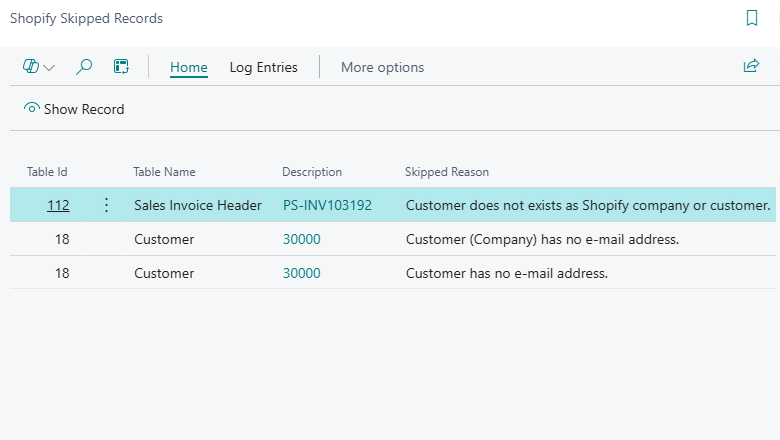
- Troubleshoot export issues with the Shopify skipped records page: The new Shopify Skipped Records page improves error tracking and troubleshooting so you can log skipped records with timestamps and reasons for export failures. This reduces the time to diagnose and resolve integration issues between Business Central and Shopify.
Improved production output handling
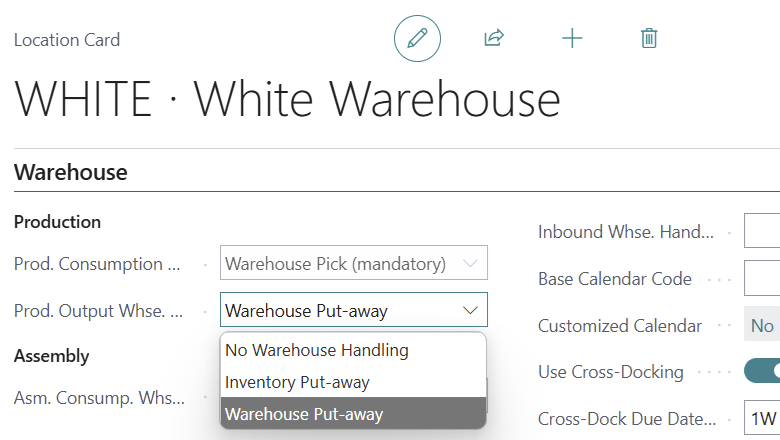
The 2025 release wave 1 introduces an update to Business Central’s Warehouse Management so you can handle production output using warehouse put-aways. This update aligns production output processes with existing warehouse put-away procedures so you can follow a consistent process. Instead of switching between different document types, you can now follow one process, making inventory management more efficient, especially for locations using Directed Put-Away and Pick where traditional inventory put-away documents are not available.
When production output is posted at a location with warehouse put-away enabled, a warehouse put-away document is either generated automatically or managed through the Warehouse Put-Away Worksheet. If a put-away document is deleted, users can manually create a new one from the Release Product Order or Finished Product Order pages. By standardizing warehouse handling across all inventory movements, this update optimizes workflows and makes operations more efficient.
Manufacturing enhancements
The 2025 release wave 1 of Dynamics 365 Business Central brings powerful updates to manufacturing analytics, product design tools, and document management so you can streamline operations and get better visibility across production processes. These updates give manufacturers better insights, more flexibility in product design, and easier access to critical documents, so you can have more efficient workflows from planning to production.
- Advanced manufacturing analytics: Get deeper insights with improved Power BI reports, enriched datasets, and customizable Excel layouts for manufacturing reports. Legacy RDLC reports are being phased out in favor of modern reporting tools with documentation and teaching tips.
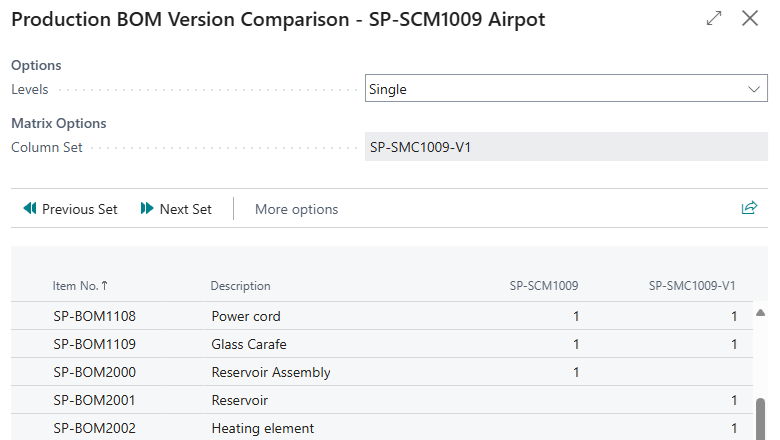
- Streamlined product design tools: Improve efficiency in Production Bill of Materials (BOM) management with new features like adding multiple items at once, creating BOM versions instead of new BOMs, and comparing versions side by side using a new matrix view.
- Manufacturing document attachments: Digitally manage drawings, inspection reports, and other production documents by attaching them directly to BOMs, routings, and production orders. A new Flow to Production Trx toggle gives you more control over how attachments move through the production process.
User experience improvements
The 2025 release wave 1 of Business Central introduces several updates to the web client, making it more intuitive and efficient. These updates are designed to streamline workflows, optimize screen space, and give users more control over their data. With better document handling, layout flexibility, and more customization options, you can work more productively than ever.
Key enhancements:
- Preview PDF attachments in the web client: Open PDFs directly in Business Central without downloading them, improving speed and convenience.
- Optimized screen usage: Better layout adjustments for modern devices and large monitors, with customizable FactBox pane resizing.
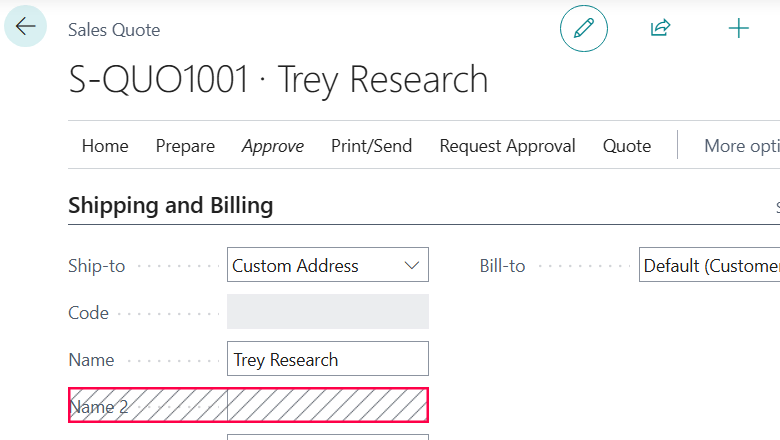
- Enhanced customer document layouts: Assign specific contacts for different document types, making it easier to manage communications.
- More columns for greater insight: Additional fields and columns provide more visibility into orders, production, and capacity planning.
Next steps
The 2025 Release Wave 1 for Dynamics 365 Business Central delivers powerful AI-driven automation, enhanced reporting, seamless integrations, and improved efficiency across key business functions. These updates help businesses streamline operations, optimize workflows, and gain deeper insights. Contact Rand Group today to learn how these innovations can benefit your organization.