Dynamics 365
 Power Platform
 Dynamics
 Cloud & Productivity
How to use Copilot in Dynamics 365 Business Central to generate marketing text

Compelling product descriptions are essential for capturing customer attention and driving e-commerce sales. Fortunately, Microsoft’s Copilot in Dynamics 365 Business Central makes this easier than ever. In this blog, we’ll explore how Copilot’s marketing text generation feature within the Business Central Inventory module can streamline your e-commerce content creation process.
Seamless integration with Shopify
Microsoft has long supported native integration between Business Central and Shopify, allowing businesses to synchronize their inventory and sales data effortlessly. Now, with the introduction of Copilot’s marketing text generation, Microsoft takes this integration a step further enabling users to automatically generate product descriptions and push them directly to their e-commerce platforms.
How it works: using Copilot within the item card
To begin using Copilot for marketing text generation, navigate to your Item List in Dynamics 365 Business Central. This is where all your inventory items are stored, whether you sell them online, in-store, or through other channels.
Each item typically includes essential fields like item number, short description, and unit of measure. These details are critical for internal operations such as inventory tracking, order fulfillment, and financial reporting. However, when it comes to e-commerce, these basic fields are not enough.
Online shoppers expect more than just technical specifications. They want to understand how a product fits into their lifestyle, what makes it unique, and why they should choose it over alternatives. That’s why compelling, customer-facing content is so important.
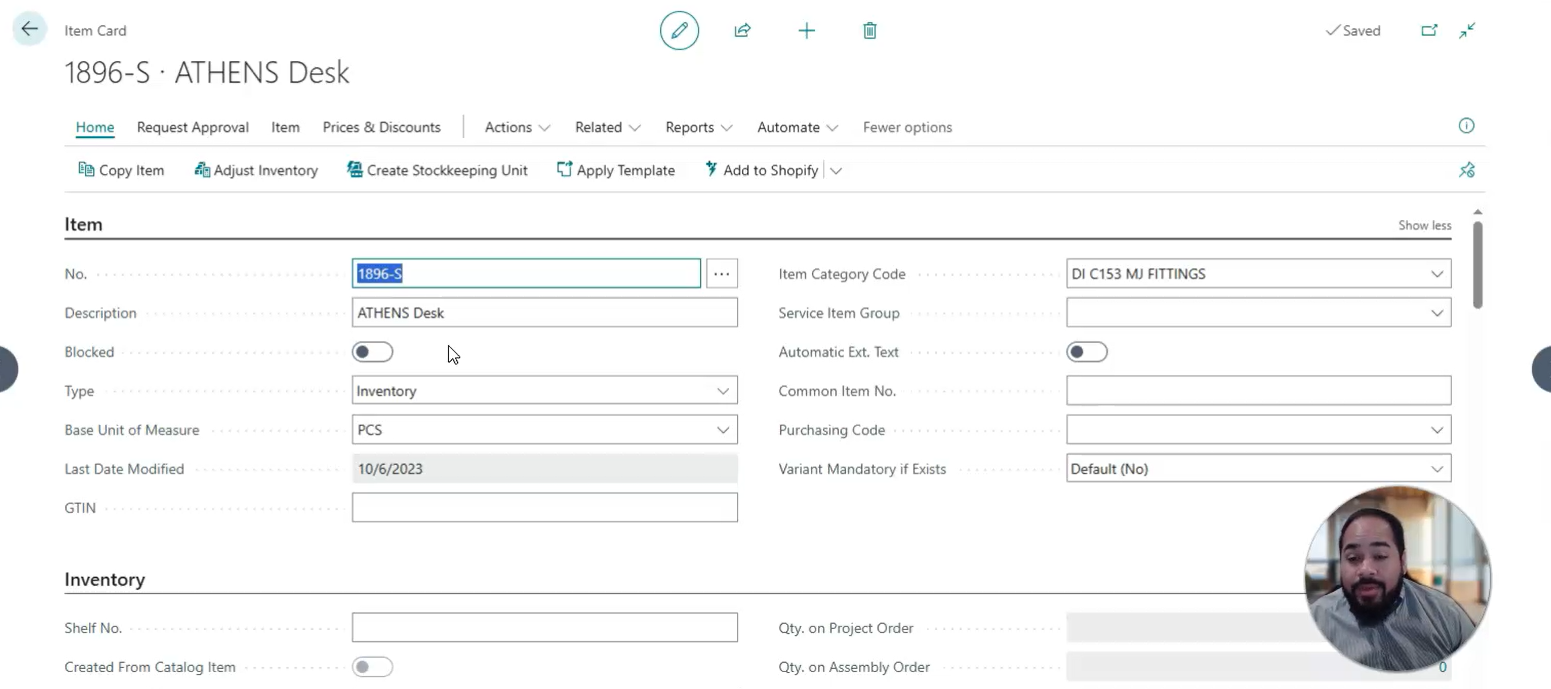
Open the marketing text window
This feature allows you to input a long-form description, including details like color, material, and use cases. But instead of writing this manually, you can now click “Suggest Marketing Text.”

Copilot generates descriptions automatically
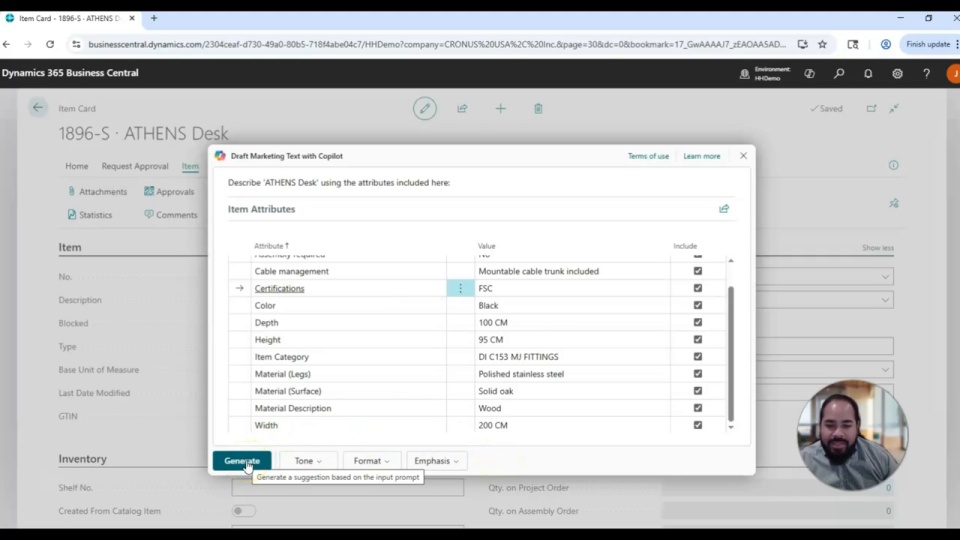
Copilot analyzes the item’s attributes such as dimensions, materials, colors, and generates a tailored product description. You can:
- Adjust the tone (e.g., inspiring, upbeat, creative, casual, or formal)
- Choose the format (tagline, paragraph, detailed description, or a combination)
- Emphasize specific themes (e.g., business sector or marketing focus)

Preview and customize
Once Copilot generates your marketing text, you are not locked into a single version. Instead, you have full control to review, refine, and regenerate the content until it aligns perfectly with your brand voice and product messaging.
Start by reading through the suggested description. Copilot uses the item’s attributes, such as material, dimensions, and intended use, to craft a relevant and engaging narrative. If the tone does not quite fit your audience, you can easily adjust it. For example, switching from a casual tone to a more formal one will shift the language to sound more polished and professional, which is ideal for B2B or luxury markets.
You can also experiment with different formats. Whether you need a short tagline for a product grid or a detailed paragraph for a product page, Copilot can generate content that fits the context. Additionally, you can emphasize specific themes, such as sustainability, innovation, or industry-specific use cases, to better connect with your target customers.
This flexibility allows you to create content that is not only accurate but also strategically aligned with your marketing goals. And if you are not satisfied with the first result, simply regenerate the text with new settings. Copilot will instantly provide a fresh version based on your updated preferences.

Save and sync
When you’re satisfied, click “Keep It” to save the text in your database. You can further edit it, apply formatting, and if integrated with Shopify sync it directly to your online store.
How to use Copilot in Dynamics 365 Business Central to generate marketing text
In this video, you’ll learn step-by-step how to use Copilot to generate marketing text for your inventory items. We’ll show you how this native functionality simplifies content creation and integrates seamlessly with platforms like Shopify.

Turn product data into compelling descriptions automatically
Struggling to keep up with e-commerce content demands? With Copilot in Business Central, you can generate high-quality, engaging product descriptions using AI right from the Item Card. Save time, boost consistency, and push updates directly to your Shopify store.
Why it matters
Copilot’s marketing text generation feature is a powerful tool for businesses aiming to scale their e-commerce operations efficiently. In a digital landscape where content is king, having the ability to quickly produce high-quality, engaging product descriptions can make a significant difference in how your brand is perceived and how well your products perform online.
This functionality helps eliminate the bottlenecks often associated with manual content creation. Instead of spending hours writing and editing descriptions for each item, your team can generate tailored content in seconds. This not only saves time but also frees up resources to focus on other strategic initiatives like campaign planning, customer engagement, and sales optimization.
Consistency is another major benefit. Copilot ensures that your product descriptions follow a uniform tone and structure, which strengthens your brand identity across all channels. Whether you’re selling on Shopify, your own website, or a third-party marketplace, your messaging remains cohesive and professional.
Most importantly, Copilot helps you create content that resonates with your audience. By leveraging item-specific data and customizable tone settings, you can craft descriptions that speak directly to your customers’ needs and preferences ultimately driving more clicks, conversions, and customer satisfaction.
Next steps
Writing effective product descriptions shouldn’t slow down your e-commerce growth. With Copilot in Business Central, you can automatically generate rich, tailored content that reflects your brand voice and drives conversions right from the Item Card.
Rand Group is your trusted Dynamics 365 Business Central partner, helping businesses streamline e-commerce operations through automation and AI. Whether you’re already using Shopify or just getting started with online sales, we can help you integrate and optimize Copilot’s features for your specific goals.
Contact us today to learn how you can use Copilot to enhance your online storefront and improve content quality without adding extra workload to your team.