Dynamics 365
 Power Platform
 Dynamics
 Cloud & Productivity
AI in Dynamics 365 Business Central: exploring Copilot Analysis Assistant

Microsoft Dynamics 365 Business Central continues to evolve, offering new tools that make data analysis more accessible and efficient for users across departments. One of the most impactful updates in recent years is the integration of Copilot into Analysis Mode, a feature designed to simplify how businesses interact with their data.
This enhancement allows users to ask questions in natural language and receive instant, actionable insights without needing to understand complex formulas or build manual queries. Whether you’re in finance, sales, or operations, Copilot helps you make smarter decisions faster.
What is analysis mode in Business Central?
Originally introduced in 2023, Analysis Mode transformed how users interact with data inside Business Central. It enabled pivot-style analysis directly within list pages, eliminating the need to export data to Excel or rely on external reporting tools. Users could group, total, and filter data using a familiar interface, making it easier to uncover trends and insights.
With the 2025 update, Microsoft added Copilot to this functionality. Now, instead of manually selecting fields and building queries, users can simply describe what they want to see. Copilot interprets the request and generates the analysis automatically, saving time and reducing the learning curve for new users.
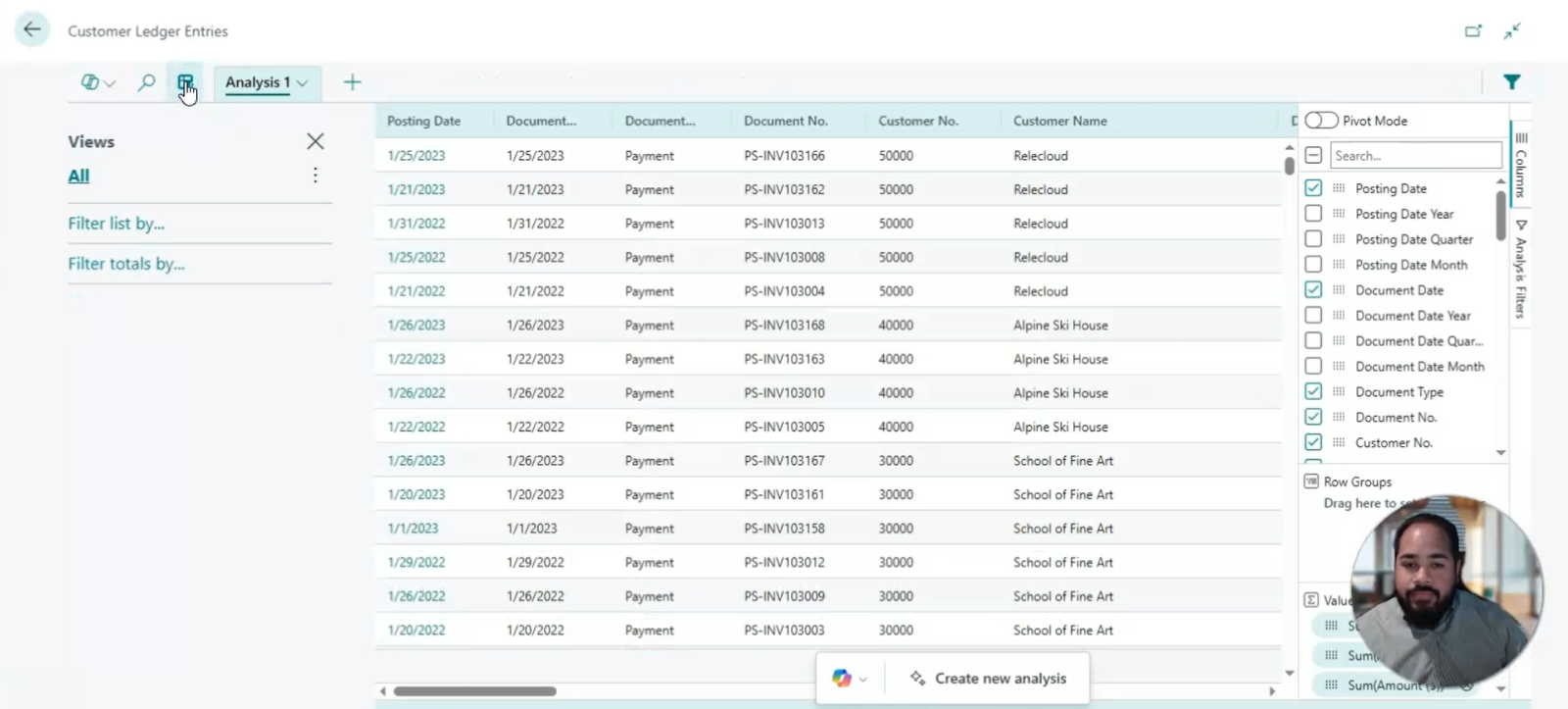
How Copilot enhances data analysis
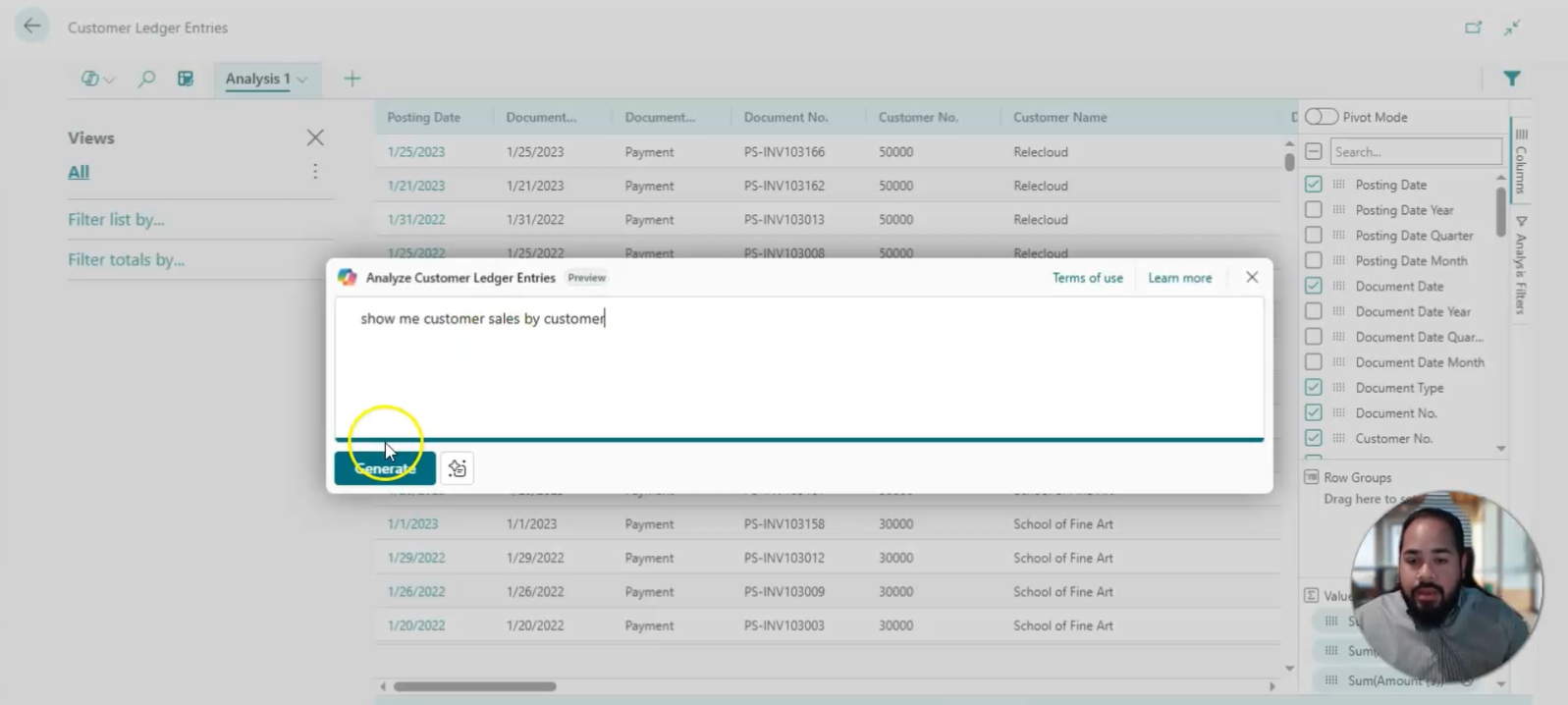
Let’s explore a practical example. Suppose you’re reviewing customer sales performance. Traditionally, you would enter Analysis Mode, select the relevant fields, and build a pivot table to group sales by customer. With Copilot, you can type or speak a request like “Show me total sales by customer,” and the system instantly builds the report.
The results include a subtotaled list of customers along with their associated sales figures. You can expand each entry to view individual transactions, add additional metrics, or filter the data further, all without leaving the page or switching tools.
This streamlined approach is especially valuable for teams that need quick answers but may not have technical expertise in data analysis or reporting.
Analyzing payments and invoices with ease
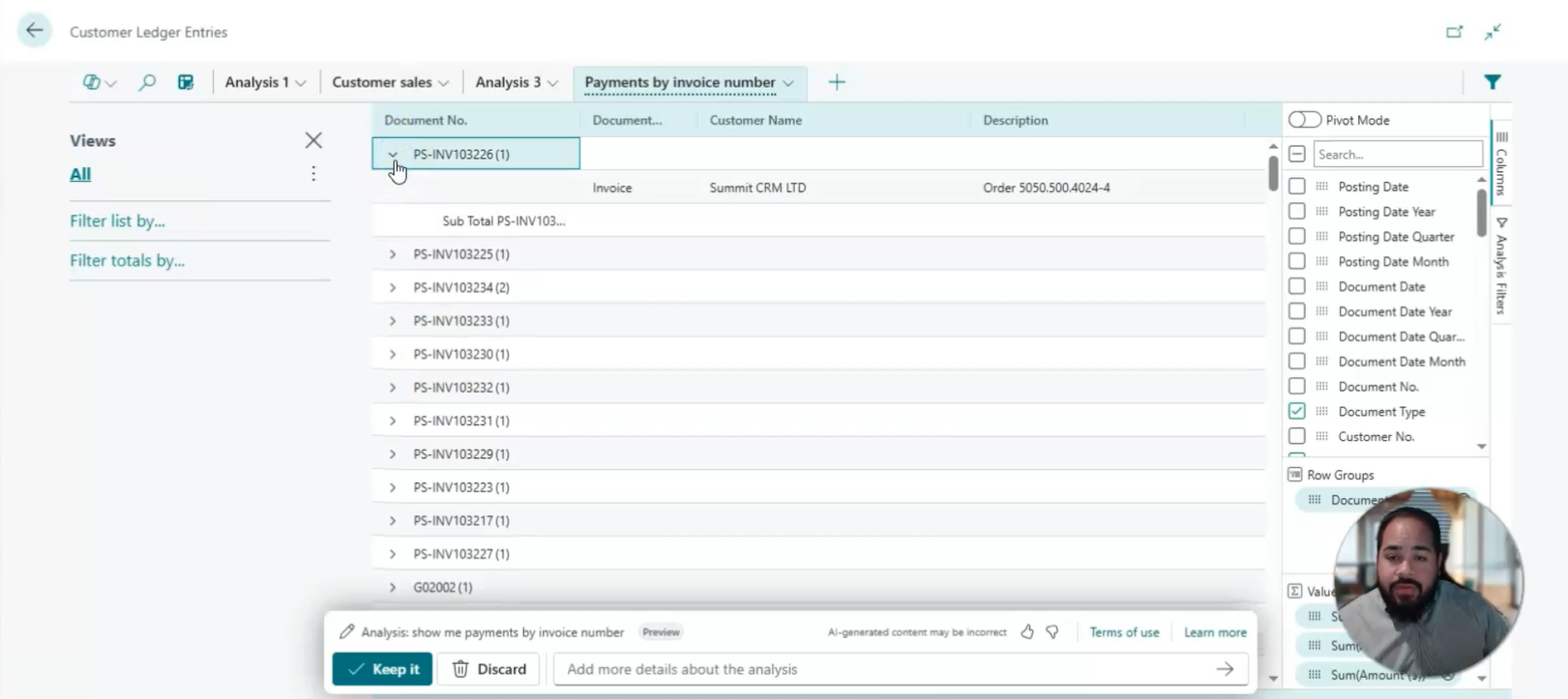
Another powerful use case is analyzing payments and their related invoices. With Copilot, you can ask for a breakdown of payments and the invoices they’re linked to. The system returns a detailed view showing which invoices have been paid, the payment amounts, and any remaining balances.
You can also filter the data to show only closed ledger entries, giving you a focused view of completed transactions. This is particularly useful for finance teams managing cash flow, reconciling accounts, or preparing reports for stakeholders.
The ability to drill down into specific transactions and customize views on the fly makes Copilot a valuable tool for improving financial transparency and operational efficiency.
Flexible AI-powered insights
Copilot in Business Central isn’t just about convenience, it’s about empowering users to explore data in new ways. Whether you’re tracking sales performance, monitoring inventory levels, or reviewing vendor payments, Copilot helps you uncover insights that might otherwise go unnoticed.
You can save, duplicate, or discard queries as needed, making it easy to experiment with different views and refine your analysis. The system also supports manual adjustments, so users who prefer a hands-on approach can still customize their reports.
This flexibility ensures that Business Central remains a powerful tool for both technical and non-technical users, fostering a culture of data-driven decision-making across your organization.
AI in Dynamics 365 Business Central exploring Copilot Analysis Assistant
In this video, you’ll learn how to use Copilot in Business Central to simplify data analysis and uncover valuable insights faster. We’ll walk you through real-world examples that show how this AI-powered tool can help you make better decisions with less effort.

Why this matters for your business
The ability to access and interpret data quickly is a competitive advantage. Copilot in Business Central reduces the time and effort required to generate reports, freeing up your team to focus on strategic tasks.
By leveraging AI to handle the heavy lifting, you can improve accuracy, reduce manual errors, and ensure that your decisions are backed by reliable data. Whether you’re preparing for a quarterly review or responding to a sudden change in market conditions, Copilot helps you stay agile and informed.

Discover smarter reporting with Copilot in Business Central
Tired of spending hours building manual reports? Learn how Copilot in Business Central helps you analyze data faster using natural language prompts, no technical skills required. Reach out to our team to see how AI-powered insights can transform your team’s decision-making.
Next steps
If your team spends too much time building reports or struggling with data tools, now is the time to explore how Copilot in Business Central can simplify and accelerate your analysis. From reviewing sales performance to tracking payments and invoices, Copilot makes it easier to ask questions, get answers, and act without needing advanced technical skills.
Rand Group is your trusted Dynamics 365 Business Central partner, helping businesses unlock the full potential of features like Analysis Mode and Copilot. Want to see it in action or explore how it fits your current processes?
Contact us today to speak with a Business Central expert and discover how AI-powered analysis can improve decision-making across your organization.