
Tip of the Month
D365 Finance & Operations Tip of the Month: Setting language translations on native workflow
Global organizations often have users who prefer different languages based on their location or role. When workflow messages are only available in the default legal entity language, it can lead to communication barriers. Configuring language translations in Dynamics 365 Finance & Operations ensures workflow messages are automatically translated to each user’s preferred language, improving clarity and efficiency across the organization.
Tip: How to configure language translations for workflows
By setting up language translations in a workflow, you can ensure that messages are delivered in the recipient’s preferred language, as specified in their user profile.
Steps to Configure Translations:
1. Navigate to the specific workflow element you want to configure
2. In the workflow properties, locate and open the Notifications area
3. Select the Translations option and add translations for each language needed in the workflow
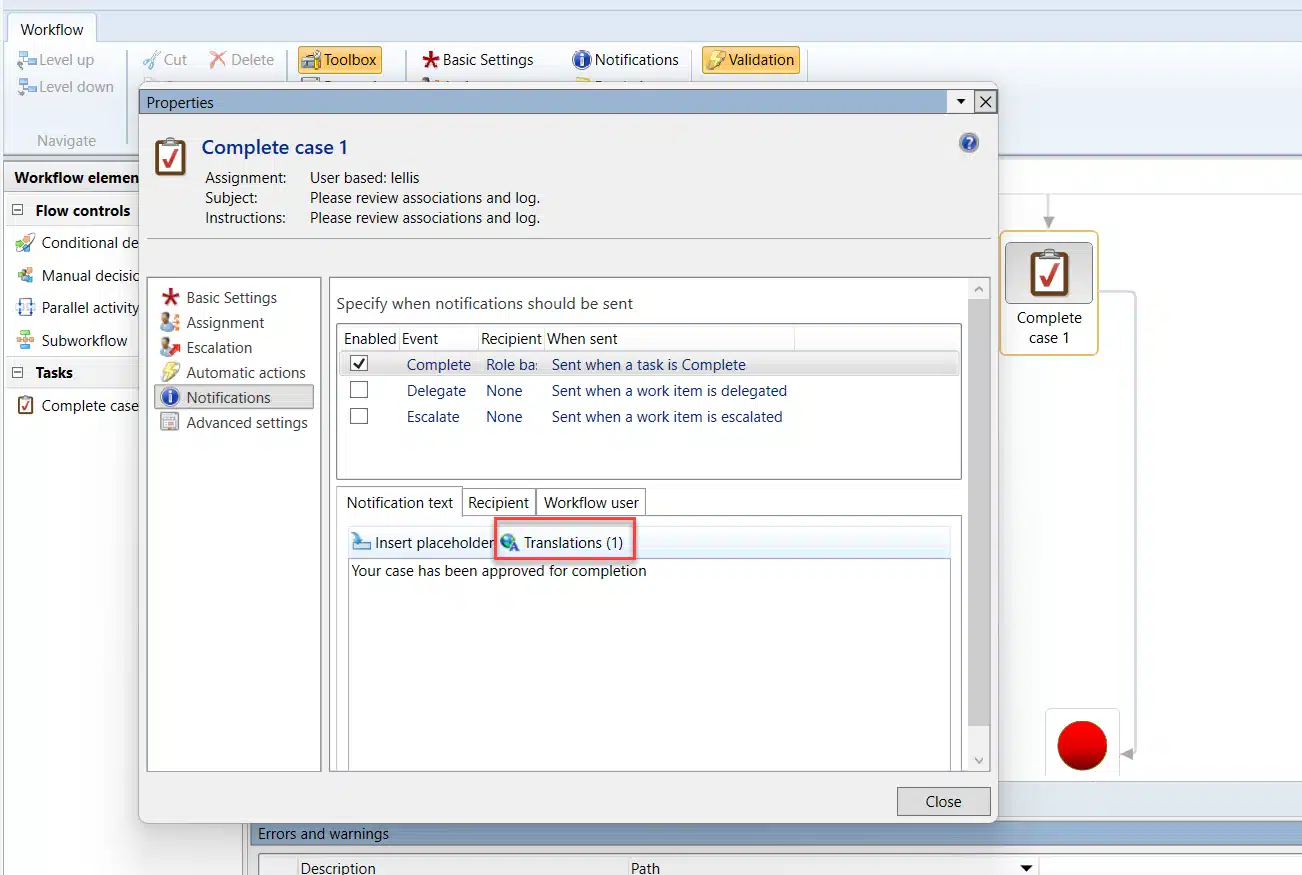
4. Once translations are configured, Dynamics 365 Finance & Operations will automatically deliver workflow messages in the recipient’s preferred language, based on their user settings.
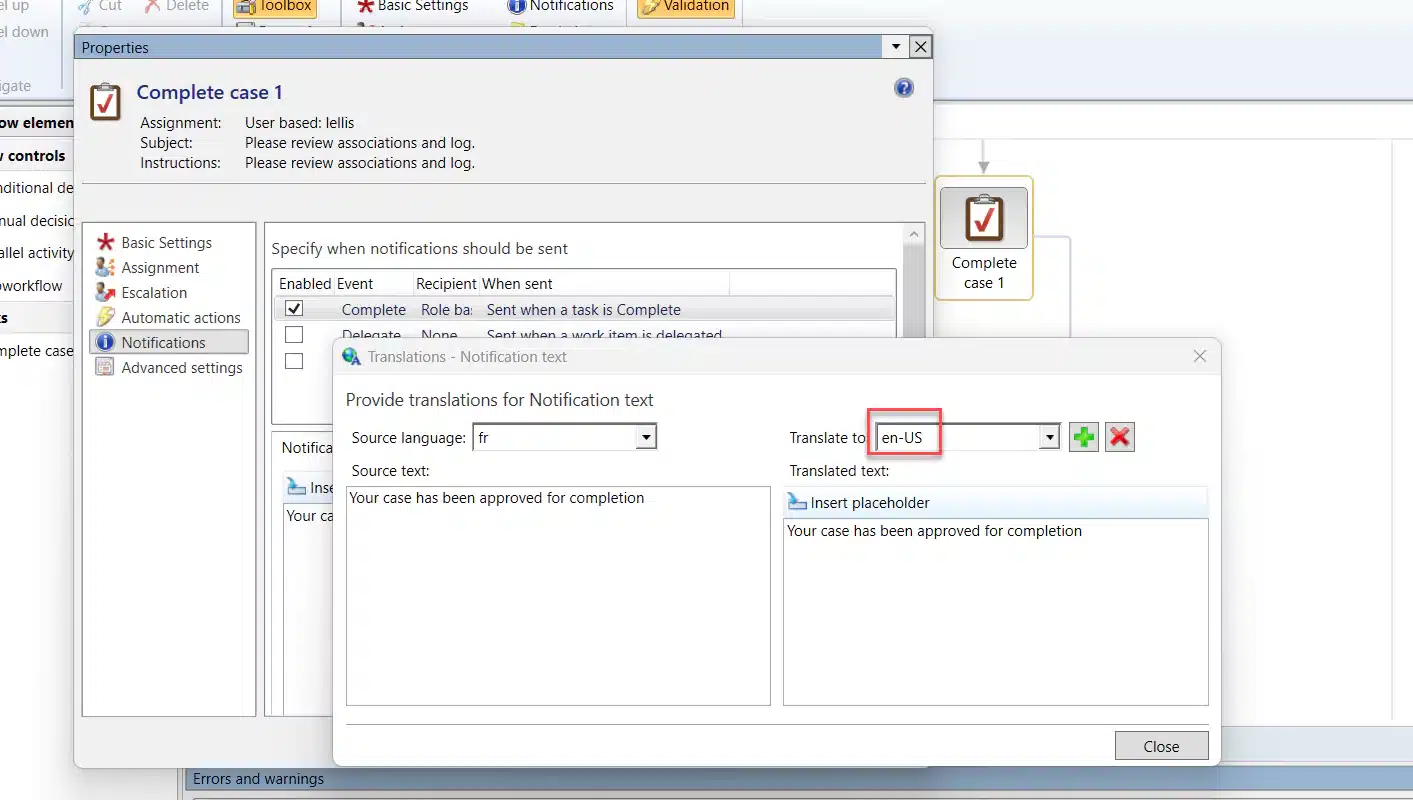
Why use this feature?
Configuring language translations for workflows enhances communication in global organizations by ensuring users receive messages in their preferred language. This feature reduces confusion, streamlines workflows, and fosters better collaboration across teams, regardless of language differences. It’s a small step with a big impact on efficiency and user satisfaction.
For more tips on optimizing your Dynamics 365 Finance & Operations solution or to fully utilize its features, contact Rand Group today.

More Tips of the Month
D365 Finance & Operations Tip of the Month: Rename a record’s primary key without rebuilding it
Read MoreD365 Finance & Operations Tip of the Month: Save time on every transaction by setting your session date
Read More