Tip of the Month
Dynamics 365 Customer Engagement Tip of the Month: How to use Microsoft Copilot in D365 Sales
Sales teams are always looking for ways to scale their operations without losing productivity or effectiveness. That’s where Dynamics 365 Copilot lends a helping hand. By seamlessly integrating AI-powered insights and actions into Dynamics 365 Sales, Copilot helps you work smarter, faster, and more efficiently.
Ever wished you could get answers from your D365 data without clicking through multiple records or menus? Copilot makes it possible. Whether you’re looking for a specific record, report, or key piece of data, Copilot delivers results in seconds. This powerful AI functionality saves your team time so they can focus on what really matters: closing deals and nurturing customer relationships.
In this Dynamics 365 Customer Engagement tip of the month blog, we’ll walk you through how to harness the full potential of D365 Sales’ built-in Copilot AI, helping you unlock faster insights, smarter actions, and a more productive sales workflow.
Tip: How to use Microsoft Copilot in D365 Sales
You may have noticed a new button recently in the top right corner of Dynamics 365 apps.
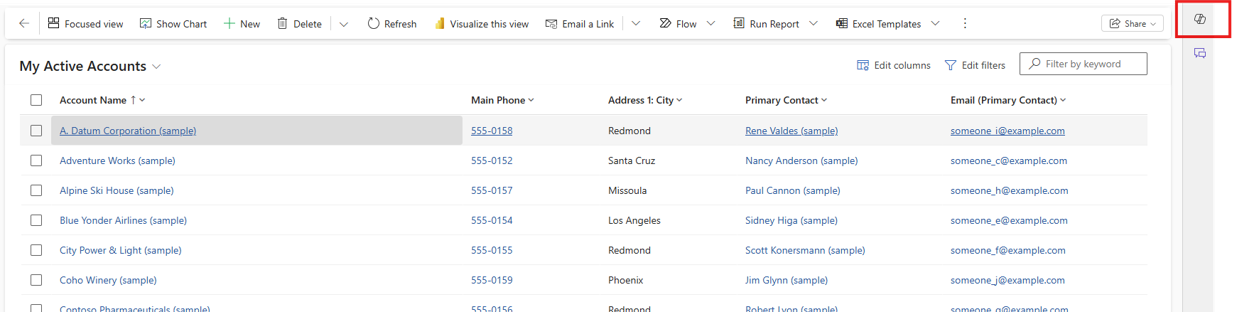
This button is the logo of Microsoft Copilot, an AI-powered companion for Dynamics 365. It can answer questions about your data, highlight records that need your attention, and help you prepare for meetings or presentations. You’ve probably seen this button in other Microsoft Apps, such as Teams and Outlook. Clicking on this button will open a window on the right side of your screen and give you a list of suggested actions. If those options aren’t right for you, it also gives you a text box below to allow you to ask more advanced questions.
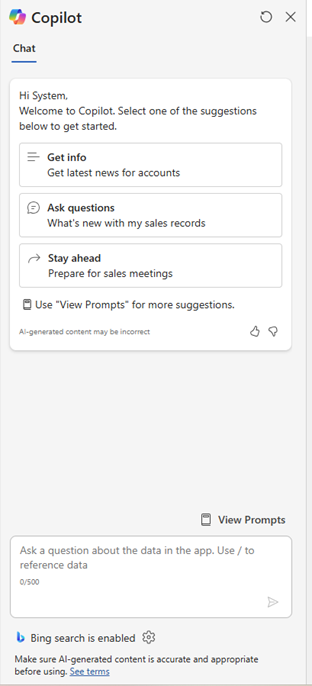
So how can your sales team benefit from Copilot? The following example is from a sample D365 Sales environment. In this example I asked Copilot about Coho Winery:
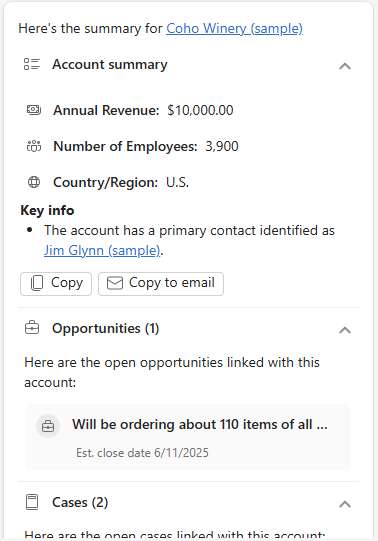
You can see that Copilot provided a summary of the account. It also gave me insight into related records, including the primary contact, open opportunities as well as any cases for this account. If accounts have more data available, Copilot can give you additional information:
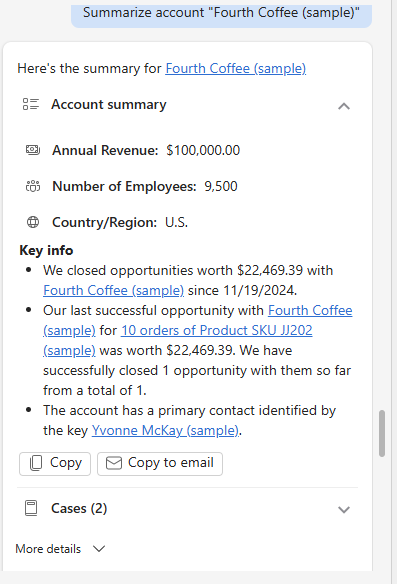
Copilot’s key benefit is that it provides all this information from the main page within D365 Sales from one menu. You no longer have to search through multiple records for the same data. But Copilot can help with so much more! Copilot settings provide the ability to customize which fields are included in Copilot’s monitoring. By changing these fields in Sales Hub’s Copilot menu settings, administrators can fine tune the results that their users are shown.
Selecting +Add fields will allow for the selection of any fields on a table or related table.
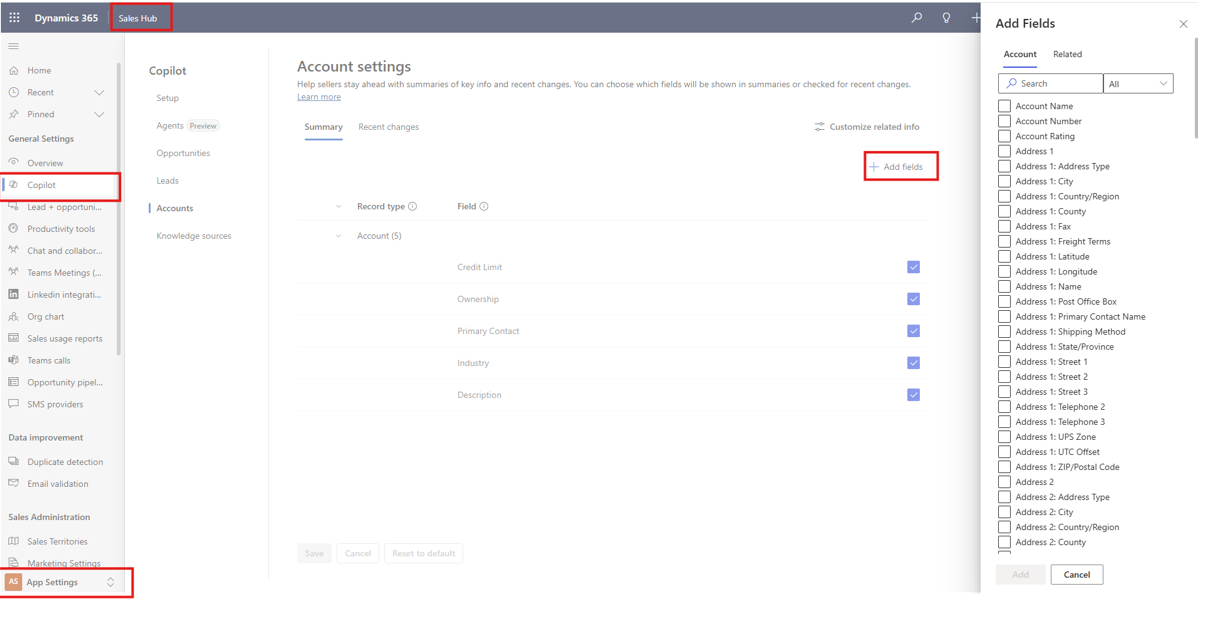
By adding these fields, users can see all the information that is most relevant on the card form that is displayed. If you do not see the App Settings option, reach out to your System Administrator for assistance.
Copilot Form Assist
Copilot’s Form Assist feature makes manual data entry in D365 faster and easier. Simply navigate to a new record screen and upload a file to automatically create a new record. For example, I’ve prepared a document with an Account’s information to demonstrate how quickly it works.
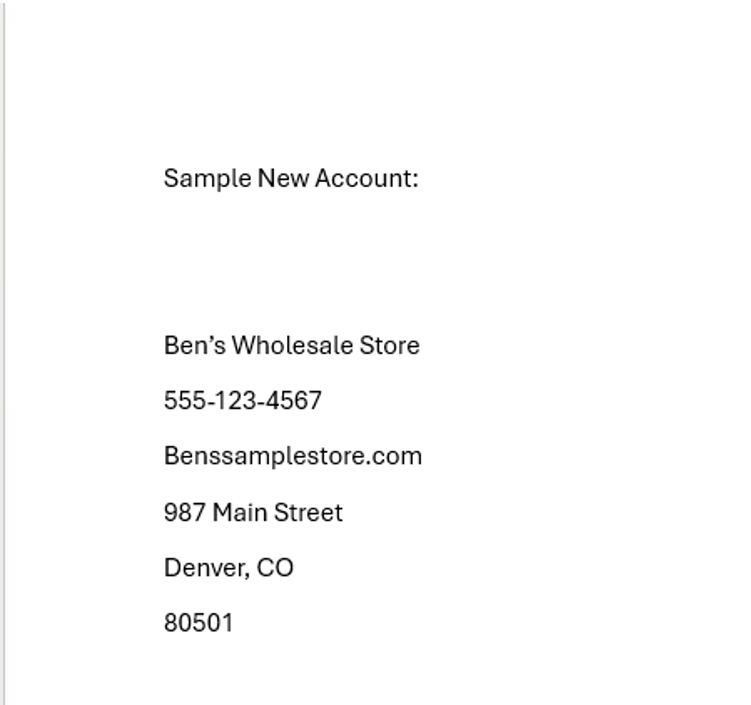
Using Copilot’s form assist, I uploaded this file directly to the record creation form:
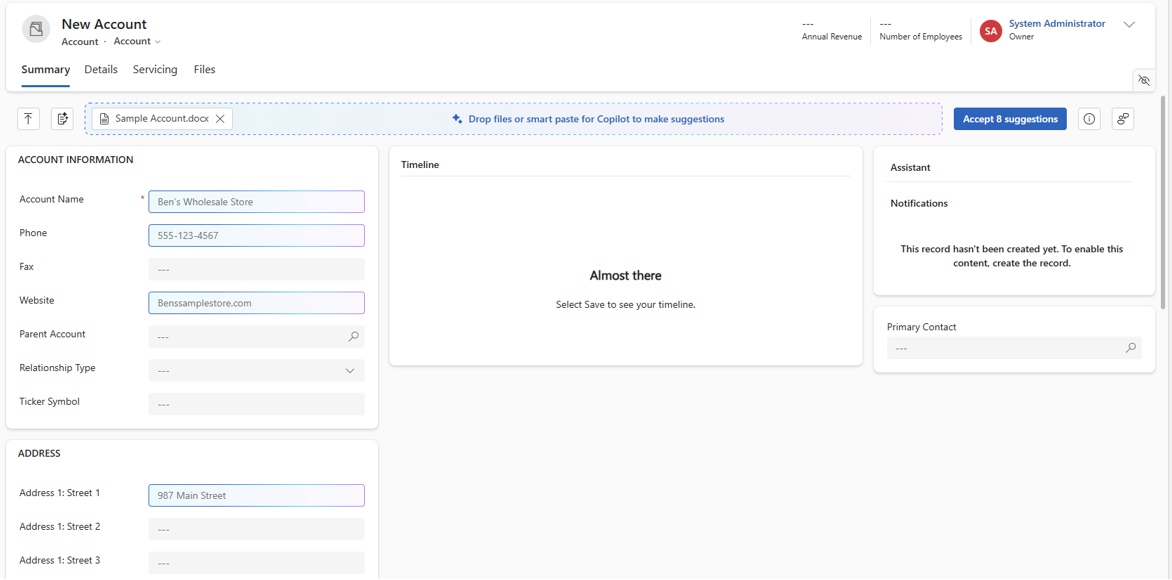
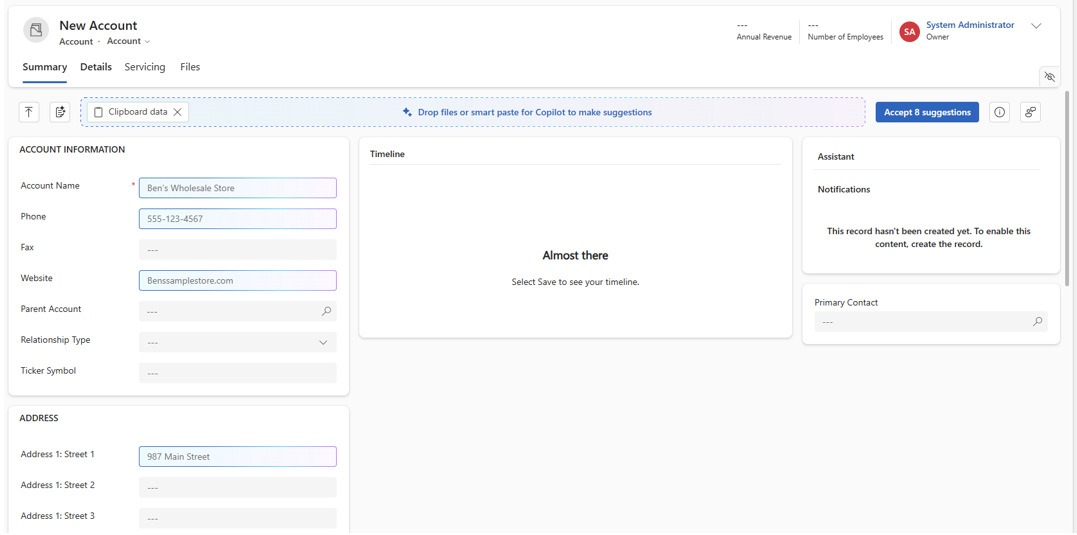
You can see that Copilot has identified 8 fields that match our existing data fields. You can also copy and paste information directly to the record. Here I have taken the same document, copied all text, and pasted directly to the record screen. You can see that Copilot has identified the same 8 fields of data.
Copilot has already demonstrated significant time savings by streamlining manual processes in D365. Its capabilities extend further into email drafting: with Copilot-enhanced email tools, users can quickly create well-crafted, impactful messages for prospects and clients, helping drive engagement and results.

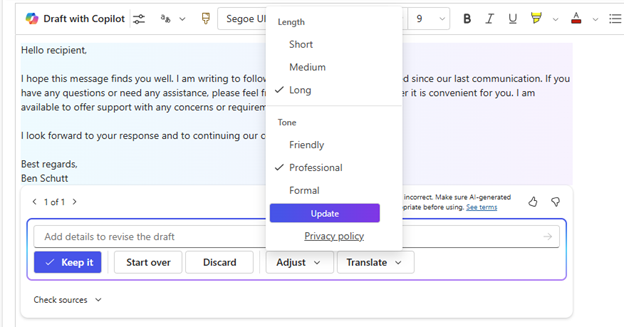
Users can easily adjust the length and tone of the email, to make it sound more personal or professional as needed.
Why this tip matters
Copilot helps sales teams work smarter, not harder. By automating data entry and drafting professional emails in seconds, it frees up time for high-value activities. At the same time, it simplifies access to information, providing instant summaries from across D365, all from a single screen, so users can make faster, more informed decisions.
If you need help optimizing Copilot in your Microsoft application, connect with one of our Microsoft experts today. We can help your team use this tip and others to fully maximize your D365 Customer Engagement investment.