Distribution accounting software: When QuickBooks is no longer enough

QuickBooks is often a practical starting point for small or early-stage distributors. It can help manage basic accounting, invoicing, financial tracking, and day-to-day bookkeeping without adding unnecessary complexity.
As the business grows, accounting becomes harder to separate from operations. Distributors need to know what inventory is available, what has been purchased, what needs to ship, what orders are delayed, and how those details affect margins and cash flow.
Distribution accounting software helps connect financial management with inventory, purchasing, warehouse activity, order fulfillment, and reporting in a more scalable system than basic accounting software like QuickBooks. In our work with distributors evaluating QuickBooks, we often see the conversation shift when accounting issues are really inventory, warehouse, purchasing, or fulfillment issues.
At a glance:
Distribution accounting software helps distributors connect financial management with inventory, purchasing, warehouse operations, order management, fulfillment, and reporting. It is often the next step when QuickBooks can still support day-to-day accounting, but no longer gives the business enough visibility, control, or scalability to manage growing distribution operations.
This guide explains when QuickBooks may still be enough for a distribution business, when it may be time to evaluate a connected distribution ERP system, and how common QuickBooks alternatives compare.
Table of contents
- What is distribution accounting software?
- Signs your distribution business has outgrown QuickBooks
- What growing distributors need in accounting software
- Should distributors replace QuickBooks or add distribution software?
- Best distribution accounting software alternatives to QuickBooks
- How to choose the best distribution accounting software
- QuickBooks migration considerations for distributors
- How Rand Group helps distributors move beyond QuickBooks
- Key takeaways
- Frequently asked questions
What is distribution accounting software?
Distribution accounting software is business software that connects financial management with the operational tools distributors use to buy, store, sell, ship, and report on inventory.
Unlike basic or general accounting software, distribution accounting software connects accounting with inventory, purchasing, order management, fulfillment, warehouse activity, costing, and reporting. This helps teams see what was sold, where inventory is located, what it cost, when it needs to be replenished, and how it affects margins.
General accounting software can track income, expenses, invoices, bills, and financial statements. Distribution accounting software goes further by helping manage the activity behind those numbers, including inventory movement, warehouse transactions, purchase orders, sales orders, fulfillment workflows, and supply chain costs.
From Rand Group’s experience working with distribution companies, the need for distribution accounting software usually becomes clear when financial questions cannot be answered without checking warehouse spreadsheets, purchasing records, fulfillment status, or separate reporting tools. At that point, the accounting system may still record transactions, but it no longer gives leaders a reliable view of how inventory, orders, costs, and margins are moving through the business.
What does distribution accounting software do?
Distribution accounting software helps distributors manage the financial and operational processes behind buying, storing, selling, and shipping products. These are common capabilities Rand Group evaluates during distribution software selection because they directly affect inventory accuracy, order fulfillment, reporting, margins, and growth.
- Manages financials: Tracks general ledger, accounts payable, accounts receivable, cash flow, financial close, and reporting.
- Tracks inventory: Shows what inventory is available, where it is located, what is committed, and what needs to be replenished.
- Supports purchasing: Helps manage purchase orders, vendor activity, receiving, replenishment, and procurement controls.
- Connects order management: Links sales orders, pricing, fulfillment, shipping, invoicing, and customer service activity.
- Improves warehouse visibility: Supports receiving, picking, packing, shipping, bin tracking, lot tracking, or serial tracking where needed.
- Analyzes costs and margins: Helps teams understand product costs, landed costs, discounts, margins, and profitability.
- Centralizes reporting: Gives finance, warehouse, purchasing, sales, and leadership teams a shared view of performance.
Key benefits of distribution accounting software
The main benefits of distribution accounting software are better inventory accuracy, faster reporting, stronger financial control, and clearer visibility across the business. These benefits matter most when distributors are using spreadsheets, delayed reports, disconnected systems, or manual reconciliations to manage inventory, orders, costs, and margins.
- It improves inventory accuracy by helping teams see what is available, where it is located, and what needs to be replenished.
- It reduces manual spreadsheet work by connecting accounting, inventory, purchasing, order management, and reporting in one system.
- It helps finance teams close faster by standardizing reconciliations, approvals, allocations, recurring entries, and reporting.
- It gives leaders a clearer view of cash by connecting open orders, receipts, vendor terms, collections, and forecasts.
- It improves margin visibility by showing profitability by product, customer, channel, location, or entity.
- It supports better purchasing decisions by helping teams avoid stockouts, overstocking, and outdated replenishment data.
- It improves order fulfillment by giving sales, warehouse, purchasing, and customer service teams access to more accurate operational information.
- It supports growth by helping distributors manage more locations, products, entities, channels, and reporting requirements without relying on disconnected tools.
Who uses distribution accounting software?
Distribution accounting software is used by companies that need to connect financial activity with inventory, purchasing, warehouse, and fulfillment processes. Different teams need different views of the same data, which is why connected systems become more important as a distributor grows.
- Wholesale, industrial, equipment, consumer goods, medical, food, chemical, and specialty distributors
- Importers, exporters, and companies managing freight, tariffs, duties, or landed costs
- Small distributors moving beyond QuickBooks, spreadsheets, or disconnected inventory tools
- Mid-sized distributors replacing entry-level accounting systems with ERP
- Multi-location, multi-warehouse, multi-entity, or multi-channel distributors
- Finance, accounting, purchasing, warehouse, operations, sales, customer service, and executive teams
Signs your distribution business has outgrown QuickBooks
QuickBooks can be a good fit for small or early-stage distributors that need basic bookkeeping, invoicing, financial tracking, and reporting. For companies with simple inventory needs and straightforward operations, it can provide a practical foundation without adding unnecessary complexity.
As distributors grow, accounting becomes more closely connected to purchasing, inventory, warehouse activity, order fulfillment, and customer service. Teams often need real-time visibility, stronger controls, and more reliable reporting than basic accounting software can provide on its own.
At Rand Group, we often work with distributors that used QuickBooks successfully but eventually built too many manual processes around it. QuickBooks may still record transactions, but the business may rely on spreadsheets, disconnected apps, and manual reconciliations to understand inventory, orders, costs, margins, and fulfillment status.
Based on our experience supporting distribution clients, these are common signs we see when a business has outgrown QuickBooks:
- You rely on spreadsheets: Your team uses spreadsheets to track inventory, orders, margins, warehouse activity, or reporting. We often see this when QuickBooks remains the accounting system of record, but the operational truth lives in files maintained by warehouse, purchasing, or finance teams.
- Your inventory counts do not match reality: Inventory counts in QuickBooks do not match what is actually available in the warehouse. This often shows up as overselling, unexpected stockouts, manual adjustments, or time spent confirming availability before orders can be promised.
- You manage more complexity: Your business has multiple warehouses, locations, entities, sales channels, or fulfillment processes.
- Your month-end close is manual or takes too long: Finance spends too much time reconciling data between systems, spreadsheets, and reports. This often happens when finance has to reconcile inventory, sales, purchasing, and fulfillment data from multiple systems before reports can be trusted.
- Your reporting is delayed or incomplete: Reports are outdated, hard to build, or dependent on one person to pull and clean up the data. In practice, this often means leadership does not see margin, inventory, sales, or purchasing issues until after the opportunity to act has passed.
- Your purchasing decisions are based on outdated information: Teams do not have reliable inventory, sales, vendor, or replenishment data when they need it.
- Your customer service team lacks real-time order visibility: Employees cannot quickly see order status, shipment details, backorders, or stock availability.
- You need stronger inventory tracking: Your business needs better lot, serial, bin, item-level, or location-level tracking.
- You are adding more disconnected apps: Separate tools are filling operational gaps, but they do not create one reliable view of inventory, orders, costs, and financials. In many cases, the add-ons solve immediate problems but create new questions about which system owns inventory, order, customer, or financial data.
- Your business is preparing for growth: Transaction volume is increasing, the system is slowing down, or the company is preparing for acquisition, geographic expansion, or more complex operations.

Not sure whether QuickBooks is still enough?
Rand Group can help assess your accounting, inventory, warehouse, purchasing, order management, and reporting processes to determine whether QuickBooks, an add-on, or a full distribution ERP is the right next step.
What growing distributors need in accounting software
Growing distributors need accounting software that connects financial activity with the operational processes behind revenue, cost, inventory movement, and customer commitments. The right system should help teams understand what is in stock, what is on order, what has been sold, what needs to ship, what it costs, and how those activities affect cash flow, margins, and reporting.
Key capabilities to evaluate include:
- Real-time inventory visibility: Teams need to know what is available, where it is located, what is committed, and what is on order.
- Connected order-to-cash workflows: Sales orders, fulfillment, shipping, invoicing, payments, and customer service should work from the same data.
- Connected procure-to-pay workflows: Purchase orders, receiving, vendor bills, approvals, payments, and replenishment should be easier to manage.
- Warehouse and fulfillment support: The system should support receiving, put-away, picking, packing, shipping, returns, and warehouse visibility.
- Accurate costing and margin analysis: Teams need to understand product cost, landed cost, discounts, rebates, and profitability.
- Multi-location or multi-entity support: Growing distributors may need to manage warehouses, subsidiaries, currencies, tax rules, or reporting structures.
- Reporting and analytics: Leaders need dashboards for inventory, sales, purchasing, margins, cash flow, demand, and operational performance.
- Integration flexibility: The system should connect with ecommerce, EDI, CRM, shipping, logistics, warehouse, and reporting tools.
Should distributors replace QuickBooks or add distribution software?
Distributors should add software around QuickBooks when needs are simple, but consider replacing QuickBooks when disconnected systems create operational risk. Some distributors can keep QuickBooks for basic accounting and add distribution software, inventory tools, warehouse management systems, ecommerce platforms, EDI, shipping tools, or reporting applications around it.
This approach can work when accounting needs are straightforward and the business only needs limited operational improvements. However, each added system can create more disconnected data, duplicate entry, reconciliation work, inconsistent reporting, integration maintenance, and continued spreadsheet dependence.
Distributors should consider replacing QuickBooks with a connected distribution ERP when:
- They need real-time inventory and accounting data in one system.
- They manage multiple warehouses, entities, fulfillment channels, or sales channels.
- Add-ons are creating more complexity than they solve.
- Reporting requires manual data exports or spreadsheet consolidation.
- Inventory, purchasing, sales, warehouse, and finance teams work from different data.
- Transaction volume is increasing and QuickBooks performance or controls are limiting operations.
- Leadership needs accurate margin, demand, cash flow, and profitability insight.
- The company is preparing for expansion, acquisition, geographic growth, or more complex supply chain requirements.
For distributors with basic needs, QuickBooks plus an add-on may be enough for a period of time. For distributors with more complex operations, replacing QuickBooks with a connected ERP platform can reduce manual work, improve reporting accuracy, and give teams better visibility across the full business.
Best distribution accounting software alternatives to QuickBooks
Once QuickBooks can no longer support a distributor’s needs, the next step is usually a distribution ERP system or a more advanced accounting platform with distribution capabilities.
There is no single best distribution accounting software for every company. A small distributor that needs better inventory control and order processing typically needs a different system than a multi-entity distributor with advanced warehouse management, global operations, demand planning, and complex reporting.
The right choice depends on company size, operational complexity, reporting needs, budget, integrations, deployment preferences, scalability, internal resources, and long-term business goals.
Why work with a multi-platform provider?
Many software providers only compare their own solution against QuickBooks. Rand Group works across Microsoft, Oracle NetSuite, and Sage products, which allows our team to evaluate distribution accounting software based on business fit instead of a single publisher’s product. This helps distributors compare functionality, cost, scalability, implementation requirements, integrations, reporting, AI capabilities, and long-term support needs before choosing a platform.
We created the table below to help you compare top distribution accounting software options beyond QuickBooks.
How we selected these distribution accounting software options
Rand Group selected these distribution accounting software options based on their fit for growing distributors moving beyond QuickBooks. We considered distribution functionality, accounting depth, inventory and warehouse capabilities, scalability, reporting strength, implementation complexity, ecosystem flexibility, and long-term support needs. The goal is not to name one platform as the best choice for every company, but to help distributors compare common QuickBooks alternatives based on business fit, operational complexity, and growth plans.

Need help choosing the right distribution accounting software?
Choosing the right distribution accounting software starts with a clear view of your requirements, risks, and long-term goals. Rand Group’s software selection engagement helps distributors compare options, evaluate fit, and build a practical ERP roadmap before committing to a platform.
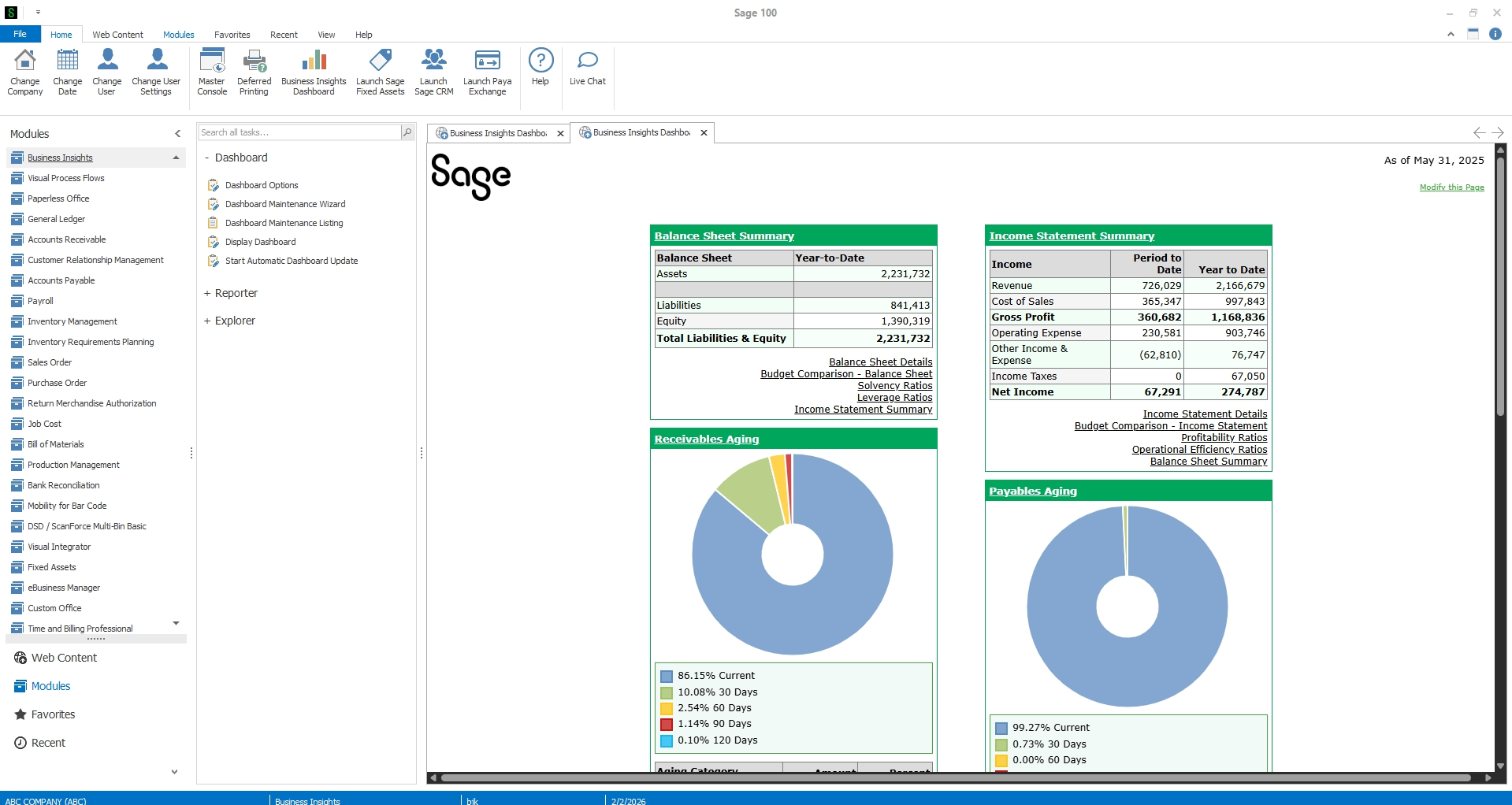
Sage 100
Sage 100 is a proven ERP option for small to mid-sized distributors that need reliable financial management, inventory control, order processing, and operational visibility. It provides a familiar ERP environment for companies that want to move beyond spreadsheets or basic accounting tools without taking on the complexity of a larger enterprise platform.
Sage 100 is a good QuickBooks alternative for small to mid-sized distributors that need stronger inventory and order management. With distribution capabilities across inventory, purchasing, sales orders, warehouse visibility, financial reporting, and related needs such as tariff management, Sage 100 helps teams manage day-to-day operations with better accuracy and control.
- Inventory and warehouse management: Sage 100 helps distributors track stock levels, warehouse activity, lot and serial numbers, and inventory movement.
- Integrated financials and order processing: Sage 100 connects accounting, purchasing, sales orders, fulfillment, and reporting in one ERP system.
- Demand planning and replenishment: Sage 100 supports reorder points, replenishment planning, and inventory requirements planning to help reduce stockouts and excess inventory.
- Operational visibility: Sage 100 gives teams better insight into stock levels, transactions, orders, vendors, and customer activity.
- Reporting and analytics: Sage 100 supports customizable reporting so distributors can monitor performance, margins, inventory trends, and financial results.
- Flexible deployment: Sage 100 can be deployed on-premises or hosted, giving distributors more flexibility based on their IT strategy and business needs.
To learn more, read our blog on Sage 100 vs QuickBooks or our blog on Sage 100 for distribution companies.
Best fit: Small to mid-sized distributors that want dependable accounting, inventory, and distribution management capabilities in a familiar ERP environment.
Rand Group perspective: Sage 100 is worth evaluating when a distributor wants more accounting, inventory, purchasing, and order management control than QuickBooks can provide, but does not need the scale or complexity of a larger cloud ERP.
Sage Intacct
Sage Intacct is primarily a cloud financial management platform. For distributors, it is commonly paired with Sage Distribution and Manufacturing Operations, or SDMO, to connect financials with inventory, orders, purchasing, fulfillment, and warehouse activity.
Sage Intacct with SDMO gives distributors a cloud-based way to manage accounting and operations in a more connected environment. SDMO supports distribution workflows such as selling and distributing, buying and putting away inventory, moving and storing stock, and using real-time data to manage inventory across its lifecycle.
- Cloud financial management: Sage Intacct supports accounting, reporting, dashboards, and multi-dimensional financial visibility.
- Connected distribution operations: SDMO connects financial management with inventory, orders, purchasing, fulfillment, and warehouse activity.
- Order and fulfillment workflows: SDMO helps manage the sales cycle from receiving orders to shipping goods and managing returns.
- Purchasing and procurement: SDMO supports guided purchasing processes to help teams order materials, manage suppliers, and improve internal communication.
- Real-time inventory visibility: SDMO uses real-time data, alerts, and dashboards to help teams manage stock status and inventory movement.
- Workflow automation: Sage Intacct with SDMO helps reduce manual work through approvals, task-based dashboards, automated processes, and configurable workflows.
- Reporting and insights: Teams can use role-based dashboards, dimensions, and operational reporting to analyze purchasing, sales, inventory, and financial performance.
Best fit: Small to mid-sized distributors that want cloud financial management with connected operational capabilities.
Rand Group perspective: Sage Intacct with SDMO can be a fit when cloud financial management is a priority and the distributor needs to connect finance with inventory, purchasing, fulfillment, and warehouse activity without moving immediately to a larger enterprise ERP.


Download the SDMO data sheet
Sage Distribution and Manufacturing Operations helps distributors improve efficiency across work orders, change control, inventory, purchasing, fulfillment, and reporting. Download our data sheet to see how SDMO gives teams better access to operational insights that can improve performance.
NetSuite
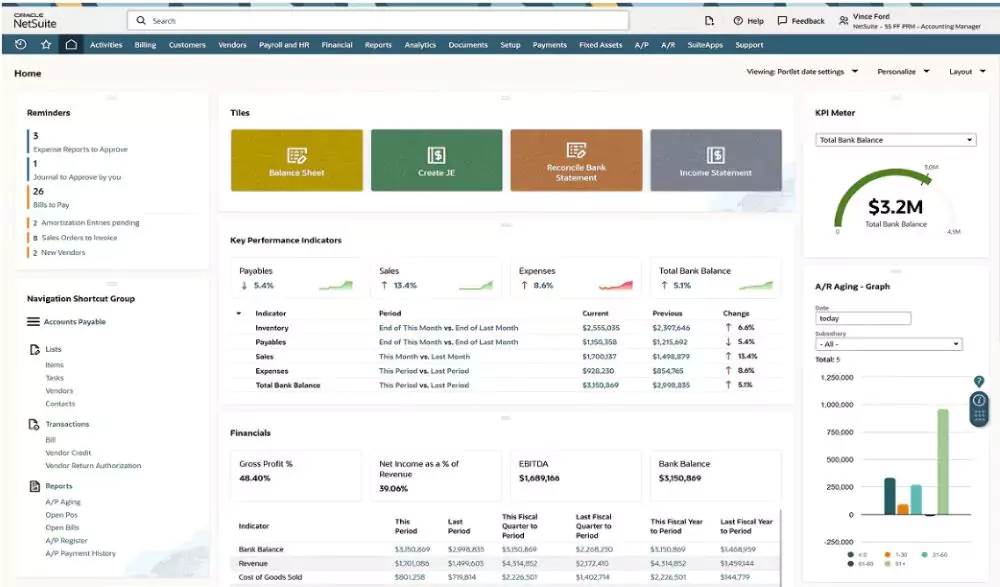
NetSuite is a cloud ERP option for growing distributors that need unified financials, inventory, order management, warehouse operations, procurement, and reporting in one system. It is designed to help distributors connect finance and operations, reduce manual work, and improve visibility across locations, entities, suppliers, customers, and fulfillment activity.
NetSuite for distribution is often a strong QuickBooks alternative for distributors that need a unified cloud ERP. For companies managing multiple locations, subsidiaries, currencies, channels, or higher transaction volumes, NetSuite can centralize data, automate workflows, and support more scalable distribution operations.
- Unified cloud ERP: NetSuite connects finance, inventory, orders, warehouses, suppliers, customers, procurement, and reporting in one cloud platform.
- Multi-location inventory: NetSuite tracks inventory across bins, lots, locations, distribution centers, and warehouses with real-time stock visibility.
- Order management: NetSuite supports quotes, pricing, fulfillment, available-to-promise dates, dropship orders, backorders, returns, and customer order visibility.
- Warehouse management: NetSuite supports mobile scanning, RFID, picking methods, cartonization, cycle counts, and cross-dock workflows.
- Procurement and supply chain management: NetSuite helps manage suppliers, lead times, replenishment, purchase orders, vendor performance, and supply chain visibility.
- Financial consolidation and reporting: NetSuite supports multi-entity reporting, multicurrency operations, tax compliance, tariff analysis, dashboards, and consolidated financial visibility.
- Demand planning and forecasting: NetSuite supports demand, purchasing, labor, and inventory planning by item, location, seasonality, and promotion activity.
- Distribution accounting: Address landed cost, tariffs, rebates, deductions, chargebacks, and fragmented finance data.
To learn more, read our blog on NetSuite vs QuickBooks.
Best fit: Growing distributors that need a unified cloud ERP for multi-entity, multi-location, or more complex operations.
Rand Group perspective: NetSuite is a common consideration for distributors that want a unified cloud ERP with stronger support for multi-location, multi-entity, order management, procurement, inventory, and reporting processes.

Get the SuiteSuccess Wholesale Distribution guide
NetSuite developed SuiteSuccess Wholesale Distribution to help distributors follow a more unified, phased path to ERP adoption and scalability. Download our whitepaper to learn more about NetSuite’s methodology and how it supports long-term organizational success.
Dynamics 365 Finance & Operations
Dynamics 365 Finance & Operations, also known as Dynamics 365 Finance & Supply Chain Management, is Microsoft’s enterprise ERP option for distributors with complex financial and supply chain needs. It consists of Dynamics 365 Finance and Dynamics 365 Supply Chain Management, two separate applications that can work together to connect financials, inventory, warehousing, logistics, planning, procurement, and reporting.
Dynamics 365 Finance & Operations is best suited for distributors with high transaction volumes, multiple distribution centers, complex fulfillment processes, advanced warehouse requirements, global operations, or sophisticated planning needs. It gives larger distributors the tools to improve supply chain visibility, manage landed cost and tariffs, strengthen financial control, automate warehouse activity, and make better decisions with Microsoft analytics, AI, and Power Platform capabilities.
- Advanced warehouse management: Dynamics 365 Supply Chain Management supports warehouse setup, mobile warehouse execution, real-time inventory visibility, picking, packing, sorting, returns, and transportation planning.
- Demand planning and forecasting: The platform supports AI-driven demand forecasting, scenario planning, master planning, and demand-driven MRP to help align inventory with expected customer demand.
- Procurement and sourcing: Dynamics 365 Supply Chain Management helps manage vendors, purchasing workflows, supplier performance, sourcing automation, landed costs, contracts, and rebates.
- Enterprise financial management: Dynamics 365 Finance supports accounting, budgeting, financial reporting, cash management, regulatory requirements, and multi-entity operations.
- Global supply chain visibility: Finance, inventory, procurement, warehouse, and logistics data can be connected across locations, entities, regions, and currencies.
- Microsoft ecosystem integration: Dynamics 365 Finance & Operations works with Power BI, Power Platform, Microsoft Teams, Copilot, and other Microsoft tools for analytics, automation, collaboration, and AI-driven insights.
To learn more, explore Dynamics 365 F&O’s capabilities.
Best fit: Medium to large distributors with complex, high-volume, multi-site, or global distribution requirements.
Rand Group perspective: Dynamics 365 Finance & Operations is typically evaluated when distribution complexity has moved beyond core accounting and into advanced supply chain, warehouse, planning, landed cost, global operations, or high-volume transaction requirements.

Dynamics 365 Business Central
Dynamics 365 Business Central is a flexible, user-friendly Microsoft ERP for growing distributors that have outgrown QuickBooks or disconnected systems. It connects financials, inventory, purchasing, sales, warehouse activity, costing, reporting, and related tariff and landed cost management needs in one platform without the complexity of enterprise-level ERP.
Business Central for distribution is a good QuickBooks alternative for growing distributors that want a connected ERP within the Microsoft ecosystem. With native integration to Microsoft tools like Excel, Teams, Outlook, and Power BI, Dynamics 365 Business Central helps teams reduce manual work, improve visibility, and make faster decisions across finance and operations.
- Financial management: Dynamics 365 Business Central connects general ledger, accounts payable, accounts receivable, budgeting, cash flow, and financial reporting.
- Inventory visibility: Dynamics 365 Business Central helps distributors track inventory across multiple locations, warehouses, bins, lots, serial numbers, and item availability.
- Purchasing and procurement: Dynamics 365 Business Central supports purchase orders, vendor management, replenishment, approvals, drop shipments, and special orders.
- Order management: Dynamics 365 Business Central connects quotes, pricing, sales orders, order promising, back orders, partial shipments, returns, and credits.
- Warehouse and fulfillment: Dynamics 365 Business Central supports receiving, put-away, picking, packing, shipping, barcode scanning, cycle counting, and inventory adjustments.
- Microsoft integrations: Dynamics 365 Business Central works with Microsoft 365, Power BI, Power Platform, Teams, Outlook, and Excel for reporting, collaboration, automation, and analytics.
- Extensibility: Dynamics 365 Business Central can be extended with apps and integrations for EDI, advanced WMS, ecommerce, shipping, and industry-specific requirements.
To learn more, read our blog on Business Central vs QuickBooks.
Best fit: Small to mid-sized distributors that want a flexible Microsoft ERP with strong core financials, inventory, and operational functionality.
Rand Group perspective: Dynamics 365 Business Central can be a strong next step for distributors that have outgrown QuickBooks and want connected financials, inventory, purchasing, sales, warehouse activity, and reporting in the Microsoft ecosystem without adopting a full enterprise ERP footprint.
Business Central case study: Rand Group worked with Avandium Trading Ltd., an importer and distributor of school and office supplies, to implement Dynamics 365 Business Central after manual order entry, invoicing, and warehouse processes limited efficiency. We helped Avandium digitize key workflows, centralize operational data, and improve visibility into cash flow and forecasting, allowing employees to spend less time on repetitive administrative work and more time on sales and customer service. As a result, Avandium saved 10–12 hours per week on redundant tasks while gaining a more connected platform for order processing, invoicing, warehouse operations, and growth. To learn more, read the full case study.


Get the Business Central distribution guide
Import and distribution companies face complex challenges, from managing multi-currency transactions to maintaining real-time visibility across operations. Download our guide to learn how Dynamics 365 Business Central can streamline operations, connect core systems, support global scalability, and help distributors reduce inefficiencies.
How to choose the best distribution accounting software
The best distribution accounting software depends on company size, transaction volume, warehouse complexity, reporting needs, integration requirements, budget, internal capacity, and long-term growth plans. We recommend starting with business requirements and process gaps before comparing products, because the best platform is the one that fits how the distributor actually operates.
- Start with business requirements: Document the accounting, inventory, purchasing, warehouse, reporting, and integration needs the system must support.
- Map current process gaps: Identify where QuickBooks, spreadsheets, or add-ons are creating manual work, duplicate entry, delayed reporting, or inaccurate inventory.
- Evaluate operational complexity: Consider locations, entities, SKUs, order volume, lot or serial tracking, fulfillment models, warehouse workflows, and supply chain needs.
- Compare platform fit, not just features: Look at usability, scalability, reporting, integrations, implementation effort, partner experience, and long-term support.
- Review total cost of ownership: Include software, implementation, integrations, training, support, add-ons, internal resources, and future optimization.
- Consider deployment preferences: Decide whether cloud, hosted, or on-premises options align with your IT strategy, compliance needs, budget, and internal resources.
- Plan for change management: Assess how finance, warehouse, purchasing, sales, customer service, and leadership teams will adopt the new system.
- Work with a multi-platform advisor: Use objective requirements to compare Sage, NetSuite, and Microsoft options against your actual needs.
Rand Group’s ERP selection services are designed around business process mapping, stakeholder alignment, provider-agnostic evaluation, realistic timeline and budget
QuickBooks migration considerations for distributors
Migrating from QuickBooks is not just a data transfer. It is an opportunity to clean up financials, inventory records, item data, vendors, customers, workflows, permissions, integrations, and reporting structures before moving to a more scalable distribution accounting or ERP system.
- Clean up chart of accounts, customers, vendors, items, SKUs, and inventory data.
- Decide what historical data should move into the new system.
- Validate inventory quantities, costing methods, bins, warehouses, and location data.
- Map QuickBooks processes to future ERP workflows.
- Identify integrations that need to be replaced, rebuilt, retired, or improved.
- Review reporting requirements before implementation begins.
- Plan user roles, permissions, approvals, controls, and audit trails.
- Test order-to-cash, procure-to-pay, inventory, warehouse, and reporting processes before go-live.
- Train finance, warehouse, purchasing, sales, customer service, and operations teams.

Accelerate ERP implementation for distributors
ERP implementations can be time-consuming and costly, but the right strategy can help distributors control scope, reduce risk, and move faster. Download our whitepaper to learn how better planning, phased priorities, and the right implementation partner can support faster ROI and long-term growth.
How Rand Group helps distributors move beyond QuickBooks
Rand Group helps distributors move beyond QuickBooks by evaluating current accounting, inventory, warehouse, purchasing, fulfillment, reporting, and integration needs. With more than 20 years of experience, deep ERP expertise, and a client retention rate of over 90%, our team helps distributors identify where their current systems are limiting growth and build a practical path toward a more scalable solution.
As a multi-platform partner across Microsoft, Oracle NetSuite, and Sage, Rand Group can help distributors compare options based on business fit instead of a single publisher’s product. This gives you a more objective way to evaluate functionality, cost, scalability, integrations, implementation requirements, and long-term support needs.
Rand Group was also recognized by ERP Software Blog as one of the Best Microsoft Dynamics ERP Partners for Distribution Companies in 2026. This independent recognition reflects our hands-on experience configuring Dynamics 365 solutions for wholesale distributors, including multi-warehouse inventory management, supply chain optimization, warehouse automation, and EDI integrations.
Rand Group helps distributors:
- Assess whether QuickBooks, an add-on, or a full ERP replacement is the right next step.
- Define accounting, inventory, warehouse, purchasing, reporting, and integration requirements.
- Compare Sage, NetSuite, and Microsoft Dynamics options based on business fit.
- Build a practical ERP roadmap aligned with budget, complexity, risk, and growth plans.
- Manage data migration, implementation, integrations, testing, and user training.
- Optimize reporting, dashboards, workflows, controls, and business processes after go-live.
- Support the system long term as the business grows.
What our clients say about us
“Rand Group gives us the knowledge and the information to make the proper business decision to expand our business to that next level and open up new revenue opportunities.”
– Nigel Paskinov, Managing Director, Canadian Spa Company
“Business Central lets us automate workflows, integrate multiple apps, and scale operations quickly, while Rand Group guided us to adapt the platform exactly to our business needs.”
– Kenny Jeans, Vice President Corporate Services, AGT Products Inc.
“Rand Group has been top-notch—professional, responsive, and very proactive. You can tell their internal processes are really sound, especially in how they manage and follow up on support requests. We come up with ideas, and they help us figure out what will actually work in the system, whether it’s configuration, reporting, or technical support.”
– Derek Atwood, Subs for Pools
Key takeaways
- QuickBooks can be a practical starting point for small distributors with basic accounting, invoicing, and reporting needs.
- Growing distributors often need stronger visibility into inventory, purchasing, warehouse activity, order fulfillment, margins, and financial performance.
- Distribution accounting software connects financial management with operational processes, helping teams reduce spreadsheets, manual reconciliations, and disconnected reporting.
- Distributors should consider replacing QuickBooks when inventory, purchasing, sales, warehouse, and finance teams no longer work from the same reliable data.
- The best QuickBooks alternative depends on company size, warehouse complexity, reporting needs, integrations, budget, and long-term growth plans.
- Sage 100, Sage Intacct with SDMO, NetSuite, Dynamics 365 Finance & Operations, and Dynamics 365 Business Central each fit different distribution scenarios.
- A successful QuickBooks migration requires data cleanup, process mapping, integration planning, user training, and testing before go-live.
- Rand Group helps distributors compare Sage, Oracle NetSuite, and Microsoft solutions based on business fit, not a single publisher’s product.
Frequently asked questions
What is distribution accounting software?
Distribution accounting software connects financial management with inventory, purchasing, warehouse operations, order management, fulfillment, costing, and reporting. It helps distributors manage both the accounting records and the operational activity behind those records.
Is QuickBooks good for distribution?
QuickBooks can be a good starting point for small distributors with basic accounting, invoicing, and reporting needs. As inventory, order volume, warehouse activity, and reporting requirements grow, distributors may need more connected distribution accounting or ERP software.
Can distributors keep QuickBooks and add distribution software?
Yes. Some distributors keep QuickBooks for accounting and add inventory, warehouse, ecommerce, EDI, shipping, or reporting tools around it. This can work for simple needs, but it can also create disconnected data, duplicate entry, and manual reconciliation.
When should a distributor move beyond QuickBooks?
A distributor should consider moving beyond QuickBooks when teams rely on spreadsheets, inventory counts are unreliable, reporting is delayed, month-end close takes too long, or inventory, purchasing, sales, warehouse, and finance teams work from different data.
What is the best QuickBooks alternative for distributors?
The best QuickBooks alternative depends on company size, warehouse complexity, reporting needs, integrations, budget, and growth plans. Common options include Sage 100, Sage Intacct with SDMO, NetSuite, Dynamics 365 Finance & Operations, and Dynamics 365 Business Central.
What features should distribution accounting software include?
Distribution accounting software should include financial management, inventory tracking, purchasing, order management, warehouse visibility, costing, reporting, integrations, and controls. Growing distributors may also need multi-location support, demand planning, landed cost tracking, EDI, and advanced analytics.
What is the difference between distribution accounting software and ERP?
Distribution accounting software focuses on financials plus distribution-specific needs such as inventory, purchasing, orders, warehouse activity, and reporting. ERP is broader and connects accounting with additional business processes across finance, supply chain, sales, operations, service, and analytics.
Is NetSuite better than QuickBooks for distributors?
Yes, NetSuite is generally better than QuickBooks for growing distributors that need a unified cloud ERP, multi-location inventory, multi-entity reporting, warehouse management, procurement, and advanced financial visibility. QuickBooks may still be enough for smaller distributors with basic accounting needs.
Is Dynamics 365 Business Central good for distribution?
Yes. Dynamics 365 Business Central can be a strong fit for small to mid-sized distributors that need connected financials, inventory, purchasing, sales, warehouse activity, reporting, and Microsoft 365 integration without the complexity of enterprise ERP.
Is Sage 100 good for distribution?
Yes. Sage 100 can be a practical option for small to mid-sized distributors that need reliable accounting, inventory control, purchasing, sales order management, warehouse visibility, reporting, and flexible deployment in a familiar ERP environment.
Is Sage Intacct good for distributors?
Sage Intacct can be a good fit for distributors that want cloud financial management. For distribution operations, Sage Intacct is commonly paired with Sage Distribution and Manufacturing Operations, or SDMO, to support inventory, orders, purchasing, fulfillment, and warehouse activity.
Is Dynamics 365 Finance & Operations good for distribution?
Yes. Dynamics 365 Finance & Operations is well suited for medium to large distributors with complex, high-volume, multi-site, or global operations. It supports advanced finance, supply chain management, warehouse operations, planning, procurement, analytics, and reporting.
Find the right path beyond QuickBooks
QuickBooks can be a good starting point for distributors, but as inventory, order volume, locations, reporting needs, and operational complexity expand, basic accounting software can become harder to manage.
Rand Group helps distributors evaluate whether to keep QuickBooks, add supporting software, or move to a connected ERP platform. Because Rand Group works across Sage, Oracle NetSuite, and Microsoft solutions, the recommendation can be based on business requirements, operational complexity, and long-term goals.
Schedule a distribution software selection consultation to determine the right path beyond QuickBooks.