Dynamics 365
 Power Platform
 Dynamics
 Cloud & Productivity
Dynamics 365 Finance and Operations performance optimization

Performance is one of the most critical success factors for Dynamics 365 Finance and Operations (D365 F&O). While performance tuning is common across most ERP platforms, performance issues can erode user confidence, slow down operations, and limit scalability. Organizations may encounter slow-loading forms, long-running batch jobs, delayed planning runs, and inconsistent system responsiveness as transaction volumes and user counts grow.
Dynamics 365 Finance and Operations performance optimization goes beyond fixing isolated issues. It is a continuous, multi-layer discipline that spans application code, data handling, batch processing, infrastructure, and monitoring. Whether D365 F&O is deployed in Microsoft’s cloud or on-premises, long-term performance depends on how efficiently the solution is designed, extended, and maintained over time.
In this guide, we’ll explore what impacts performance in D365 Finance and Operations, outline proven D365 F&O performance optimization best practices, and explain how organizations can proactively optimize their system to support growth, scalability, and a better user experience.
This guide is designed to be both read end-to-end and used as a reference. Use the sections below to jump to the areas most relevant to your role or current performance challenges.
Understanding performance drivers
Application and process optimization
Platform and data optimization
Monitoring and ongoing optimization
- Tools for monitoring and troubleshooting performance
- Reduce system load with Planning Optimization
- Minimize customizations
- Make performance optimization an ongoing process
What impacts performance in Dynamics 365 Finance and Operations?
D365 F&O is a sophisticated cloud ERP platform, and its performance is influenced by several interconnected factors. Application code, data volume, infrastructure sizing, batch workloads, integrations, and user behavior all contribute to overall system performance.
One common challenge is the difference between perceived performance and system performance. A process may technically complete successfully, but if forms load slowly or batch jobs delay downstream activities, users still experience friction. These performance issues can arise even in standard configurations, particularly as organizations add users, increase data volumes, or introduce customizations.
Effective Dynamics 365 F&O performance tuning requires aligning technical optimization with real business processes. Optimizing code or infrastructure in isolation, without understanding how the system is used, often leads to short-term improvements but long-term scalability problems.

Need help optimizing your system?
Performance challenges don’t have to limit the value of your ERP. Our D365 Finance and Operations experts work with organizations to diagnose issues, improve system performance, and support long-term scalability. Contact our team to discuss your performance goals and explore a structured approach to D365 F&O performance optimization.
D365 F&O performance optimization core principles
Successful performance optimization efforts share a few core principles:
- Optimize before customizing: Always evaluate standard features and configurations before introducing custom code.
- Favor scalability and maintainability: Quick fixes may improve performance temporarily but can create technical debt.
- Measure, analyze, improve, and repeat: Performance optimization is an iterative process driven by data.
- Leverage Microsoft’s built-in tools and guidance: Especially in cloud deployments, supported tools provide critical visibility into performance behavior.
Treating performance as a design consideration, not a post-go-live task, helps prevent many common D365 Finance and Operations performance issues.
X++ code and query optimization best practices
Efficient application code is one of the most impactful areas to optimize in D365 F&O, as X++ logic and query design directly affect system responsiveness and scalability. Poorly written code and unselective queries can lead to slow form loads, long-running processes, and increased contention as data volumes grow, while applying proven optimization techniques helps reduce unnecessary database calls and deliver more consistent performance.
Improve query selectivity
Poorly designed queries are a frequent source of performance degradation. Developers should avoid using SELECT * and retrieve only the fields required for the business process. Applying WHERE clauses and filters as early as possible reduces the amount of data processed.
Using TOP or FirstOnly for scenarios that require a limited result set further improves performance and minimizes database load. These practices are central to effective D365 F&O query optimization.
Use set-based operations over row-based logic
Row-by-row processing creates unnecessary database round trips and does not scale well. Replacing record-by-record loops with set-based operations significantly improves performance, especially for high-volume transactions.
Set-based logic allows the system to process data more efficiently and is a cornerstone of Dynamics 365 F&O performance tuning.
Optimize joins and index usage
Using joins instead of nested while loops reduces execution time and improves readability. Indexes should be added to frequently filtered fields, but with caution, over-indexing can negatively impact write performance and maintenance overhead.
Well-designed joins and indexing strategies support consistent performance across both cloud and on-premises deployments.
Batch job and concurrency optimization
Batch processing is essential in D365 F&O, but poorly designed or scheduled batch jobs can create significant performance bottlenecks and directly impact interactive user performance. Optimizing how batch jobs are structured, prioritized, and executed helps reduce resource contention, improve throughput, and ensure critical business processes run efficiently without degrading the overall system experience. High-volume processes like accounts payable can significantly contribute to system load, making it important to design them efficiently. For example, accounts payable automation in Dynamics 365 Finance and Operations can help streamline processing while improving performance.
Optimize batch job design
Large batch jobs should be broken into smaller, parallel tasks where possible. Assigning appropriate batch groups and priorities ensures that critical processes run efficiently without monopolizing system resources.
Avoid scheduling heavy batch jobs during peak business hours, as this can directly impact interactive user performance. Thoughtful Dynamics 365 F&O batch job optimization helps balance throughput and responsiveness.
Leverage asynchronous and parallel processing
Asynchronous frameworks allow non-blocking execution of long-running tasks, improving the user experience while increasing system throughput. Parallel processing is especially effective for high-volume operations that can be safely distributed across multiple threads.
Caching strategies for faster user experiences
Caching can significantly improve performance when used appropriately. Table and form caching reduce repetitive database calls and improve response times for frequently accessed data. However, excessive or poorly configured caching can lead to stale data or increased memory usage. Successful caching strategies strike a balance between speed and data accuracy, focusing on scenarios where caching delivers measurable benefits.
Infrastructure and environment optimization
While application design is critical, infrastructure also plays a key role in Dynamics 365 Finance and Operations performance optimization. Proper environment sizing, workload separation, and platform configuration ensure the system has the resources it needs to support users, batch processing, and growth without unnecessary contention or slowdowns as demand increases.
Proper environment sizing
Selecting the right environment tier (such as Tier-2+ for higher workloads) ensures sufficient resources for current and future demands. Undersized environments often become bottlenecks as transaction volumes grow.
Separate workloads for better performance
Isolating batch processing from interactive user workloads reduces contention and improves overall responsiveness. This separation is especially important for organizations with heavy batch and planning requirements.
Stay current with platform updates
Microsoft regularly delivers performance improvements through platform updates, quality updates, and hotfixes. Staying current ensures organizations benefit from ongoing optimizations and fixes built into the platform.
Data management and database performance
Data design and management directly influence system performance, regardless of deployment model. In D365 Finance and Operations, large data volumes, inefficient table usage, and poorly designed data access patterns can introduce performance bottlenecks over time. Even in cloud-hosted environments where Microsoft manages the database platform, application design choices, such as query selectivity, indexing metadata, and temporary table usage, play a major role in how efficiently data is processed.
A proactive approach to data management helps reduce long-running queries, minimize contention, and ensure the system remains responsive as transaction volumes and business complexity grow.
Temporary table optimization
Temporary tables should be used thoughtfully, with attention to scope and lifecycle. Reducing unnecessary temp table creation minimizes overhead and improves execution efficiency.
Database maintenance
Database maintenance differs between cloud-hosted and on-premises deployments of Dynamics 365 Finance and Operations. In the cloud, Microsoft manages database maintenance and tuning, while on-premises environments require traditional SQL Server maintenance such as index management and statistics updates. Regardless of deployment model, application design plays a critical role in performance. Inefficient queries, poor indexing metadata, and excessive data growth will surface as performance issues even when database maintenance is handled automatically.
Tools for monitoring and troubleshooting performance
Lifecycle Services (LCS)
Lifecycle Services provides diagnostics and the Query Analyzer, which helps identify slow-running queries and performance trends. LCS recommendations offer actionable insights aligned with Microsoft best practices.
Trace Parser
Trace Parser enables deep analysis of execution traces, allowing teams to pinpoint bottlenecks in X++ code and database interactions. It is especially valuable for diagnosing complex performance issues.
Built-in D365 diagnostics
Built-in diagnostics and telemetry provide additional insights that help guide continuous optimization efforts. Dynamics 365 Finance and Operations includes built-in monitoring and telemetry that surface performance trends, system health indicators, and recurring issues across environments. These diagnostics help identify patterns such as frequently accessed forms, long-running processes, and resource-intensive operations without requiring direct database access.
By reviewing these insights regularly, organizations can prioritize optimization efforts, validate the impact of changes, and proactively address emerging performance risks before they affect end users.
Reducing system load with Planning Optimization
Planning Optimization is one of the most impactful architectural enhancements for D365 F&O. By offloading master planning to a separate service, organizations significantly reduce database load and improve scalability.
With D365 F&O Planning Optimization performance improvements, organizations can run full planning processes during business hours without degrading system responsiveness. This plays a significant advantage for growing and complex supply chains.
Minimize customizations to maximize performance
Excessive customizations are a common cause of long-term performance degradation. While extensions are sometimes necessary, they should be carefully evaluated for performance impact. Using standard features and configurations whenever possible reduces risk and simplifies future upgrades. When customizations are required, designing them with performance in mind is critical.
Make performance optimization an ongoing process
Performance optimization does not end at go-live. Continuous monitoring, regular reviews, and iterative improvements help organizations stay ahead of emerging issues. Aligning performance goals with business growth ensures the system continues to support users effectively. Establishing performance governance, standards, reviews, and accountability, helps embed optimization into everyday operations.
Dynamics 365 Finance & Operations performance optimization FAQs
What causes performance issues in Dynamics 365 Finance and Operations?
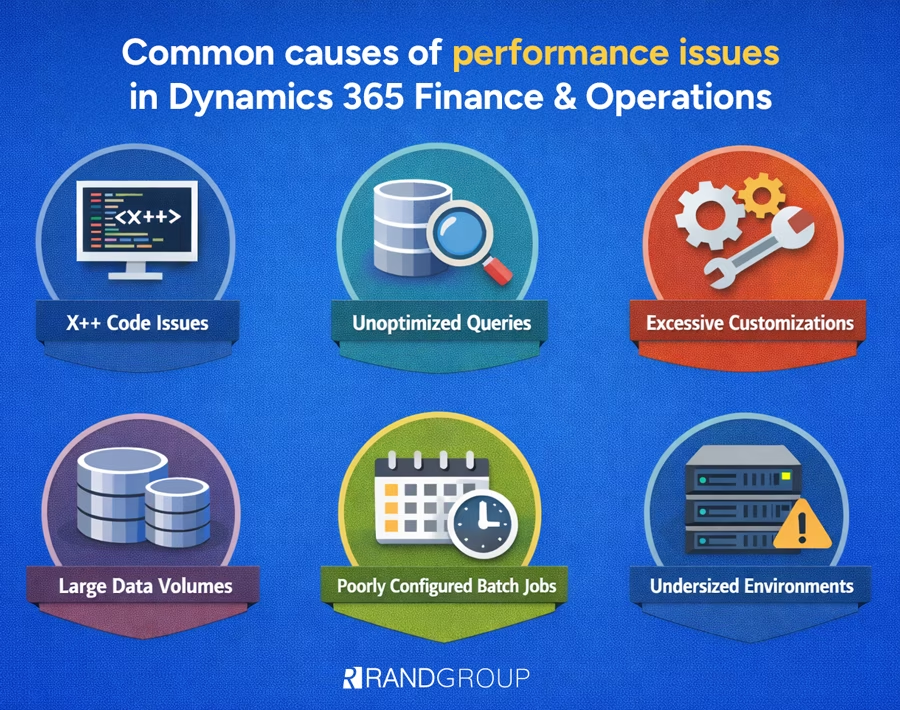
Common causes include inefficient X++ code, unoptimized queries, excessive customizations, large data volumes, poorly configured batch jobs, and undersized environments.
What is the difference between performance optimization and technical optimization in D365 F&O?
Performance optimization is the outcome, a faster, smoother system. Technical optimization refers to the methods used to achieve that outcome, such as code optimization, batch tuning, caching, and infrastructure scaling.
How do you optimize X++ code for better performance?
Use selective queries, set-based processing, efficient joins, and appropriate indexing to reduce database load and improve scalability.
How do batch jobs impact D365 Finance and Operations performance?
Poorly designed or scheduled batch jobs can consume shared resources and slow down interactive user sessions.
What tools help identify D365 F&O performance bottlenecks?
Lifecycle Services (LCS) Query Analyzer, Trace Parser, and built-in D365 diagnostics are key tools for performance analysis.

Choosing the right partner for D365 F&O performance optimization
Optimizing Dynamics 365 Finance and Operations requires the right expertise. A strong partner can help identify root causes, apply proven optimization strategies, and ensure your system scales as your business grows. Learn the seven key criteria to look for when evaluating a D365 F&O performance optimization partner, along with practical questions to guide your decision.
How Rand Group helps optimize Dynamics 365 Finance and Operations performance
We deliver end-to-end Dynamics 365 Finance and Operations performance optimization services designed to keep your system fast, scalable, and reliable as your business grows. Our consultants combine deep technical expertise in D365 F&O with real-world business process experience to identify performance bottlenecks, modernize system design, and ensure your environment continues to support users efficiently, today and in the future.
Whether you’re dealing with slow system response times, long-running batch jobs, planning delays, or preparing for increased transaction volumes, Our D365 F&O experts apply a structured, data-driven approach to performance optimization that aligns technical improvements with business outcomes.
Our services include:
- Comprehensive performance assessments – In-depth analysis of X++ code, queries, batch jobs, data volumes, integrations, usage patterns, and environment configuration to identify root causes of performance issues.
- Application and batch optimization – Refactoring inefficient X++ code, improving query design, optimizing batch job structure and scheduling, and implementing parallel and asynchronous processing where appropriate.
- Customization and extension optimization – Reviewing customizations and extensions to reduce complexity, retire unused logic, and ensure custom code follows D365 F&O performance best practices.
- Infrastructure and environment alignment – Evaluating environment sizing, workload separation, and platform configuration to ensure your system can scale with business demand.
- Planning Optimization enablement – Assessing and implementing Planning Optimization to offload master planning, reduce database load, and improve overall system performance.
- Ongoing monitoring and governance – Establishing performance standards, monitoring tools, and optimization processes to help prevent future issues and maintain consistent system responsiveness.
- Rescue, recovery, and advisory services – Stabilizing underperforming environments, resolving critical issues, and providing strategic guidance to support long-term ERP health and scalability.
Next steps
Performance is more than a technical metric, it’s a competitive advantage. Organizations that proactively invest in Dynamics 365 Finance and Operations performance optimization experience higher user adoption, better scalability, and stronger returns on their software investment.
By taking a strategic, holistic approach to performance optimization, organizations can ensure D365 F&O continues to support their business today and well into the future. If you need help optimizing your F&O environment, contact our team today, we will get your system running as intended and your processes back on track.