
 Dynamics 365
 Power Platform
 Dynamics
 Cloud & Productivity
Streamline projects with Dynamics 365 Business Central Project Management

Managing projects effectively is critical to the success of any organization. From professional services firms to construction companies and manufacturing businesses, projects require careful planning, resource allocation, budgeting, and tracking to stay profitable. Microsoft Dynamics 365 Business Central provides a robust suite of project management capabilities designed to help organizations streamline operations and deliver projects on time and within budget. In this article, we’ll explore what Business Central Project Management is, its benefits, core capabilities, and how Rand Group helps organizations maximize its value.
What is Business Central Project Management?
Microsoft Dynamics 365 Business Central is a comprehensive business management solution designed for small and midsized organizations. It combines finance, operations, sales, supply chain, and service management into a single, unified platform. Within this system, the Project Management functionality, previously referred to as the Jobs module, equips organizations with the tools to oversee projects from start to finish.
Dynamics 365 Business Central Project Management provides the structure needed to plan, execute, and monitor projects with confidence. Organizations can create new projects, define tasks and milestones, allocate resources, set budgets, and manage billing all within the same system they already use for financials and operations. This eliminates the need for disconnected spreadsheets or third-party tools that often create data silos and inefficiencies.
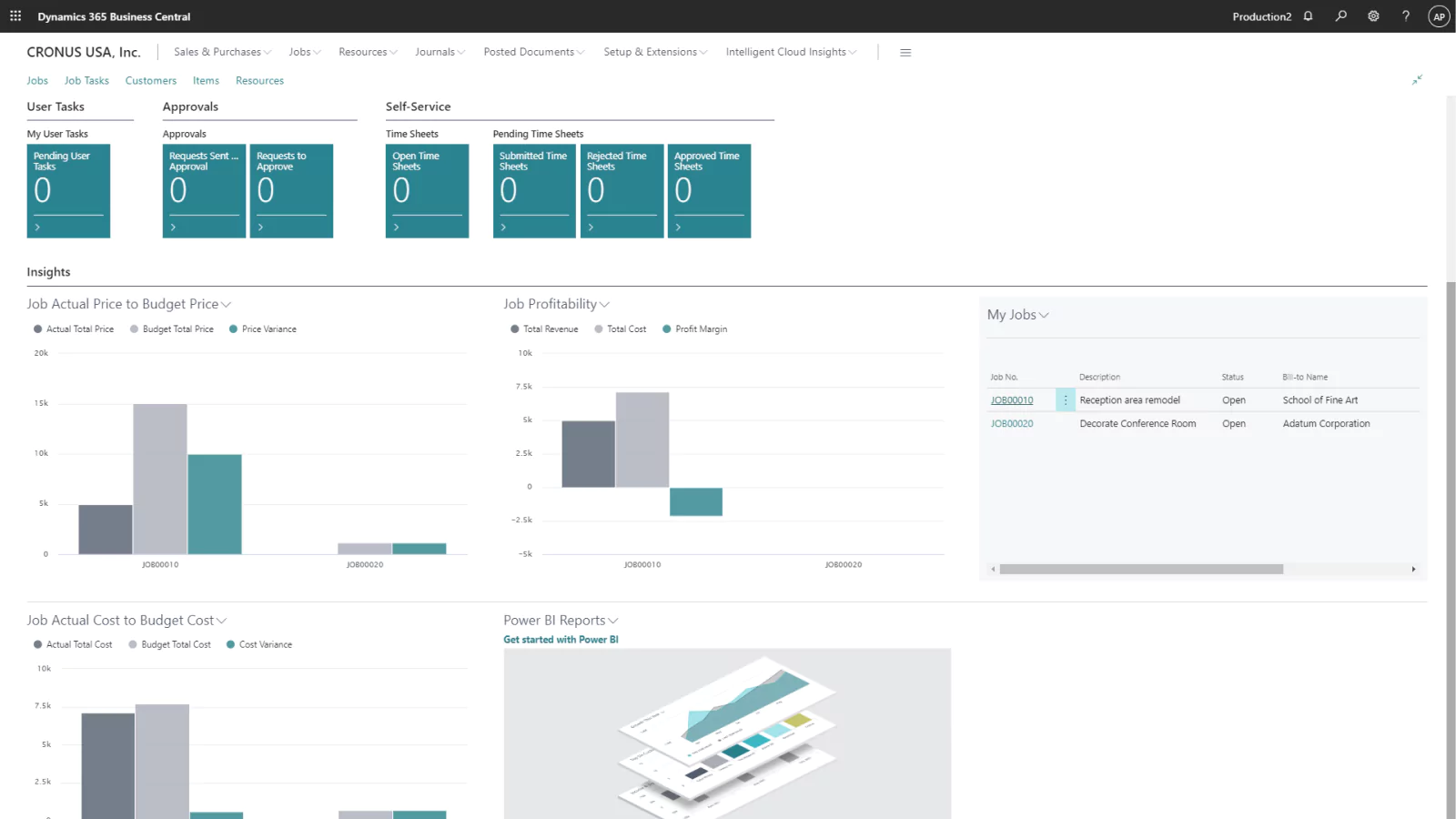
At its core, BC Project Management helps organizations improve control and visibility. By centralizing all project data, budgets, costs, resources, and billing within Business Central, decision-makers can track progress in real time, quickly identify risks, and make informed adjustments. Whether you are running internal initiatives, client-based projects, or long-term service contracts, Business Central provides a reliable foundation to manage every step.
Benefits of Business Central Project Management
The Project Management functionality in Business Central provides organizations with the tools to connect financials, operations, and project teams in one system. Here are the key benefits:
- Integrated project management: Manage projects alongside financials, supply chain, and service operations in a single environment. This reduces the need for separate tools and helps teams stay aligned.
- Comprehensive financial oversight: Set budgets, track costs, and monitor actuals versus forecasts in real time. Finance teams and project managers can spot potential overruns early and maintain tighter control over profitability.
- Unified data: Connect project information with accounting, sales, purchasing, and CRM to eliminate silos and ensure all stakeholders have access to accurate, up-to-date information.
- Improved visibility: Built-in reporting and dashboards provide real-time insights into project performance, resource utilization, and financial health, supporting better decision-making.
- Reduced manual effort: Automate billing, expense capture, and reporting to reduce administrative tasks, improve accuracy, and give staff more time to focus on project delivery.
- Better collaboration: Keep project managers, finance teams, and field staff aligned by working from shared records. Integration with Microsoft 365 tools such as Teams and Outlook supports effective communication across the organization.
- User-friendly: A familiar Microsoft interface helps new users get started quickly, while flexible design supports both small projects and larger, more complex initiatives as the business grows.

See Business Central Project Management in action
Ready to experience how Dynamics 365 Business Central can simplify project planning, tracking, and financial management? A personalized demo will show you how the system fits your organization’s unique project needs and goals.
Capabilities of Project Management in Microsoft Dynamics 365 Business Central
Business Central includes a wide range of project management tools designed to cover the entire project lifecycle. Below are the key capabilities:
Project planning and setup
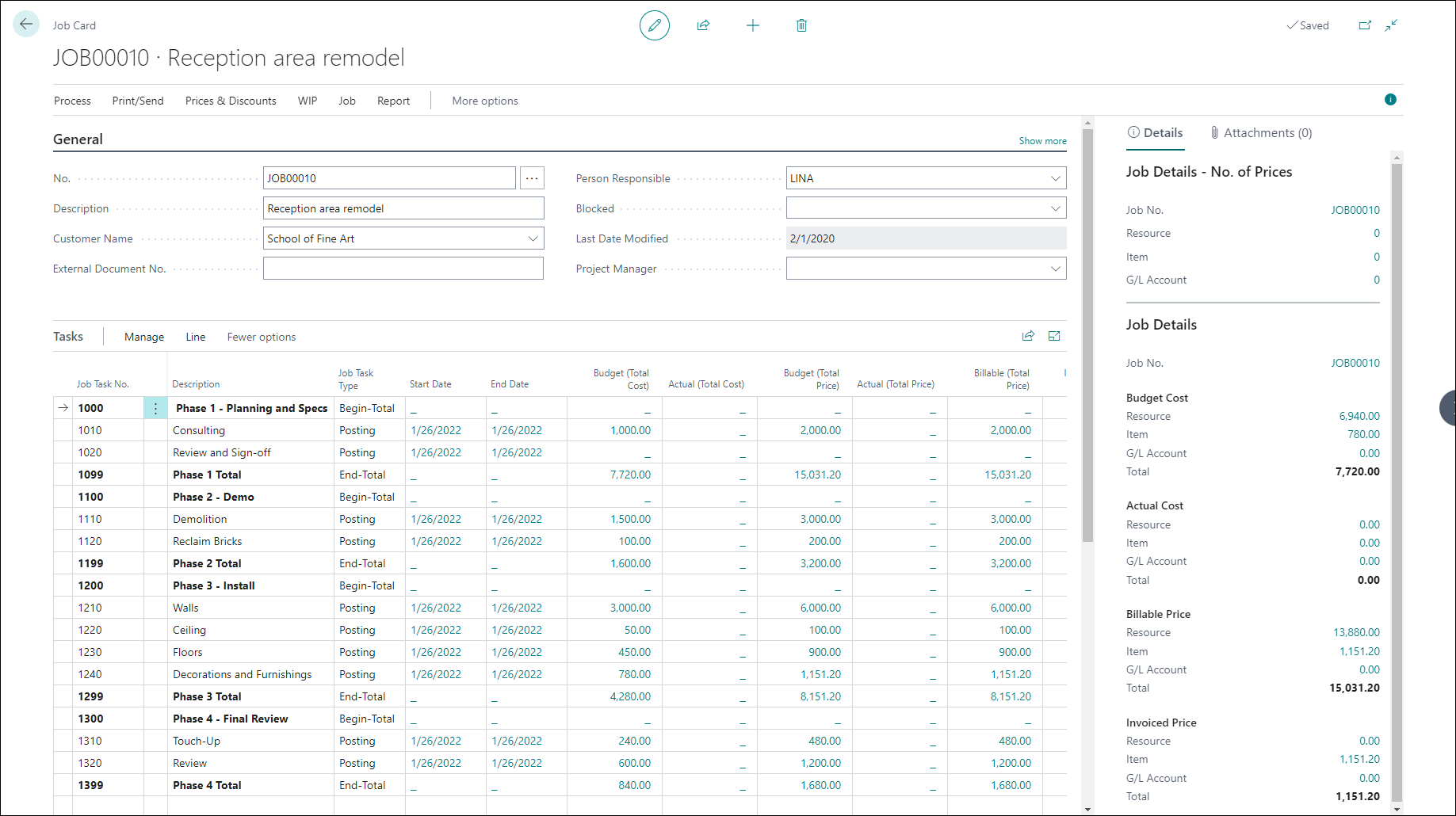
Business Central allows you to create projects, define tasks, assign milestones, and allocate resources. Budgets can be set upfront to track expected costs and revenue. Project templates help organizations standardize setup for repeatable work, ensuring consistency and reducing errors.
Key features include:
- Project templates for quick setup
- Task breakdowns and milestone definitions
- Budget and cost category configuration
Resource management
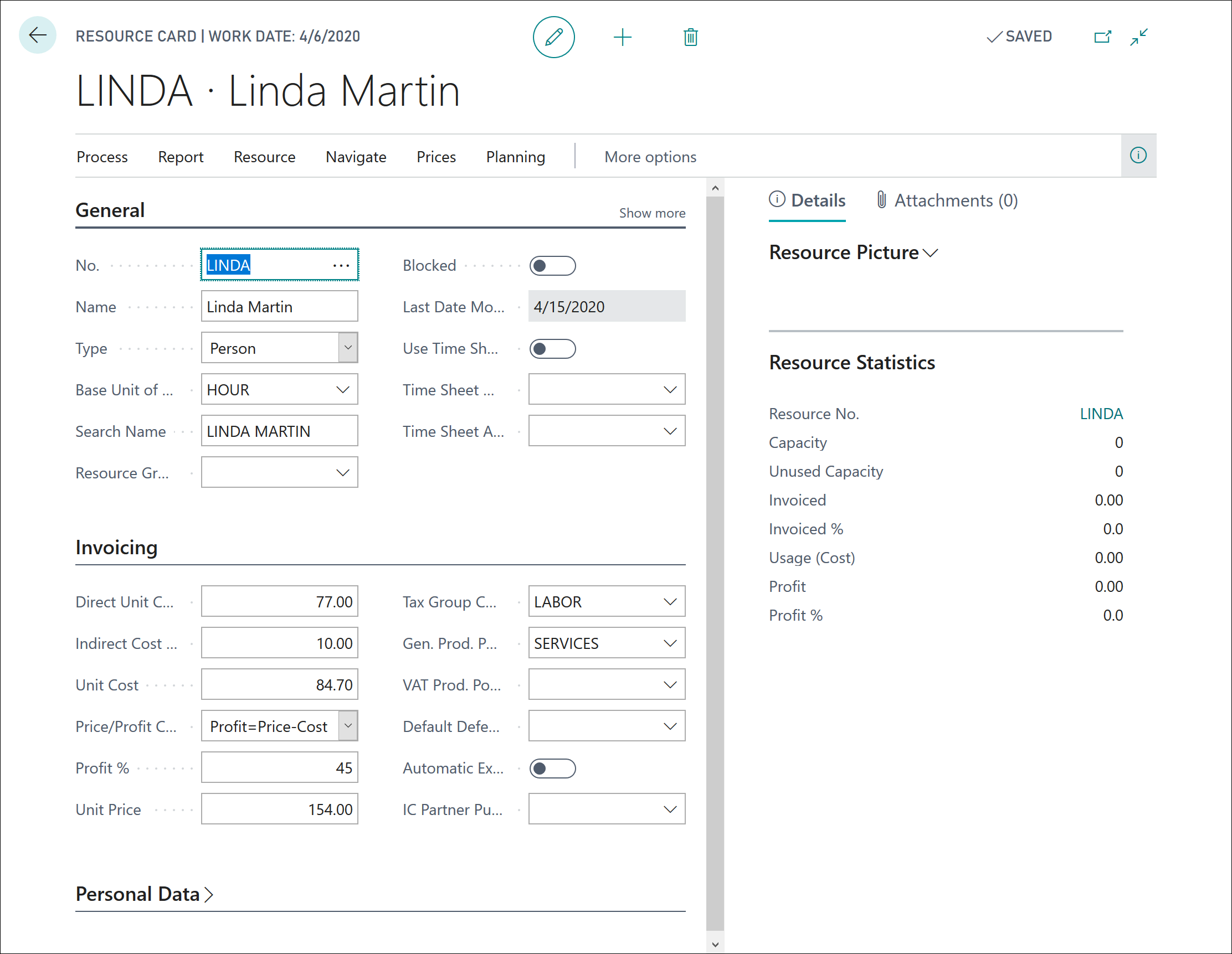
Effective resource allocation is critical to project success. Business Central provides visibility into staff availability, skills, and workloads. This makes it easier to assign the right people to the right tasks without overloading teams.
With resource management, organizations can:
- Track staff capacity and availability
- Assign resources to specific project tasks
- Monitor workloads to avoid bottlenecks
Time and expense tracking
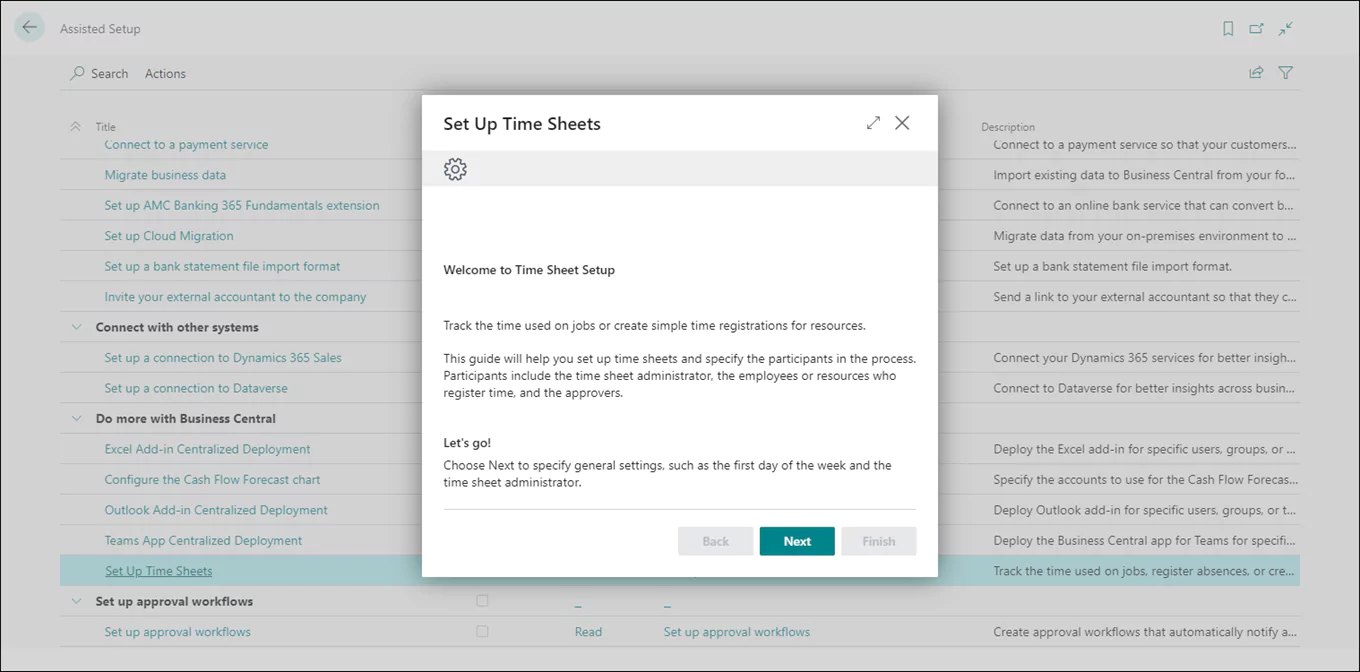
Capturing time entries and expenses is seamless in Business Central. Employees can log hours and costs directly against project tasks, ensuring accurate billing and reporting. This also improves compliance and reduces administrative overhead.
Capabilities include:
- Timesheet entry linked to projects
- Expense tracking by project or task
- Automatic flow of approved entries into project costs and customer invoicing
Budgeting and cost control
Project managers can monitor budgets in real time, comparing actual costs against planned amounts. Alerts and reporting help identify potential overruns early, allowing corrective action before profitability is impacted.
Features include:
- Real-time budget vs. actual tracking
- Automatic cost allocation by task or resource
- Forecasting tools for proactive management
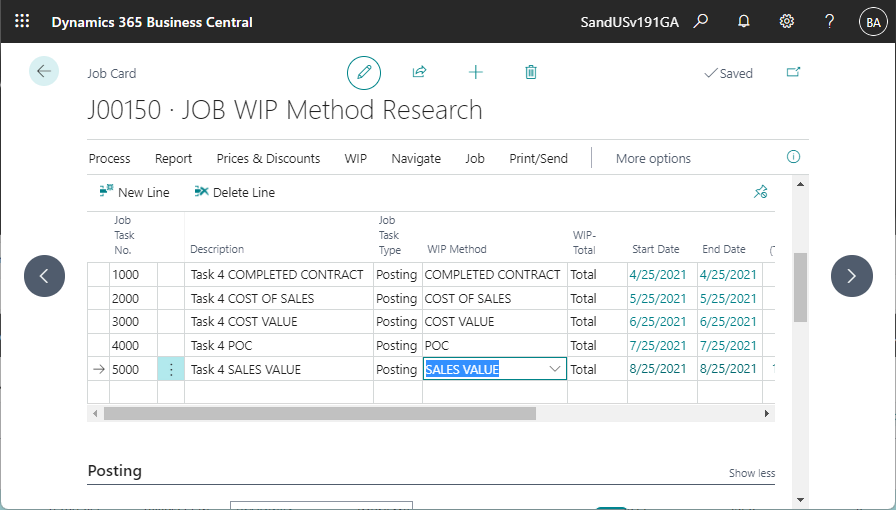
Work-in-Progress (WIP)
Business Central supports project-related Work‑in‑Progress (WIP) accounting, which captures the value of work completed but not yet invoiced or closed. This ensures your financial statements accurately reflect project performance in real time.
WIP capabilities include:
- Calculating WIP using posted project entries—labor, materials, and expenses
- Posting WIP adjustments to the general ledger for accurate accounting
- Optimizing financial visibility before billing to track project profitability continuously
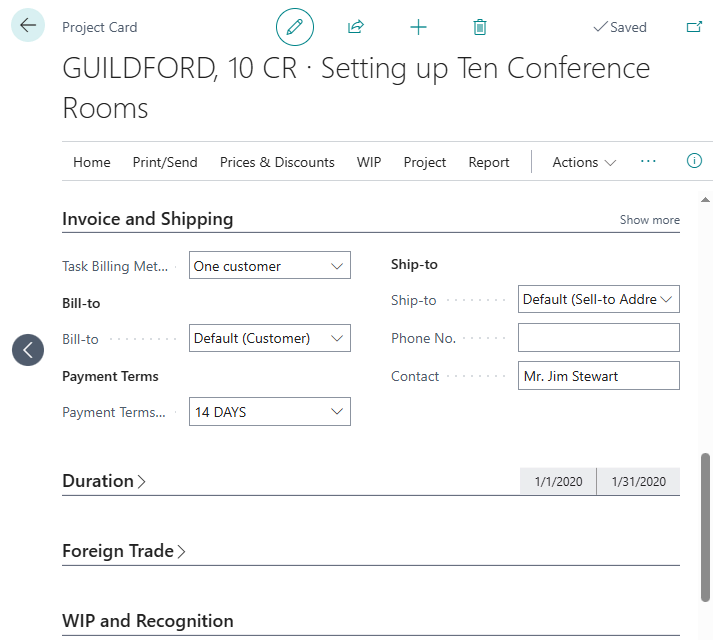
Billing and invoicing
Business Central automates billing processes based on project type. Organizations can invoice customers based on milestones, time and materials, or fixed-price contracts. This flexibility ensures timely and accurate revenue recognition.
Highlights include:
- Automated billing rules
- Milestone-based or T&M invoicing
- Seamless integration with accounts receivable
Reporting and analytics
Data-driven decision-making is easier with built-in reporting and dashboards. Business Central provides project profitability reports, resource utilization summaries, and performance metrics. These insights allow leadership to evaluate trends and optimize processes.
Examples of reports include:
- Project profitability by customer or job
- Resource allocation and utilization
- Earned value analysis and KPIs
AI-powered project management
Microsoft has embedded Copilot AI capabilities directly into Dynamics 365 Business Central, helping organizations work smarter and faster. While these tools span finance, reporting, and operations, they bring clear benefits for project managers who need accurate insights and streamlined workflows.
Key Copilot features in BC include:
- Predictive cash flow forecasting: Forecast inflows and outflows to align budgets with project timelines and reduce financial risk.
- Analysis Assist: Ask natural-language questions like “show hours logged this month” to quickly generate project insights.
- Natural language reporting: Create reports and summaries by describing what you need, ensuring timely updates for stakeholders.
- Guided assistance and global search: Navigate project records or complete tasks faster with step-by-step AI support.

Integrate Business Central with D365 Project Operations
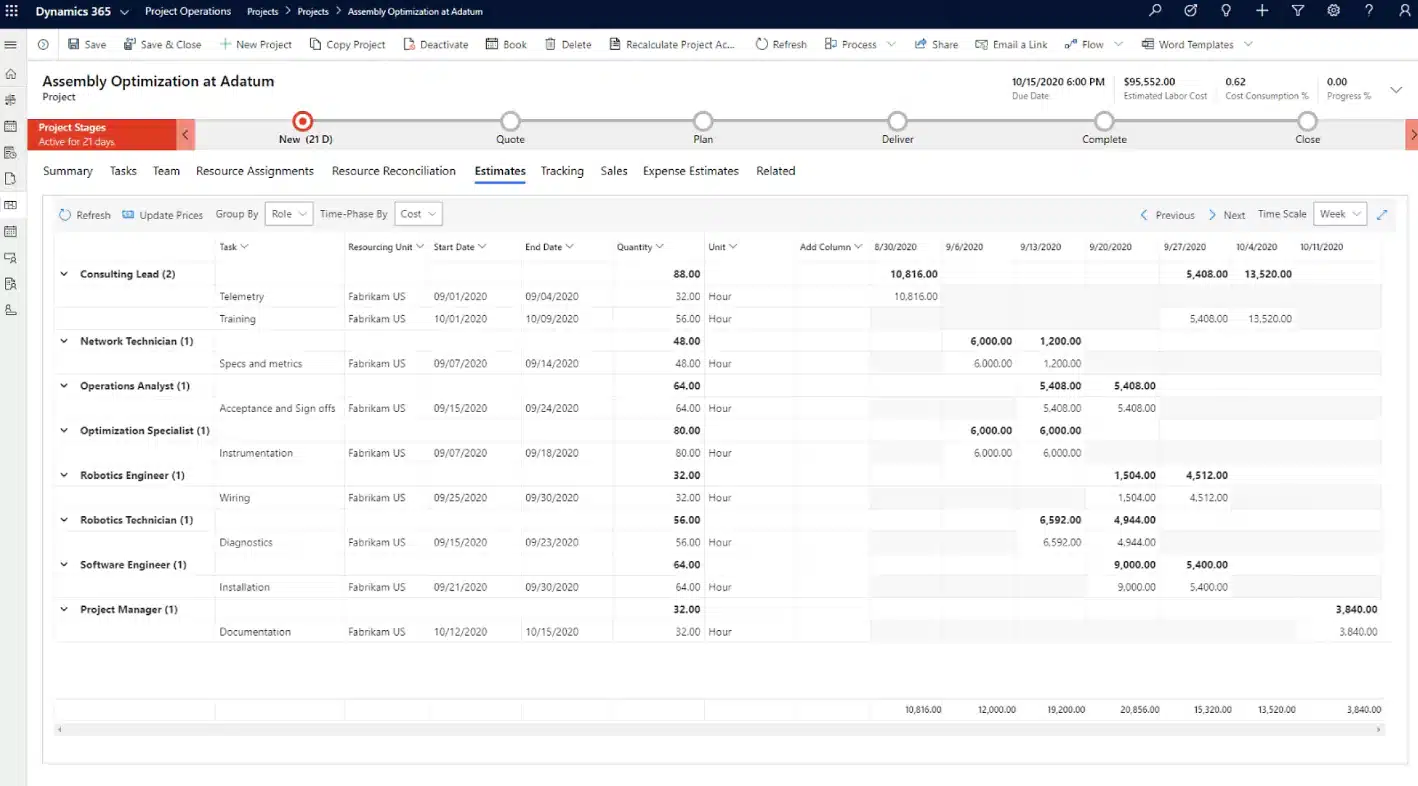
While Dynamics 365 Business Central provides a strong foundation for project management, some organizations require more advanced tools to manage complex, large-scale projects. This is where Dynamics 365 Project Operations comes in. By integrating Business Central with D365 Project Operations, companies gain a powerful combination of ERP financial management and advanced project execution capabilities in a single workflow.
This integration ensures that project managers, finance teams, and executives all have access to the same up-to-date information. Data flows seamlessly between the two platforms, budgets, costs, and time entries recorded in D365 Project Operations sync with Business Central’s finance module, while financial data such as invoices and customer accounts flow back into D365 Project Operations. The result is a unified platform that eliminates silos, improves collaboration, and delivers end-to-end visibility across the project lifecycle.
Together, Business Central and D365 Project Operations enable organizations to:
- Balance financial and project needs: Business Central manages core financials, while D365 Project Operations provides advanced project planning and resource management.
- Unified project and financial view: Real-time integration connects project and financial data, giving teams a 360-degree view of project performance and profitability.
- Automated workflows: Data flows automatically between systems, reducing manual entry and ensuring accuracy across functions.
- Improved resource utilization: Optimize scheduling and resource allocation to maximize project efficiency and client satisfaction.
- Real-time decision making: Access to live data supports faster, more informed decisions on budgets, timelines, and resource needs.
By connecting D365 Business Central and Dynamics 365 Project Operations, organizations can scale more effectively, streamline processes, and optimize profitability without the complexity often associated with larger ERP systems. This integration offers a clear advantage for businesses that want both financial clarity and advanced project execution in one connected solution.
Elevate your projects with Rand Group
At Rand Group, we help organizations unlock the full potential of Dynamics 365 Business Central Project Management. From initial deployment to ongoing optimization, our team ensures that your system is tailored to your business needs, empowering you to manage projects with greater visibility, efficiency, and profitability. We go beyond implementation to provide long-term support, ensuring Business Central continues to deliver value as your business evolves.
Why partner with Rand Group for Business Central Project Management?
- Deep expertise: Decades of experience implementing Business Central for project-driven organizations.
- Tailored solutions: Business Central customization and development services deliver configurations and workflows aligned with your unique project requirements.
- End-to-end support: Comprehensive Business Central support, from user training to post-go-live optimization, ensures lasting success and adoption.
- Scalable results: Solutions that grow with your business, supporting future needs and expansion.
Proven methodology: A structured approach that reduces risk, accelerates time-to-value, and ensures measurable results.
Frequently asked questions (FAQs)
- What is Dynamics 365 Business Central Project Management?
Dynamics 365 Business Central Project Management is a built-in module that helps organizations plan, track, and manage projects. It connects project data with financials, sales, purchasing, and operations to provide real-time visibility into budgets, costs, resources, and billing. - How does Business Central Project Management improve visibility?
Business Central includes dashboards and reporting tools that track project progress, budget vs. actuals, resource utilization, and profitability. Managers can view data in real time and make informed decisions without relying on spreadsheets or disconnected systems. - What is the difference between Business Central Project Management and Dynamics 365 Project Operations?
Business Central offers core project management features such as planning, budgeting, resource management, and billing. Dynamics 365 Project Operations expands on this by providing advanced capabilities for large-scale, complex projects, including detailed scheduling, project forecasting, and advanced resource optimization. - Can Business Central integrate with other Microsoft tools for project management?
Business Central integrates seamlessly with Microsoft 365 (Excel, Outlook, Teams) and Power Platform tools (Power BI, Power Automate, Power Apps). This allows organizations to analyze project data, automate workflows, and collaborate more effectively across teams.
Next steps
Dynamics 365 Business Central Project Management helps organizations centralize their operations, improve project profitability, and drive collaboration across teams. Whether you are looking to replace spreadsheets, standardize project delivery, or integrate financials with project execution, Business Central provides the tools you need. Partnering with Rand Group ensures that you not only implement the system but also maximize its value through expert guidance, training, and support.
If your organization is ready to modernize project management with Dynamics 365 Business Central, Contact Rand Group today to start the conversation.
Subscribe to our Insights
Related Blogs

Best ERP software for family offices
Managing a family office involves far more complexity than traditional financial operations. From multi-entity accounting and consolidated reporting to investment tracking and multi-generational wealth oversight, family offices must manage diverse assets, entities,...

What are AI Agents in Dynamics 365 Business Central?
Artificial intelligence is becoming more practical inside ERP systems, and Dynamics 365 Business Central is no exception. Microsoft is introducing AI agents to help organizations manage growing transaction volumes, reduce manual work, and improve consistency across...

Power BI reporting for Microsoft Dynamics 365 Business Central manufacturing
Power BI has become one of the most valuable tools for manufacturers using Microsoft Dynamics 365 Business Central. While Business Central provides strong transactional reporting for production, inventory, and costing, manufacturers often need deeper visibility—trends...
