Dynamics 365
 Power Platform
 Dynamics
 Cloud & Productivity
Dynamics AX 2012 end of life: Everything you need to know

Microsoft Dynamics AX 2012 has been a trusted enterprise resource planning (ERP) solution for organizations for more than a decade. But with technological advancements and the shift toward cloud-based systems, Microsoft has officially moved on from AX 2012. For companies still running their business on this legacy system, this shift presents both challenges and opportunities. In this guide, we’ll walk you through what the end of life for Dynamics AX 2012 means and why now is the right time to consider migrating to Microsoft Dynamics 365 Finance & Operations (D365 F&O). Plus you’ll learn why partnering with an experienced Microsoft partner like Rand Group can help you make the transition with confidence.
At a glance
Microsoft Dynamics AX 2012 is no longer supported by Microsoft. Extended support for Dynamics AX 2012 and AX 2012 R2 ended in April 2022, while extended support for AX 2012 R3 ended in January 2023. Organizations still using AX should evaluate the security, integration, infrastructure, and support risks of remaining on an unsupported ERP system. For organizations that want to stay within the Microsoft ecosystem, Dynamics 365 Finance and Dynamics 365 Supply Chain Management provide a path to modernize finance and operations. Microsoft currently supports upgrade paths from AX 2012 R2 and AX 2012 R3, although the effort depends heavily on data, customizations, integrations, and existing business processes.
What is Dynamics AX?
Microsoft Dynamics AX was one of Microsoft’s flagship ERP solutions designed for medium to large enterprises. It was developed to help companies manage complex global operations by bringing together finance, supply chain, manufacturing, human resources, and retail management into a single system. AX 2012, released in 2011, introduced greater flexibility than its predecessors, offering advanced reporting tools, modular functionality, and industry-specific capabilities. Dynamics AX quickly became a popular choice for organizations that required a scalable ERP to support international growth and complex business models. However, Dynamics AX 2012 was an on-premises system, its infrastructure is no longer aligned with the demands of a cloud-first, data-driven economy. The technology that once empowered businesses is now holding them back as Microsoft shifts its innovation to cloud-native platforms.
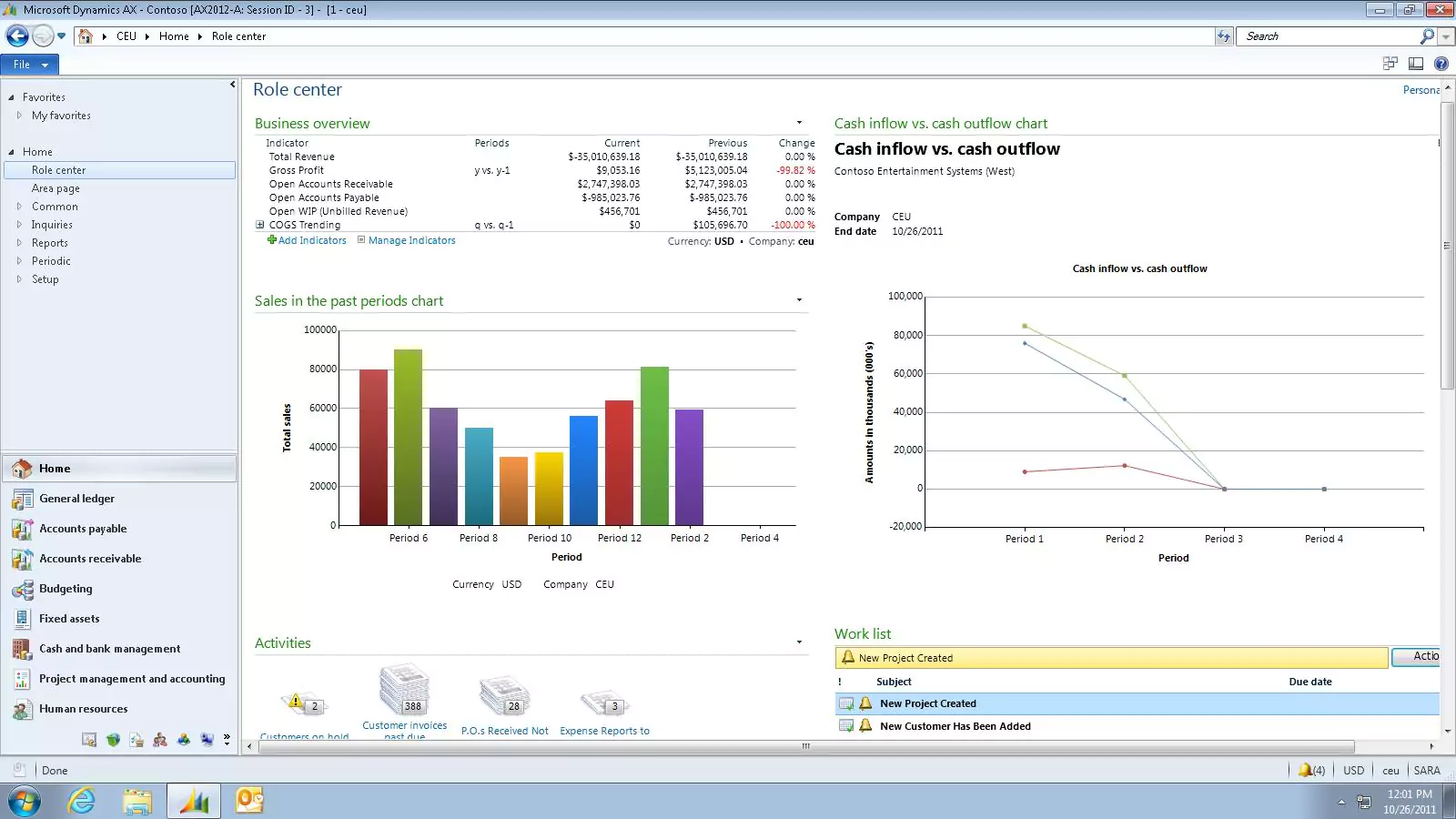
End of Life: Where things stand for Dynamics AX 2012
Microsoft Dynamics AX 2012 is now fully out of support. However, the exact support dates depend on the version an organization is running:
- Dynamics AX 2012 and AX 2012 R2: Mainstream support ended in October 2018, and extended support ended in April 2022.
- Dynamics AX 2012 R3: Mainstream support ended in October 2021, and extended support ended in January 2023.
Microsoft no longer provides regular security updates, hotfixes, or product support for these versions. Organizations that continue operating Dynamics AX 2012 therefore need to manage the security, infrastructure, compatibility, and support requirements of an unsupported ERP environment.
Microsoft provides an upgrade path from Dynamics AX 2012 R2 and R3 to its current finance and operations applications. Because customizations, integrations, data quality, and deprecated functionality can affect the upgrade, organizations should assess their AX environment before determining the scope and approach.
Implications for current users
The end of support for Dynamics AX 2012 has several critical implications:
- Security risks: Without regular security patches, Dynamics AX systems are vulnerable to data breaches and cyberattacks.
- Compliance issues: Many industries require software to be supported and updated to meet regulatory standards.
- Rising maintenance costs: Maintaining outdated hardware and systems requires increasing investments in IT resources.
- Integration challenges: As newer applications and technologies are released, connecting them with Dynamics AX becomes more difficult.
- Support access: Fewer professionals are trained on Dynamics AX, making it harder to find support for the system.
For companies that depend on ERP as the backbone of their operations, these challenges can quickly translate into financial and operational risks.

Want to learn more about your migration options?
Connect with one of our Microsoft experts today to learn recommended next steps. Plus, schedule a demo of your preferred next step solution and book a migration assessment. We can guide you through this digital transformation with confidence.
Next step options
With Dynamics AX 2012 now out of support, companies face a pivotal decision. There are several paths forward, but each has different implications for cost, risk, technology strategy, and future growth.
Option 1: Stay on Dynamics AX 2012
Some organizations may feel hesitant to move away from Dynamics AX 2012, especially if the system still appears to meet their immediate needs. However, this approach is risky and not sustainable in the long run. Without Microsoft support, Dynamics AX will only become more vulnerable to cyberattacks and system failures. Compliance with regulatory requirements will become increasingly difficult, and integrating new business applications will require costly workarounds. Staying on Dynamics AX may seem like a cost-saving measure in the short term, but the risks far outweigh the benefits.
Option 2: Migrate to Microsoft Dynamics 365 Finance & Operations
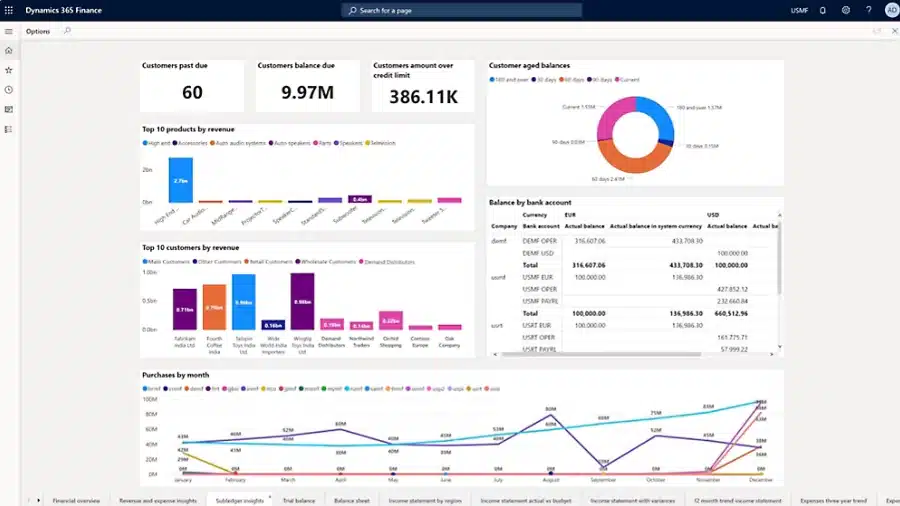
The recommended option for most organizations is to migrate to Dynamics 365 Finance & Operations (D365 F&O), the next-generation Microsoft ERP platform. Unlike Dynamics AX, D365 F&O is cloud-based and continuously updated, ensuring that businesses are always on the latest, most secure version. Because it is part of the Microsoft ecosystem, D365 F&O integrates natively with other Microsoft tools, including Microsoft 365, Power BI, Teams, and the Power Platform. This creates a seamless experience across productivity, collaboration, and business intelligence tools.
Migrating to Dynamics 365 F&O not only reduces risk but also enables organizations to modernize their operations with ease. With built-in artificial intelligence, predictive analytics, and automation, businesses can move beyond simply managing day-to-day processes to driving strategic growth. Rand Group has extensive expertise in helping organizations plan and execute these migrations, ensuring that the transition is smooth, cost-effective, and tailored to business needs.
Option 3: Transition to another ERP
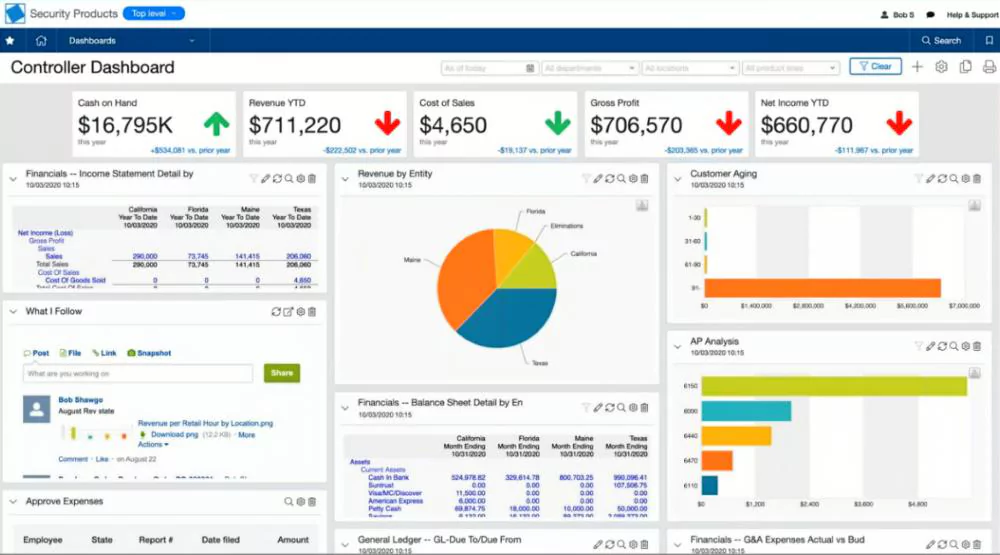
Another path is to replace Dynamics AX with a different ERP platform entirely. Market leaders such as Oracle NetSuite and Sage Intacct offer cloud-based ERP systems that can meet the needs of many organizations. NetSuite, for example, has a strong presence among fast-growing mid-market companies, while Sage Intacct is often favored for financial management. However, moving to these systems means leaving the Microsoft ecosystem. Leaving Microsoft can complicate integration with tools like Microsoft 365, Power BI, and Azure. For businesses already invested in Microsoft technologies, this may create silos rather than eliminating them.
Continued support and integration options
While Microsoft no longer provides updates, some third-party vendors offer custom support services for organizations that aren’t yet ready to migrate. At Rand Group we offer support beyond end-of-life transition planning. Our consultants are experienced working with all versions of Dynamics AX across various industries.
Our services include:
- Security monitoring and patching
- Custom integration solutions
- Configuration and administration tasks
- SQL server maintenance
- Integration support between Dynamics AX and other apps
- Data management and compliance consulting
- Extended training and support resources
This approach can provide a temporary bridge, but the long-term solution is migrating to a supported, modern ERP platform like Dynamics 365.
Dynamics AX vs. D365 Finance and Operations
Migrating to Dynamics 365 Finance & Operations positions your business for growth and resilience. Here’s how it compares with Dynamics AX 2012:
Benefits of Dynamics 365 F&O
For organizations moving away from Dynamics AX 2012, Dynamics 365 Finance and Supply Chain Management can provide several operational and technology benefits:
- Reduced infrastructure management: Cloud deployment reduces the need to maintain the servers and supporting infrastructure associated with an on-premises AX environment.
- Ongoing product updates: Microsoft’s servicing model delivers regular updates without the large version-to-version upgrade projects common with legacy ERP systems.
- Connected Microsoft ecosystem: Integrations with Microsoft 365, Power Platform, Power BI, Azure, and other Microsoft services can connect ERP data with productivity, automation, analytics, and development tools.
- Improved reporting and visibility: Modern reporting and analytics capabilities give finance and operations teams more timely access to business data.
- Automation and AI capabilities: Microsoft continues to add automation, Copilot, and agent capabilities across its finance and operations applications, although availability depends on the application, feature, and licensing.
- Support for complex organizations: Dynamics 365 Finance and Supply Chain Management support multi-entity, multi-currency, supply chain, manufacturing, and other requirements common in larger organizations.
Dynamics 365 F&O pricing
Dynamics 365 Finance & Operations licensing depends on the applications each user needs and the activities they perform. Microsoft licenses Dynamics 365 Finance and Dynamics 365 Supply Chain Management separately rather than offering a single Dynamics 365 F&O user license.
Current U.S. list pricing includes:
- Dynamics 365 Finance: $210 per user/month, paid yearly
- Dynamics 365 Finance Premium: $300 per user/month, paid yearly
- Dynamics 365 Supply Chain Management: $210 per user/month, paid yearly
- Dynamics 365 Supply Chain Management Premium: $300 per user/month, paid yearly
Microsoft currently requires a minimum purchase of 20 base licenses for Dynamics 365 Finance or Supply Chain Management and 10 base licenses for the corresponding Premium products.
Organizations should also consider Microsoft’s base and attach licensing model. A full-access user who needs more than one qualifying Dynamics 365 application purchases their first, highest-priced application as the base license. Eligible additional Dynamics 365 applications can then be assigned at a lower attach price.
For example, a user who requires both Dynamics 365 Finance and Dynamics 365 Supply Chain Management may be able to license Finance as the $210 base application and add Supply Chain Management at the applicable attach price rather than purchasing two full $210 licenses. Microsoft currently lists the eligible Supply Chain Management attach license at $30 per user/month when paired with a qualifying Finance base license.
Licensing requirements ultimately depend on user roles, security access, applications, Premium requirements, and other entitlements. Organizations migrating from AX should therefore review licensing as part of the migration assessment instead of simply mapping every existing AX user to the same Dynamics 365 license.

D365 Finance & Operations pricing and licensing guide
Review the Dynamics 365 Finance & Operations pricing and licensing guide to explore subscription options, user roles, and cloud benefits. Understand base vs. attach pricing, standard vs. premium editions, and other key details.
Choosing the right migration partner
Migrating from Dynamics AX 2012 to Dynamics 365 F&O requires the knowledge and expertise of a trusted Microsoft partner, like Rand Group. Moving from Dynamics AX 2012 to Dynamics 365 Finance and Supply Chain Management involves more than transferring data to a newer system. Existing customizations, integrations, reporting requirements, security roles, business processes, and historical data all need to be evaluated before deciding what should be migrated, redesigned, replaced, or retired.
Look for a migration partner with experience across both the legacy AX environment and current Dynamics 365 applications. The partner should also be able to support data migration, custom code assessment, integrations, solution architecture, testing, change management, training, and post-go-live optimization.
Rand Group has worked with Microsoft business applications since 2003 and brings more than 20 years of ERP and Microsoft experience to migration and modernization projects. Our team works across Dynamics AX, Dynamics 365 Finance, Dynamics 365 Supply Chain Management, integrations, reporting, infrastructure, and related Microsoft technologies. Rand Group also maintains a 90% client retention rate, reflecting our focus on long-term relationships that continue beyond implementation.
That continuity is particularly important for AX migrations. A partner that understands both the legacy environment and the future-state platform can help organizations preserve what still creates business value while using the migration as an opportunity to simplify outdated customizations and improve processes.
How the Museum of Fine Arts, Houston modernized from Dynamics AX to Dynamics 365 F&O
The Museum of Fine Arts, Houston provides a real example of how an organization can modernize a long-standing ERP environment over time. Rand Group initially helped MFAH replace its aging financial system with Microsoft Dynamics AX and later transitioned the organization to Microsoft Dynamics 365 Finance & Operations in the cloud.
The move gave MFAH a centralized ERP platform for financial management, procurement, reporting, and complex nonprofit requirements. Purchase approvals that previously took three days now take one day, while the organization’s monthly financial close has been reduced by 50% and can be completed within three days. The organization also gained stronger audit trails, improved reporting access, and more structured procurement processes.
The MFAH project demonstrates an important point for existing AX customers: an ERP modernization project is not only about replacing unsupported technology. It is also an opportunity to reassess processes, reporting, integrations, controls, and the way users work.
Frequently asked questions
What are the key challenges during the migration process?
Common challenges include data migration and cleansing, customizations and ISV solutions compatibility, reconfiguring business processes, integration with third-party systems, and training employees on the new platform.
How long does a typical migration from Dynamics AX to Dynamics 365 F&O take?
Migration timelines vary depending on the complexity of the existing Dynamics AX environment, the volume of data, and the number of customizations. On average, a full migration can take anywhere from 6 months to 18 months.
Will our existing customizations and ISV solutions work in Dynamics 365 F&O?
Existing customizations should be assessed individually during the migration. Microsoft provides tools that can help bring AX 2012 application code forward, but developers may still need to resolve compatibility issues, redesign customizations, or replace functionality that is no longer supported or is now available natively. Existing ISV solutions should also be reviewed to confirm that supported Dynamics 365 versions are available and that they still fit the organization’s future requirements.
What is the recommended approach for migrating data to Dynamics 365 F&O?
Microsoft organizes the AX 2012 upgrade process into three broad phases: Analyze, Execute, and Validate. Organizations should first assess their existing environment, including data, custom code, deprecated functionality, integrations, and business processes. The project then moves through code and data upgrade activities, configuration and development, testing, validation, and cutover preparation.
Why should we partner with Rand Group for our Dynamics 365 F&O migration?
Rand Group brings extensive experience in Dynamics AX and Dynamics 365 F&O migrations. We offer a proven methodology, deep technical expertise, and a focus on minimizing business disruption. Our team ensures seamless data migration, optimized configurations, and post-migration support tailored to your organization’s needs.
Next steps
Dynamics AX 2012 is now fully out of support, making it important for organizations still using the system to define a long-term ERP strategy. Remaining on AX can introduce growing considerations around support, security, infrastructure, integrations, and access to modern Microsoft capabilities.
Our team has the expertise to help you evaluate your options, support your existing Dynamics AX system in the short term, and guide you through a successful migration to D365 F&O. Don’t wait until challenges force your hand, contact our team today to discuss the next steps. By partnering with Rand Group you can secure your ERP future and unlock the full potential of Microsoft’s next-generation platform.