 Dynamics 365
 Power Platform
 Dynamics
 Cloud & Productivity
Dynamics GP to Dynamics 365 Business Central migration
Dynamics 365 Business Central is Microsoft’s cloud-based ERP and the recommended path forward as Dynamics GP reaches end of life. Business Central connects finance, sales, service, and operations teams on a single cloud platform with built-in reporting, automation, and analytics. Rand Group provides a proven methodology to help organizations complete a Dynamics GP to Business Central migration with predictable outcomes.

Why migrate from Dynamics GP to Business Central?
Many organizations migrate from Dynamics GP to Business Central as Microsoft phases out Dynamics GP and focuses innovation on cloud-based ERP solutions. Business Central offers a modern user experience, native integration with Microsoft tools, built-in automation, and access to AI capabilities, while eliminating the need for on-premises infrastructure. Licensed as a software-as-a-service (SaaS) solution and hosted on Microsoft Azure, Business Central provides automatic updates, enhanced security, and continuous access to the latest features.
Rand Group helps organizations evaluate whether Business Central is the right fit and manages the Dynamics GP to Business Central migration from planning through go-live. Our team supports data conversion, configuration, and any required customizations or integrations, helping reduce risk and deliver a predictable transition to the cloud.
- Access powerful new features and functions
- Use Business Central from anywhere, at any time, from any device
- Eliminate reliance on legacy infrastructure and decrease dependency on IT
- Seamlessly integrates with Office 365, Microsoft 365, and the Power Platform
- Stay current with the latest technology and reduce costly upgrade expense with twice a year automatic upgrades from Microsoft
- Elevate your reporting with robust reporting solutions with products such as Power BI and Jet Reports
- Personalize the user interface with no coding experience required

Modern Cloud-based Solution

Security and Compliance You Can Trust

Enhanced Scalability and Flexibility

Access to the Latest Technology

Eliminate Maintenance and Infrastructure Costs

White Paper
Dynamics GP vs Business Central
Want to learn more about how Business Central compares to Dynamics GP? Download our whitepaper for a comprehensive comparative analysis of Dynamics GP vs Business Central. In this in-depth guide, we compare the key features, capabilities, licensing models, user experiences, integration capabilities, pricing structures, and more for Dynamics GP and Business Central.
Business Central transition licensing for Dynamics GP customers
Microsoft has introduced the Bridge to Cloud 3 (BTTC3) offer to help Dynamics GP customers transition to Dynamics 365 Business Central at a reduced cost. This promotion provides a 30% discount on eligible Business Central user licenses for qualifying customers moving from on-premises solutions to the cloud and Dynamics GP clients who are currently on an active enhancement plan.
Business Central
Essentials
$56
$75.95
/user/month
The Essentials license provides full access to Business Central’s core ERP capabilities, including financial management, accounts payable and receivable, purchasing, sales, inventory, warehousing, and project management. This license is the right fit for organizations that don’t require manufacturing or service management modules.
Business Central
Premium
$77
$104.44
/user/month
The Premium license includes everything in Essentials, plus access to the Manufacturing and Service Management modules. This license is ideal for organizations that manage production orders, bills of materials, capacity planning, shop floor operations, or service contracts and dispatching.
Business Central
Team Member
$5.60
$7.63
/user/month
The Team Member license is designed for occasional or light users who need read access and limited interaction with Business Central — such as approving workflows, entering timesheets, or updating personal information. Team Members can view data across most of the system but cannot post transactions or create master records.
Choose your Dynamics GP to Business Central migration package
Rand Group offers fixed-fee Dynamics GP to Business Central migration packages designed to help organizations migrate their data and get up and running on Business Central quickly. Each package uses Microsoft’s cloud migration tool and a standardized migration methodology to reduce risk, control cost, and accelerate go-live.
Small Core Financials
Starting price:
$66,000
$90,000
General Ledger
Supports a single company setup within Business Central. This provides a centralized view of financial transactions and balances.
Accounts Payable
Includes core accounts payable functionality within Business Central. This supports vendor management, invoice entry, and payment processing.
Accounts Receivable
Supports standard accounts receivable entry and tracking. This allows teams to manage customer balances and incoming payments.
Banking
Includes basic banking functionality with manual bank reconciliation. This supports accurate cash management without automated bank feeds.
Multi-Currency
Enables transactions in multiple currencies within Business Central. Exchange rates are maintained directly in the system.
Financial Reporting
Includes standard, out-of-the-box financial reports provided by Business Central. These reports support day-to-day financial visibility without customization.
Business Central Insights Power BI reports
Includes access to Business Central Insights Power BI reports. These dashboards provide visual insight into financial performance and trends.
Data conversion
Migrates core financial data from Dynamics GP into Business Central. See the data conversion table below for details on what data is moved.
Sales & Operations
Starting price:
$90,000
$122,000
Core Financials +
Includes all functionality from the Core Financials migration package. This provides a complete financial foundation within Business Central.
Inventory and Non-Stock Items
Supports inventory and non-stock items with FIFO costing. Lot tracking and serialization are included when applicable.
Sales Quotes, Orders, and Invoices
Enables standard sales processing in Business Central, including quotes, orders, and invoicing with customer- and item-specific pricing.
Purchase Orders and Receiving
Supports purchase order creation, receiving, and invoice matching. This helps manage purchasing and inventory flow.
Warehousing
Includes basic warehouse functionality with pick, pack, and putaway processes. This supports more structured inventory operations.
Business Central Insights Power BI Reports
Includes access to dashboards that provide visibility into financial and operational performance.
Data conversion
Migrates financial, inventory, sales, and purchasing data from Dynamics GP into Business Central. See the data conversion table below for details.
Jobs & Project Costing
Starting price:
Contact us
Contact us
Sales & Operations +
Includes all functionality from the Sales & Operations migration package. This provides a complete financial, inventory, and sales foundation for project-based operations.
Projects
Enables job and project tracking within Business Central. This supports structured project setup, cost tracking, and reporting.
Timesheets with Approvals
Supports employee timesheets with built-in approval workflows. This helps ensure accurate and controlled time entry.
Work in Progress (WIP)
Includes WIP tracking for active jobs. This supports accurate financial reporting throughout the project lifecycle.
Revenue Recognition
Supports revenue recognition for project-based billing. This helps align revenue with project progress and accounting requirements.
Project Invoices
Enables invoicing directly from projects. This streamlines billing based on time, costs, or project milestones.
Business Central Insights Power BI Reports
Includes access to Business Central Insights Power BI reports. These dashboards provide insight into project performance and financials.
Data conversion
Migrates project-related data from Dynamics GP into Business Central. See the data conversion table below for details.
Manufacturing
Starting price:
Contact us
Contact us
Sales & Operations +
Includes all functionality from the Sales & Operations migration package. This provides a complete financial, inventory, and sales foundation for project-based operations.
Production Orders
Supports production orders with manual or automated backflushing. This enables accurate tracking of material consumption and production output.
Bills of Materials (BOMs)
Includes setup and use of bills of materials to define required components for manufactured items.
Routings
Supports routings to define production steps and operations. This helps manage production flow and resource usage.
Capacity planning
Supports basic capacity planning to align production schedules with available resources.
Business Central Insights Power BI Reports
Includes access to Business Central Insights Power BI reports. These dashboards provide visibility into manufacturing and financial performance.
Data conversion
Migrates manufacturing-related data from Dynamics GP into Business Central. See the data conversion table below for details.
What data is migrated from Dynamics GP to Business Central?
As part of a Dynamics GP to Business Central migration, Microsoft’s cloud migration tool is used to move core data into Dynamics 365 Business Central. This ensures critical financial, operational, and master data is available in Business Central at go-live.
Rand Group’s Dynamics GP to Business Central migration methodology




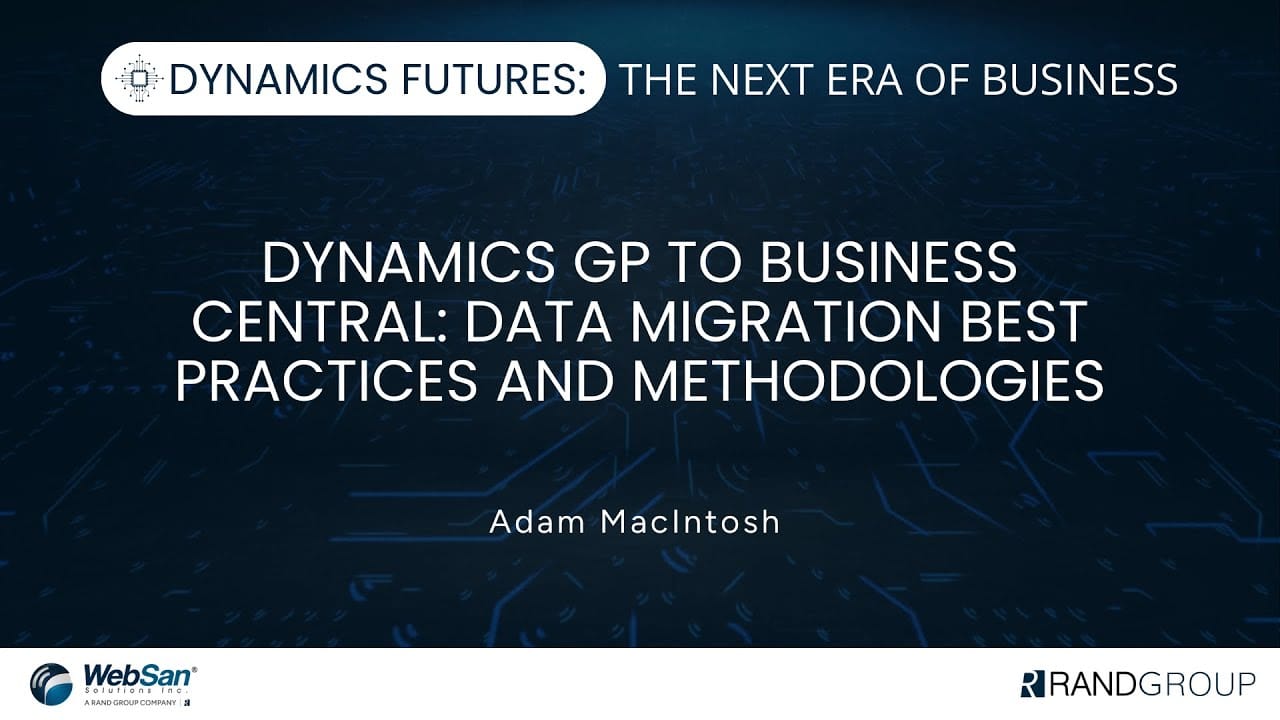
Dynamics GP to Business Central migration best practices
This video provides a practical overview of what it takes to complete a successful Dynamics GP to Business Central migration as Dynamics GP approaches end of life. It walks through the full migration journey, including planning, data migration, training, timelines, and cost considerations, helping organizations understand what to expect before making a decision.
You’ll learn why Dynamics GP end of life makes now the right time to evaluate Business Central, how Dynamics 365 Business Central differs from Dynamics GP in licensing, usability, integration, and long-term value, and what the GP to Business Central migration process looks like from diagnostics through go-live.

Start your Dynamics GP to Business Central migration the right way
Planning your move from Dynamics GP to Dynamics 365 Business Central can feel overwhelming—but it doesn’t have to be. Our migration assessment is designed to evaluate your current GP environment, identify potential risks, outline licensing considerations, and provide a clear roadmap tailored to your business.
Please note that we will require key system details, such as your GP version and SQL database size. You will also need to run a provided SQL query in your environment and upload the results with your submission, as this helps us accurately determine the migration steps and strategy for your organization.
Dynamics GP to Business Central migration assistant
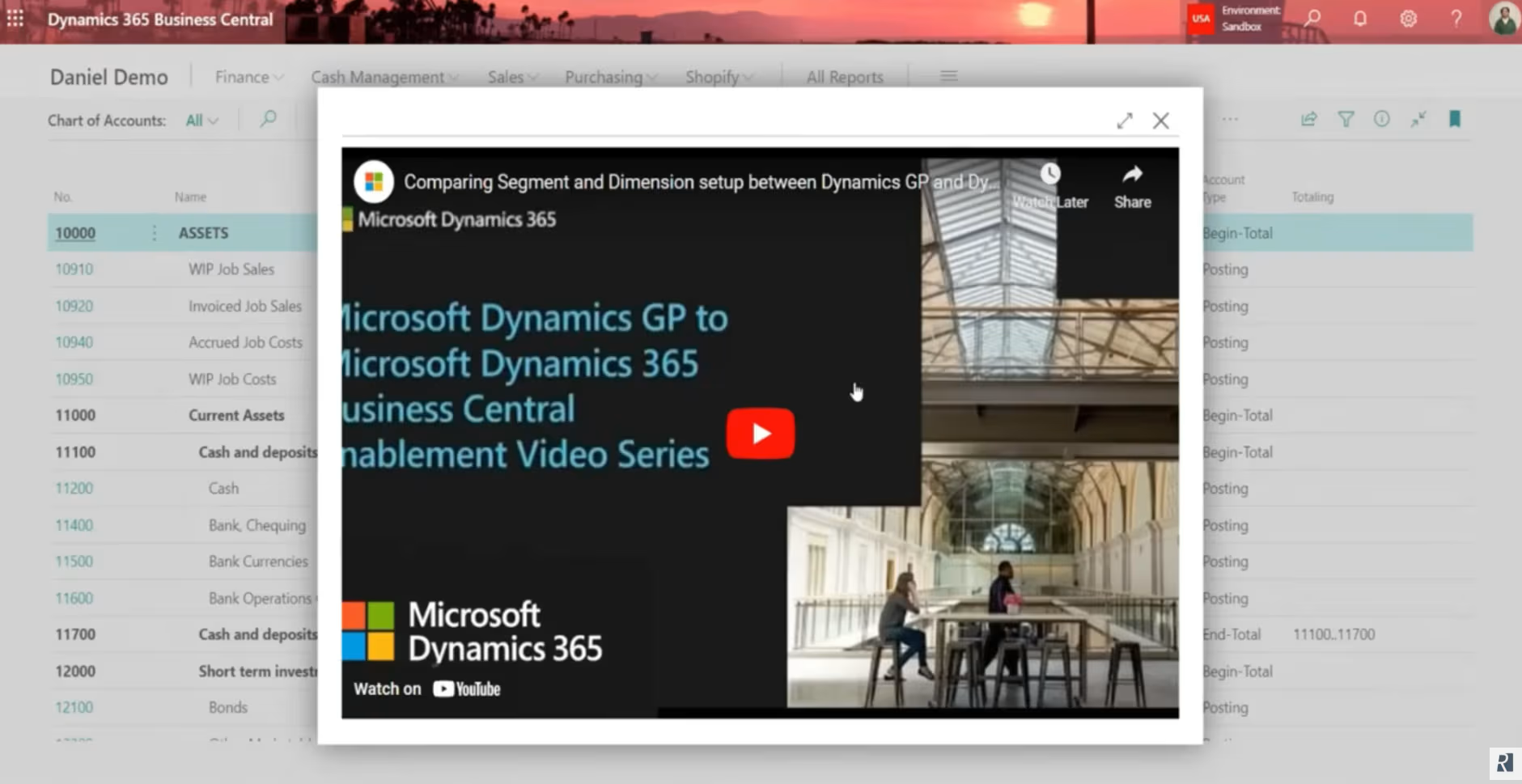
The GP to BC Migration Assistant is a Rand Group–built app that helps organizations transition from Microsoft Dynamics GP to Dynamics 365 Business Central while preserving familiar workflows. It includes embedded, in-context training that shows how common GP processes translate to Business Central, helping users stay productive during and after the transition.
Key features include:
- Embedded training videos that compare Dynamics GP and Business Central within each transaction window
- User-definable fields for customers, vendors, and transactions
- Transaction batching with visibility into user and creation dates
- Drill-down access to general ledger distributions for all transactions
- Interactive, formatted trial balance with full dimension visibility
- National account support with parent-child customer relationships
- Check remittance handling to prevent consuming new check numbers
- Automatic batch deletion after posting
Why partner with Rand Group for Dynamics GP to Business Central migration?
Microsoft Partner of the Year
Rand Group was named the 2025 Microsoft Americas Channel Emerging Partner of the Year, recognizing our proven delivery across Microsoft business applications. This award reflects our deep expertise in Business Central and our ability to deliver successful migration outcomes.
Long-term partnership and support
Rand Group focuses on long-term relationships, not one-time migration projects. With a 90% client retention rate, customers continue working with us for post-migration support, optimization, and future enhancements.
Proven migration methodology
Our migration methodology is built specifically for transitioning off Dynamics GP using standardized scope, best practices, and repeatable delivery. This approach reduces risk, shortens timelines, and provides predictable outcomes across our GP to Business Central migration packages.
Trusted industry expertise
Our consultants bring deep accounting and operational experience, along with industry expertise across manufacturing, distribution, project-based organizations, and professional services. This allows us to align Business Central with real-world processes and reporting requirements during your GP migration.
Frequently asked questions (FAQs)
Is Dynamics GP being discontinued?
Yes. Microsoft has officially announced that Dynamics GP is being discontinued and has published a clear end-of-life roadmap. Sales of new perpetual licenses ended on April 1, 2025, and sales of new subscription licenses will end on April 1, 2026. Product updates and support will fully end on April 30, 2031, making it critical for organizations to plan their next ERP platform.
To learn more, read our blogs on Is Dynamics GP being discontinued? and Everything you need to know about Microsoft Dynamics GP end of life.
Why should I migrate from Dynamics GP to Business Central?
Migrating from Dynamics GP to Business Central allows organizations to move to a modern, cloud-based ERP that aligns with Microsoft’s long-term product strategy. Business Central offers automatic updates, stronger security, improved reporting, and lower infrastructure overhead compared to on-premises GP environments. For many organizations, this results in improved scalability and a lower long-term cost of ownership.
To learn more, read our blog on the Total cost of ownership of Dynamics GP vs cloud solutions.
What is the difference between Dynamics GP and Business Central?
Dynamics GP is an on-premises ERP built on legacy architecture, while Business Central is a modern ERP designed for cloud deployment. Business Central provides real-time access, native integration with Microsoft 365, improved automation, and built-in analytics. It also supports continuous updates and AI capabilities that are not available in GP.
To learn more, read our blog on the Dynamics GP vs Business Central.
How long does a GP to Business Central migration take?
A Dynamics GP to Business Central migration timeline varies based on data volume, complexity, and business requirements. Rand Group’s fixed-fee migration packages typically take 8 to 12 weeks, while more complex environments may take longer due to integrations, customizations, or advanced manufacturing and project needs.
How much does a GP to Business Central migration cost?
The cost of a GP to Business Central migration depends on functional scope, data complexity, and business requirements. Fixed-fee migration packages are available for core financials and finance and distribution, while project-based and manufacturing migrations are scoped individually. Licensing costs for Business Central are separate from migration services.
What data can be migrated from GP to Business Central?
Core financial data such as the chart of accounts, customers, vendors, open AR and AP, inventory, and open transactions can be migrated from GP to Business Central. Additional data, including sales orders, purchase orders, projects, or manufacturing data, may also be migrated depending on scope. The exact data converted is outlined in the data conversion table on this page.
Can I keep historical GP data?
Yes. Historical GP data can be retained through snapshot data, reporting databases, or read-only access for audit and reference purposes. While not all historical transactions are moved directly into Business Central tables, this approach preserves visibility without impacting system performance. Many organizations use Power BI or reporting tools to access historical GP data.
Does Business Central include AI and Copilot?
Yes. Dynamics 365 Business Central includes Microsoft Copilot, which provides AI-assisted capabilities such as data insights, task automation, and natural language interactions. Business Central also continues to expand its AI features through Microsoft’s broader AI and agent roadmap.
For more information, read our blogs on Top Copilot features in Business Central and AI agents in Business Central.
Related Insights

Meet Rand Group at Community Summit NA 2026 in Nashville
Rand Group is returning to Community Summit NA 2026 in Nashville. Visit booth 617, join six sessions covering AI, Copilot, Dynamics 365, integration, and automation, and test your skills at Guitar Hero.

Dynamics GP to Business Central migration guide
Planning a Dynamics GP to Business Central migration? This guide explains the GP roadmap, key differences, migration strategies, costs, and timelines. Learn how to choose the right approach, reduce risk, and prepare your organization for a successful transition to Dynamics 365 Business Central.

Dynamics GP to Dynamics 365 Business Central migration: Strategy, costs, and best practices
Dynamics 365 Business Central helps organizations modernize ERP, reduce risk, and prepare for the future. Rand Group can help you assess your current environment and define the right migration path.