Dynamics 365
 Power Platform
 Dynamics
 Cloud & Productivity
Copilot Sales Line Suggestions in Dynamics 365 Business Central

Sales order creation is an important process for any organization that sells products or services. Accuracy, speed, and flexibility are essential but traditional methods often involve manual data entry and repetitive tasks. With the introduction of Copilot Sales Line Suggestions in Microsoft Dynamics 365 Business Central, businesses can now leverage AI to simplify and accelerate this process.
In this blog, we explore how Copilot enhances sales order creation, the specific functionality it offers, and how your team can benefit from adopting this intelligent tool.
Copilot in Business Central
Copilot is Microsoft’s AI-powered assistant embedded across the Dynamics 365 ecosystem. In Business Central, it helps users perform tasks more efficiently by interpreting natural language inputs and automating repetitive actions. Whether you’re creating documents, analyzing data, or managing inventory, Copilot is designed to reduce friction and improve productivity.
The sales line suggestions feature is a practical tool for sales teams. It allows users to generate sales order lines using conversational prompts, past documents, or uploaded files. Eliminating the need to manually search for item numbers or re-enter data.

How Sales Line Suggestions work
Let’s walk through how this feature functions in a typical workflow:
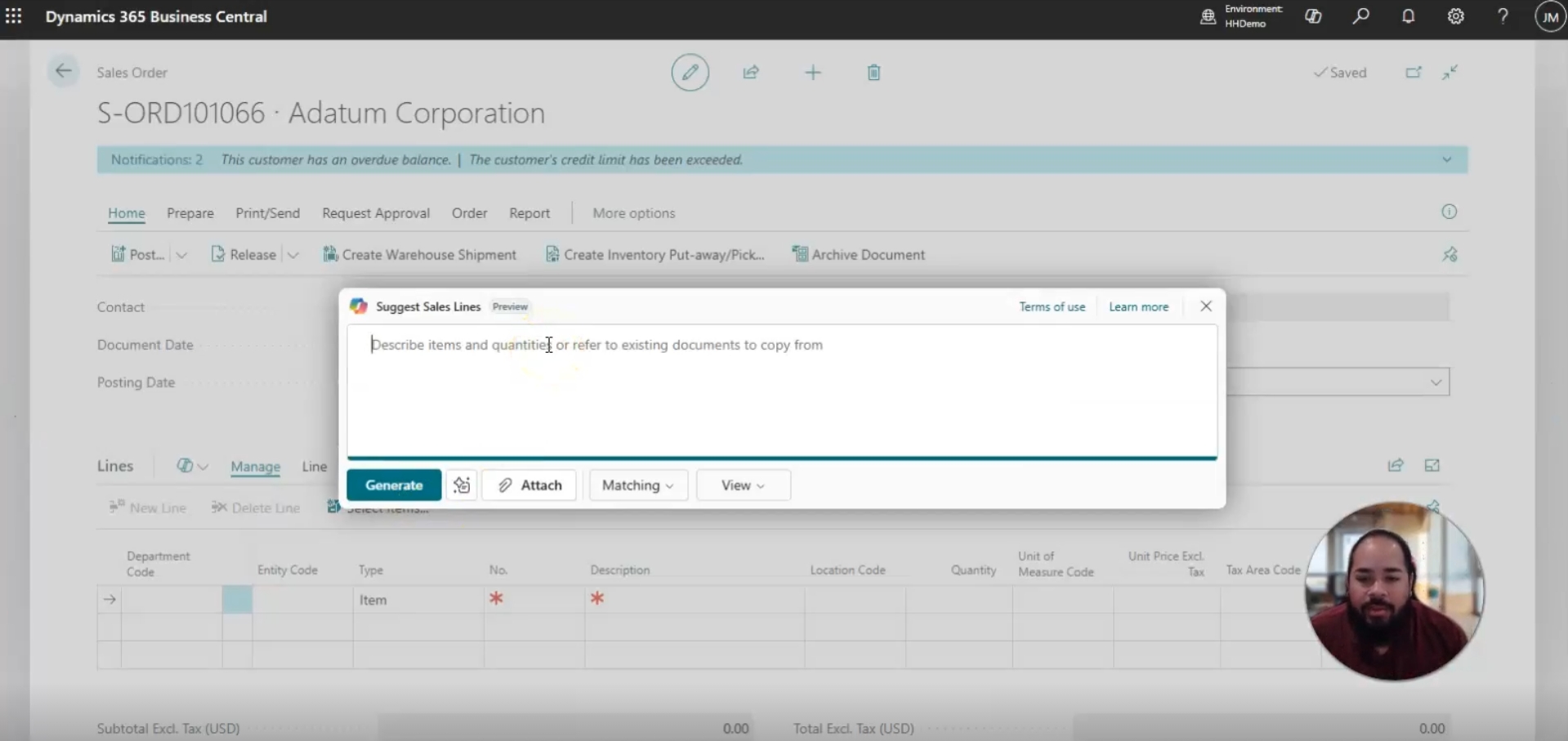
- Create a new sales order: Begin by entering customer information in Business Central. Once you reach the sales lines section, you’ll notice a Copilot icon that opens a dialog window.
- Use natural language input: Instead of manually selecting items, you can type a simple request like “two Athens desks.” Copilot interprets this and suggests the appropriate line items, including: item number, quantity, unit of measure, tax group and pricing details.
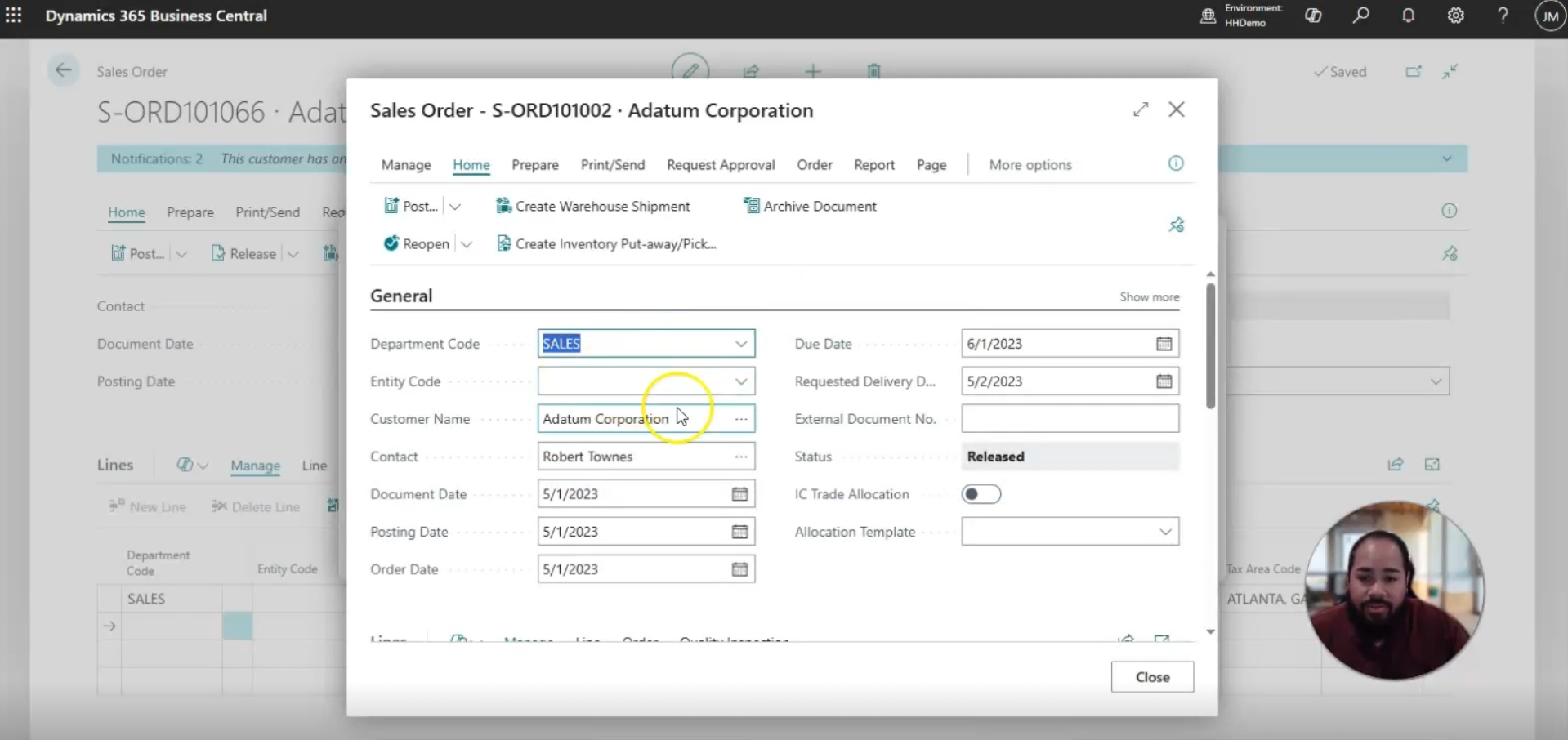
- Reference past sales orders: If you’ve previously created a sales order for the same customer, you can enter that order number. Copilot will retrieve the relevant line items, allowing you to reuse or modify them as needed.
- Upload external files: Have a quote or purchase order in CSV format? Upload it directly into the Copilot window. The system will parse the file and suggest sales lines based on its contents, ideal for integrating customer-provided data.
- Customize and insert: You can review the suggested lines, remove any that aren’t needed, and insert the final selection into the sales order. This flexibility allows users to build orders from multiple sources with minimal effort.
Real-world use case
Imagine a sales rep working with a repeat customer who frequently orders similar items. Traditionally, recreating an order would require manually referencing previous sales, locating item numbers, verifying quantities and pricing, and entering all the information into the system a process that can be time-consuming and prone to errors.
With Copilot Sales Line Suggestions, this process becomes far more efficient and accurate. The rep can:
- Reference the previous order number: Quickly pull in all relevant line items, quantities, and pricing from past transactions.
- Use natural language to add new items: Simply type a request like “add three Athens desks” and Copilot interprets the input, generating the correct order lines automatically.
- Upload a CSV from the customer’s purchasing system: Seamlessly integrate customer-provided data, avoiding manual entry and reducing the risk of mistakes.
Within minutes, the rep has a complete, accurate sales order ready for review. This not only saves valuable time but also reduces administrative overhead and ensures customer satisfaction. By removing repetitive tasks, sales reps can focus on more strategic activities, such as building relationships, upselling, or providing personalized service.


Unlock the full potential of Dynamics 365 Business Central
Copilot Sales Line Suggestions is just one of many ways AI can transform the way you work. Our experts can help you tailor Microsoft Dynamics 365 Business Central to fit your business needs, streamline processes, and drive growth.
Advantages for your business
Using Copilot Sales Line Suggestions offers several strategic benefits:
- Time savings: Reduce the time spent searching for item numbers, copying data, or referencing old documents.
- Improved accuracy: Minimize errors by relying on AI to pull correct item details and pricing from the item card or previous orders.
- Enhanced flexibility: Combine manual input, AI suggestions, and external data sources to create tailored sales orders.
- Better user experience: Empower sales reps and customer service teams with intuitive tools that simplify their daily tasks.
- Scalability: As your business grows, Copilot helps maintain consistency and efficiency across a larger volume of transactions.
Copilot Sales Line Suggestions in Dynamics 365 Business Central
This video explores how Copilot Sales Line Suggestions in Microsoft Dynamics 365 Business Central streamline the sales order creation process. You’ll see how AI can quickly generate sales lines using natural language, past orders, or uploaded files helping your team save time, reduce errors, and improve customer satisfaction.

Next steps
Ready to see how AI can transform your sales process? Our team at Rand Group helps businesses implement and optimize Microsoft Dynamics 365 Business Central, tailoring solutions like Copilot to fit unique goals and workflows.
Whether you are a small business looking to streamline order entry or a large enterprise managing complex processes, we will ensure you get the most value out of your investment.
Contact us today to connect with a Business Central expert and take the next step toward smarter, AI-driven operations.