Dynamics 365
 Power Platform
 Dynamics
 Cloud & Productivity
Microsoft Dynamics 365 Business Central production orders

Manufacturing in Microsoft Dynamics 365 Business Central is a game-changer for organizations looking to streamline production processes. Production orders serve as the central hub where everything comes together: components, labor, routing steps, and costs. This isn’t just a Business Central concept—it’s a universal principle in manufacturing, where a production order acts as a “bucket” collecting all the inputs needed to produce a finished good. Whether you’re new to Business Central or looking to refine your processes, understanding how production orders integrate with components, bills of material, and routings will equip you with the insights needed to transform your manufacturing operations.
Understanding the production order lifecycle
The production order lifecycle in Business Central provides flexibility and control through five distinct stages, each designed to align production with inventory, labor, and scheduling requirements:
- Simulated: Used for testing hypothetical production scenarios or for initial planning without impacting inventory or scheduling.
- Planned: Automatically generated recommendations from the system’s Material Requirements Planning (MRP) to fulfill demand.
- Firm Planned: A confirmed production order locked for scheduling. The MRP system will not automatically overwrite this order.
- Released: The order is ready for the shop floor team to execute. This is the stage where actual consumption, labor, and production are tracked.
- Finished: The production is complete. All costs, labor, and variances have been fully accounted for and posted to the General Ledger.
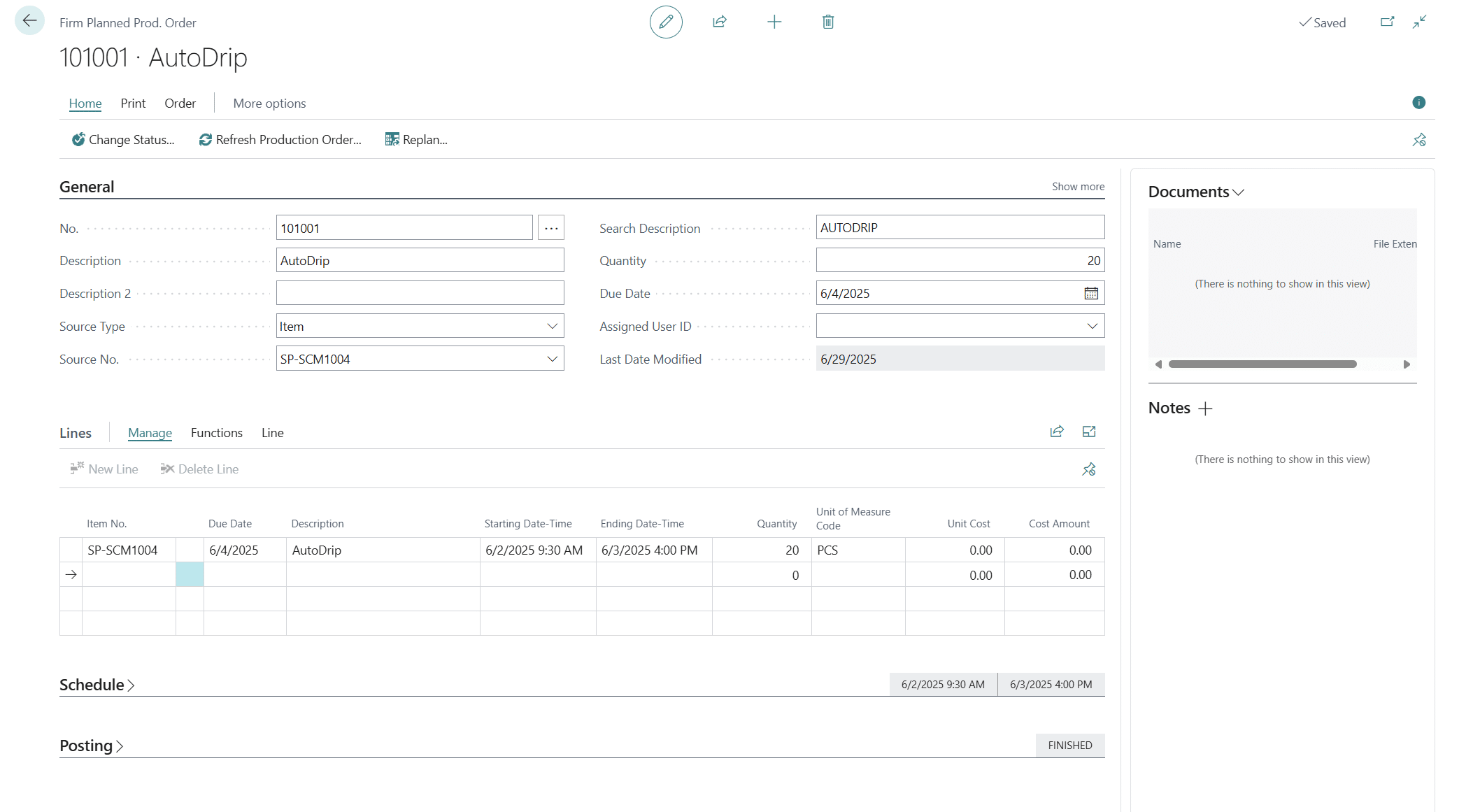
Building the foundation of manufacturing
Behind every great manufacturing operation lies a solid foundation of well-structured components, Bills of Material (BOMs), and routings. In Microsoft Dynamics 365 Business Central, these elements work together to ensure that every production process is both efficient and cost-effective before a single production order is initiated.
1. Items and their role in manufacturing
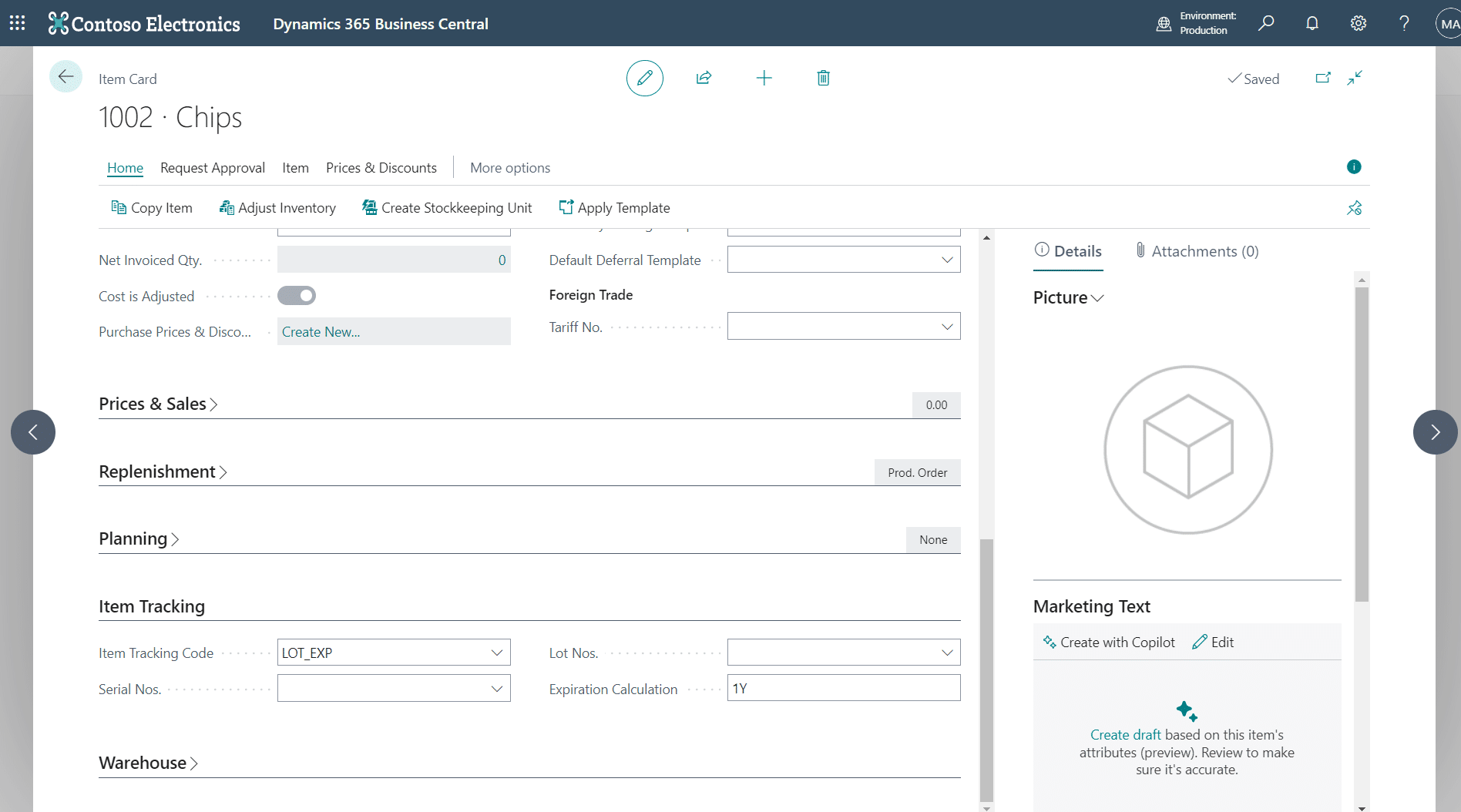
The item master in Business Central is your starting point for defining how each component behaves in the manufacturing process. Understanding these settings ensures your inventory aligns with production needs:
- Replenishment type: Distinguishes how an item is acquired: buy (purchased), make-to-stock, or make-to-order.
- Flushing methods: Determines how and when components are consumed during production.
Types of flushing methods
- Backward flushing: Automatically consumes resources when the production order is marked as finished. This is the most common method for small to medium-sized businesses, offering a balance between automation and accuracy.
- Forward flushing: Consumes resources at the start of production, ideal for processes where materials are issued upfront.
- Manual flushing: Requires users to report exact quantities consumed during production, providing precise tracking for industries where variability in resource usage is common.
2. Bills of Material (BOM): The recipe for success
A Bill of Material (BOM) outlines the exact ingredients and quantities required to produce a finished product. Whether you are working with single-level or multi-level BOMs, Business Central provides the precision needed for accurate planning. Key settings within the BOM include:
- Quantity per finished good: Specifies the component quantity required for one unit of the final product.
- Routing link codes: Used to synchronize the component consumption with a specific operation step in the routing.
- Scrap percentages: Accounts for material loss during the production process for accurate planning and cost calculation.

3. Routings: The path to production
Routings define the precise steps needed to transform raw materials into a finished good. Each routing step specifies the operational flow and the resources required:
- Operation sequence: The order in which production steps must be completed.
- Work centers or machines involved: The specific resources required to perform the operation.
- Time and cost per operation: Data used for capacity planning, scheduling, and calculating labor and overhead costs.
By accurately aligning routings with BOMs, you create a seamless flow from the initial raw materials to the final product.


Take control of your shop floor operations
Simplify production scheduling, material planning, and cost tracking with Microsoft Dynamics 365 Business Central. With real-time visibility into your manufacturing process, you can reduce downtime, eliminate bottlenecks, and ensure every order runs smoothly from start to finish. Contact Rand Group to see how Business Central can optimize your production efficiency and accuracy.
How production orders bring structure to complexity
Managing a production line involves coordinating various moving parts, from raw materials and machine schedules to labor and costs. Business Central simplifies this challenge by connecting every stage of manufacturing through its integrated platform:
- Components and BOMs: Ensure all materials are accounted for with automated consumption tracking that eliminates guesswork and reduces inventory discrepancies.
- Routings: Provide clear visibility into each production step and work center utilization, preventing scheduling conflicts and maximizing equipment efficiency.
- Cost Tracking: Monitors all expenses—labor, overhead, and materials—in real time throughout production.
- Cost rollups: Calculate the total cost per unit.
- Variance Analysis: Identify discrepancies between expected and actual costs to refine future processes and improve profitability.
- Role-Based Interfaces: Dashboards, such as the Shop Supervisor Role, ensure users only see menus and widgets relevant to their job, such as Production Order statuses, work center loads, and real-time inventory levels.
Business Central doesn’t just help you create production orders—it ensures they’re accurate, efficient, and data-driven from conception through completion.

Why production orders matter
Production orders play a crucial role in Business Central by ensuring smooth material flow and efficient manufacturing operations. They offer comprehensive oversight of production activities, making it easier for manufacturers to monitor progress, allocate resources, and optimize their shop floor processes. Benefits include:
- Ensuring smooth material flow and efficient manufacturing operations in Business Central
- Providing comprehensive oversight of production activities, making it easier to monitor progress, allocate resources, and optimize shop floor processes
- Offering clear visibility into what’s being produced and its stage in the process
- Enabling effective planning and scheduling of materials and labor
- Allowing real-time tracking of progress and resource utilization
- Helping manufacturers maintain control over shop floor operations and output
Featured Video:
Microsoft Dynamics 365 Business Central Manufacturing Part II: Manufacturing Orders
Learn how production orders work in real time with Microsoft Dynamics 365 Business Central. This video walks you through the end-to-end process of setting up, releasing, and executing production orders — including tracking materials, managing consumption, and reviewing costs.

Transform your production operations with Rand Group
Understanding production orders in Business Central is the first step toward building a more efficient and connected manufacturing environment. Rand Group can help you take the next step with comprehensive implementation, training, and ongoing support tailored to your business needs. Whether you’re optimizing your BOMs, refining your routings, or streamlining your production process, our manufacturing experts will ensure your Business Central setup delivers the efficiency and visibility your operation demands. Contact Rand Group today to speak with an expert and start transforming your production management strategy.

Best ERP software for family offices
Managing a family office involves far more complexity than traditional financial operations. From multi-entity accounting and consolidated reporting to investment tracking and multi-generational wealth oversight, family offices must manage diverse assets, entities,...

What are AI Agents in Dynamics 365 Business Central?
Artificial intelligence is becoming more practical inside ERP systems, and Dynamics 365 Business Central is no exception. Microsoft is introducing AI agents to help organizations manage growing transaction volumes, reduce manual work, and improve consistency across...

Power BI reporting for Microsoft Dynamics 365 Business Central manufacturing
Power BI has become one of the most valuable tools for manufacturers using Microsoft Dynamics 365 Business Central. While Business Central provides strong transactional reporting for production, inventory, and costing, manufacturers often need deeper visibility—trends...
Subscribe to our Insights