Dynamics 365
 Power Platform
 Dynamics
 Cloud & Productivity
Smarter business with AI: practical Copilot use cases in Dynamics 365 Business Central

Artificial intelligence is no longer a future concept for ERP systems. In Dynamics 365 Business Central, AI capabilities powered by Copilot, are already changing how finance, operations, and sales teams work every day. The challenge for many organizations is not whether AI exists in Business Central, but how to apply it in practical, low-risk ways that deliver real value.
Too often, AI discussions stay at a high level or focus on experimental scenarios. What business leaders and practitioners need are concrete examples: Where does Copilot actually save time? Which features are ready today, and which are still maturing? How can organizations use AI without sacrificing control, security, or data accuracy?
This article focuses on real, production-ready AI use cases in Dynamics 365 Business Central, based on what Rand Group sees working with customers across industries. We will explore immediate opportunities for value, emerging capabilities such as AI agents, and how organizations can begin using AI strategically—without overcomplicating their ERP environment.
How Microsoft embeds AI in Dynamics 365 Business Central
Microsoft’s approach to AI in Business Central is practical by design. Rather than positioning AI as a separate tool, Copilot is embedded directly into the workflows users already rely on—financial analysis, data entry, document processing, and reporting.
Copilot in Business Central focuses on three objectives:
- Reducing manual and repetitive work
- Improving access to data and insights through natural language
- Supporting users with guidance, automation, and intelligent suggestions
Copilot respects Business Central’s existing security model. Users only see data they are authorized to access, and AI responses are scoped by company, role, and permissions. This makes it possible to introduce AI without creating new compliance or governance concerns.
Immediate AI value for analytics and Q&A in Dynamics 365 Business Central
Some of the strongest Copilot capabilities in Business Central deliver value almost immediately. These include analysis views and the question-and-answer (Q&A) functionality, both of which require minimal setup and fit naturally into day-to-day operations.
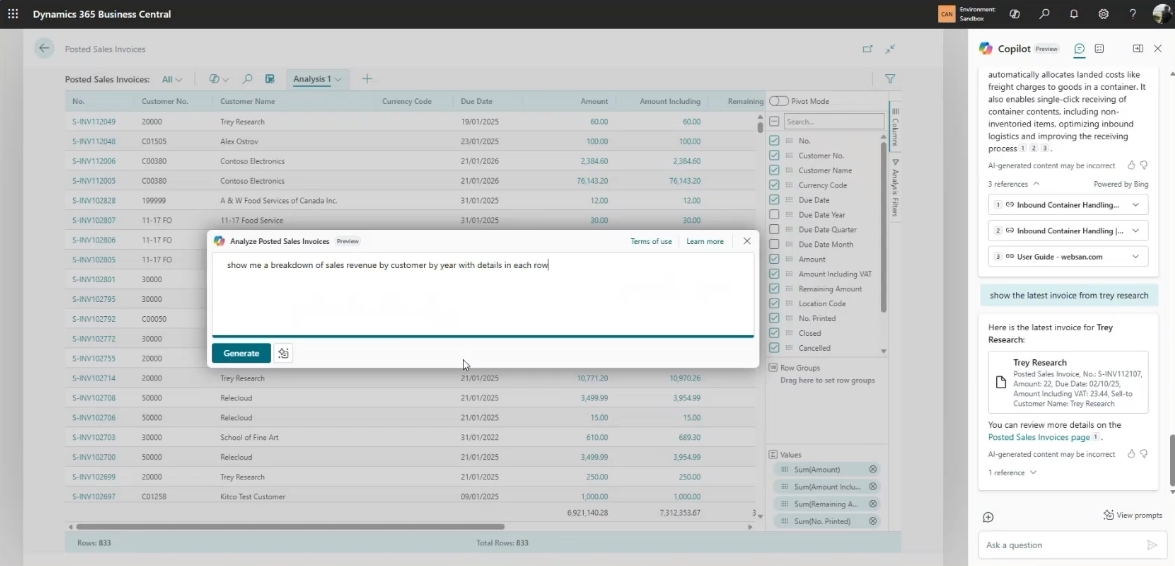
Analysis views allow users to slice and analyze financial and operational data without exporting to Excel. Copilot makes these views more accessible by allowing users to describe what they want to see in plain language. Instead of building views manually, users can ask Copilot to generate breakdowns such as revenue by customer and year or sales by item and location. The result is not always perfect, but it dramatically shortens the time needed to get meaningful insight. Users can then refine the view, adjust filters, or pivot the data as needed. For organizations where teams struggle with reporting or rely heavily on Excel exports, this is a practical step toward better in-system analytics.
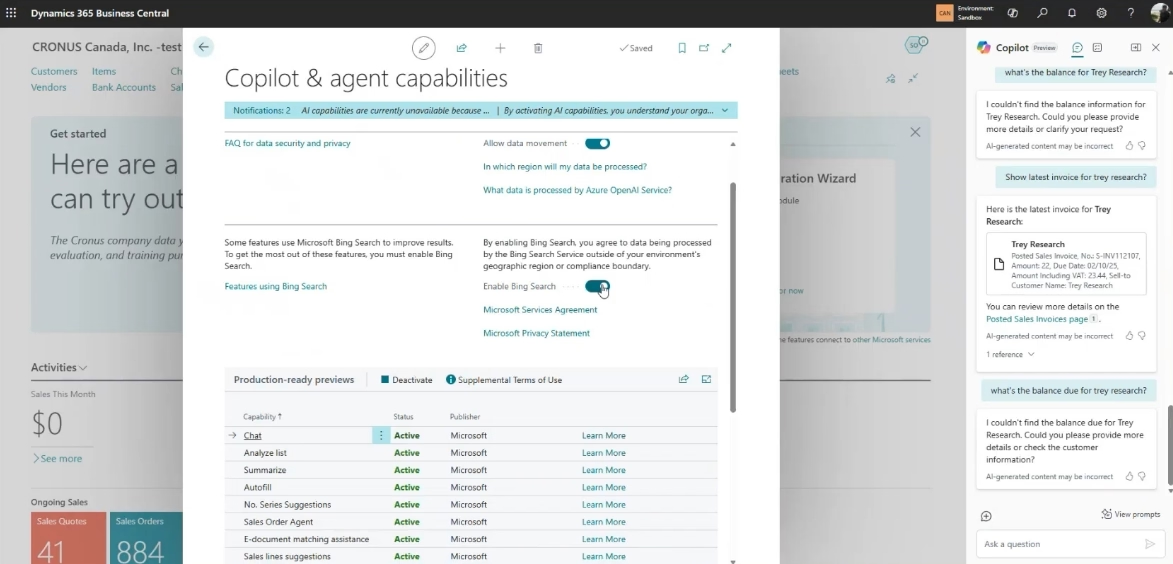
Copilot’s Q&A capability allows users to interact with Business Central using natural language. Users can find records, understand how to complete specific tasks, and get explanations for fields, actions, or pages. Copilot can also reference Microsoft Learn documentation and, in some cases, third-party app documentation directly within Business Central. This reduces friction and helps organizations achieve more consistent usage across departments.
Data entry and content generation in Dynamics 365 Business Central
Data entry is another area where Copilot delivers immediate value. When creating records such as customers or vendors, Copilot can suggest values for fields like addresses, contact details, and other contextual information. Users retain full control to review and adjust suggested values, maintaining data accuracy while reducing manual research.
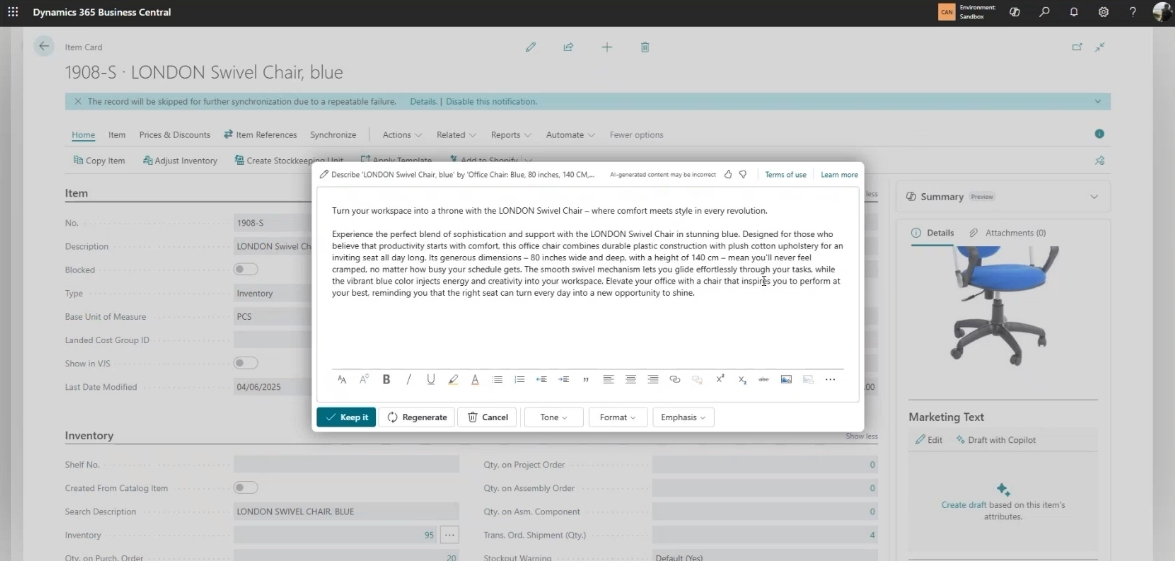
For organizations that integrate Business Central with eCommerce platforms such as Shopify, AI-generated item marketing descriptions can be a valuable time saver. When an item record includes attributes and images, Copilot can generate structured marketing descriptions that can be refined by the user. Tone, length, and emphasis can be adjusted before approval. This capability is especially useful for distributors, manufacturers with large catalogs, organizations launching new products frequently, or teams that lack dedicated marketing resources.

Unlock more value with Copilot in Dynamics 365 Business Central
Copilot is changing how teams work in Dynamics 365 Business Central by automating routine tasks, improving access to insights, and reducing manual effort across finance and operations. Rand Group helps organizations identify practical Copilot use cases that deliver measurable business value.
AI for financial operations and automation in Dynamics 365 Business Central
Microsoft has made significant investments in applying AI to core financial processes—areas where automation can produce measurable efficiency gains. Copilot capabilities in this area include e-document and invoice matching, bank reconciliation, and emerging agent-based automation.
Copilot can analyze PDF invoices and match them against purchase orders in Business Central. It identifies line items, flags discrepancies within tolerance thresholds, and prepares invoices for posting. This reduces manual effort and helps finance teams focus on exceptions rather than routine matching. Similarly, bank reconciliation has traditionally been time-consuming, but Copilot can analyze transaction descriptions, dates, and amounts to suggest matches and identify unposted items such as fees or interest. While these capabilities continue to mature, they already provide meaningful efficiency gains. Microsoft has also made these features extensible, allowing partners like Rand Group to tailor them where needed.
AI agents and workflow automation in Dynamics 365 Business Central
Beyond individual Copilot features, Microsoft is investing heavily in AI agents, purpose-built AI automations designed to handle entire workflows with minimal user intervention. A few current examples include the sales order agent and the payables agent.
The sales order agent processes customer emails, interprets order details, and creates draft sales orders in Business Central. It can handle vague or unstructured emails, presenting results for user review before posting. This capability is particularly relevant for organizations that receive a high volume of emailed orders, reducing manual rekeying while preserving human oversight.
The payables agent represents Microsoft’s move toward end-to-end AP automation within Business Central. Instead of relying on rigid mapping rules, the agent learns from historical data and accounting policies to suggest postings. It supports PDF invoices and e-documents, intelligently assigns accounts based on history, and allows configurable levels of human review. For organizations evaluating third-party AP automation solutions, the payables agent deserves serious consideration as part of the native Business Central roadmap. To learn more about AI Agents read the following blog: What are AI Agents in Dynamics Business Central.
Smarter business with AI: Real use cases in Dynamics 365 Business Central
See how AI is delivering real, measurable value in Dynamics 365 Business Central today—explore practical Copilot capabilities, emerging AI agents, and what’s truly ready for use right now.
Maximizing long-term impact with AI in Dynamics 365 Business Central
While Copilot features deliver incremental gains, the greatest long-term impact comes from agent-driven automation. Many customer AI initiatives focus on identifying repetitive, non-value-added work and eliminating it through targeted agents. Examples include:
- Extracting data from customer contracts and creating records across Dynamics 365 Sales and Business Central
- Reconciling customer confirmations with sales orders
- Applying complex remittance information to open receivables
- AI-based inventory forecasting that accounts for seasonality and outliers
- Internal AI assistants trained on company policies and procedures
These scenarios go beyond generic AI features, combining Business Central, Dynamics 365, Microsoft 365 Copilot, and custom extensions to deliver measurable efficiency gains.
Governance, security, and readiness for AI in Dynamics 365 Business Central
Adopting AI in Dynamics 365 Business Central goes beyond technology—it requires deliberate planning around governance, process alignment, and user readiness. Without clear controls, defined ownership, and structured adoption, AI outputs may be inconsistent, errors can surface, and user trust may erode over time.
Successful implementations often start with these key steps:
- Define clear, high-impact use cases: Focus on areas where AI can deliver measurable value, such as automating routine data entry, enhancing reporting, or accelerating invoice processing. Each use case should have defined success criteria and accountable stakeholders.
- Adopt incrementally: Begin with small, well-scoped initiatives to validate AI capabilities, test governance controls, and refine workflows before expanding adoption across teams or departments.
- Establish governance and oversight: Put guardrails in place to define how AI is used, reviewed, and approved. This includes setting data standards, determining review and escalation processes, and ensuring AI outputs align with financial controls, compliance requirements, and internal policies.
- Train users and build trust: Ensure users understand how Copilot works, when to rely on its suggestions, and how to validate outputs. Clear guidance reinforces responsible use while maintaining accountability.
- Monitor and control outputs: Regularly review AI-generated recommendations for accuracy, consistency, and compliance. Use feedback loops and performance metrics to fine-tune behavior and ensure continued alignment with business objectives.
Copilot respects existing security roles and permissions, ensuring users only access data they are authorized to view. When combined with strong governance, this makes AI adoption both low-risk and scalable while preserving compliance and control. Thoughtful prioritization, structured deployment, and ongoing oversight are essential to maximizing long-term AI value in Business Central.
Frequently asked questions
What is Copilot in Dynamics 365 Business Central?
Copilot is Microsoft’s AI assistant embedded directly into Dynamics 365 Business Central. It helps users analyze data, automate routine tasks, enter information more efficiently, and interact with the system using natural language—all within existing Business Central workflows.
Is Copilot available today, or is it still experimental?
Many Copilot capabilities are available today and in production use, including analysis views, natural language Q&A, data entry assistance, and document matching. Other features, such as AI agents, are newer and continuing to mature, but they are already delivering value in the right scenarios.
How does Copilot handle security and data access?
Copilot respects Business Central’s existing security model. Users only see data they are authorized to access based on company, role, and permissions. AI-generated responses do not bypass security controls, making Copilot suitable for regulated and security-conscious environments.
Does Copilot replace users or decision-making in Business Central?
No. Copilot is designed to support users, not replace them. Most features follow a “human-in-the-loop” model, where AI suggests actions or insights and users review, adjust, and approve the final outcome. This ensures accuracy and maintains accountability.
How should organizations get started with Copilot in Business Central?
The best approach is to start with clear, low-risk use cases tied to specific pain points, such as reporting, data entry, or document processing. Many organizations benefit from a Copilot readiness assessment or AI workshop to prioritize opportunities and ensure users are prepared to adopt AI effectively.
Next steps
AI capabilities in Dynamics 365 Business Central are already delivering practical value—from faster analysis and improved data entry to document automation and emerging AI agents. Organizations that take a structured approach can begin realizing these benefits today while positioning themselves for more advanced automation in the future.
Rand Group helps organizations evaluate, implement, and extend Microsoft AI capabilities in a way that aligns with real operational needs. Whether you are exploring Copilot for the first time or considering agent-driven automation across Dynamics 365, our team can help you identify the right opportunities and execute with confidence. Contact Rand Group to start a practical discussion about how AI can support your Business Central environment—today and over the long term.