Dynamics 365
 Power Platform
 Dynamics
 Cloud & Productivity
What is Microsoft Dynamics 365?

Modern organizations are under constant pressure to improve efficiency, deliver better customer experiences, and make faster, data-driven decisions. Yet many still operate with disconnected systems across finance, sales, operations, and service—leading to silos, manual work, and limited visibility.
Microsoft Dynamics 365 addresses this challenge by bringing together enterprise resource planning (ERP) and customer relationship management (CRM) capabilities into a unified, cloud-based platform. It enables organizations to connect data, processes, and teams across the business while leveraging built-in intelligence and automation.
This article provides a comprehensive overview of Dynamics 365, how it works, and how organizations can use it to support growth and transformation.
- What is Microsoft Dynamics 365?
- Why businesses are moving to Dynamics 365
- Core components of Dynamics 365
- Key capabilities and features
- Common business use cases
- Benefits of Dynamics 365 for organizations
- Dynamics 365 vs traditional ERP and CRM systems
- Turning strategy into a successful Dynamics 365 implementation
- Frequently asked questions about Microsoft Dynamics 365
What is Microsoft Dynamics 365?
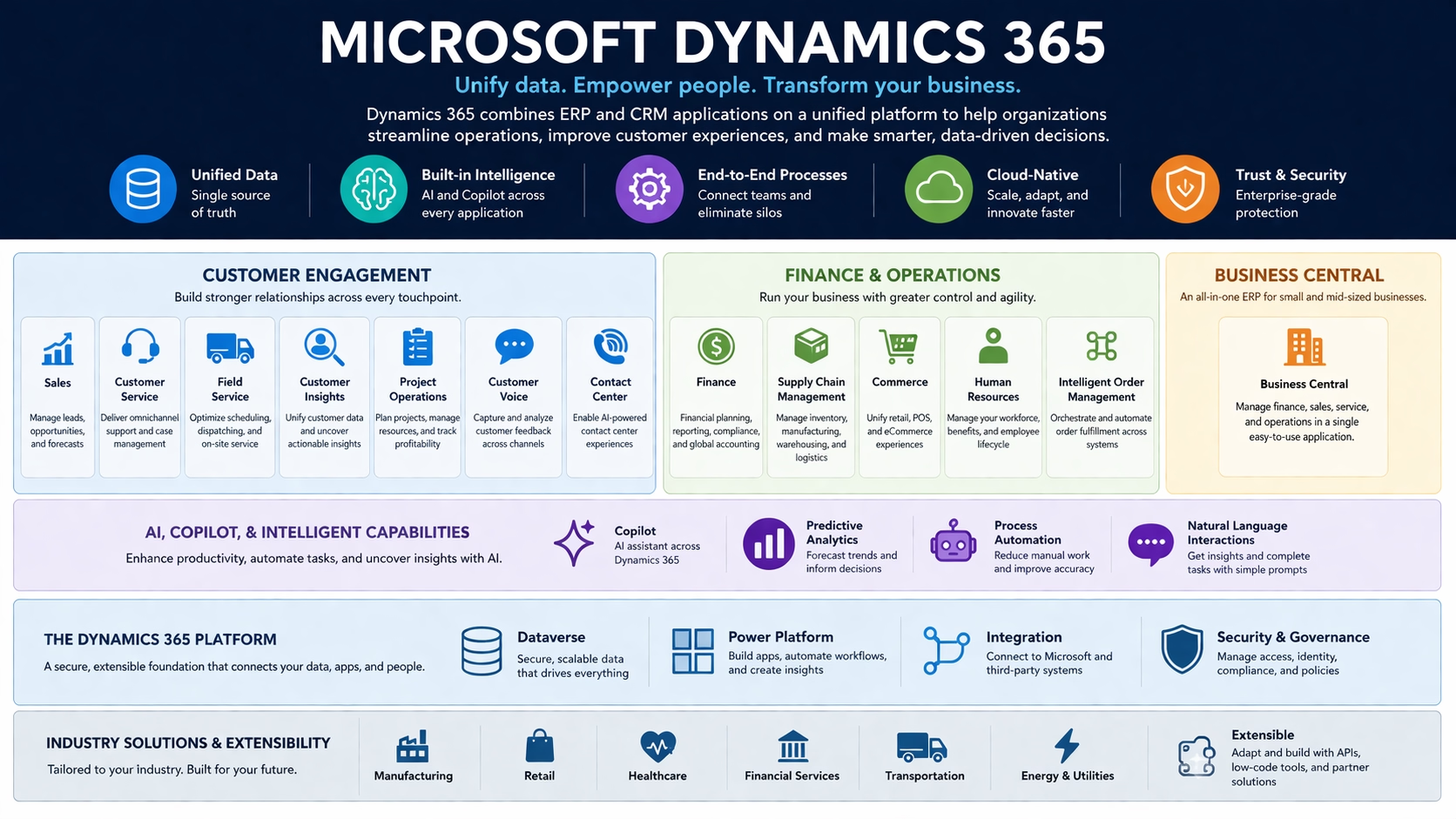
Microsoft Dynamics 365 is a suite of cloud-based business applications designed to manage and optimize core business functions such as finance, operations, sales, and customer service.
At its core, Dynamics 365 combines ERP and CRM capabilities into a set of connected applications that can be deployed individually or together. These applications are designed to work seamlessly with each other and integrate with existing systems, creating a connected ecosystem across the organization.
Unlike traditional systems that operate in silos, Dynamics 365 enables organizations to unify data and processes across departments. This creates a single source of truth, improving visibility and enabling more informed decision-making.
Why businesses are moving to Dynamics 365
Organizations are increasingly adopting platforms like Dynamics 365 to address several common challenges:
- Disconnected systems that limit visibility across departments
- Manual processes that reduce efficiency and increase errors
- Difficulty scaling legacy systems to meet changing business needs
- Limited access to real-time insights for decision-making
- Growing demand for AI and automation capabilities
In response, businesses are prioritizing platforms that support integration, flexibility, and intelligence. Dynamics 365 aligns with these priorities by offering a cloud-based architecture, built-in analytics, and AI-driven capabilities.
Beyond technology, the shift is also strategic. Organizations are looking to modernize how they operate—moving from reactive processes to proactive, data-driven approaches.
Core components of Dynamics 365
Dynamics 365 is not a single application but a portfolio of purpose-built business applications that span customer engagement, finance, operations, and emerging intelligent capabilities. Organizations can deploy these applications individually or as an integrated solution, depending on their priorities and maturity.
The platform is designed to support end-to-end business processes—from prospecting and sales to financial reporting and supply chain execution—while maintaining a unified data foundation.
Dynamics 365 combines both CRM (customer relationship management) and ERP (enterprise resource planning) capabilities through a set of modular applications. These applications are typically grouped into ERP and CRM categories, depending on the business functions they support.
Finance and Operations applications (ERP – enterprise)
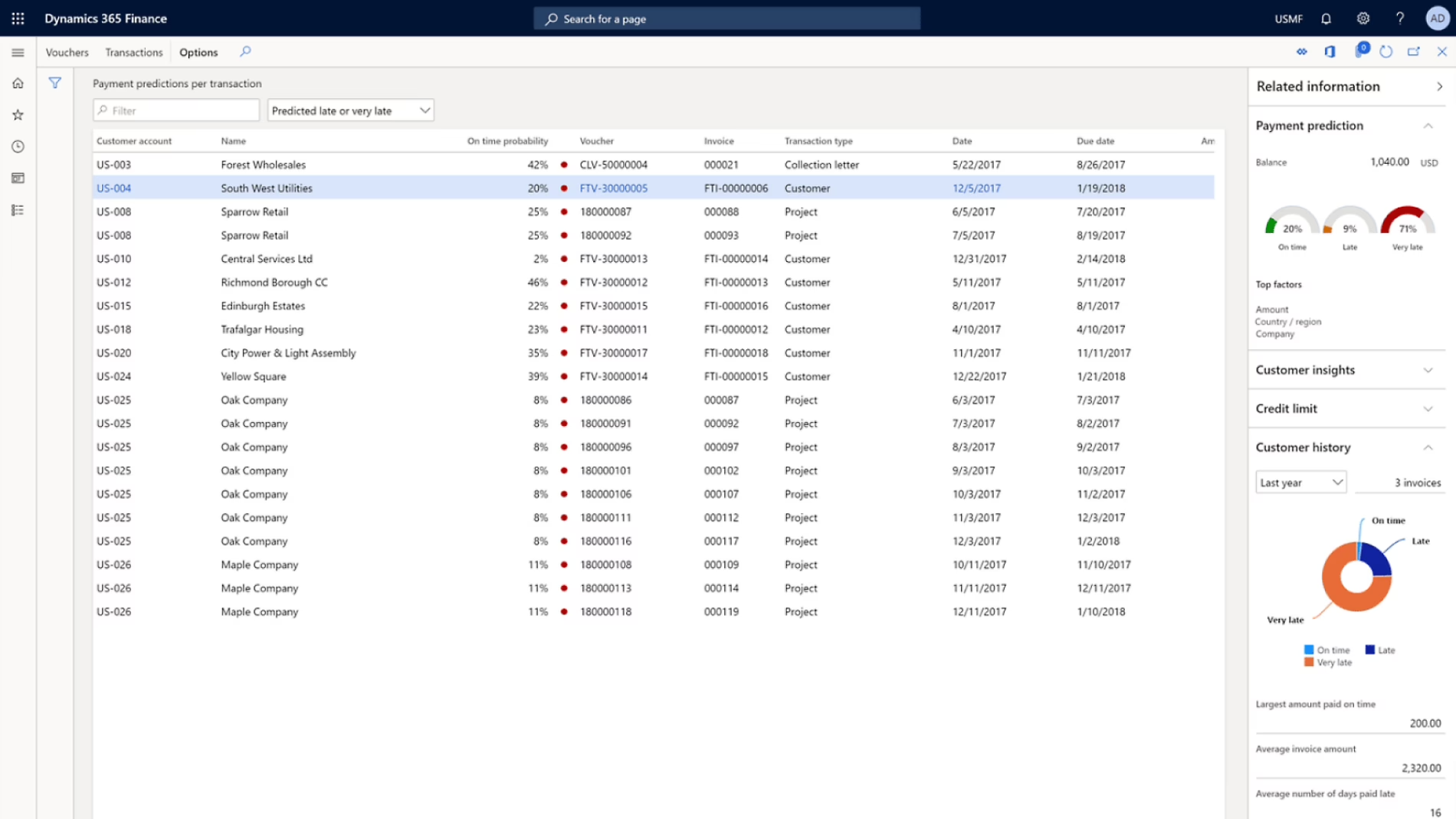
Finance and Operations applications support core business processes, enabling organizations to manage financials, supply chains, and day-to-day operations with greater control and visibility.
- Dynamics 365 Finance: Financial planning, reporting, compliance, and global accounting
- Dynamics 365 Supply Chain Management: Inventory, manufacturing, warehousing, and logistics
- Dynamics 365 Commerce: Unified retail, point-of-sale, and eCommerce experiences
- Dynamics 365 Human Resources: Workforce management, benefits, and employee lifecycle processes
- Dynamics 365 Intelligent Order Management: Orchestrate and automate order fulfillment across systems
These applications allow organizations to standardize and automate operational processes while maintaining flexibility to adapt to changing business requirements.
Business Central (ERP – SMB)
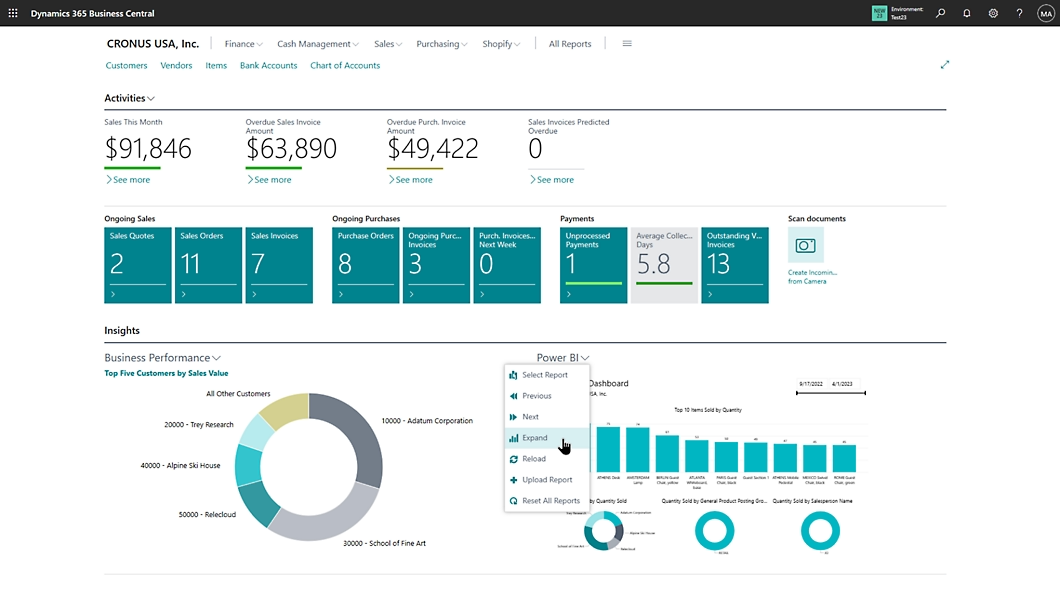
In addition to enterprise-focused applications, Dynamics 365 includes a comprehensive ERP solution designed for small and mid-sized organizations.
- Dynamics 365 Business Central: An all-in-one business management solution that combines finance, sales, service, and operations in a single application
Business Central provides a streamlined entry point into the Dynamics 365 ecosystem while still offering scalability and integration with the broader Microsoft platform.
Customer Engagement applications (CRM)
Customer Engagement applications (CRM) operate independently but integrate seamlessly with both Dynamics 365 Finance and Supply Chain Management and Business Central, allowing organizations to connect front-office and back-office processes regardless of ERP choice.
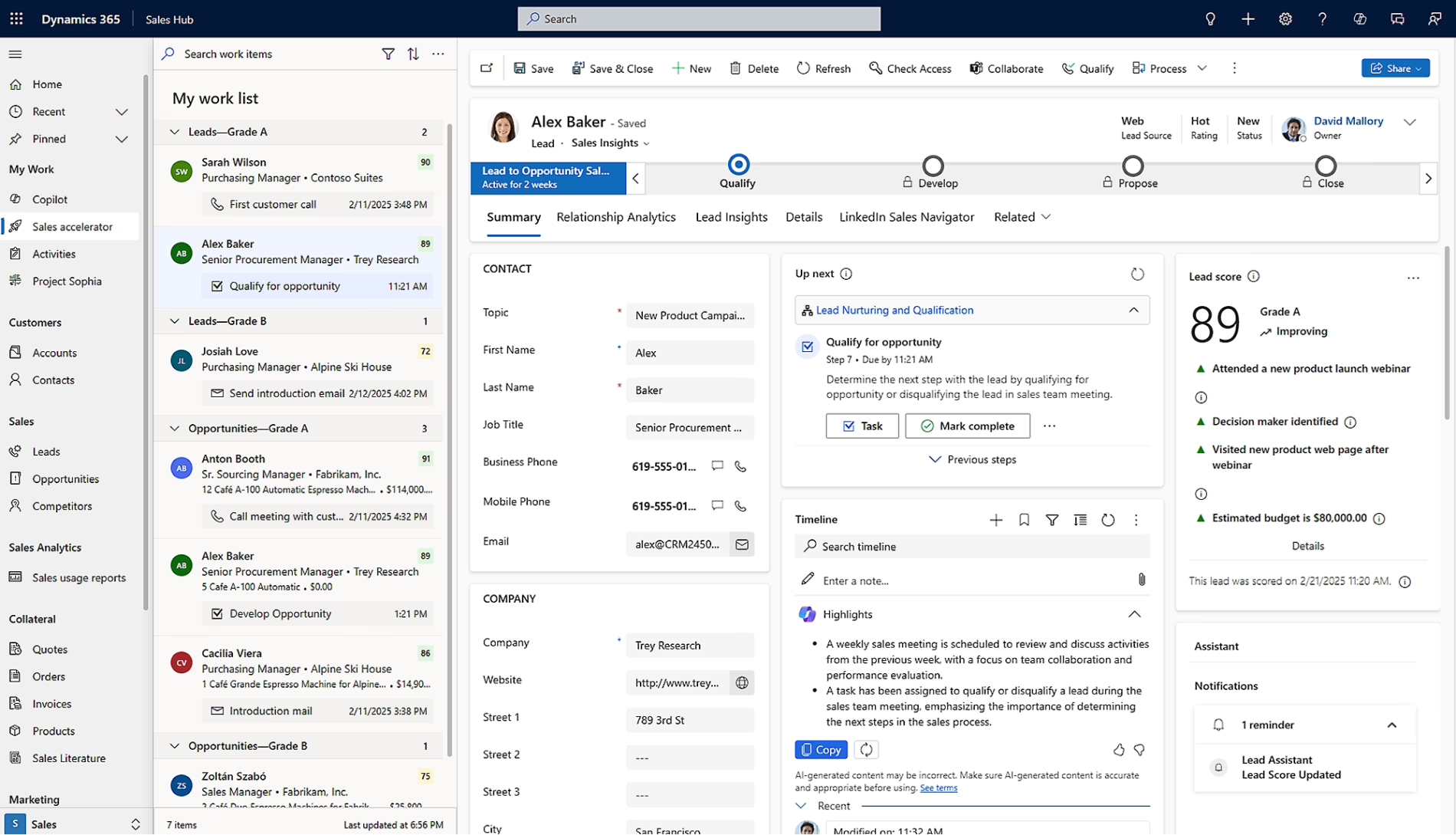
Customer Engagement applications focus on managing relationships, improving service delivery, and creating more connected customer experiences across channels.
These applications help organizations move beyond transactional interactions to more proactive, data-driven engagement strategies. By connecting customer data across systems, businesses can deliver more personalized and consistent experiences.
- Dynamics 365 Sales: Manage leads, opportunities, pipelines, and forecasting
- Dynamics 365 Customer Service: Deliver consistent, omnichannel support and case management
- Dynamics 365 Field Service: Optimize scheduling, dispatching, and on-site service delivery
- Dynamics 365 Customer Insights: Unify customer data to generate actionable insights and segmentation
- Dynamics 365 Project Operations: Project planning, resource management, and profitability tracking
- Dynamics 365 Customer Voice: Capture and analyze customer feedback across touchpoints
- Dynamics 365 Contact Center: Provide modern, AI-enabled contact center capabilities
AI, Copilot, and intelligent capabilities
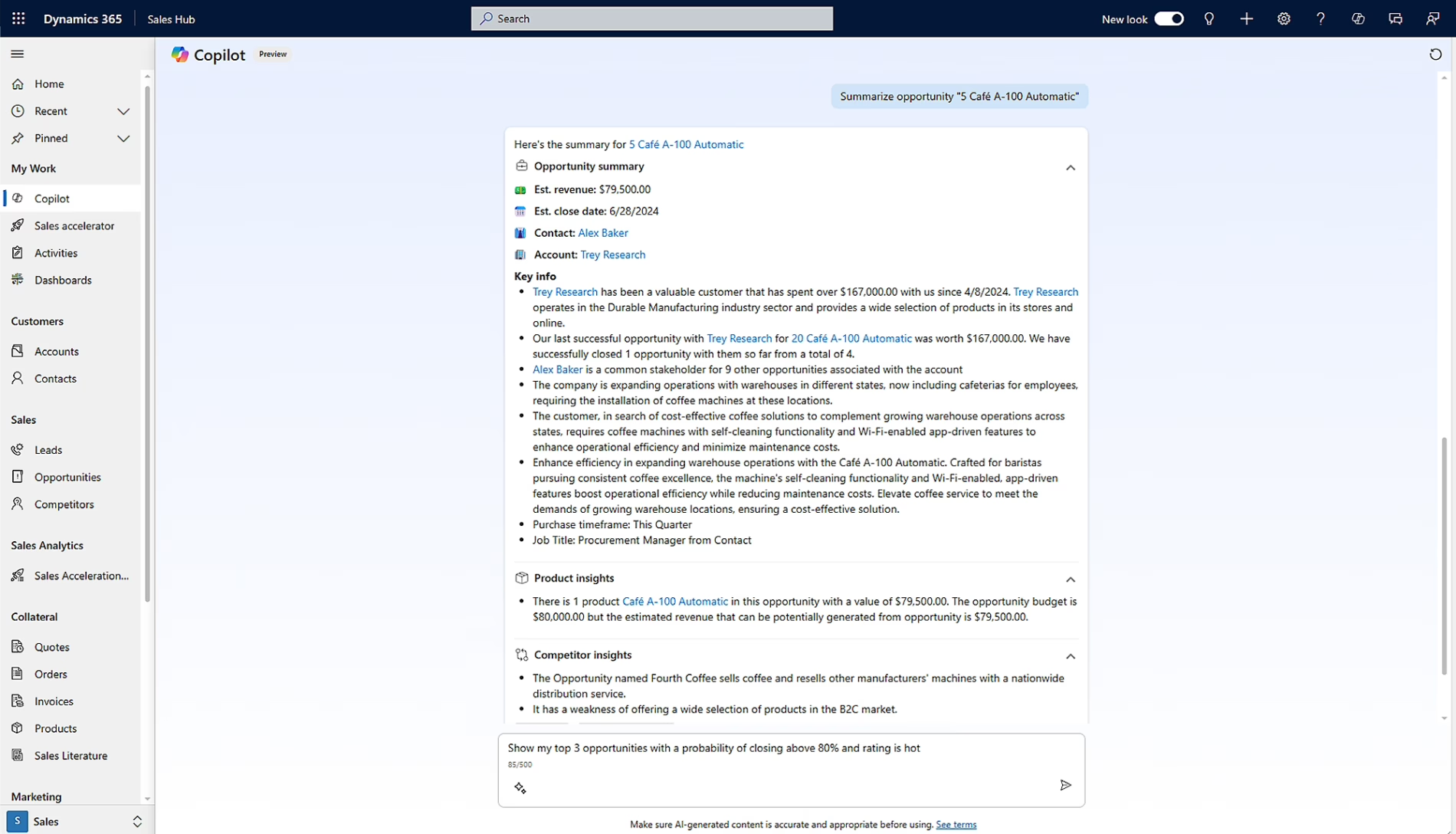
A defining aspect of Dynamics 365 is the integration of AI and automation across applications, helping organizations improve productivity and decision-making. Many organizations are now exploring how to operationalize these capabilities through structured programs like AI workshops, which provide hands-on experience with Copilot and real-world use cases.
- Dynamics 365 Copilot: Embedded AI assistance across sales, service, finance, and operations workflows
- AI-driven insights: Predictive analytics and recommendations based on business data
- Automation and agents: Tools to automate repetitive tasks and workflows
These capabilities are embedded directly within applications, enabling users to work more efficiently without relying on separate tools.
Industry and extensibility capabilities
Dynamics 365 also supports industry-specific solutions and extensibility through the Microsoft ecosystem.
- Industry accelerators and solutions tailored to sectors such as manufacturing, retail, and professional services
- Integration with Microsoft Power Platform for low-code development, automation, and analytics
- Ability to extend functionality with custom apps, workflows, and integrations
This flexibility allows organizations to tailor Dynamics 365 to their unique requirements while maintaining alignment with Microsoft’s broader technology stack.
How Dynamics 365 works as a platform
Beyond individual applications, Dynamics 365 is built on a shared platform that enables integration, extensibility, and scalability.
At the center of this platform is Microsoft Dataverse, which provides a common data model across applications. This ensures that data is consistent and accessible across the organization, reducing duplication and improving data quality.
Dynamics 365 also integrates closely with:
- Microsoft 365 (Outlook, Teams, Excel)
- Microsoft Power Platform (Power BI, Power Apps, Power Automate)
- Azure cloud services
This ecosystem allows organizations to extend functionality, automate workflows, and build custom applications without disrupting core systems.
Key capabilities and features
Dynamics 365 offers a range of capabilities that support both operational efficiency and strategic decision-making.
AI and Copilot capabilities
- Built-in AI for predictive insights and recommendations
- Copilot features that assist with tasks like drafting communications or analyzing data
- Automation of repetitive processes
These capabilities help users work more efficiently while improving accuracy and consistency.
Real-time analytics and reporting
- Embedded dashboards and reporting tools
- Integration with Power BI for advanced analytics
- Real-time visibility into business performance
Organizations can move from reactive reporting to proactive decision-making.
Scalability and flexibility
- Modular applications that can be deployed as needed
- Cloud-based infrastructure for scalability
- Support for customization and extensions
This flexibility allows organizations to adapt the platform as their needs evolve.
Security and compliance
- Enterprise-grade security built on Microsoft Azure
- Compliance with global standards and regulations
- Role-based access controls and audit capabilities
Security and compliance are critical for organizations operating in regulated industries.
These capabilities demonstrate how Dynamics 365 goes beyond traditional systems by combining operational functionality with intelligence and flexibility. The result is a platform that supports both day-to-day execution and long-term strategy.

Microsoft Dynamics 365 pricing and licensing guide
Understanding Dynamics 365 licensing is critical to planning your investment. Download this comprehensive guide to explore how pricing works across ERP and CRM applications, including subscription models, user types, and the base-and-attach structure. Get clear, practical insight into costs, add-ons, and licensing options so you can make informed decisions with confidence.
Common business use cases
Dynamics 365 supports a wide range of business scenarios across industries by connecting data, processes, and teams. Rather than functioning as isolated tools, its applications enable end-to-end workflows that improve visibility and execution across the organization.
Below are some of the most common ways organizations apply Dynamics 365 in practice.
Sales and revenue management
Organizations use Dynamics 365 to modernize and improve their sales processes by connecting data across marketing, sales, and customer engagement activities.
- Track and manage leads, opportunities, and sales pipelines in real time
- Forecast revenue with greater accuracy using historical data and AI-driven insights
- Improve alignment between sales and marketing through shared data and campaign visibility
- Automate routine sales activities such as follow-ups, reminders, and data entry
This results in more predictable revenue streams, better pipeline visibility, and improved sales productivity. Sales teams can focus more on relationship-building and less on administrative work.
Customer service optimization
Customer service teams use Dynamics 365 to deliver consistent, responsive support across multiple channels while improving operational efficiency.
- Provide omnichannel support across phone, email, chat, and digital platforms
- Track, prioritize, and resolve customer cases with full visibility into history and context
- Use AI-driven insights to recommend next steps and improve resolution times
- Enable self-service options such as knowledge bases and automated responses
These capabilities help organizations shift from reactive support models to more proactive and personalized service experiences, ultimately improving customer satisfaction and retention.
Financial management and reporting
Finance teams leverage Dynamics 365 to gain better control over financial operations while improving the speed and accuracy of reporting.
- Automate core financial processes such as accounts payable, accounts receivable, and general ledger
- Streamline financial close and consolidation across entities and regions
- Improve reporting accuracy with real-time financial data and standardized processes
- Ensure compliance with regulatory requirements and internal controls
This enables finance leaders to move beyond transactional processing and focus on strategic planning, analysis, and business performance management.
Supply chain and operations
Operations teams use Dynamics 365 to increase efficiency, reduce costs, and improve responsiveness across the supply chain.
- Optimize inventory levels and warehouse operations with real-time visibility
- Improve demand forecasting using historical data and predictive analytics
- Streamline procurement, production, and distribution processes
- Increase agility in responding to disruptions or changes in demand
By connecting supply chain data with other business functions, organizations can make faster, more informed decisions and maintain continuity in complex environments.
Project-based and service operations
Organizations that deliver projects or services use Dynamics 365 to improve planning, execution, and profitability.
- Manage project lifecycles from planning and resourcing to delivery and billing
- Track time, expenses, and resource utilization in real time
- Align project financials with overall business performance
- Improve collaboration between project teams, finance, and operations
This leads to better project visibility, more accurate forecasting, and improved margins on service delivery.
Workforce and human resources management
HR teams use Dynamics 365 to manage the employee lifecycle and support organizational growth.
- Streamline hiring, onboarding, and employee record management
- Manage compensation, benefits, and performance processes
- Provide employees with self-service tools and better access to information
- Gain insights into workforce trends and organizational planning
These capabilities help organizations improve employee experience while maintaining consistency and compliance in HR processes.
How these use cases connect across the business
These use cases demonstrate how Dynamics 365 supports critical business functions across the organization, from revenue generation to operations and workforce management. The value comes not just from individual applications, but from how they work together on a shared platform.
By connecting these processes, organizations can break down silos, improve collaboration, and create a more agile and data-driven operating model.
Benefits of Dynamics 365 for organizations
Adopting Dynamics 365 can deliver measurable benefits across the organization.
- Improved visibility: A unified data model provides a complete view of operations and customers
- Increased efficiency: Automation reduces manual work and errors
- Better decision-making: Real-time insights support faster, more informed decisions
- Enhanced customer experience: Integrated tools enable more personalized interactions
- Scalability: Cloud infrastructure supports growth without major system overhauls
These benefits are not just technical—they directly impact business outcomes such as revenue growth, cost reduction, and customer satisfaction.
Dynamics 365 vs traditional ERP and CRM systems
Traditional ERP and CRM systems are often implemented as separate solutions, leading to fragmentation and integration challenges.
Dynamics 365 takes a different approach by:
- Combining ERP and CRM capabilities within a unified platform
- Providing native integration across applications
- Leveraging a shared data model
- Enabling continuous updates through cloud delivery
Additionally, Dynamics 365 follows a regular release cadence with new features delivered in ongoing updates, allowing organizations to continuously improve without major upgrades.
This modern approach reduces complexity and helps organizations stay current with evolving technology.

Ready to evaluate Dynamics 365 for your business?
Dynamics 365 can transform how your organization operates—but success starts with a clear strategy. Whether you’re implementing ERP or CRM for the first time or modernizing an existing system, Rand Group can help you assess your needs, define a roadmap, and implement a solution aligned to your business goals. Start with a conversation to explore the right path forward.
Turning strategy into a successful Dynamics 365 implementation
While Dynamics 365 offers clear advantages, success depends on thoughtful implementation. It’s not just about deploying technology—it’s about aligning systems with how your business operates.
Key considerations include:
- Business process alignment: Designing the system around your actual workflows
- Change management: Driving user adoption and readiness
- Data migration: Ensuring clean, accurate, and usable data
- Integration strategy: Connecting Dynamics 365 with existing systems
- Governance: Establishing standards for configuration and control
These elements determine whether Dynamics 365 delivers real business value or falls short of expectations.
For organizations focused on finance and operations, a structured approach to Dynamics 365 ERP implementation ensures systems are aligned with business processes, from planning and data migration through deployment and user adoption.
Similarly, organizations prioritizing customer engagement can benefit from a tailored Dynamics 365 CRM implementation that supports sales, service, and marketing workflows while improving visibility into the customer lifecycle.
Rand Group brings deep experience across Microsoft solutions, helping organizations implement Dynamics 365 with a focus on long-term success—not just go-live. The result is a solution that supports your operations today and scales with your business over time.
Frequently asked questions about Microsoft Dynamics 365
What is Microsoft Dynamics 365 used for?
Microsoft Dynamics 365 is used to manage and connect core business functions such as sales, customer service, finance, and operations. It helps organizations unify data, automate processes, and gain real-time insights to improve decision-making and overall performance. Businesses use Dynamics 365 to replace disconnected systems with a single, integrated platform.
Is Microsoft Dynamics 365 an ERP or CRM system?
Microsoft Dynamics 365 is both an ERP and CRM system. It combines enterprise resource planning (ERP) capabilities like finance and supply chain management with customer relationship management (CRM) tools such as sales and customer service. This unified approach allows organizations to manage front-office and back-office processes within one platform.
What applications are included in Microsoft Dynamics 365?
Microsoft Dynamics 365 includes a suite of applications such as Sales, Customer Service, Field Service, Customer Insights, Finance, Supply Chain Management, Commerce, Human Resources, and Business Central. These applications can be deployed individually or together and are designed to work on a shared platform.
Is Dynamics 365 cloud-based or on-premises?
Microsoft Dynamics 365 is primarily a cloud-based solution hosted on Microsoft Azure. This cloud-first approach provides scalability, security, and continuous updates. While some legacy on-premises options exist, most organizations adopt Dynamics 365 in the cloud to take advantage of modern capabilities like AI, automation, and real-time analytics.
How long does it take to implement Dynamics 365?
The timeline for implementing Microsoft Dynamics 365 depends on the size of the organization, the number of applications deployed, and the complexity of business processes. Smaller implementations may take a few months, while larger, enterprise-wide deployments can take longer. Proper planning, data preparation, and working with an experienced implementation partner can significantly impact the timeline and overall success.
Next steps
Microsoft Dynamics 365 provides a powerful foundation for organizations looking to modernize operations, improve customer engagement, and leverage data more effectively. Its combination of ERP and CRM capabilities, integrated platform, and AI-driven insights makes it a strong option for businesses evaluating their next-generation systems.
However, realizing the full value of Dynamics 365 requires more than selecting the right applications—it requires a thoughtful implementation strategy aligned to your business goals.
Rand Group works with organizations to evaluate, implement, and optimize Microsoft Dynamics 365 solutions. Whether you are exploring your first ERP or CRM system or looking to modernize an existing environment, our team can help you define a roadmap, align technology with your processes, and drive long-term value.
If you are considering Dynamics 365, contact Rand Group today. A structured assessment can help identify the right applications, clarify your priorities, and set the foundation for a successful implementation.