 Dynamics 365
 Power Platform
 Dynamics
 Cloud & Productivity
Microsoft Dynamics 365 Customer Service capabilities
Microsoft Dynamics 365 Customer Service capabilities give your support teams a unified, intelligent platform to deliver faster, more personalized service across every channel. From AI-powered case management and omnichannel engagement to real-time analytics and self-service portals, D365 Customer Service equips agents and supervisors with everything they need to resolve issues efficiently and build lasting customer loyalty.

Dynamics 365 Customer Service core features & capabilities
Microsoft Dynamics 365 Customer Service is designed to help organizations deliver consistent, connected, and intelligent service experiences across every channel. From case management and automation to AI-powered assistance and analytics, the platform centralizes customer interactions and empowers service teams to resolve issues faster. With built-in integrations across the Microsoft ecosystem, organizations can modernize support operations while improving customer satisfaction and operational efficiency.
Case management

Case routing and queue management
Dynamics 365 Customer Service uses intelligent routing rules to automatically assign cases based on agent skills, workload, priority, and availability. Built-in queue management, skill-based routing, and priority classification ensure requests are directed to the most qualified resource. This reduces response times, improves first-contact resolution, and balances workloads across service teams.


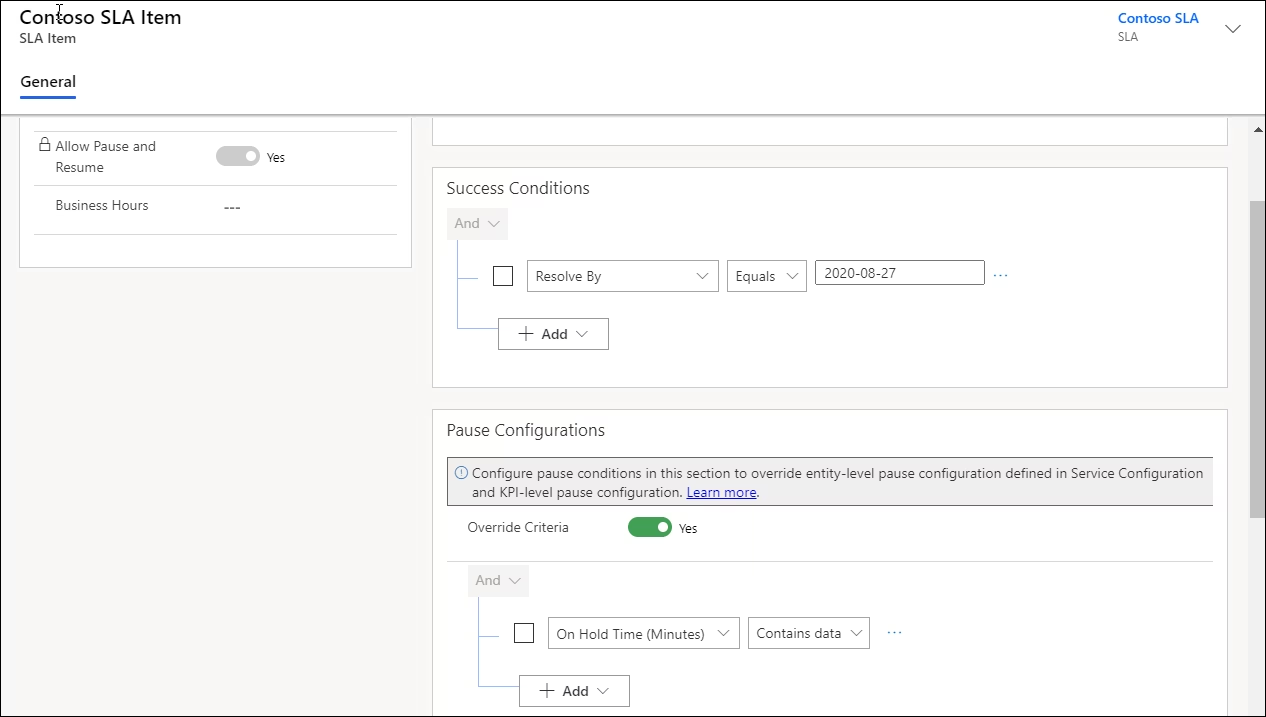
Track and enforce service level agreements
The platform enables organizations to define service level agreements (SLAs), configure KPIs, and monitor compliance in real time with visual timers and escalation triggers. Automated alerts notify agents and supervisors before breaches occur, and escalation workflows ensure critical cases are prioritized. This helps maintain contractual compliance, protect customer relationships, and improve accountability.

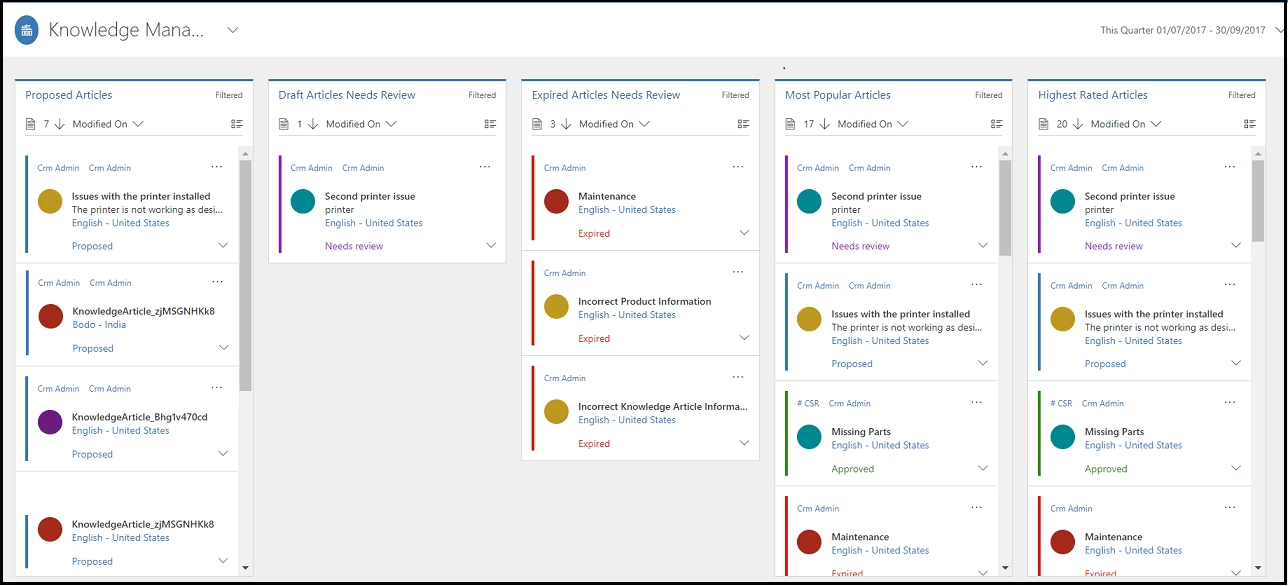
Provide agents with contextual knowledge
Integrated knowledge management allows teams to create, categorize, and surface relevant articles directly within the agent workspace during case handling. AI-driven suggestions recommend articles based on case context, keywords, and customer history. This accelerates resolution time, improves answer consistency, and enhances the overall customer experience.

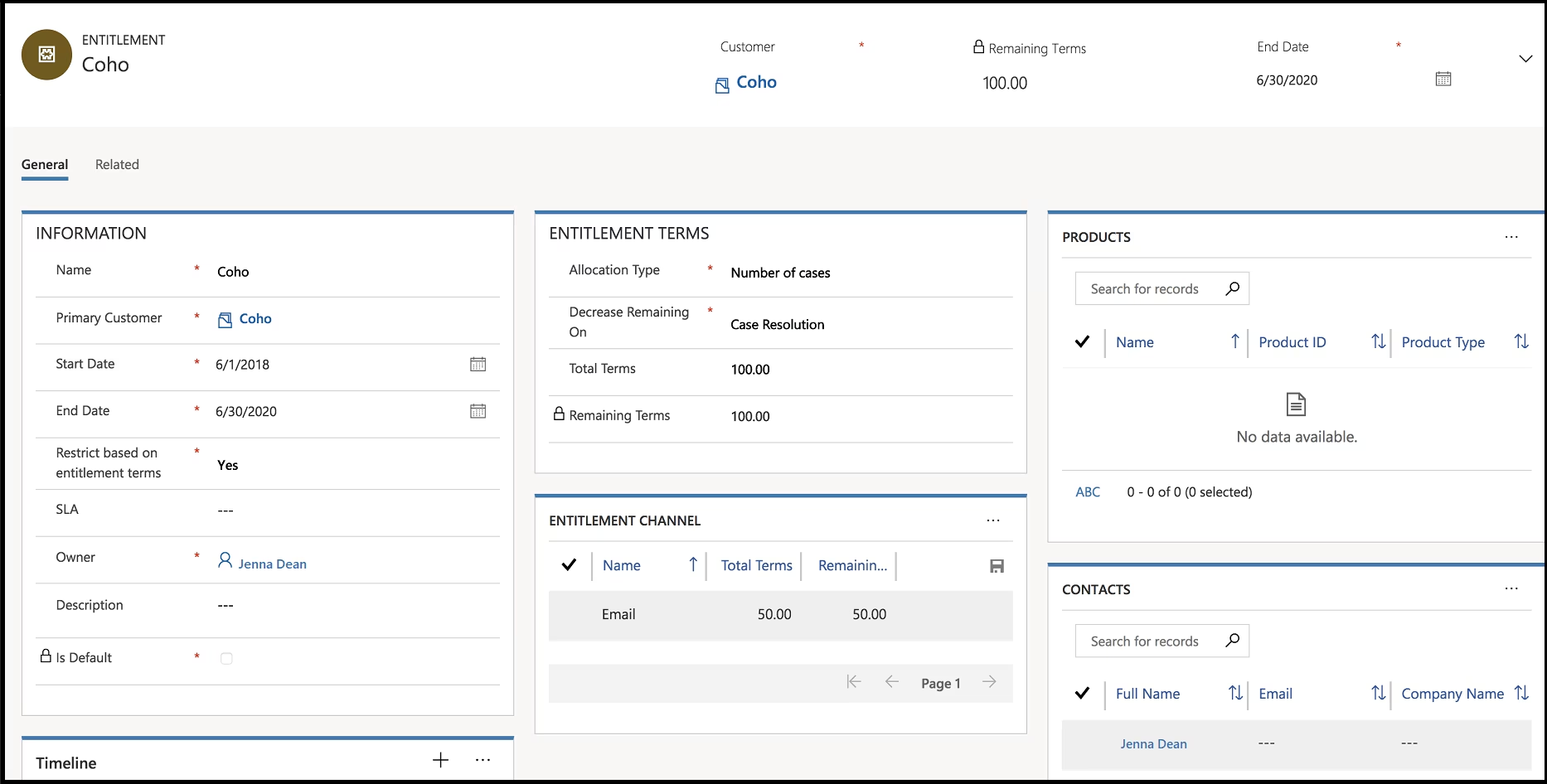
Manage customer entitlements and support coverage
Entitlements management tracks support contracts, service credits, and coverage limits tied to each account or contact. The system automatically validates whether a customer is eligible for service and deducts available support allowances when cases are created. This ensures accurate billing, proper service delivery, and greater transparency into contractual obligations.

Schedule service activities and customer follow-ups
Dynamics 365 Customer Service allows agents to schedule appointments, callbacks, and follow-up tasks directly from within a case record. Calendar integration and activity tracking help ensure commitments are captured and visible across teams, while reminders and status updates keep cases progressing toward resolution. This improves accountability, prevents missed service commitments, and ensures customers receive timely follow-up throughout the support process.

Omnichannel engagement

Engage customers across multiple digital channels
Omnichannel capabilities enable organizations to manage email, chat, SMS, social messaging, and voice interactions within a unified interface. Agents can handle multiple conversations simultaneously while maintaining complete visibility into customer history and prior interactions. This ensures consistent service experiences and improves customer satisfaction across every touchpoint.
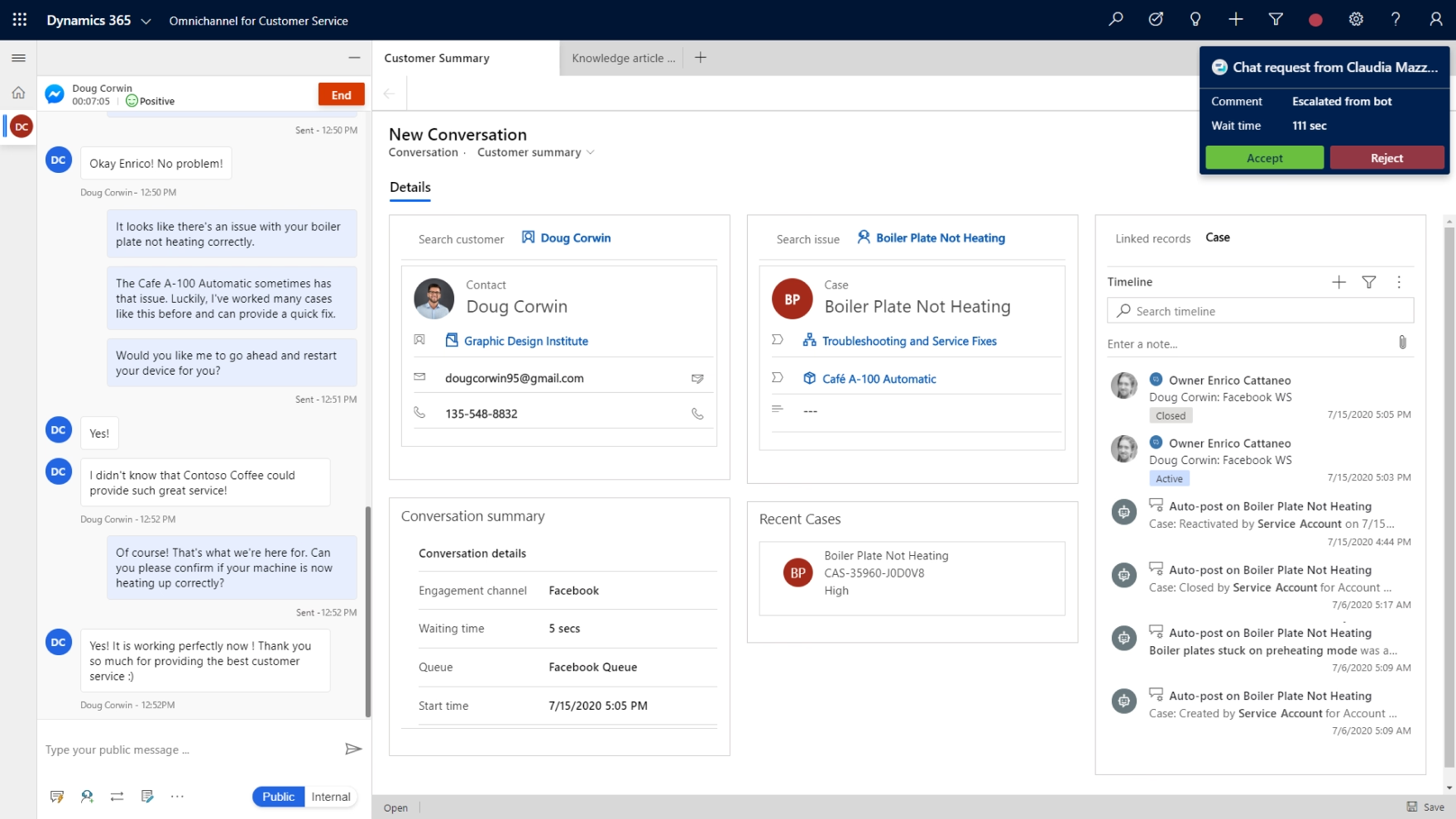

Deliver real-time live chat with intelligent handoff
Built-in live chat allows organizations to provide immediate assistance through website or digital messaging channels. AI-powered bots handle routine inquiries and seamlessly escalate complex issues to live agents with full conversation history preserved. This reduces wait times, lowers operational costs, and increases service availability.


Intelligently distribute work across teams
Unified routing leverages configurable rules, skill profiles, and capacity modeling to distribute cases and conversations dynamically. Supervisors gain visibility into agent workloads and can rebalance assignments in real time. This increases efficiency, reduces burnout, and ensures optimal use of service resources.


Centralize agent activities in a single workspace
The customer service workspace consolidates cases, conversations, knowledge articles, customer data, and analytics into one role-based interface. Agents no longer need to switch between multiple systems to resolve issues. This improves productivity, reduces errors, and shortens average handle time.

Workflow automation

Automate repetitive service processes
Through integration with Power Automate, organizations can automate escalations, approvals, notifications, and follow-up activities. Trigger-based workflows reduce manual intervention and ensure consistent process execution across service teams. This lowers administrative overhead and improves operational scalability.


Guide agents through structured resolution steps
Business process flows define standardized stages for case handling, ensuring agents follow established best practices. Managers can enforce compliance with required fields, milestones, and documentation checkpoints. This increases service consistency, improves quality control, and accelerates onboarding for new employees.


Convert customer communications into trackable cases
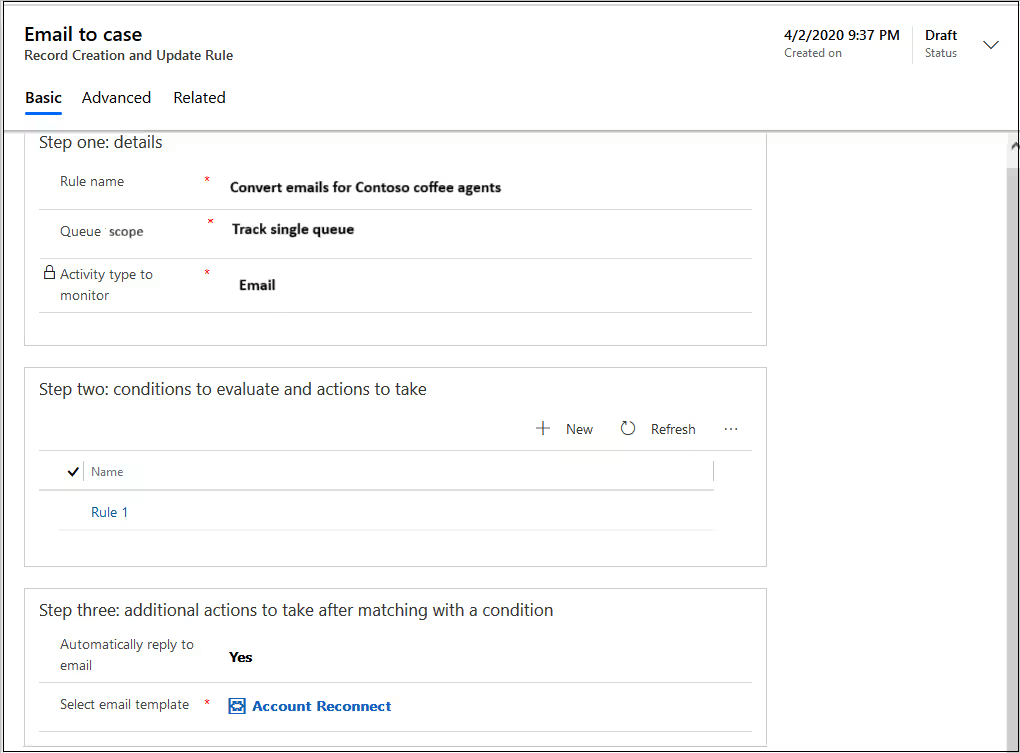
Automatic record creation captures incoming emails, chats, or digital messages and converts them into cases within the system. This eliminates the risk of missed requests and centralizes all service interactions in a single system of record. As a result, organizations gain improved tracking, reporting accuracy, and customer visibility.

Proactively escalate high-priority issues
Configurable escalation rules trigger when SLAs approach breach thresholds or when specific conditions are met. Supervisors receive alerts and can intervene before service failures occur. This protects customer relationships and improves service reliability.

Customer self-service

Enable customers to submit and monitor requests online
Secure customer portals allow users to create cases, check status updates, and communicate with support teams independently. Portal functionality integrates directly with the case management system to ensure accurate tracking. This empowers customers while reducing inbound call volumes.

Publish searchable knowledge for faster resolutions
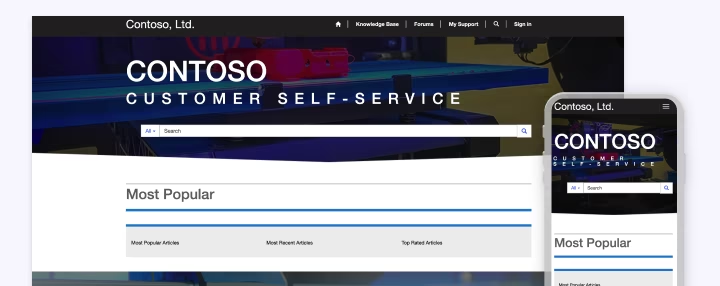
Organizations can create structured knowledge bases with categorization, approval workflows, and search optimization. Customers can access FAQs and articles through portals or public-facing sites. This lowers support costs, improves resolution speed, and enhances customer autonomy.


Build collaborative customer communities
Community forums allow customers to share experiences, provide solutions, and collaborate with peers in moderated environments. Organizations can monitor discussions and surface valuable insights. This strengthens brand engagement while reducing repetitive support inquiries.


White Paper
Dynamics 365 Customer Service pricing and licensing guide
Understanding licensing and pricing is critical to planning a successful Dynamics 365 Customer Service implementation. This comprehensive guide breaks down Dynamics 365 Customer Service licensing structures, user types, add-ons, and cost considerations to help organizations budget effectively. Download the white paper to understand subscription models, application bundling, and how to optimize your investment in D365 Customer Service.
Copilot and AI capabilities in Dynamics 365 Customer Service
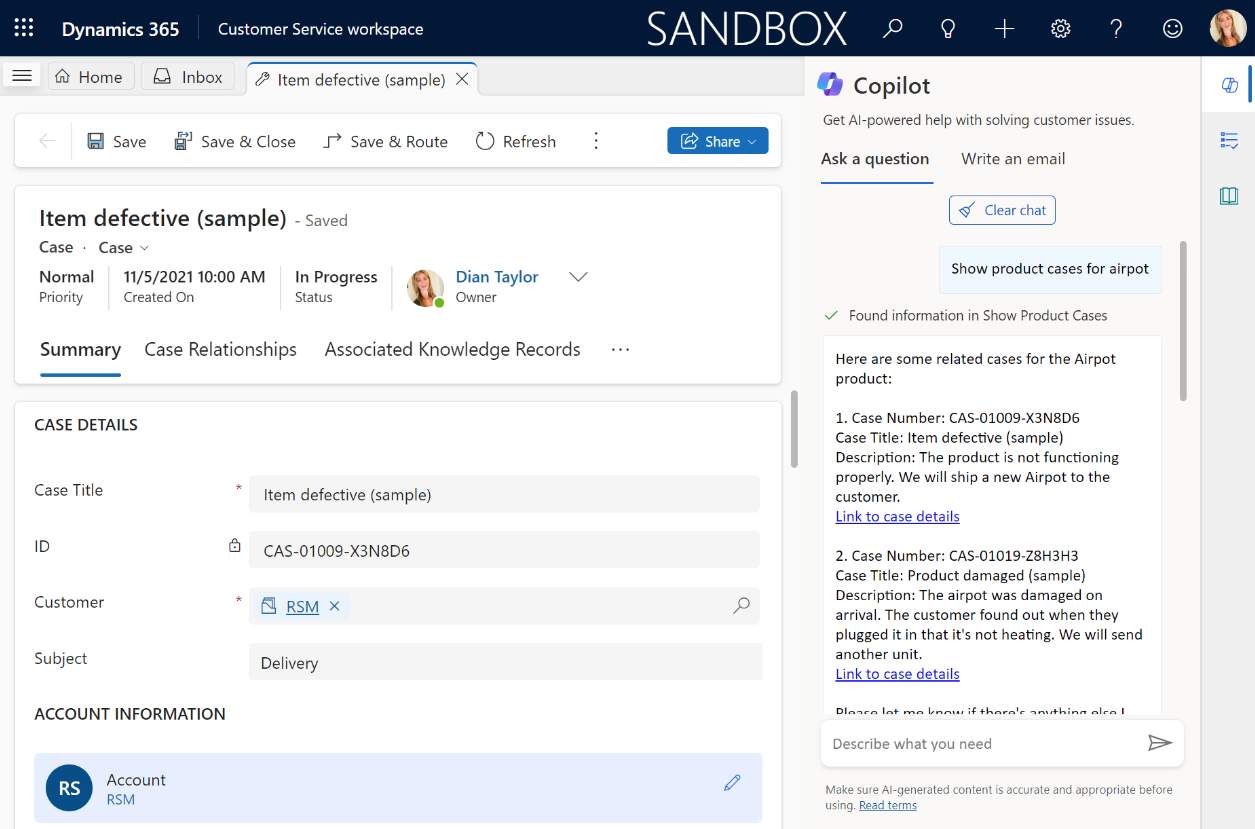
Copilot is embedded throughout Dynamics 365 Customer Service, providing agents with real-time AI assistance that automates time-consuming tasks so they can handle cases more efficiently and resolve issues faster. Organizations looking to build a world-class support team with Dynamics 365 Customer Service and AI will find Copilot at the center of that transformation.
Key AI-driven capabilities include:
- Copilot in the agent workspace: Agents interact with Copilot using natural language to ask questions, retrieve case summaries, and get suggested next best actions, all without leaving the current conversation.
- Suggested responses and email drafts: Copilot drafts replies to customer emails and chat messages based on conversation context and knowledge articles, which agents can review and send with confidence.
- AI agents: Autonomous AI agents built through Microsoft Copilot Studio can handle common inquiries, guide customers through troubleshooting, and escalate to a live agent when needed — passing along the full conversation history seamlessly.
- Real-time sentiment analysis and call transcription: AI monitors customer sentiment throughout live conversations and alerts agents when tone shifts negatively, while voice interactions are automatically transcribed and analyzed for coaching and quality purposes.
- Copilot analytics: Supervisors gain visibility into how Copilot is being used across the team, including response acceptance rates and agent productivity metrics, to measure ROI and identify opportunities to expand AI’s impact.

Analytics & reporting capabilities in Dynamics 365 Customer Service
Dynamics 365 Customer Service delivers built-in analytics and reporting tools that give service leaders a real-time view of team performance, case trends, and customer satisfaction. Natively integrated with Microsoft Power BI, the platform turns service data into interactive dashboards and visual reports that drive faster, more confident decisions across the organization.
Key reporting capabilities include:
- Power BI integration: Embed live Power BI dashboards directly within Dynamics 365 Customer Service using prebuilt templates or custom reports, with drill-down visibility across channels, queues, agents, and cases.
- Historical and real-time analytics: Prebuilt dashboards surface case volumes, SLA compliance, resolution times, and agent utilization both over time and in the moment so supervisors can act on what’s happening now and plan for what’s ahead.
- Omnichannel insights: Dedicated dashboards for voice, chat, and digital messaging channels provide visibility into wait times, abandonment rates, and agent workload, helping organizations optimize staffing and routing across every channel.
- Knowledge analytics: Track knowledge base usage, search success rates, and article feedback scores to keep your content library effective, accurate, and aligned with what customers are actually asking.
Why partner with Rand Group?
Trusted industry expertise
Our team brings hands-on experience in customer service operations and industry-specific support environments, ensuring every engagement is aligned to your team’s real-world workflows and service goals.
Long-Term partnership and support
We don’t disappear after go-live — Rand Group builds lasting partnerships that provide the ongoing support and strategic guidance needed to grow with the platform. Our 90% client retention rate speaks to our commitment to delivering results year after year.
Top North American Microsoft partner
Rand Group consistently ranks among the top Dynamics 365 partners in North America, with a proven track record of successful D365 Customer Service implementations across industries. We combine technical depth with strategic insight to help organizations unlock the full potential of the platform.
Award winning partner
Rand Group was named Microsoft Americas Channel Emerging Partner of the Year—a recognition that reflects our commitment to delivering innovative, high-impact Microsoft solutions across North America. This award validates the expertise, dedication, and results we bring to every.