Dynamics 365
 Power Platform
 Dynamics
 Cloud & Productivity
What is Microsoft Dynamics 365 Field Service?

Microsoft Dynamics 365 Field Service is a cloud-based field service management software that helps organizations manage work orders, schedule technicians, track assets, and deliver on-site service using AI and connected data.
It is designed for service-based organizations, field technicians, dispatchers, and service managers who need better visibility and control over field operations. Core capabilities include work order management, resource scheduling, a mobile app for technicians, AI-powered insights, and IoT-enabled predictive maintenance. Microsoft Dynamics 365 Field Service connects office teams and field teams in one system.
In this blog, we explore what Dynamics 365 Field Service is, what it does, its key capabilities, pricing, implementation options, and how to determine if it is the right solution for your organization.
What is Dynamics 365 Field Service?
Dynamics 365 Field Service is a unified platform for managing the end-to-end lifecycle of onsite service from a request to a work order, to scheduling and dispatch, to technician execution and follow-up reporting. As part of the broader Dynamics 365 suite of business applications, it integrates natively with Dynamics 365 Sales, Customer Service, Finance, and the Microsoft Power Platform to create a unified operational system.
What does Dynamics 365 Field Service do?
Dynamics 365 Field Service standardizes the full lifecycle of service delivery, from the initial service request to scheduling, dispatch, execution, and completion. It provides dispatchers, technicians, and service managers with shared visibility into work orders, priorities, and performance so teams can coordinate more efficiently.
It also supports more proactive service models. By connecting asset history, service agreements, and real-time data, organizations can move beyond reactive break-fix service and toward preventative and predictive maintenance strategies driven by automation and artificial intelligence.

Who uses Dynamics 365 Field Service?
Dynamics 365 Field Service is used by organizations that perform installations, repairs, inspections, and ongoing maintenance at customer sites. It is common in industries such as manufacturing, energy, utilities, healthcare, construction, and equipment services where field coordination and service reliability are critical.
Within the organization, different roles rely on the system in different ways. Dispatchers manage scheduling and resource allocation, technicians use mobile tools to complete work in the field, and service leaders use reporting and operational data to improve performance, utilization, and customer satisfaction.

Get Dynamics 365 Field Service today
Modernize your service operations with a connected, AI-powered platform built to improve efficiency, visibility, and customer satisfaction. Whether you are planning a new implementation or optimizing an existing environment, our team can help you move forward with confidence.
Benefits of Dynamics 365 Field Service
Dynamics 365 Field Service helps organizations modernize service operations by improving efficiency, visibility, and financial performance. By standardizing scheduling, work order management, and technician workflows, organizations can increase productivity while reducing manual coordination. Many businesses evaluate the measurable ROI of Dynamics 365 Field Service when considering modernization, especially when replacing paper-based systems or disconnected tools to reduce first-time fix delays, improve technician utilization, and shorten billing cycles.
Beyond operational control, D365 Field Service enables service leaders to make data-driven decisions. With built-in analytics, structured workflows, and intelligent scheduling, organizations can focus on maximizing field service efficiency with Dynamics 365 Field Service while tracking performance through defined KPIs and dashboards that support continuous improvement. The platform is built to scale with growing service teams and multi-location operations.
- Increased technician productivity: D365 Field Service equips technicians with mobile access to work orders, asset history, and service details in one system. This reduces time spent on administrative tasks and allows technicians to complete more jobs per day.
- Improved first-time fix rates: By giving technicians full visibility into asset history, required parts, and service agreements, D365 Field Service reduces repeat visits. Better preparation leads to higher first-time fix rates and more reliable service delivery.
- Faster invoicing and cash flow: Digital work orders and real-time job completion data accelerate billing cycles. Organizations can generate invoices more quickly and reduce delays caused by manual paperwork or incomplete service documentation.
- Reduced travel time and operational costs: Intelligent scheduling and route optimization help assign the right technician based on skills, proximity, and availability. This minimizes unnecessary travel, lowers fuel costs, and improves resource utilization.
- Better customer satisfaction: Accurate scheduling, real-time updates, and consistent service execution create more predictable customer experiences. Customers benefit from timely arrivals, faster issue resolution, and improved communication.
- Real-time reporting and visibility: Service leaders gain access to dashboards and operational data that track utilization, service levels, and performance trends. Clear visibility into KPIs allows organizations to identify bottlenecks and continuously improve service operations.
- AI-powered automation: D365 Field Service uses artificial intelligence to assist with scheduling, recommendations, and operational insights. Automation reduces manual decision-making and helps organizations scale service delivery without increasing administrative overhead.
Key capabilities of Dynamics 365 Field Service
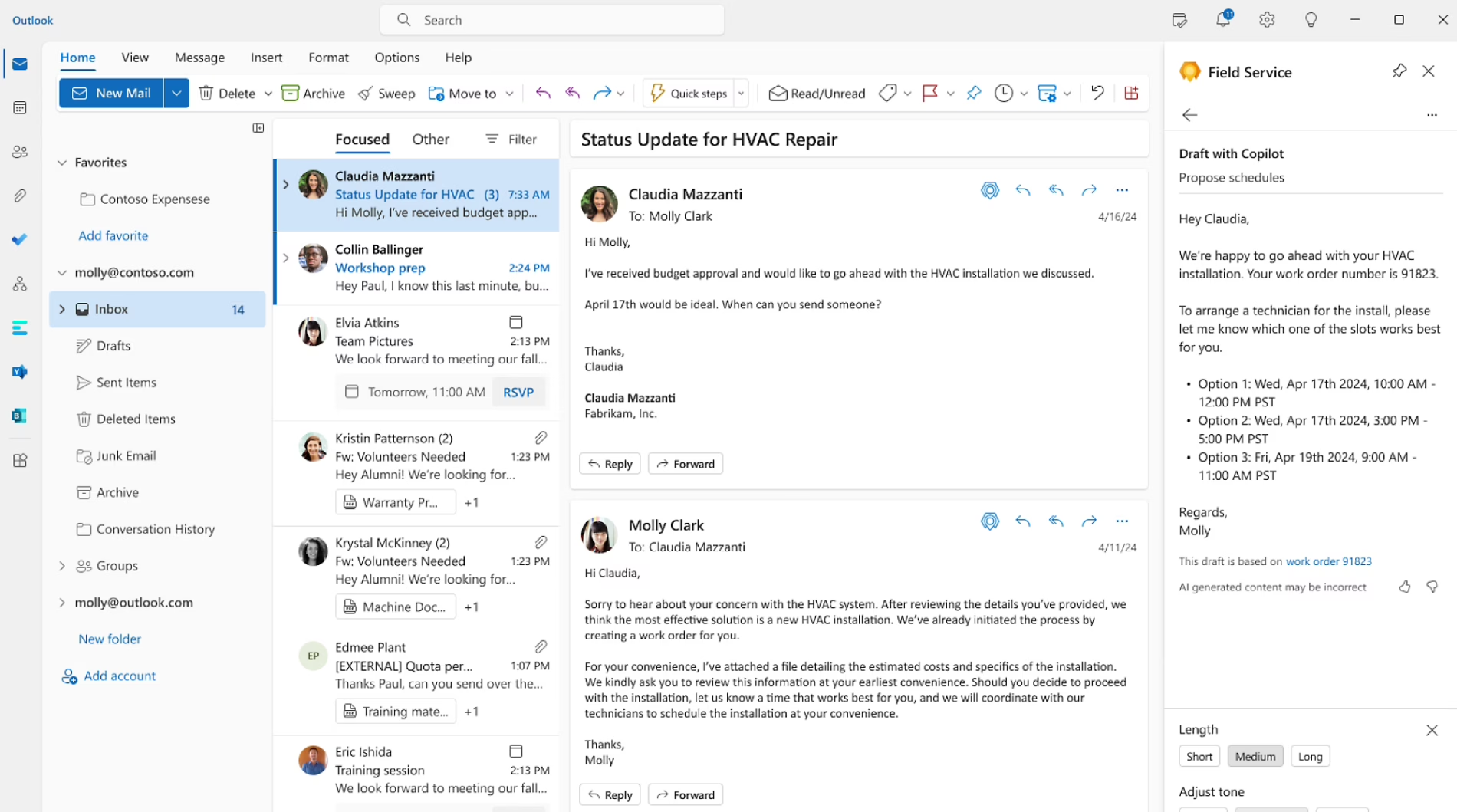
Dynamics 365 Field Service delivers a comprehensive set of connected service management tools that support the full service lifecycle. From intelligent scheduling and mobile execution to asset visibility and AI-driven insights, the platform brings together the core capabilities organizations need to manage modern field operations in one system. These Dynamics 365 Field Service capabilities are designed to improve coordination between dispatch, technicians, and service leadership while supporting scalable, data-driven service delivery.
To learn more, read our blog on Dynamics 365 Field Service features and capabilities.
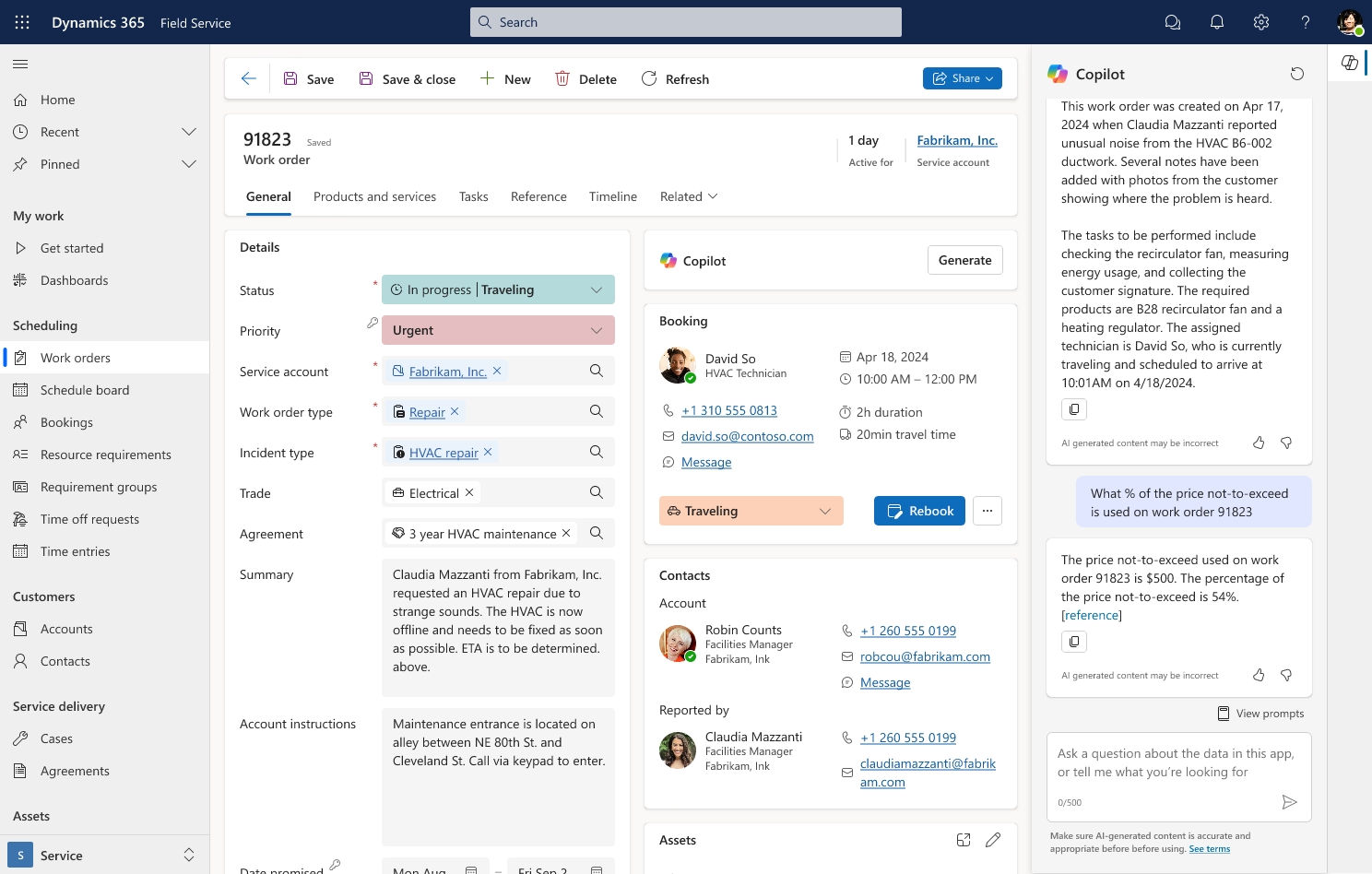
- Work order management: Dynamics 365 Field Service centralizes how service requests are created, assigned, tracked, and closed. Structured workflows make it easier to schedule work orders in Dynamics 365 Field Service while tracking labor, parts, time, and outcomes in a consistent format.
- Resource scheduling optimization: Intelligent scheduling tools match technicians to jobs based on skills, availability, territory, and priority. Organizations can manage resources with ease in Microsoft Dynamics 365 Field Service by reducing scheduling conflicts and improving utilization.
- D365 Field Service mobile app: The Dynamics 365 Field Service mobile app gives technicians access to work orders, asset details, maps, and service history from their mobile device. Mobile Dynamics 365 Field Service empowers technicians on the go with offline access, digital data capture, and real-time updates.
- Inventory and parts management: Dynamics 365 Field Service tracks parts usage, warehouse stock levels, and truck inventory to ensure technicians arrive prepared. Real-time inventory visibility helps reduce delays caused by missing parts and improves overall service efficiency.
- Preventative and predictive maintenance: With service agreements and connected asset data, organizations can move from reactive repairs to planned service strategies. Many organizations leverage Dynamics 365 Field Service for preventative maintenance to reduce downtime and extend asset life.
- Customer asset tracking: Dynamics 365 Field Service maintains detailed asset records, including service history, warranty data, and related work orders. This asset visibility supports faster troubleshooting and more informed long-term maintenance planning.
- Reporting and analytics: Built-in dashboards and performance metrics provide insight into technician utilization, first-time fix rate, and service levels. Service leaders can analyze trends and make operational improvements based on real-time data.
- Copilot and AI agents: Copilot adds conversational assistance and summarization to help users understand work orders, histories, and operational context faster, while AI agents can take more autonomous action within defined guardrails—especially in scheduling workflows.
How is Dynamics 365 Field Service priced?
Dynamics 365 Field Service is licensed on a per user, per month subscription model. Each named user requires their own license, and licenses are not shared between users. Organizations can choose from flexible subscription terms depending on their budget and staffing model, with pricing structured to scale as service teams grow.
There are two primary editions of Dynamics 365 Field Service: Dynamics 365 Field Service and Dynamics 365 Field Service Contractor. The full Dynamics 365 Field Service license includes complete access to scheduling, work order management, mobile functionality, and advanced capabilities such as Copilot and AI support. The Contractor license is designed for third-party or limited-access users who need core work order functionality with restricted access to certain advanced features. Microsoft also offers Team Member licenses for light users and Device licenses for shared workstations or equipment.
To learn more about licensing structure and cost considerations, read our blog on Dynamics 365 Field Service pricing.
Dynamics 365 Field Service vs Dynamics 365 Field Service Contractor
Dynamics 365 Field Service is designed for full internal users who manage scheduling, dispatch, asset tracking, service agreements, and advanced operational workflows. It provides complete access to the application, including AI-powered tools and mixed reality capabilities. Dynamics 365 Field Service Contractor is intended for third-party technicians or limited-access users who primarily need to view and update assigned work orders. Organizations typically choose the full Dynamics 365 Field Service license for dispatchers, service managers, and core technicians, while the Contractor license makes sense for external vendors or occasional field resources who do not require advanced functionality.
Dynamics 365 Field Service implementation process and timeline
A Dynamics 365 Field Service implementation is the process of configuring, deploying, and integrating the platform to align with your specific service operations. This includes defining workflows, configuring work order and scheduling processes, migrating data, integrating with other systems, and training users. A successful implementation ensures that D365 Field Service supports your service model, service-level agreements, asset management strategy, and reporting requirements from day one, while positioning your organization to improve utilization, reduce service delays, and accelerate billing processes.
Implementation timelines vary based on complexity, integrations, and customization needs. Traditional implementations typically take 3 to 6 months and are suited for organizations with complex workflows or multiple integrations. A Rapid Activation approach can be completed in as little as 6 to 12 weeks and focuses on best-practice configuration with limited customization. Some organizations pursue a hybrid approach, starting with Rapid Activation and expanding over time, while others opt for a full digital transformation that redefines service processes, data strategy, and system integrations across the enterprise.
To learn more, read our Dynamics 365 Field Service implementation guide.
Is Dynamics 365 Field Service right for your organization?
Dynamics 365 Field Service is designed for organizations that rely on coordinated field operations to deliver installations, repairs, inspections, or ongoing maintenance. It is particularly valuable for businesses with distributed technicians, complex scheduling requirements, or service-level agreements that require consistent tracking and accountability. If your service operations involve multiple moving parts across dispatch, field execution, and back-office billing, D365 Field Service can provide the structure and visibility needed to scale efficiently.
Many organizations consider D365 Field Service when they outgrow paper-based processes, spreadsheets, or disconnected legacy systems. It is also well suited for companies adopting preventative maintenance models or expanding service teams that require standardized workflows, mobile access, and performance reporting.
D365 Field Service may be right for your business if:
- You manage distributed technicians across multiple locations or territories.
- Your scheduling process is complex and requires skill-based or priority-based dispatching.
- You are shifting from reactive repairs to preventative or predictive maintenance.
- Your team relies on paperwork orders, spreadsheets, or manual coordination.
- Your service organization is growing and needs scalable processes and reporting.
- You want better visibility into technician performance, utilization, and service KPIs.
Partner with Rand Group for Dynamics 365 Field Service
Selecting the right partner is critical to a successful Dynamics 365 Field Service deployment. Rand Group works with organizations to align service operations, technology, and long-term business strategy. Our team combines deep Microsoft expertise with industry experience to ensure your D365 Field Service solution delivers measurable operational and financial impact.
From initial planning through post-go-live optimization, we support every phase of your Dynamics 365 Field Service journey. Our structured methodology reduces risk, accelerates user adoption, and positions your organization for scalable growth.
- Implementation services: We deliver structured Dynamics 365 Field Service implementations tailored to your service model, operational complexity, and growth plans. Our team manages configuration, integrations, data migration, and testing to ensure a smooth and predictable deployment.
- Customization and development: When standard functionality does not fully align with your workflows, we offer customization and development services to support your unique requirements. This includes custom workflows, integrations with ERP or third-party systems, and advanced reporting solutions.
- Training and user adoption: Successful deployments depend on confident users. We provide role-based training for dispatchers, technicians, and service leaders to ensure strong adoption and long-term system utilization.
- Ongoing support and optimization: After go-live, we continue to support your organization with troubleshooting, system enhancements, and performance optimization. Our team helps you adapt D365 Field Service as your business evolves and new capabilities become available.
Frequently asked questions (FAQs)
What is Dynamics 365 Field Service used for?
Dynamics 365 Field Service is used to manage and optimize on-site service operations. It helps organizations create and track work orders, schedule and dispatch technicians, manage customer assets, support preventative maintenance, and monitor service performance in one connected system.
How much does Dynamics 365 Field Service cost?
Dynamics 365 Field Service is licensed per user, per month. The full Dynamics 365 Field Service license costs $105 per user per month, while the D365 Field Service Contractor license costs $50 per user per month. Additional options include Team Member and Device licenses depending on user needs.
What is the difference between D365 Field Service and D365 Field Service Contractor?
D365 Field Service is the full-featured license designed for internal users who manage scheduling, service agreements, asset tracking, and AI-driven capabilities. D365 Field Service Contractor is a limited-access license intended for external or third-party technicians who primarily need access to assigned work orders and basic updates.
Is Dynamics 365 Field Service part of Dynamics 365 Sales?
No. Dynamics 365 Field Service is a separate application within the Dynamics 365 suite. However, it shares customer data and related records with Dynamics 365 Sales and other Dynamics 365 applications, providing a unified view of accounts, contacts, service history, and operational activity across teams.
How long does it take to implement Dynamics 365 Field Service?
Implementation timelines vary based on complexity. A Rapid Activation deployment can take approximately 6 to 12 weeks, while more complex or highly customized implementations may take 3 to 6 months.
Does D365 Field Service include AI?
Yes, D365 Field Service includes AI-powered capabilities such as Copilot and intelligent scheduling. These tools help automate work order summaries, optimize resource scheduling, and provide data-driven insights to improve service performance.
Can Field Service integrate with ERP systems?
Yes, Dynamics 365 Field Service can integrate with ERP systems to connect financial, inventory, customer, and service data in one unified environment. This integration ensures that work orders, billing, parts usage, and asset information stay aligned across operational and financial systems. Many organizations integrate Dynamics 365 Field Service with Dynamics 365 Finance & Operations using Dual Write, or integrate D365 Field Service with Business Central to streamline data flow between service operations and accounting.
What industries use Dynamics 365 Field Service?
Dynamics 365 Field Service is used in industries that rely on on-site service delivery. Common industries include manufacturing, oil and gas, utilities, healthcare, construction, equipment services, and facilities management.
Does Dynamics 365 Field Service work offline?
Yes, the Dynamics 365 Field Service mobile app supports offline functionality. Technicians can view work orders, capture notes, and update job details without an internet connection, with data syncing automatically once connectivity is restored.
What is Resource Scheduling Optimization?
Resource Scheduling Optimization is an advanced capability within D365 Field Service that automatically assigns technicians to jobs based on skills, location, availability, and priority. It helps reduce travel time, improve utilization, and increase first-time fix rates through intelligent scheduling algorithms.
Next steps
Dynamics 365 Field Service provides a structured, scalable platform for managing modern service operations. From intelligent scheduling and mobile execution to AI-driven insights and ERP integration, D365 Field Service helps organizations improve efficiency, increase visibility, and deliver more consistent service experiences.
If you are evaluating Dynamics 365 Field Service or planning an implementation, the right strategy and partner can make a significant difference. Our team can help you assess fit, define an implementation roadmap, and align the solution with your operational goals. Contact us today to start the conversation.