Dynamics 365
 Power Platform
 Dynamics
 Cloud & Productivity
Microsoft Business Central ERP for growing companies: when spreadsheets stop working

There’s a moment every growing business hits. Month-end close drags on for days—or even weeks—filled with manual effort and constant reconciliation. Finance is emailing spreadsheets back and forth. The numbers still don’t match. Your inventory team is working from one system. Your finance team is working from another. Nobody has the full picture.
Sound familiar? If so, you haven’t outgrown your ambition. You’ve outgrown your tools. For many small and mid-sized businesses, this is the moment that points toward a new kind of solution: an ERP system. Specifically, Microsoft Dynamics 365 Business Central.
This guide explains what Business Central ERP is, how to know when it’s time to upgrade, and what the process looks like.
What is Microsoft Business Central ERP?
Microsoft Business Central ERP is a cloud-based ERP system built specifically for small and mid-sized businesses. It brings together financial management, supply chain, inventory, sales, and project management in one connected platform.
Business Central is part of the Microsoft Dynamics 365 family. It’s hosted on Microsoft Azure and integrates natively with the tools your team already uses — Outlook, Excel, Teams, and Power BI. As a true cloud ERP, it updates automatically and scales as your business grows.
In short, Dynamics 365 Business Central replaces the patchwork of spreadsheets and disconnected systems that slow growing companies down.

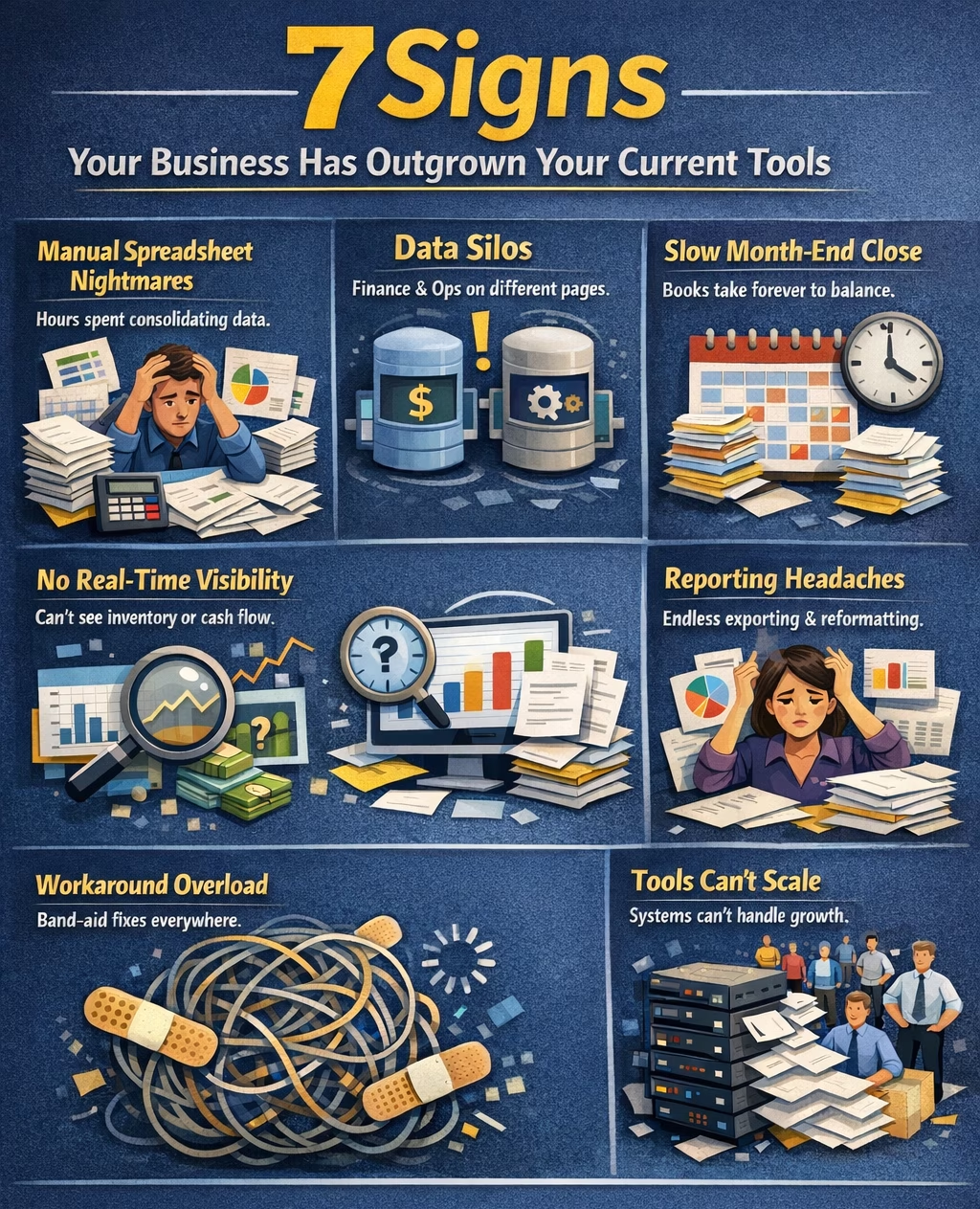
7 signs your business has outgrown your current tools
Growing companies don’t usually wake up one day and decide to get an ERP. Instead, the pain builds gradually. Here are the most common signs it’s time to consider upgrading your ERP system to Business Central.
- You’re spending hours manually consolidating spreadsheets. Your team exports data from one system, pastes it into a spreadsheet, and reformats it before anyone can read it. That’s not a process. That’s a workaround.
- Your finance and ops teams work from different data. When two teams make decisions from two different versions of the truth, errors compound. Miscommunication follows. So does frustration.
- Month-end close takes longer than it should. If closing the books requires hunting down numbers across multiple systems, your tools are the problem — not your team.
- You can’t get real-time visibility into inventory or cash flow. Growing businesses need to make fast decisions. If you can’t see where you stand without running a report first, you’re already behind.
- Reporting requires exporting and reformatting data manually. Real-time reporting should be a click, not a project. If your team dreads pulling reports, that’s a capacity problem your software created.
- You’ve added workarounds on top of workarounds. A workaround here, a workaround there. Over time, your systems become fragile and hard to maintain. Every fix creates a new problem.
- Your team is growing but your tools aren’t keeping up. More users, more transactions, more complexity. Entry-level tools hit their ceiling quickly.
If three or more of these describe your business, you’ve likely hit the breaking point.
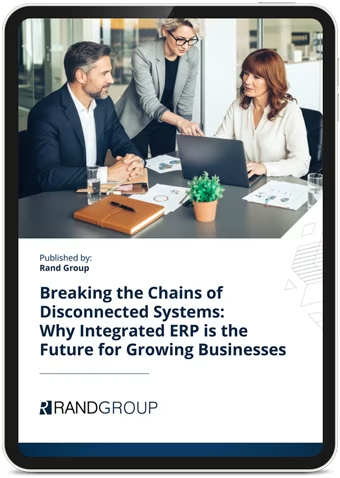
Stop the leaks: what disconnected systems are really costing you
Stop patching. Start connecting. Disconnected systems cost growing businesses more than they realize — in lost time, bad data, and missed opportunities. This whitepaper explores why integrated ERP is the future for growing businesses and how Microsoft Dynamics 365 Business Central can replace your patchwork of tools with one unified platform.
What does Business Central ERP actually do?
Microsoft Dynamics 365 Business Central ERP is organized into functional modules. Together, they give you a single, connected view of everything. Business Central comes in two editions — Essentials and Premium. Essentials covers the core functionality most growing businesses need, including finance, supply chain, sales, warehouse, and project management. The Premium edition builds on that foundation by adding advanced capabilities for manufacturing and service management. Here’s a breakdown of the core modules:
- Financial management: A real-time general ledger with automated postings, multi-currency support, and built-in consolidation. Your team gets instant visibility into cash flow, payables, receivables, and performance — no spreadsheets required.
- Supply chain and purchasing: Manage vendors, purchase orders, and fulfillment in one place. Track materials, monitor performance, and reduce time spent chasing information.
- Inventory management: Monitor stock across locations with real-time inventory updates. Support for bin-level tracking, cycle counts, and demand forecasting helps reduce stockouts and over-ordering.
- Warehouse management: Manage inbound, outbound, and internal warehouse activities from one place. Business Central supports pick, pack, put-away, and bin management across single or multiple locations — adapting to your operational complexity as you grow.
- Sales and customer management: Manage customers, pricing, and orders in one system. Sales teams can see availability and history instantly — leading to faster quotes and fewer errors.
- Project management: Plan projects, assign resources, and track budgets with built-in billing models. Costs flow directly into financials, keeping teams aligned. Read more about Business Central project management.
- Service management (Premium): Handle service orders, contracts, and field operations with full visibility into usage and billing. Find out how Business Central service management works.
- Manufacturing (Premium): Support production orders, bills of materials, capacity planning, and shop floor control — without needing a separate system. Explore Business Central manufacturing capabilities.
Built on the Microsoft ecosystem
One of the biggest advantages of Business Central is how naturally it fits into a Microsoft environment. It integrates natively with:
- Microsoft 365: Access and work with Business Central data in Outlook, Excel, and Word
- Microsoft Teams: Share and collaborate on Business Central data directly within Teams
- Power BI: Build real-time dashboards and analyze business performance visually
- Power Automate: Build automated workflows and approvals
- Azure cloud: Secure, scalable infrastructure with continuous updates and high availability
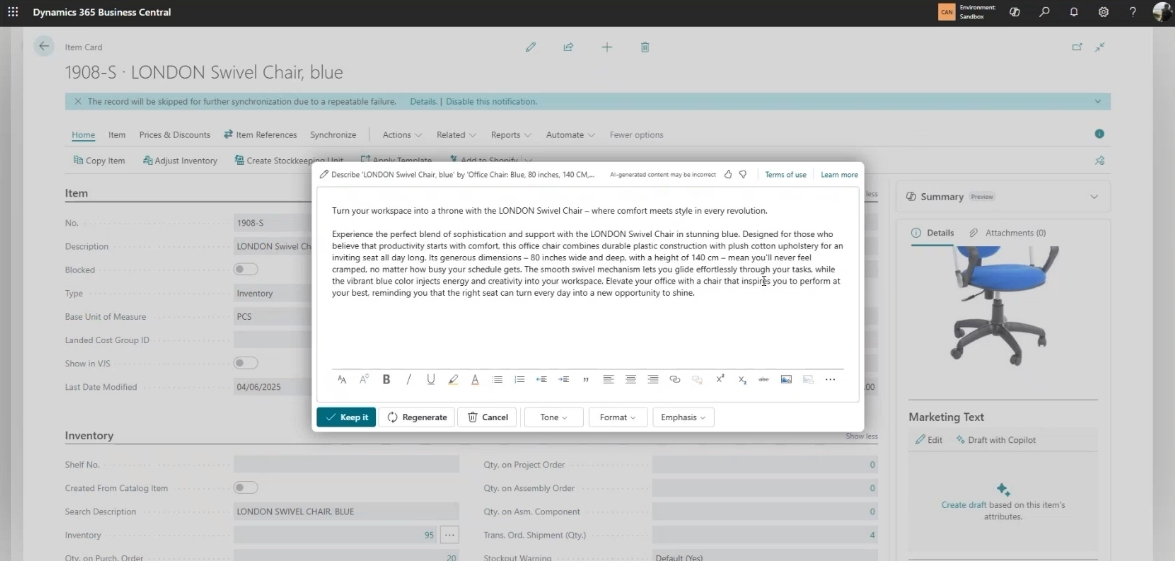
Business Central also includes Microsoft Copilot, an AI assistant built into the platform. Copilot helps users analyze data, generate content, and complete tasks using natural language — reducing manual effort and improving productivity. Read our Dynamics 365 Business Central ERP integration guide for more information.
Real-world example: moving from spreadsheets to Business Central
A-Z Process Solutions is a commercial and process solutions provider serving industrial clients. As the company expanded from one business to three in just a few years, its systems couldn’t keep pace. The team was running on QuickBooks, Excel spreadsheets, Field Pro Max, and data scattered across personal drives and email accounts. None of these tools talked to each other.
The company had identified approximately $50,000 per month in lost opportunity costs tied directly to these disconnected systems.
There was no real-time visibility into project profitability. Inventory was inconsistent. And communication between field teams and office staff had become a daily source of frustration.
A-Z Process Solutions partnered with Rand Group to implement Microsoft Dynamics 365 Business Central with a field service management solution. The result was a single, connected platform covering financials, inventory, project management, and field operations. The transformation didn’t just fix operational problems. It gave the company a foundation to keep growing — without adding overhead to manage the complexity.
0 %
reduction in inventory cycle count time
$ 0 K
in monthly inventory savings
0 %
elimination of manual project spreadsheets
What does a Business Central ERP implementation look like?
Many companies hesitate to move to an ERP because they worry about disruption. That concern is valid — but with the right partner and methodology, Business Central ERP implementation is manageable and predictable. Here’s what a typical implementation involves:

Discovery and planning
Your implementation partner reviews your current processes, identifies gaps, and maps out requirements. This phase sets the scope and timeline.

Configuration
Business Central is configured to match your business workflows — chart of accounts, inventory setup, user roles, and more.

Data migration
Historical data from your existing systems — QuickBooks, spreadsheets, or legacy ERPs — is cleaned, transformed, and imported into Business Central.

Testing
End-to-end testing ensures everything works correctly before go-live. This includes financial validation, process walkthroughs, and user testing.

Training and go-live
Users receive targeted training on their specific roles. A structured go-live plan minimizes disruption to daily operations.

Post-go-live support
A good partner stays engaged after launch to resolve issues, answer questions, and optimize the system.
When should you upgrade to Business Central ERP?
There’s no single trigger, but certain moments make the case clearly. Consider upgrading when:
- Your team reaches 10+ users, and coordination across departments breaks down
- You’re managing multiple locations, entities, or currencies
- Manual reporting is delaying leadership decisions
- You’re preparing for rapid growth, a new product line, or outside investment
- Compliance and audit readiness are becoming harder to manage
- Your current software vendor is discontinuing support or updates
The right time to move isn’t when you’re in crisis. It’s when you can see the ceiling approaching. Early movers get more time to implement carefully, train well, and realize ROI faster.

Ready to move beyond spreadsheets?
Rand Group helps growing companies implement Microsoft Dynamics 365 Business Central ERP — from planning through go-live and beyond. Let’s talk about where you are and where you want to be.
Why your Business Central ERP partner matters as much as the software
The best ERP system in the world won’t deliver results with a poor implementation. The partner you choose shapes the outcome as much as the software itself.
When evaluating a Business Central implementation services partner, look for:
- Microsoft certifications: Your partner should hold verified Microsoft competencies in Business Central
- Industry experience: Look for a team with proven deployments in your sector
- A clear methodology: Avoid partners who are vague about process, timelines, or deliverables
- Support: Post-go-live support should be part of the engagement, not an afterthought
- Training: Thorough user training drives adoption and protects your investment
Rand Group is a Microsoft-certified partner with deep expertise in Dynamics 365 Business Central. Named the 2025 Microsoft Americas Channel Emerging Partner of the Year, Rand Group provides end-to-end services — from initial evaluation and implementation to Business Central ERP integration, Business Central ERP training, and Business Central ERP long-term support. The team serves growing companies across manufacturing, distribution, construction, professional services, and more.
Frequently asked questions about Microsoft Business Central ERP
What is Microsoft Business Central ERP?
Microsoft Dynamics 365 Business Central is a full cloud-based ERP system. It connects financial management, supply chain, sales, inventory, and operations in a single platform. It is built for small and mid-sized businesses and is part of the Microsoft Dynamics 365 family.
How long does a Business Central ERP implementation take?
Implementation timelines vary by scope. With Rand Group’s Rapid Activation methodology, deployments can go live in as little as four weeks, but may extend up to sixteen weeks depending on your requirements and project complexity. Mid-market structured deployments typically take longer, depending on customization, integrations, and data migration needs. Read our full Business Central implementation guide.
What modules are included in Dynamics 365 Business Central ERP?
Business Central includes financial management, sales, purchasing, inventory, supply chain, project management, and warehouse management in the Essentials edition. The Premium edition adds manufacturing and service order management. Explore every Business Central module in detail.
How much does Microsoft Dynamics Business Central ERP cost?
Business Central is $80 per user per month for Essentials and $110 per user per month for Premium. For more information, see our Business Central Pricing Guide.
Can Business Central replace entry-level accounting software?
Yes. Business Central is a common next step for companies that have outgrown QuickBooks or similar tools. It goes beyond accounting to connect operations, inventory, and reporting in one system. Data migration from entry-level systems is standard. See how Business Central compares to QuickBooks.
Does Business Central integrate with other systems?
Yes. Business Central is specifically designed for small and mid-sized businesses that need more than basic accounting but don’t require a large enterprise ERP. It scales as you add users, locations, or business complexity. Discover what Business Central can do for your business.
What industries use Business Central ERP?
Business Central serves a wide range of industries including manufacturing, wholesale distribution, professional services, construction, healthcare technology, field services, and retail. Its modular design and Microsoft ecosystem integrations make it adaptable across sectors.
Next steps
If your business is growing and your tools are falling behind, Business Central ERP is worth a close look. The right ERP doesn’t just fix today’s problems. It builds the foundation for what comes next.
Whether you’re migrating from an entry-level accounting tool, replacing a legacy system, or implementing ERP for the first time, Rand Group brings the experience to get it right. Contact Rand Group to talk through your options.